-
Buy Something That Doesn't Work in Carrara? Post your Questions and Workarounds here. (please)
I want to use Carrara
it just makes me cry
none of the Genesis 9 poses are now working on my saved blended weight Genesis 9 characters
my DAZ Content folder won't update
had to load blended weight mapped clothing via file because would error from browser
I am just so frustrated
I am going to try resaving in D|S4.11
RRRR - Remake or Sequel Render Contesttag:luci45#2
The Second Happening
After discovering how easy it is to chemically manipulate human beings, the plants decided to try reeducating and making humans clean up the environmental mess they made.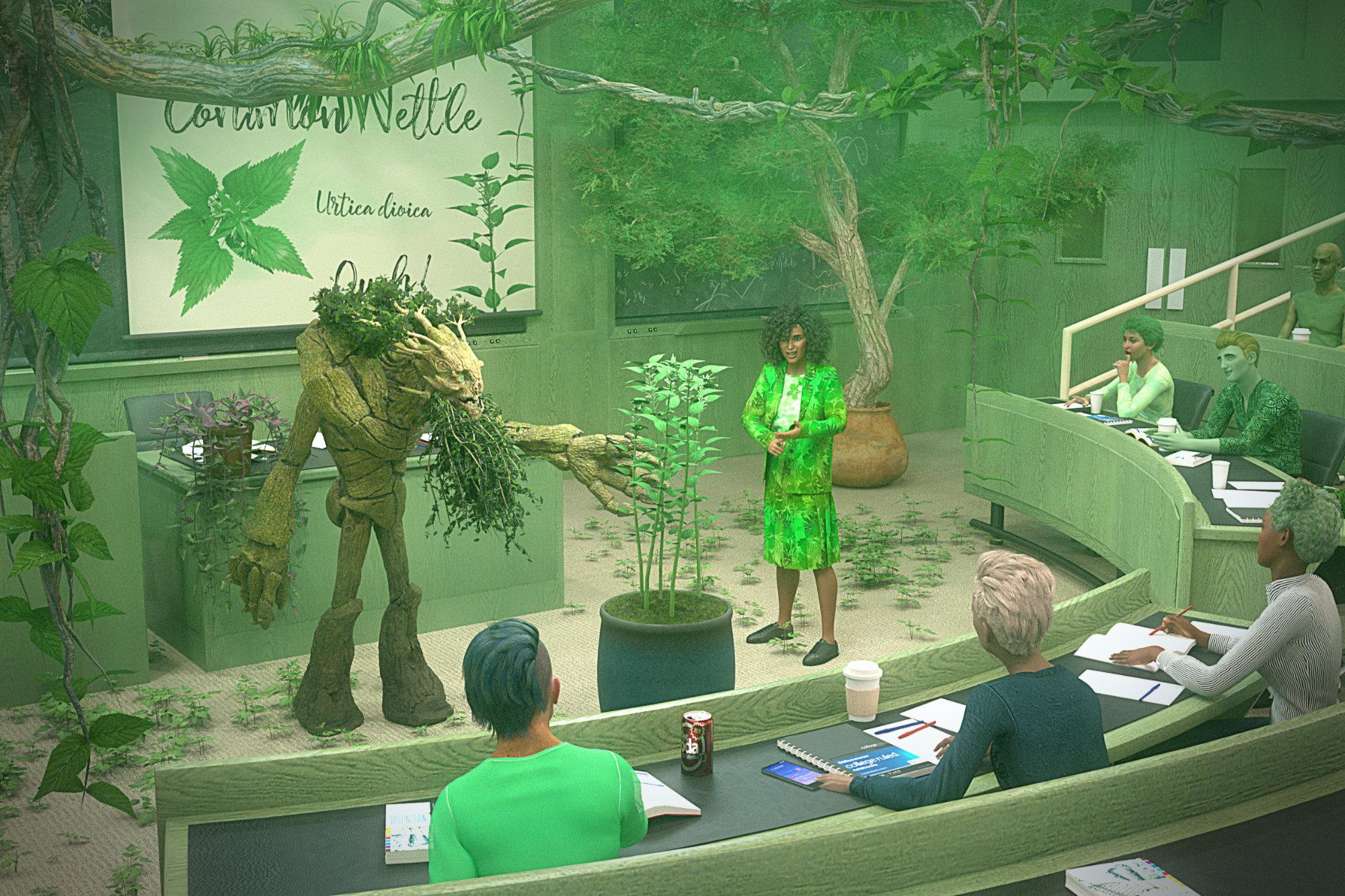
922 College Classroom
3843 Predatron Common Nettles
3175 Miranda Hair for Genesis 3 & 8 Female(s)
3158 Millawa 8Also used
Tree Giant
Tropical Tradescantia Plant
Jungle Construction Kit
Hawthorne Trees
Plant Pots Vol 2 - Square and Unusual
Hair - PH Punk, Micah, Chase, Margot
Clothes - HnC Basic Jacket Outfit w/DD PBR Hawaiian Print Fabric Shaders Vol 2
MMX VDB Smoke FX 01Comic - "Charlotte's Magic Life"Baggage 02 - "F-Bombs"
https://charlottesmagiclife.com/comic/baggage-02-f-bombsBTW I love this clothing asset on Kurt.:
https://www.daz3d.com/casual-outfits-for-genesis-8-males
Not Dforce, but look at those folds and wrinkles. Three outfits. One downside-each is a complete asset. No mixing and matchingNew Year, New Sales Thread: Report Issues Here 4 "Reporting Only"Just because some portion of the audience are unaware of something isn't a reason to be less precise. It's a reason to be more precise and then to include things like tool tips that can take new users to documentation.
This is the same issue as knowing if hair is strand based or is geometry based and the disaster that both sets of hair can be called "dForce" hair. Some PAs put "strand-based" in the name. But that doesn't help the back catalog.
Heck, something in the header section: "Contains props, scenes, lighting presets, and hierarchical materials." would be a godsend.
Freebie Challenge APRIL 2026 - "Free for ALL" Entries ThreadFourth installment in the series. Vignetting, tonemapping etc. done within DS. I added a frame again in post.
Mismatched IV: Showdown at the Sweet Shop
(This pastry shop ain't big enough for the both of us!)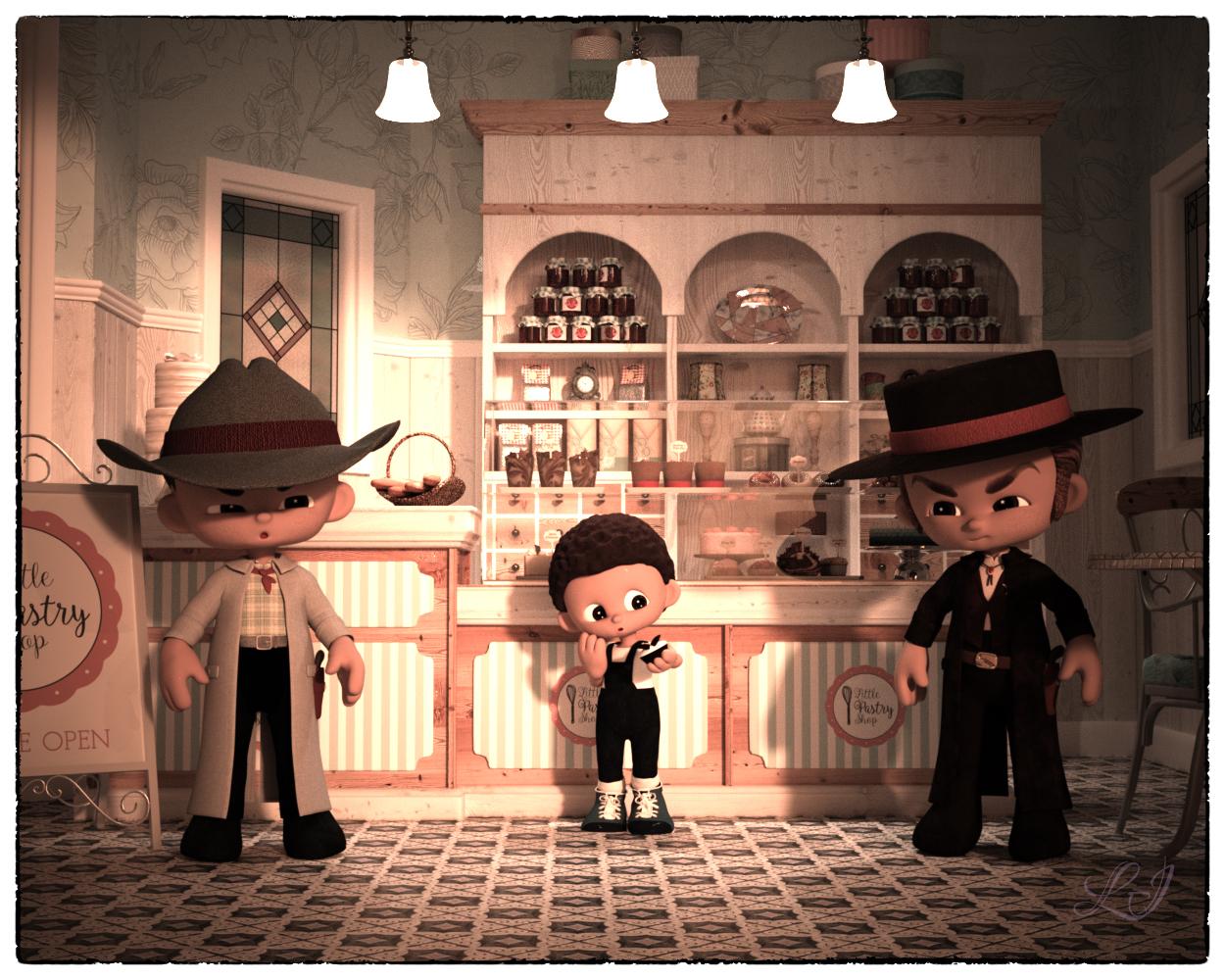
Freebies
Gumdrops Cowboys
Gumdrops Cupid (hair)
Gumdrops Overalls
Gumdrops Shoes
Toon Food Cupcake
Gumdrops Everyday Poses
Skies of Economy Redux - Volume 1 LiteItems Bought
Gumdrops: Candy the Base
Gumdrops: Expressions
Little Pastry ShopDoctor Matt SmithIs there a Gebesis 9 version of Doctor Matt Smith? How about his hair and outfit?
Freebie Challenge APRIL 2026 - "Free for ALL" Entries ThreadThe Fairy Godmother's Apprentice
Oh I see! So it was supposed to be the pumpkin into a carriage, the mice into horses and the ballgown on Cinderella!
Free
G2/G3 Fae Dress (wings): https://www.renderosity.com/freestuff/items/77320/g2-g3-fae-dress
Velvet Boots for G3F and G8F: https://www.renderosity.com/freestuff/items/78188/velvet-boots-for-g3f-and-g8f
Magic Wand (DAZ3D, Iray, obj included): https://www.renderosity.com/freestuff/items/88588/magic-wand-daz3d-iray-obj-included
VFox Chloe for Genesis 8 Female (October Gift): https://www.renderhub.com/vfoxgames/vfox-chloe-for-genesis-8-female
PS Merry for G8F: https://www.renderosity.com/rr/mod/freestuff/ps-merry-for-g8f/87285
Candy Braids Hair for Genesis 8 Female(s): https://www.renderosity.com/freestuff/items/88062/candy-braids-hair-for-genesis-8-females
Medieval_Village_Market (ground): https://sharecg.com/v/96510/related/21/DAZ-Studio/Medieval_Village_Market
Royal Carriage: https://www.renderosity.com/freestuff/items/64060/royal-carriage
dForce_French Twist Hair for Genesis 8 Female(s): https://www.renderosity.com/rr/mod/freestuff/dforce-french-twist-hair-for-genesis-8-female-s-/81937
Mouse R3: https://www.renderosity.com/freestuff/items/62185/mouse-r3
Upgrade G3 Ball Gown for G8 Female: https://www.renderosity.com/freestuff/items/77760/upgrade-g3-ball-gown-for-g8-female
Medieval Hovel: https://www.renderosity.com/freestuff/items/85194/medieval-hovel
Trixie's Pumpkin for Daz Studio(texture used on horse): https://www.renderosity.com/freestuff/items/83410/trixies-pumpkin-for-daz-studio
Darkness Saga Sorceress Outfit for G8F: https://www.renderhub.com/xenaith/darkness-saga-sorceress-outfit-for-g8f
free - Lily Munster Dress- Simple dForce Dress for G8F: https://www.renderosity.com/freestuff/items/96316/free-lily-munster-dress-simple-dforce-dress-for-g8f
Annette for G8F (shoes): https://www.patreon.com/posts/annette-for-g8f-39589968No Count
Default shadersPaid
DAZ Horse 2: https://www.daz3d.com/daz-horse-2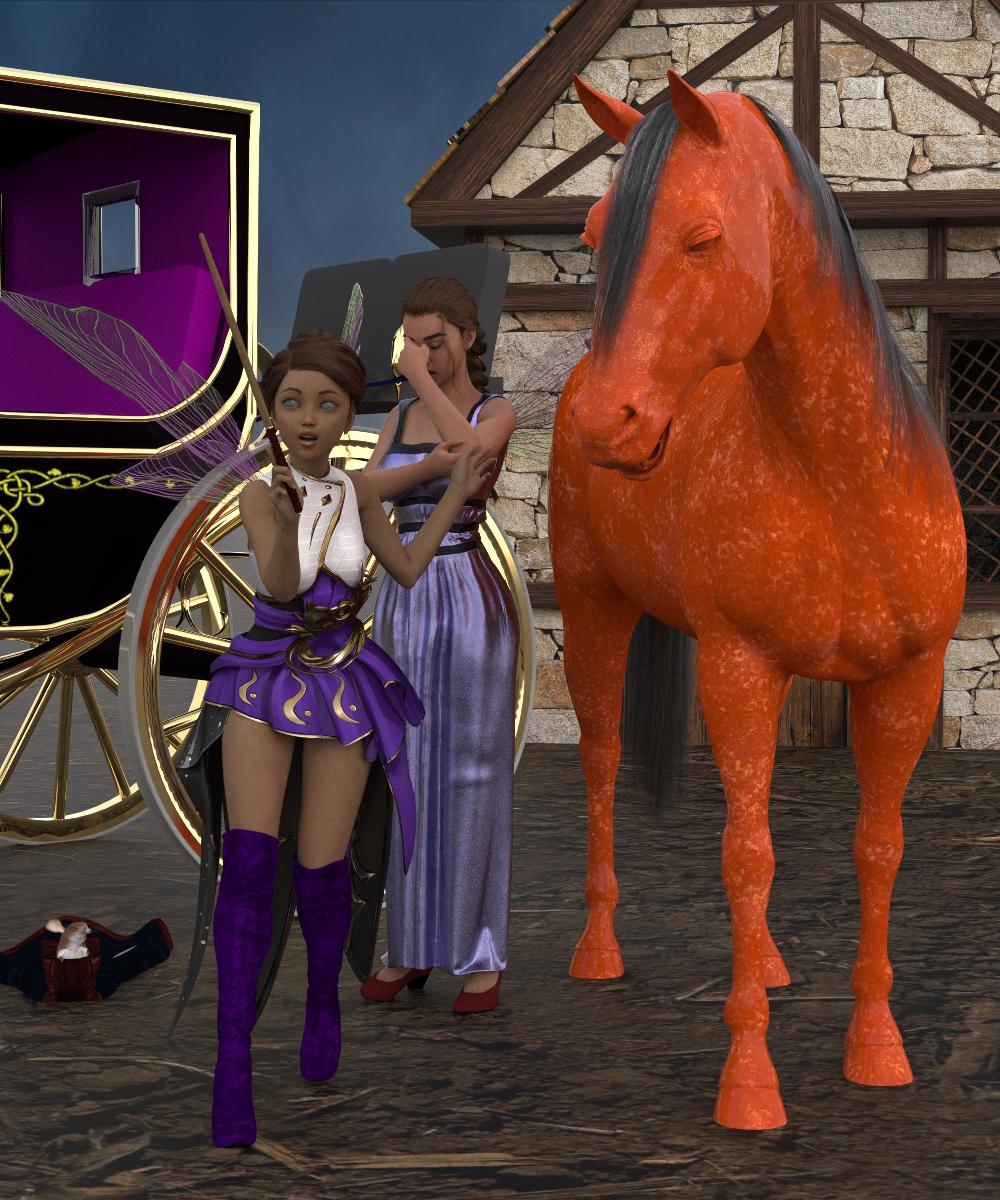 Wet Shader Product Name?
I mean, if you don't actually tag me in your post, the chance I'll see the question to answer it is somewhat diminished. It's kind of chance I opened this thread at all...
Anyway, it is a trick I learned from SWTrium's products, but there's no special shader here - it's geoshell trickery. The main layer of the shirt is relatively transparent, then there is a somewhat more opaque geohell with a negative offset. Where the clothing is close to the figure, that geoshell clips inside the figure, thus hiding that more opaque layer in that area. This technically messes with the SSS on the figure a bit, but it's usually not obvious.
In this case, I also threw displacement maps on the shirt (and its geoshell) to make the look more wrinkly than dForce alone was managing.
Wet Shader Product Name?@XtraDimensional
Sure, will do!
@Richard
Must admit the promos have me a bit baffled, especially when I read the description, but it'll be interesting to see how it's done whatever it is!
@Havos
I know what you mean, but no, nothing to do with the wet geoshell stuff.
@Cybersox
Thanks for the detailed explanation. Still baffled by it a little, but I'll pick this one up next time a generous sale is on. If I read the description for that specific product, it kinda does sound as if it uses a custom shader, but that the product has wrinkle morphs as well. Whether any one specific feature or combination of features is/are required to make it work, I have yet to get my head around. But it'll be interesting to mess around with and find out, just to see how it's done!Limited Time Freebies Discussion ThreadFrankTheTank said:
garrett_3d said:
I never really considered using older gens for distance characters. Are they a lot less resource heavy than G8?
Not in any practical sense because it always comes down to the hair and the clothing. The best way to handle background characters is to simply turn subd to 0, base on G8, use simple hair from the G1/G2 era, and simple clothes. Don't use shoes and extra trinkets if not necessary, frame so you hide feet if possible, that sort of thing. The memory load on your GPU will be just as light with G8 that way. Can't speak for G9 as I don't use it, but i've done lots of comparisons between G1 through G8 and now I just use G8 for everything this way. Makes it so much simpler to use G8 for everything. If my main character is a background character in another scene its very easy to make the small changes necessary to maintain continuity.
Yes, SubD is the main thing on the GPU. And this trick doesn't work with recurring figures. But there are considerations beyond render time/vram. For one-offs (a random diner) the scene load time for a G3 figure is much faster than for your main figure generation because you have many more morphs/assets in your main generation. My library for G9 is enormous and creating a new generic G9 character is slow before materials and shape morphs are applied. G3 figures, for me, load in 10-15 seconds by comparison. Put a dozen G3 figures in a scene file and load time is tolerable. Put a dozen G9 figures in a scene file and load time is a coffee break. This is the real difference between a scene with a handful of figures and a scene with a roomful of figures.
Andrew or Andy?vwrangler said:
valkan said:
Does that mean that the new Andy replaced my Andrew files yesterday?
I've had an Andy update today called Andy. Do I now have 2 copies of Andy and not Andrew?
I haven't really checked any of these characters yet. I just thought it would be useful to have a few spare male characters since they were cheap
Yes, if you originally installed Andy when he first came out, he replaced your Andrew files. If you installed the Andy update, you now have two copies of Andy. I would suggest you redownload and reinstall Andrew so that he replaces the incorrect copy of Andy. The updated Andy will be left alone.
miladyderyni_173d399f47 said:
Technically, we were informed there were no materials, since the What's Included section on each product page only mentions character presets and shaping.
Unfortunately, that's not quite true. If you look at today's entry for Joanne, for example, she has
- Material Options:
- Joanne All MAT
- Joanne Eyes
- Joanne Skin MAT
- Joanne Eyelashes
- Joanne Eyes
- Daz Studio Iray Material Presets (.DUF)
The aforementioned Andy has
- Material Options:
- Andy All MAT
- Andy Eyes
- Andy Skin MAT
- Andy Eyelashes
- Andy Eyes
- Daz Studio Iray Material Presets (.DUF)
What isn't made explicit anywhere is that the MAT that's used is for Genesis 9 Base Materials Feminine/Masculine 01. The way it's phrased implies that these characters include materials of their own, and they very much do not. You can kind of figure it out if you notice that the promo pictures have, way down in the corners, wee tiny type that tells you which textures are used for the promos, but even that isn't the same thing as explicitly saying that the characters don't come with textures.
Missed those details. I did ask about Joanne (and the other Doorbusters for today) in the reporting thread before seeing your post. If Joanne and Andy don't have unique skins, then Daz needs to remove the materials listed under What's Included on their product page.
Joanne makes a good looking fantasy heroine in those promos but nothing I can't do with content I already have, including the outfit. (Well I can, once I get more of my content installed on the new computer.)
*********
I ended up skipping the Hair deal yesterday as the G9 items never seemed to discount properly.
And passing on today's Outlet deal. I don't care for any POV items, so it would cost me less to buy just every OS I'm interested in. If the deal is for you, I suggest seeing if QG qualifies, since last time Daz had an OS deal, the QG worked as well.
Off to see if today is the day I use my DO coupon.
The 'Eat Your Food and Like It' Complaint ThreadI have green eyes...but they're not mine.
Just kidding. Not about my eyes being green, though, they are. I didn't know that was so rare...cool.

My visiting here has been rare, too. Going through some personal stuff, so my online presence has been curtailed a bit. Not to worry, just Natural Processes doing their thing. I lost about 30+ lbs...and so did my older brother. Both of us began feeling a loss of appetite in the mornings. And the weight began to fall off. We each seem to have reached a stable weight now. We've had the doctor check us out we seem to be fine.
It WAS a mystery, until I realized that we stopped going to restaurants and fast food.
SY Hat and Hair Helper for Genesis 8
I'm afraid not, that's not really what it's for.nemesis10 said:gwalla_2536c3a4a6 said:
Would this work to make hair accommodate horns?
No, not at all...
SY Hat and Hair Helper for Genesis 8gwalla_2536c3a4a6 said:
Would this work to make hair accommodate horns?
No, not at all...
SY Hat and Hair Helper for Genesis 8Would this work to make hair accommodate horns?
Limited Time Freebies Discussion Threadgarrett_3d said:
I never really considered using older gens for distance characters. Are they a lot less resource heavy than G8?
Not in any practical sense because it always comes down to the hair and the clothing. The best way to handle background characters is to simply turn subd to 0, base on G8, use simple hair from the G1/G2 era, and simple clothes. Don't use shoes and extra trinkets if not necessary, frame so you hide feet if possible, that sort of thing. The memory load on your GPU will be just as light with G8 that way. Can't speak for G9 as I don't use it, but i've done lots of comparisons between G1 through G8 and now I just use G8 for everything this way. Makes it so much simpler to use G8 for everything. If my main character is a background character in another scene its very easy to make the small changes necessary to maintain continuity.
hoodie covering hairOr if you know how to sculpt in Blender (or have Mesh Grabber in DS), you can easily make a fit morph with this hair + hoodie.
hoodie covering hairThat is modelled haiir, so one option would be to add a dForm to it (Create>New dForm), adjust the Field to enclose the hair you want to hid completely and to just slightly overlap the hair at the front that you will want to be visible inside the hood, then position the base in line with the hood edges and vertically mid way up the area that should stay visible, then scale the actual dForm to suck the hair in towards the base. You can edit the spline from the dForm pane to try to make the effect strong enough at the back to pull that hair completely inside the hood while making ti moderate enough at the edge to have it stop between face and inner surface of the hood. if that is tricky to do in one go you can always use more than one dForm, or you can use the Influence weight map to fine tune the strength.
Another tool that may help is a Push Modifier with a negative offset, which will move the mesh inwards along a line at right-angles to the surface; that of course does depend on the shape of the hair models - if they are tubes then it will just make them thinner or thicker, which isn't the aim.
[SOLVED] Weird texture bugMisarmor said:
Sorry, I forgot to mention the versions
I'm using Blender 5.0.1, and Marvelous Designer 9 entreprise.The product used on the screenshots I sent was the "dForce Hoodie Dress for Genesis 9, 8 and 8.1". I was specifically using the Gen 8 one that time. But I must point out again that I had the same issue with an other asset (specifically the XFashion Crop Bottoms for Genesis 8 and 8.1 Females).
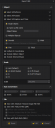
I'm not sure what you mean by the mesh being a single layer or not, so here are my export settings;
I couldn't reproduce the issue either with both "dForce Hoodie Dress for Genesis 9, 8 and 8.1" and the item "XFashion Crop Bottoms" by using Marvelous Designer 2026 + Blender 5.
I don't have MD 9 Enterprise but I believe this issue is fixed in MD 2026. You may consider an upgrade ~~
Limited Time Freebies Discussion ThreadThe weight issue... Depends who made the stuff, too.
Daz 3D is part of

Connect
DAZ Productions, Inc.
7533 S Center View Ct #4664
West Jordan, UT 84084Licensing Agreement | Terms of Service | Privacy Policy | EULA
© 2026 Daz Productions Inc. All Rights Reserved.