-
Welcome to Hatsune Miku Anime Manga Cafe ☕
I love Genesis 1, using Genesis Generation X2!
I have The Girl 4, and she has all those wacky/awesome expressions - Aiko 4 does too, so I put those on this character too, along with all of the expressions I bought for V4 and Genesis 2 - and that's now added to all of them that I bought for Genesis 1 - so this girl (Stylized Superhero character of my wife!) is Very Emotive!
GenX2 also allowed me to give Genesis 1 the more detailed female shapes from Genesis 2 Female, since I got the Genesis 2 addon for it.
Now it doesn't matter, Male, Female... if there's a morph I need to use, I give it to my character.
In Carrara, when we save a Genesis figure as a Carrara file, we can no longer add morphs to that particular figure. We can cop all of the shape dial setting over to a fresh Genesis that has more morphs, but the one we save becomes locked. I use this to my advantage. I have a master copy of all of my Genesis morphs on my desktop, and I update that any time I buy new morphs. When I make a character, like Rosiie 5 here, I go into the data > DAZ3D > Genesis > Base > Morphs folder, and delete all of the morphs I don't want polluting her dials selection - like monsters, male stuff, whatever.
So this character only has dials that I want her to have. Yeah... there's a LOT of them, but they're just whatI want! :)
Clothing for child characters (question).You've got a large discrepancy in size between a child and adult. Which way are to dealing with that?
This is what I mean. I've noticed that in the case of G8M models, when using morphs to turn them smaller, the clothing often doesn't quite fit so natural. I mainly want to make it G8M compatible so that I could advertise it as such if I were to try to post it to the store. If I model it on a child character, then bring into daz, use that child character as a morph(the child character is from using a G8M model in Maya, so no diff in poly count), place the clothing on it, then slide the morph back to return it to the default G8M shape. would the clothing follow just fine?
V4 Questioni dont see why they cant release her as a duf file, they did it for milcat
rdna had a weight mapped version of her
If they went full blown DSON with her then very little of your existing content would work properly with her, every conformer would trigger autofit, none of your morphs/characters would work as DSON formats don't have morph channels to INJect into, every single one of them would have to be rebuilt, basically it's one huge nightmare of a job. I learned that the hard way back when I converted Aiko3 to TriAx (not with "convert to WM" as what you get from that is only fit for the trashcan", creating a skeleton, painting new WM, rebuild her JCMs and rebuilding all her morphs was "easy" compared to the huge mountain of content I have for her that also needed converted, so she got mothballed several years ago.
Welcome to Hatsune Miku Anime Manga Cafe ☕None which are currently available, as far as I know. A LONG defunct site called PoserPros I think offered a couple of items. But DAZ bought out the site and unlike RDNA, only a few products were transferred to this store. When that store closed, the vast majority of its inventory "vanished".
As you noted, few items were released for this figure. Not terribly long afterwards, DAZ introduced its Millennium 3 line (Victoria 3, Michael 3, Aiko 3, the Freak, etc.) and support for the Millennium 1 and 2 (basically, added morphs) dropped, starting a cycle that has continued to this day, month, year and decade.
The one thing I really like about Aiko 1 (or rather, just "Aiko") was a morph that "toonified" her teeth into a smooth, continuous horseshoe shaped "band", giving it an abbreviated featureless look as one often sees in comics, cartoons, manga and anime. Aiko 3 did not have this feature, but there was a reasonable explanation for that. The teeth of the Mil' 1 and 2 figures were really just extruded bands of singular geometry, not individual teeth, so smoothing out the peaks and valleys (suggseting separate teeth) as relatively easy. But with the Mil' 3 figures, each tooth was separate, derived from a single "cage" of polygons. While, in theory, it was doable, smoothing those individual teeth to create the illusion of a single "band" would have been far more involved, so nobody bothered to release such a morph. regardless, I still wanted such a feature. (Yeah, I'm greedy!)
Sincerely,
Bill
Animals for Petting ZooThe DAZ Horse 2 Pro Bundle has morphs for a donkey and a mule. The older Millennium Horse has morphs for donkey, mule and shetland but no textures for them. If you don't mind morph and kit bashing and have additional animal morphs for the Horse 2 such as Llama and Tane the old Deer, it's possible to create goats, rams and alpacas. If you don't mind spending a lot of money, poser .pz3 of goats, alpacas and other farm/ petting zoo animals can be found at TurboSquid.V4 QuestionOne big difference between V4 and Genesis figures is the type of rigging used: V4 uses parametric rigging, not weight mapping. That means you can't rig V4 clothes with the transfer utility, for example, you need to use the figure setup tools.
Things such as autofit, automorph generation are not available for M4/v4, as well as geoshells.
Actually auto morph generation does exist for V4 in DS, with the "transfer active morphs" command.
But you have to select it from a menu, which doesn't make it "auto" ;)
ZDG random Daz Studio discoveries and questions.Random top of page distraction.
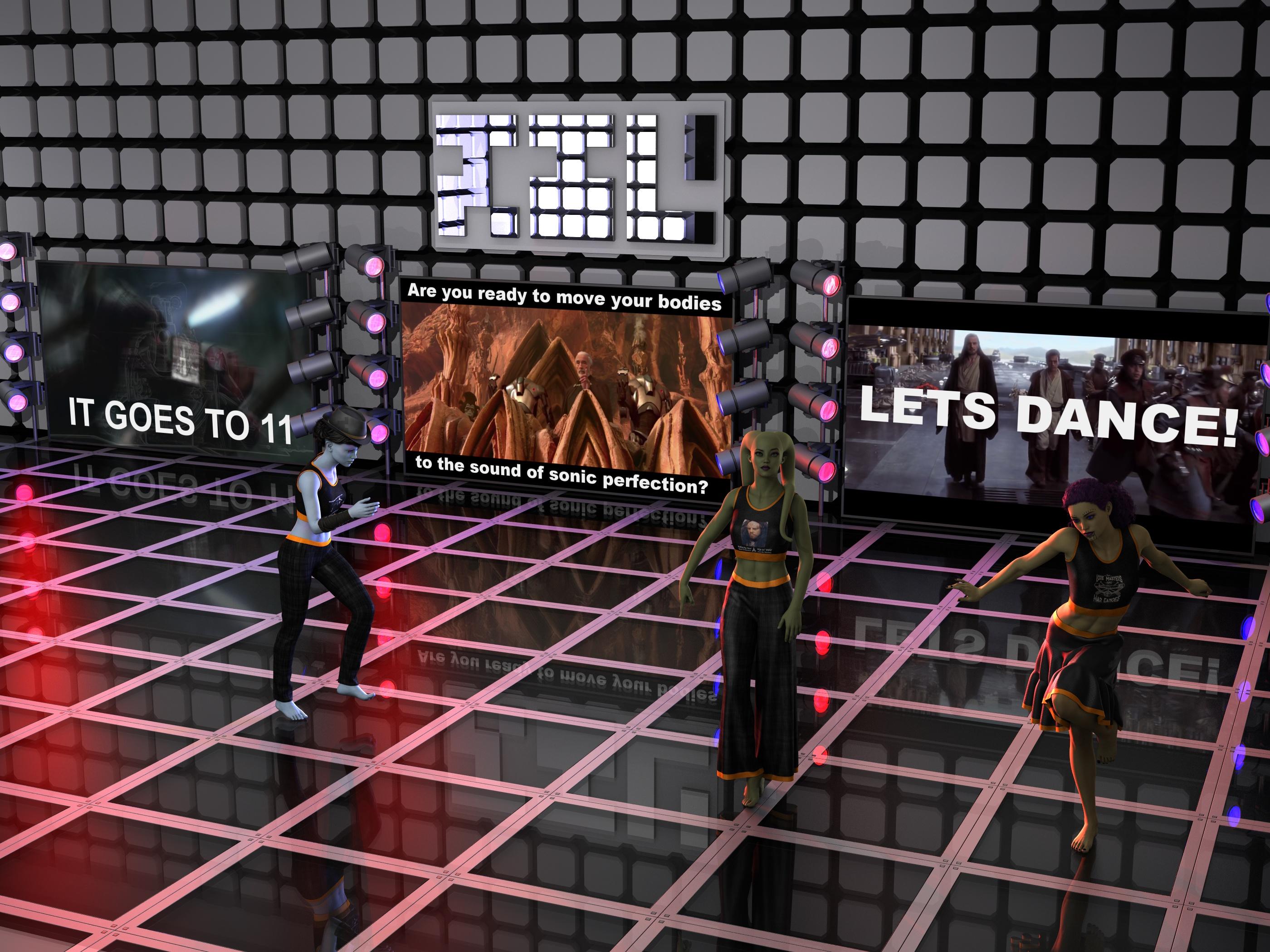
left to right, FWSA Wanda costume Chiss eyes Liam hat Sweet Summer shirt costume meme texture, Blooming Pants with AElflaed's textures, Librarian's hair. next is FWSA Krisandra (alien morph) with Zdg Leku WIP (a few pages back), Sweet summer shirt again with a custom meme, Eastern Elegance pants with AElflaed's textures again. last is FWSA Krisandra (costume Mirialan skin maps) with Kylan hair, meme summer shirt again, and sweet summer skirt with costume colors. Also, some credit to EliteMasterLordofAll (YT channel) and Auralnauts (YT channel) for the cool tunes. Techno Union Anthem (YT vid) by RaKun and Michael Ortega.
eh, yeah. I had seen that site Prixat. The mesh is ok, it's also nice that it is UV mapped. I wish I could say more nice about it.
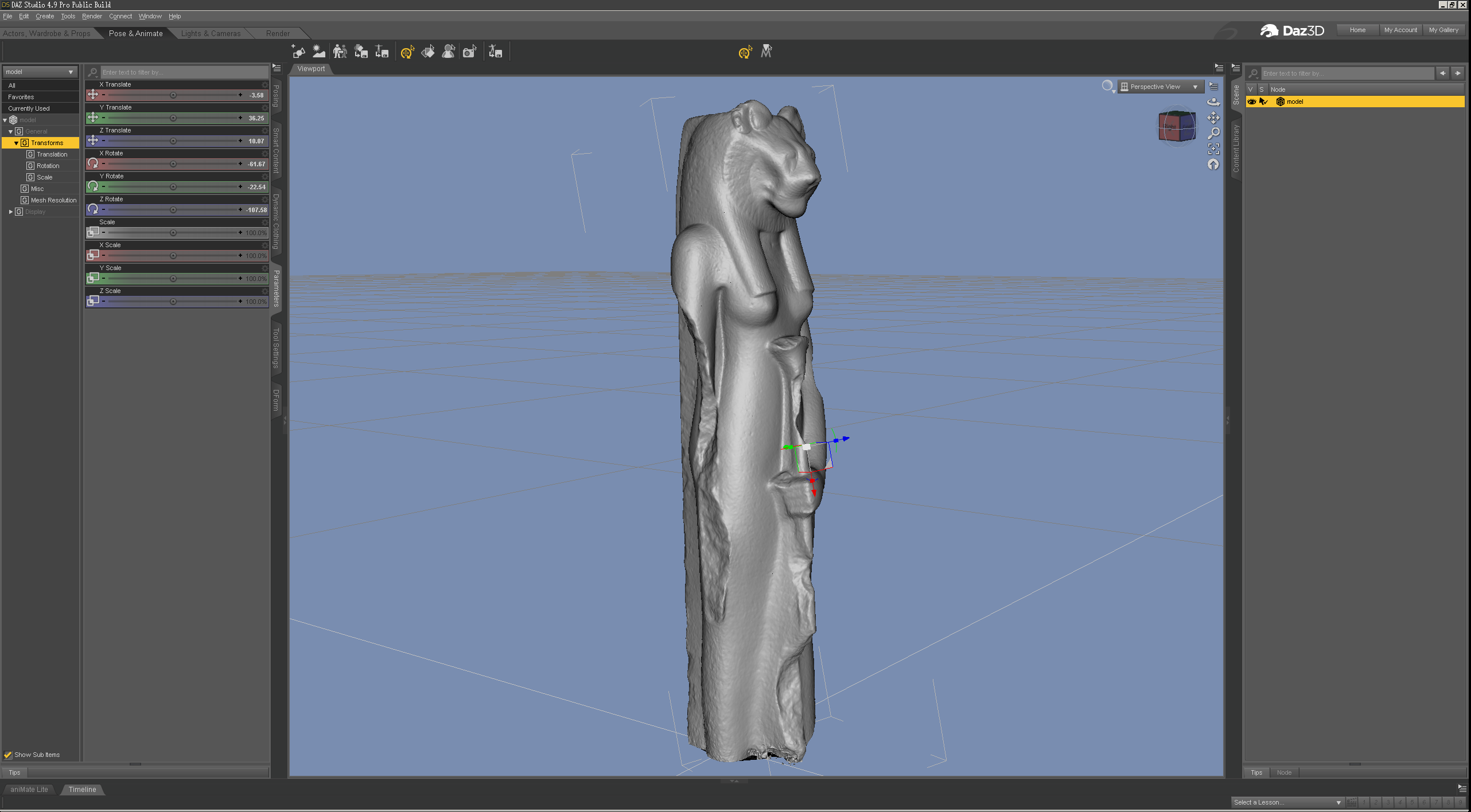
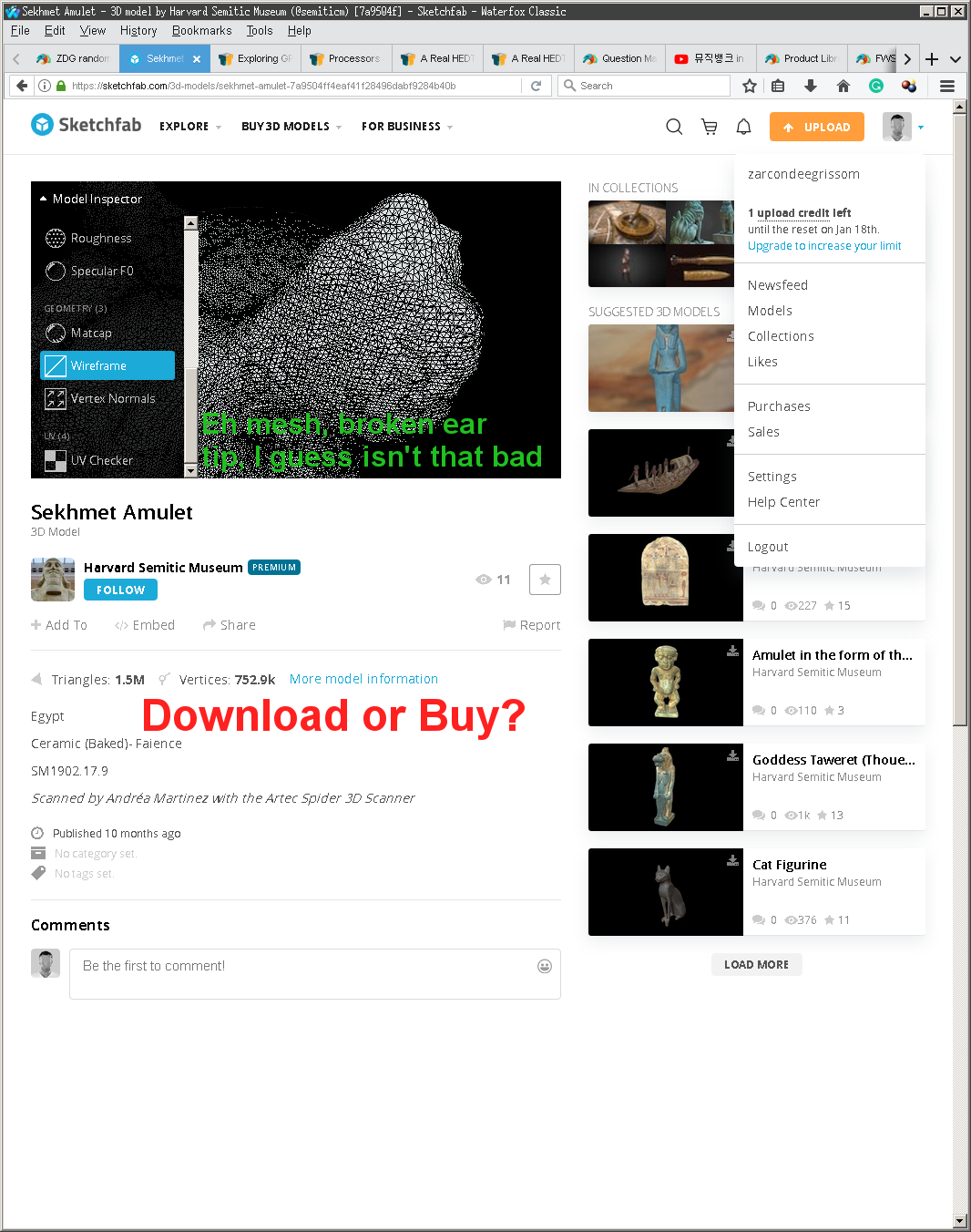
Oh, well, they did offer a download link that wasn't just a STL or max/3ds file, unlike so many others.
And once the download filter is added, there are only 9 models left,
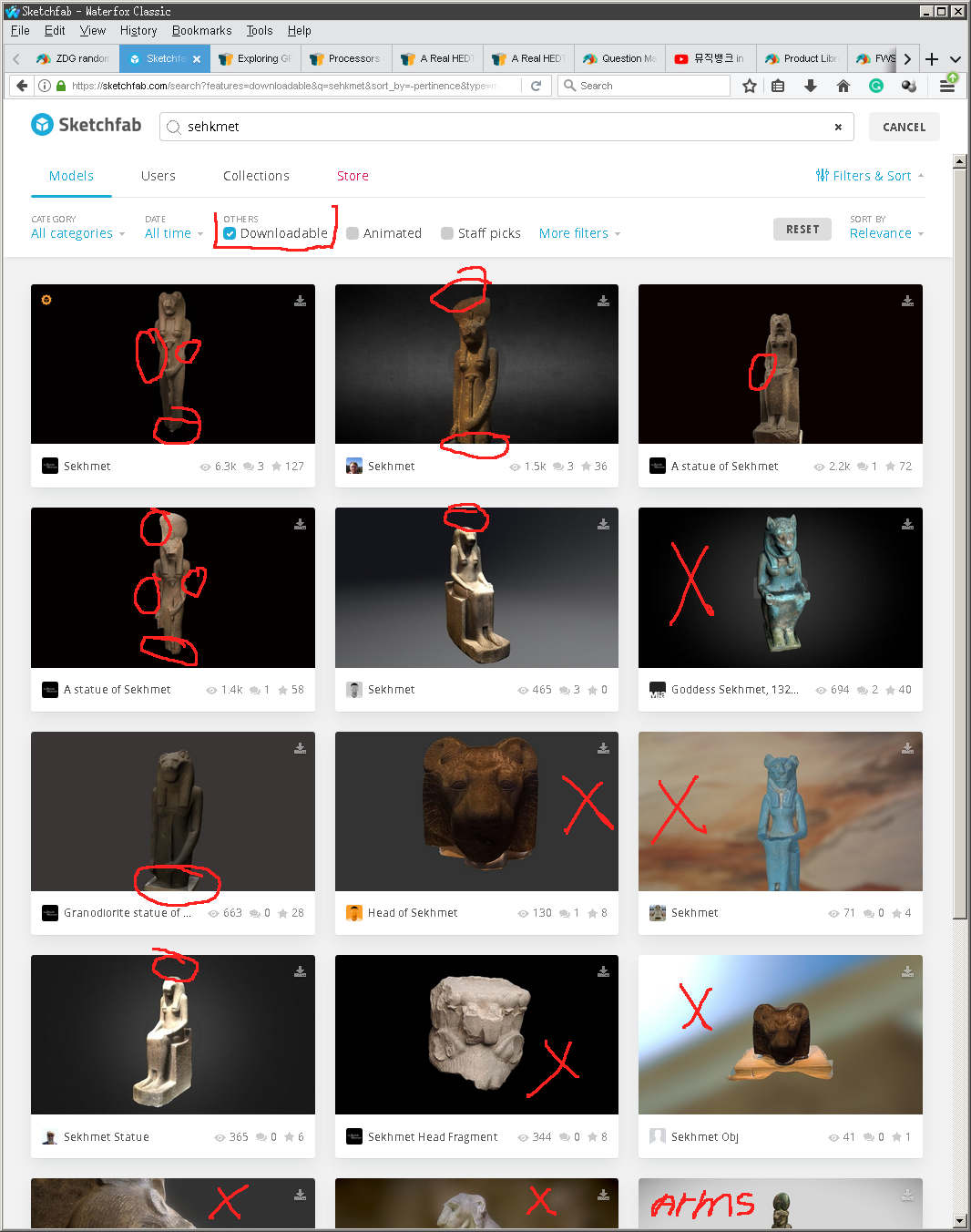
and none of them are intact unlike so many that I've seen photos of.
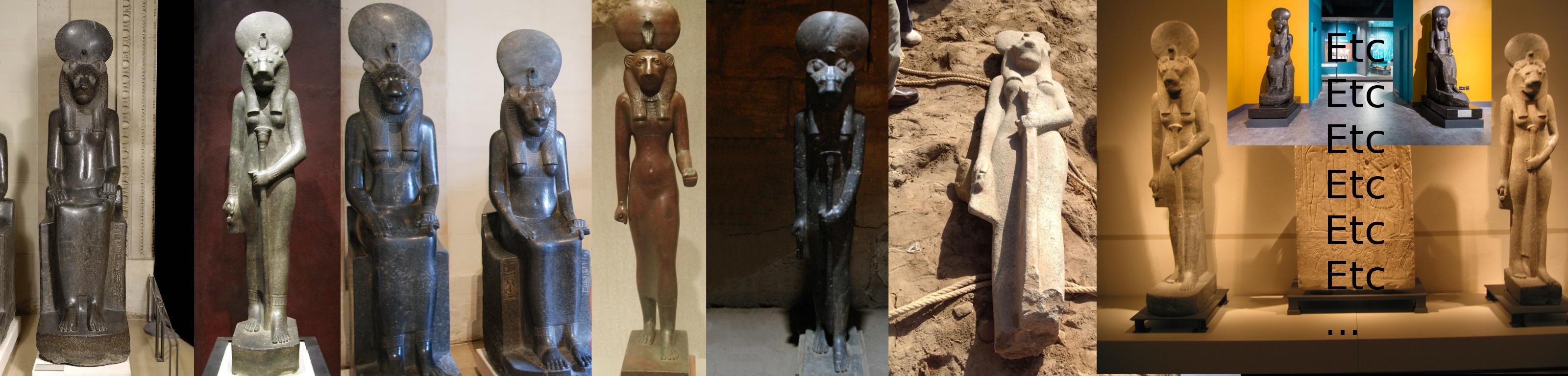
it was a tad irritating when I was looking last year for a small fun render (or was it 2 years ago, lol. Time can be funny like that I guess, Isaac Arthur day vid). there were thousands of photos of hundreds of mint condition statues of exactly what I was looking for, yet the only 3D meshes I could find were of the 4 broken ones, lol. Maybe in time, the tech will get good enough that scanning these things won't be so difficult. And yeah, I was looking for both the sitting and standing ones. Oh, in fairness, that game consol I did get from there, so I had seen the site before and it's not all bad. there is some good stuff there and I do appreciate the efforts of the caretakers at the museums.
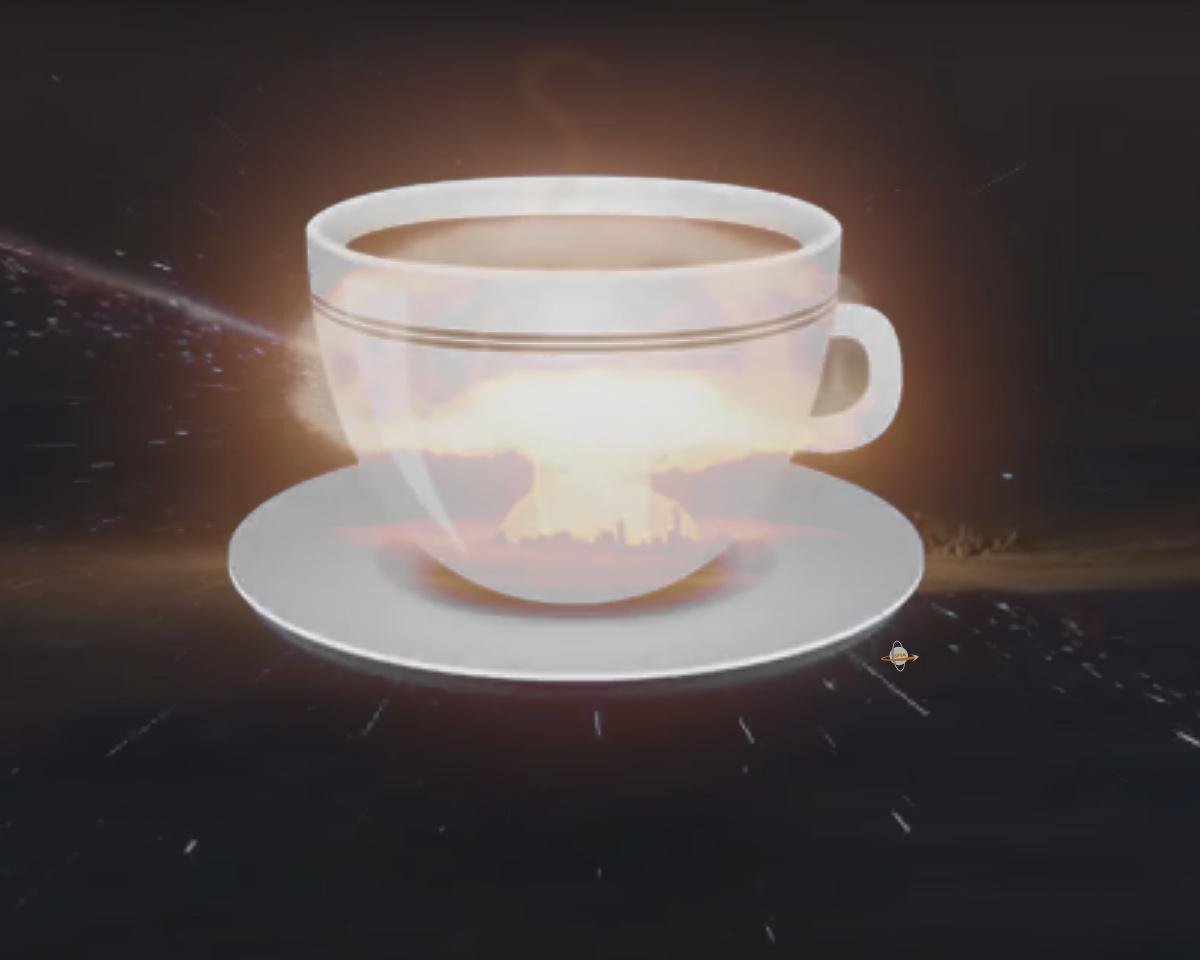
P.S. today's Isaac Arthur vid, may have a good explanation of how coffee is so powerful, lol.
I need V4...the original, not 4.1 or 4.2The original V4 is on the CD included in Les Pardew's book Figures, Characters, and Avatars.
Warning: It uses the old Bitrock installers.
As Aiko 4 is on there I think it's safe to say that it's either going to be V4.1 or V4.2, afaik A4 has always used the EXP morph system and V4.0 didn't use that system.
I have the book so I know it's V4.2 that's on my disc.
How to Decipher Log Errors when loading - G8F assetsSadly that error is all to common with DS4 and the Genesis series of figures, most of the characters DAZ sell aren't "stand alone", they all have dependances, and if you don't have those dependances then errors like that is what you get.
All I have for G8F is the starter essentials, Vicky 8 and Monique 8, DAZ gave me both of those for free, with them installed any time I load G8F I have 24 errors just like the one you have, 12 from each character, the dependances they are looking for are the G8F head, body and expression morph packs.
Don't know this "Auto Face Enhancer" but I wouldn't be surprised to find it installed a bunch of "control dials" into the Morphs folder, and it was those dials looking for dependances you don't have that was causing all those errors and the extra long load times.
Same issue with these character convertors, if the G3F character your converting has missing dependances, then you add those errors to G8F when you convert it.
Single Dial Morph [SDM]Hi,
This is more of an intellectual curiosity than a genuine, immediate problem.
I tend to save my characters as a Single Dial Morph [SDM]. Why? Because it's quicker to change a scene. I can duplicate a figure, dial out the SDM and dial in another. It can take what seems way too long to load a new figure into a scene.
The question. I have a lot of characters that use the same basic body shape which is also an SDM, this then means I have SDM's that use other SDM's. If I wanted to share an SDM with a friend would that friend need to have all the SDM's used or would his/her system understand what that 'nested' SDM links to? So, as long as the friend had all the morphs used for the SDM's would they be okay?
Thanks
V4 QuestionOne big difference between V4 and Genesis figures is the type of rigging used: V4 uses parametric rigging, not weight mapping. That means you can't rig V4 clothes with the transfer utility, for example, you need to use the figure setup tools.
Things such as autofit, automorph generation are not available for M4/v4, as well as geoshells.
Actually auto morph generation does exist for V4 in DS, with the "transfer active morphs" command.
dForce on 2 items in the same model [Solved, but why?]Unfortunately, the machine is Win7 & the vram isn't shown in task manager.
You'll be having more troubles once Windows 7 end-of-life software cycle hits on January 14 this year. Support for Windows 7 ends with MS very very soon.
The machine isn't connected to the web or any other home network (for that very reason), and hasn't been since I got it last March. I transfer everything to it via a memory stick. While it's not very efficient, the machine works well, and I am pleased that it's now safe from MS updates that have a chance of correcting the fact it works well. I'm using DS 4.11, more from inertia than the belief 4.12 won't work. I shall be wary of future updates beyond 4.12, and will keep installation files of the previous version just in case.
is there a Face Transfer threadSo I find Face Transfer to be hit or miss. The chance of getting a hit is drastically improved when you use the Face Transfer Shapes for Genesis 8 by PhilW. There's a "fix" in there that reduces the wonkiness and poor job that Face Transfer does. With the fix, I've found myself getting decent results. Example shown below, where I kept the skin Face Transfer generated but swapped out the eyes, and then used the Face Transfer Shapes for Genesis 8.
In all, Face Transfer still needs a lot of work. But you can get good results with a bit of fiddling here and there.
5'10" is really tall.Yes Height morph is my friend dialing it UP because I love my shawty's
;P
5'10" is really tall.Greetings,
I love Lyoness' characters more than almost any other provider of Genesis people. So many of them have great character, and are unique in ways that a lot of times I find lacking elsewhere, and Lyoness has one of my favorite characters of all time, Moxie Sparks. The latest bundle, Sterling's Nightwear, is great and includes some really useful clothes, along with good textures for it.
Like almost all DAZ characters, however, the main character is 5'10" tall. I don't mean to call out Lyoness...it's just a pattern across ALL characters that frustrates me. That's a half foot taller than the average US adult woman, and 7" more than what I can find of the average worldwide adult woman. Shrinking isn't just a matter of scaling down, as humans aren't...that simple to scale down. This results in 'petite' characters that are average height, or worse, much less Eva 7 who is advertised as 'petite' and is 5'11" tall. Even Teen Josie 8 is taller than an average adult.
Again, some characters who call themselves petite are at least a lot smaller, but even those are still just USA average height. There are some good characters (with great character!) who are a tiny bit shorter, but not many. And outside of explicitly 'youth' characters (4'9"), few if any are shorter than 5'3" tall, the worldwide average.
It's worth noting that Michael 8 and (randomly picked, Elios 8) are 6'2" tall, which is 5" taller than the average US adult man. Still proportionally less difference, but Victoria 8 is 6'0"! Diego 8 is only 5'10", the same height as most G8F characters, and only a sconce taller than an average guy.
I'm sure this is because DAZ's default G8F characters are 5'10"-ish, which is why almost every character creator goes with it, because making morphs that shrink the height is probably difficult. I'm guessing it compresses the texture wherever you decide to take height off, which can look wrong, especially because there was a backlash against custom UV sets.
I don't have a solution, other than using stuff like Growing Up which I know has proportional body scaling based on age/limb/torso length tables (but also has the tendency to de-age them slightly, at the same time, unfortunately), and I definitely don't want folks to go the route of not putting height in their character descriptions. I'd really like it if it were...easier to make average people, or even shorter than average adult people.
I'm going to go buy Sterling's Nightwear bundle, because it looks really cool, and has lots of utility clothing pieces, and don't take this as discouraging that at all.
I just want to encourage folks to make more average height or even shorter (since average means around half of folks are shorter!) characters, to capture the entire range of humanity, and if DAZ could find ways to encourage or help them do that.
-- Morgan
Total agreement! I brought this up in a previous thread-
https://www.daz3d.com/forums/discussion/120886/tiny-petite-g3fs/p1
In that thread, Fisty made a morph that models petiteness and it really worked for me...
Welcome to Hatsune Miku Anime Manga Cafe ☕But due to lack of clothings on Aiko 1.0 character I don't use it much but whoever made the morph or character is a total manga genious.
How to delete "helpers" on the V4 SkeletonAre you using the skeletons alone, or with Victoria 4, or have yu used AutoFit in Daz Studo to make them fit another figure?
Hi Richard, Indeed I am attempting to fit the V4 skeleton to a Genesis 8 Female (Victoria 8 to be precise) By using some of the few instructions I was able to find searching various forums on the subject. The method that I am following is to first fit teh skeleton to the regular Genesis 1 figure and then fit to Genesis 8 (in may case Victoris 8 which I am hoping woudl have the same results as Genesis 8 but am not sure) the results are so so but these does seem to be substantial distortion when reshaping the character's shape. I am quite good with Zbrush so I will be attempting to bring the skeleton into Zbrush to edit and fix distortion but my first attempt to do so was not successful. so I shall keep hammering away to get it right. (Wish there was an updated anatomical character or set of character's ala Zygote's offerings. This would substantially increase Daz's value as a valuable tool for medical simulation and studies.
When you AutoFit the original bones are ignored, DS just projects the bones from the base figure into the model - as a result the helpers can no longer be switched off, and the bones cannot be posed individually. If your ZBrush skills are up to the job I'd just take the exported skeleton (hide the helprs and export as OBJ - then they will be gone), adjust it in ZBrush to fit inside the Genesis 8 figure, export the result as OBJ from ZBrush, import that into DS (making sure that you use the same preset in the options dialogue, so everything is scaled correctly) and then use Edit>Figure>Transfer Utility to rig the model (set the Source to Genesis 8 female, the target to your imported OBJ). It won't be perfect, and you may want to use the rigging tools in DS to enhance it, but it should be better than the AutoFit.
Welcome to Hatsune Miku Anime Manga Cafe ☕Happy New year and thanks for the views, 10, 600 K as of January 2020.
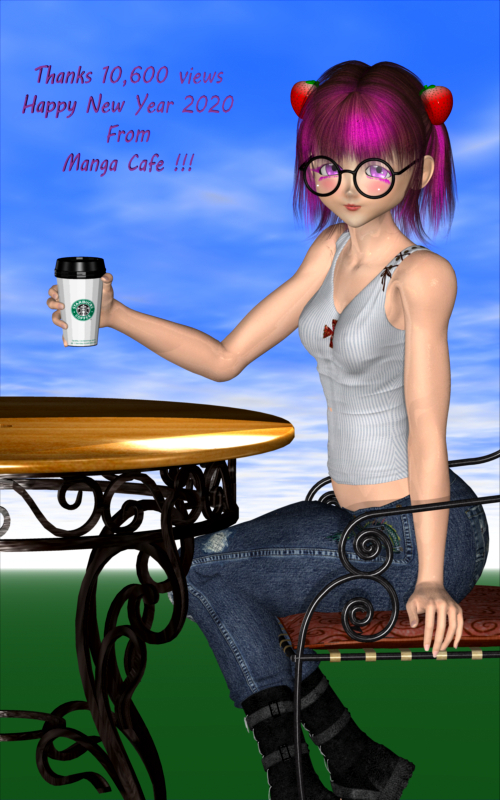
Special thanks to mcasual for fixing the sitting issue Aiko 3 had @
Mcasual has fix most of Aiko 3 error morphs you can see his stuff on his personal site or his thread.
Tigerlily type stripes for gen3 and/or gen8?I have been trying to manually convert a M5 UV tattoo to G8M. I have the Cayman Studios geografts to get the UVs to use map transfer, but trying to edit the shoulders is a pain. I see that such a method also won't quite work out well with Tigerlily because she's got shoulder and thigh stripes.
I agree on a new tiger/striped skin or Diffuse Overlay or LIE product for this.
CLOSED!Face transfer Skin does a lot more than geometryThis is common for all the utilities available for quickly creating look-a-likes from photos. All such utilies rely heavily on the textures created from the photos to achieve likenesses. Although the base model's mesh will be adjusted so that the main facial features fit the proportions of the photos (i.e. size and position of eyes, nose, mouth, etc), the subtle things that give the individual recognizable characteristics exist only in the texture, not the mesh. That is why the likeness is lost when you change to a different texture. What such utilities are doing, more than anything else, is creating a 3D version of the 2D images you started with - they are just 3D photographs essentially. By contrast, characters that you may purchase (or make) are based, first and foremost, on morphing the mesh, then adding an appropriate texture. As a consequence, such character morphs will still retain the features of the character regardless of the texture used, although changing textures can influence the "look" of the character. The only way that the utilities for quick look-a-like creation could produce results, insofar as the mesh is concerned, similar to characters produced using morph sliders or a modelling program, would be if far more features, particularly the many subtle ones, were identified and used to modify the mesh during the creation process. Alas, they are not designed to do that, since that would defeat the quick-and-easy character creation feature that is the main selling point of such utilities.
You can, of course, take the results from such utilities and manually tweak or add features that make the mesh more closely resemble the intended character if you wish.
I just saw my post now and realised that the images I had added are no longer there somehow and this post makes a lot less sense without the images :).
You are right about the result of such quick programs.
I have been reading lately on face recognition and 3d imaging though and it is very advanced. They could be making a lot more advanced software but I imagine it would have a different price as well.
I have tried to do exactly, what you are saying, taking the results and tweaking them with morphs and even Blender and the result is still so far off what it should be. The side of the face at least is corrected, while with the face generation it is almost always flat and not human looking at all.
I think there are 2 improvements that would not be hard to add and would improve the result a lot:
1. Add the possibility to add a side picture as well. The side picture would be mostly for geometry, but it would do so much for the face generation. Optionally, maybe they could allow you to tick off use texture from side picture as well and combine both, if you have a side picture from the same set like the front one, like the ones 3dsk is providing for example.
2. Let you place some main points on the face. With a perfect image, the result is decent, but if the person has hair on the side of his/her face a lot of the time, you get some ugly faces, not real looking at all. There are also some features that are not recognized perfectly. instead of working on improving the algorithm, which could prove to be very hard, they could just allow the users to place the main points of the face on the photo, maybe even some more, if you want very precise detail. Those points could be like corner of lips, middle of lips, a few on the chin and jaw for defining a correct face shape (which is almost never the case), a few on the nose (which also rarely looks similar to the picture). These points would allow for a still fast generation, without too much hassle on the user's part, and without a lot of programming hassle on their part. I mean they already have to recognize those points anyways, why not let the user provide them if they want additional accuracy.
Daz 3D is part of

Connect
DAZ Productions, Inc.
7533 S Center View Ct #4664
West Jordan, UT 84084Licensing Agreement | Terms of Service | Privacy Policy | EULA
© 2026 Daz Productions Inc. All Rights Reserved.