-
AIUTO...CHI CONOSCE L’ITALIANO? PARTE QUATTORDICIAllora mi confermi quello che diceva Richard, che il nuovo DAZ ha migliorato l'import degli FBXBlender 4.0 obj import/export.
crosswind said:
"Legacy" way is discontinued in Blender 4.x, and vertex order is kept as default with Wavefront (*.obj) importer / exporter. There won't be any issue as long as you DO NOT change vertex order, remesh, retopo, etc. I've been using Wavefront (*.obj) importer / exporter since 3.x... so far so good.
1. Clear Daz Scene
2. Load Genesis 8 Basic Female, remove lashes
3. Set Mesh Resolution to Base, SubDivision Level 0
4. Export .obj
5. Blender 4.0 import .obj (split By Object, etc. all unchecked)
6. Blender 4.0 export .obj (selected only, groups all unchecked, no modifiers)
7. Daz Morph Loader Pro, create the morph, reverse deformations
8. Apply the morph.
...Blender bug report? Or is it something esoteric like "you must check Object Groups on import"?
 Why model import daz to blender error
[Why model import daz to blender error] i need fix T-T
Aniblocks and Animations Export - DazToBlender Bridgebenniewoodell said:
Check out the diffeomorphic plug-in, you can import animated sequences in as a pose preset. Just have to go to poses and then import action, have your animation saved as a pose preset and it'll be brought in. And there's sliders for viseme and expressions in diffeomorphic as well. Right now facial expressions do not transfer over, but in another thread it was mentioned Thomas is working on that right now, so hopefully soon. The materials have some differences between Daz to Blender Bridge and Diffeomorphic, if you prefer the DTB Bridge, just save the character as it's own file, bring it in with diffeomorphic and then append the materials from the other file and just switch the materials out. That's still way faster than importing pose by pose. For me it's really hit or miss, some characters look fantastic in diffeo and meh in DTB and vice versa, so it's just a matter of playing around with it.
A whole freaking day I was looking for a solution to this with no success until I found this, thank you sir.
Blender 4.0 obj import/export.Bug report to Blender.org, I guess, though you might try exporting to another format and then exporting that to OBJ in some other tool (you could use FBX and import/export through DS to get the OBJ).
Blender 4.0 obj import/export.Blender 4.0 doesn't have the "legacy" OBJ importer/exporter, which has a switch for "Keep Vert Order". Is there a workaround? It exports all the vertices but they're in the wrong order and you end up with a mess when you apply the morph.
Copying Bones from Genesis 8 Figure to OBJ importRichard Haseltine said:
Attachment removed - please do not redistribute the geometry of Daz (or other non-open source) content.
The important thing is to make sure that thee xport and import settings tally, if you go through OBJ - there are various presets in the import/export dialogues, make sure you use the same one in both directions.
Sorry about that. I get it. I really just wanted to see if I was doing something wrong. This character is someone that I'm using for a personal project.
Thank you for letting me know.
I downloaded hair in Daz 3D, but I want to remove a specific part.
I downloaded hair in Daz 3D, but I want to remove a specific part.Pressing the delete key deletes the entire thing.
If I hide it and import it into Blender, the hidden parts are all visible,
and it's not possible to delete them in Blender.
How can I delete them without using the hiding function?
Copying Bones from Genesis 8 Figure to OBJ importAttachment removed - please do not redistribute the geometry of Daz (or other non-open source) content.
The important thing is to make sure that thee xport and import settings tally, if you go through OBJ - there are various presets in the import/export dialogues, make sure you use the same one in both directions.
Content Wizard crashing Daz Studio 4.22Content Wizard is not a srand-alone application, it cannot be running fi DS is not there to provide its environment. How did you install Content Wizard itself? What do you mean by installing Smart Content - installing will add the metadata. In any event, there is a support thread for this application to which you would do better to post - there should be a link in the Content Wizard files in DS.
[Released] RSSY Hair Converter from Genesis 3 to Genesis 9 [Commercial]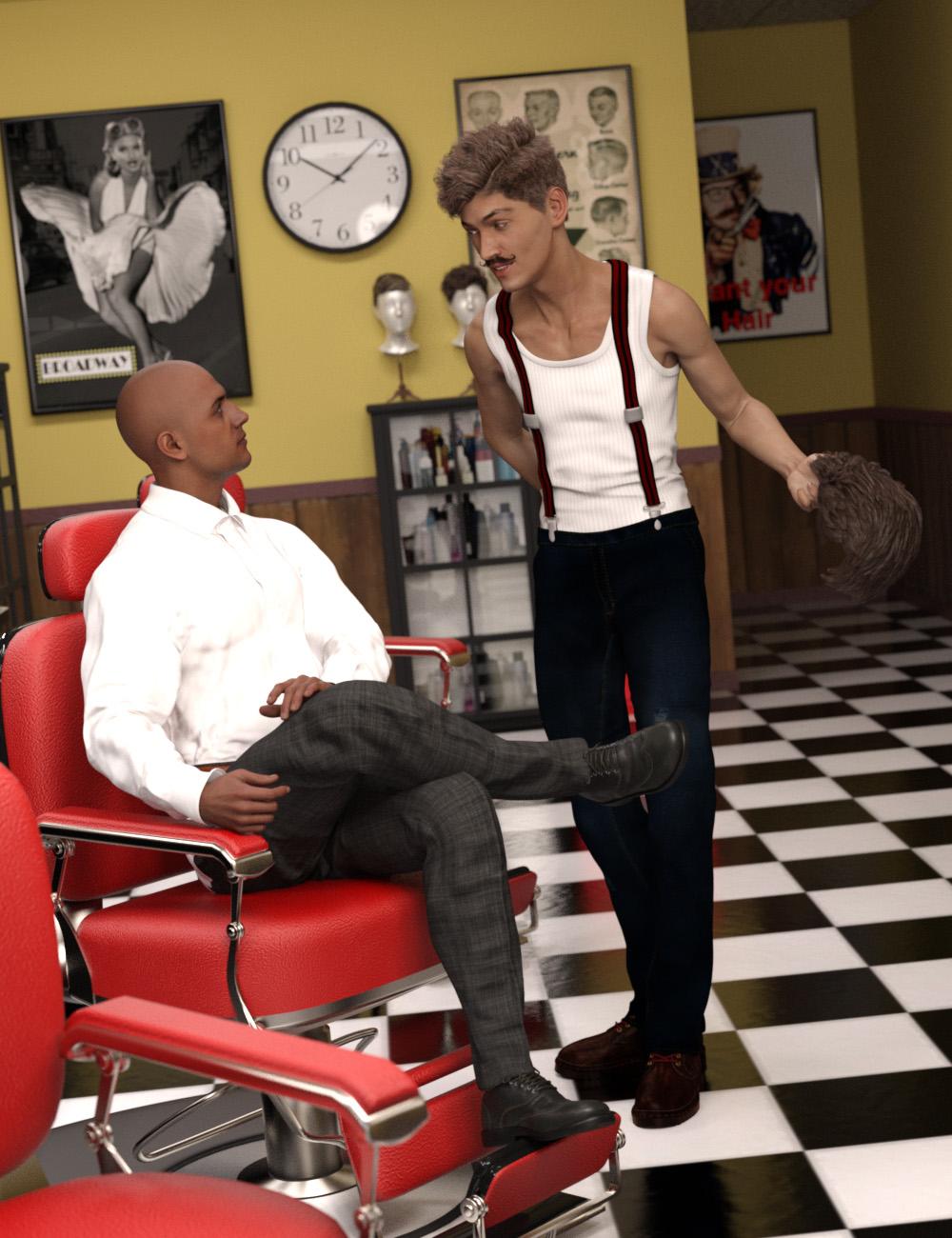 Finally, use your favorite Genesis 3 Hair without limitations on your Genesis 9 characters! Automatically convert almost your entire library of Hair items using the new Hair Converter from Genesis 3 Female to Genesis 9 or the Hair Converter from Genesis 3 Male to Genesis 9! The Hair Converter scripts provide batch execution for automatically converting your Genesis 3 Hair to Genesis 9 Hair in your library. Easily select the hair items in your library, select an output directory, and execute the script. Even better, icons and categories are copied from your original Genesis 3 hair to the new Genesis 9 hair items.
 Your new Genesis 9 hair is completely Smart Content aware! They will show up when you select a Genesis 9 character. Plus, all materials shown in Smart Content for your Genesis 3 item will show for your converted Genesis 9 item.
- Convert Genesis 3 Hair, including multi-part hair such as wearables, for use by Genesis 9 characters.
- Adds new movement bones to converted hair, adding functionality the original products lacked (may not work with all dForce hair)
- Copies icons from Genesis 3 hair to Genesis 9 hair for a professional look
- Copies Smart Content Products! Converted hair will be organized into similar products as the original items. The converted product mirrors the original hair items' products, organizing multiple converted items into one converted product and even using the product image from the original products.
- Converted Hair are Smart Content enabled! All materials shown in Smart Content for your Genesis 3 item will show for your converted Genesis 9 item.
- Automatically convert your entire library of hair with one operation!
Items without metadata can be converted but will not show up in Smart Content. They may also need to be converted using a Force Convert Item(s) button.
The script may not be able to convert all hair items without issues. Mid and high-level ponytails that were originally moved with bones will lose that functionality during the conversion process. In addition, though beards can be converted by the script, because of limitations in the conversion process, open mouth expressions can possibly tear on the facial hair.
The script adds rigged bones to hairs on conversion, but cannot do this with hairs where the entire hair was grown from a cap with dForce (there isn’t enough actual geometry to work with, because dForce strands can’t be seen as geometry by Transfer Utility). It WILL work with hairs like many AprilYSH hairs that have dForce but also have geometry.
Basic Morph Settings Import/Export One More Time?Was there any Modifier added? Uncheck Apply Modifiers when export...and try again.
Besides, you're using Blender 3.x, don't use import / export Wavefront (.obj) (legacy), use Weavefront (.obj) instead. (legacy way of OBJ is discontinuted in Blender 4.x). Then when exporting OBJ from DS, keep default 100%, when importing / exporting in Blender, always use 1%.
Copying Bones from Genesis 8 Figure to OBJ importI tried importing it as a morph but I'm not sure what I'm doing wrong. It only make the character bigger or smaller when I try to adjust it. In the past I copied the bones from the base male to the obj file. Stupidly, I did not save the steps to do it.
Any help would be appreciated. I've tried using the transfer utility and it doesn't seem to be working.
Thank you so much to the community for all your help!
Diffeomorphic - Some textures refuses to load properly[Diffeomorphic - Some textures refuses to load properly] I don't know how and why? I did try some other environment as well which did work back then "Cybernetic Dreamland" and there everything is fine (or even Poser environments are working), however "Biogen Labratory" doesnt work at all as you can see in the picture. I have the newest Diffeo installed and I use Blender 3.6.8. Do I seriously need to bring all the textures inside blender myself?
Also I was able to catch an error in my multiple failed tries, tho it happened only ONCE "modifier cannot be applied on multi-user data" and never seen it ever again.
Before I get asked I did all these already:
With Easy Import Daz -> DBZ File, Unmorphed Shared Envrionment, Unmorphed Unique Envrionment. All three tried with BSDF and Extended Principled shaders. Everything same results.
Basic Morph Settings Import/Export One More Time?I am sure this has been asked a thousand times, and I have watched at least three Youtube videos, but I am still getting a scrambled mesh when I try to do a simple morph to a base G8F figure using OBJ export and OBJ import.
- Open Daz Studio. Load G8F. Delete eyelashes. Set mesh resolution to base. Export OBJ. Choose Daz Studio preset. Export at 1%.
- Open Blender. Import G8F. Edit to make a morph, in this case simple nose change. Export OBJ. Make sure check box for vertex order. Export at 100.
- Return to Daz Studio. Select G8F. Edit OBJ, start morph loader pro. Use Daz Studio Preset. Select morphed obj. Set deltas only. Morph is 'successful.' Yay.
- Find new morph in parameters tab. Start dialing up. Mesh is yucky. Oops.
*** - What export settings from Daz Studio? Import settings in Blender? Export settings in Blender? Morph loader pro settings? For simple figure morph like this Cyrano nose morph?
Learning 3Delight AgainTynkere said:
Thanks for shots of water settings. Couldn’t get them to work but tired. Been a busy day playing with 3DL.
The settings were probably far from optimal, especially the specular settings, didn't give them much testing. The main point is: Use a tad opacity color with refraction, no diffuse. You may want to desturate/adjust image gamma for poolwalls/floor diffuse texture(s).
Since it was on sale, picked up RSSY's Iray to 3DL batch converter. Tried it on servco gas station with mixed results. Glass was white & garage doors hi-gloss green paint. Think I tweaked one of them before real life interrupted. My Car Paint from a subset. Meh.
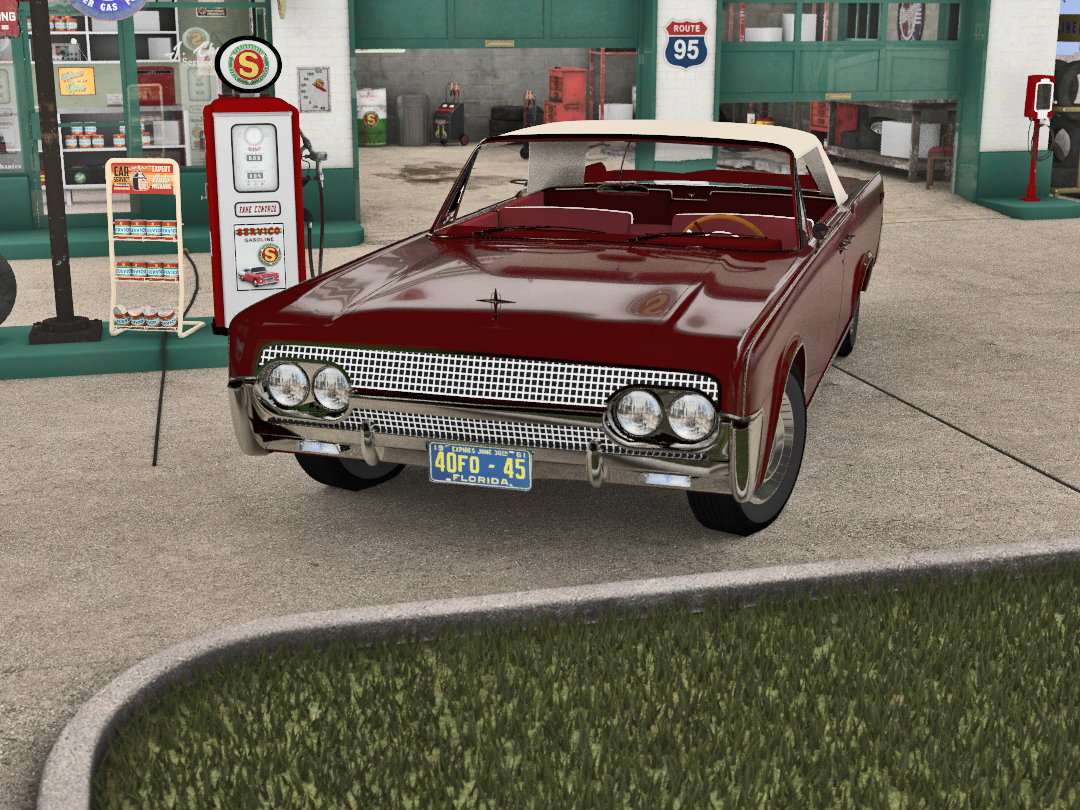
Not bad, overall! Thinking maybe lighting is too uniform, as in too much GI? Could be related to metals (and bright white surfaces) looking slightly over-exposed? FWIW;)
Tried a different converter (from rendo) on G8M. Maybe desaturate lips? Ladies might be easier since can pass of as lipstick, but very little room for error with guys.
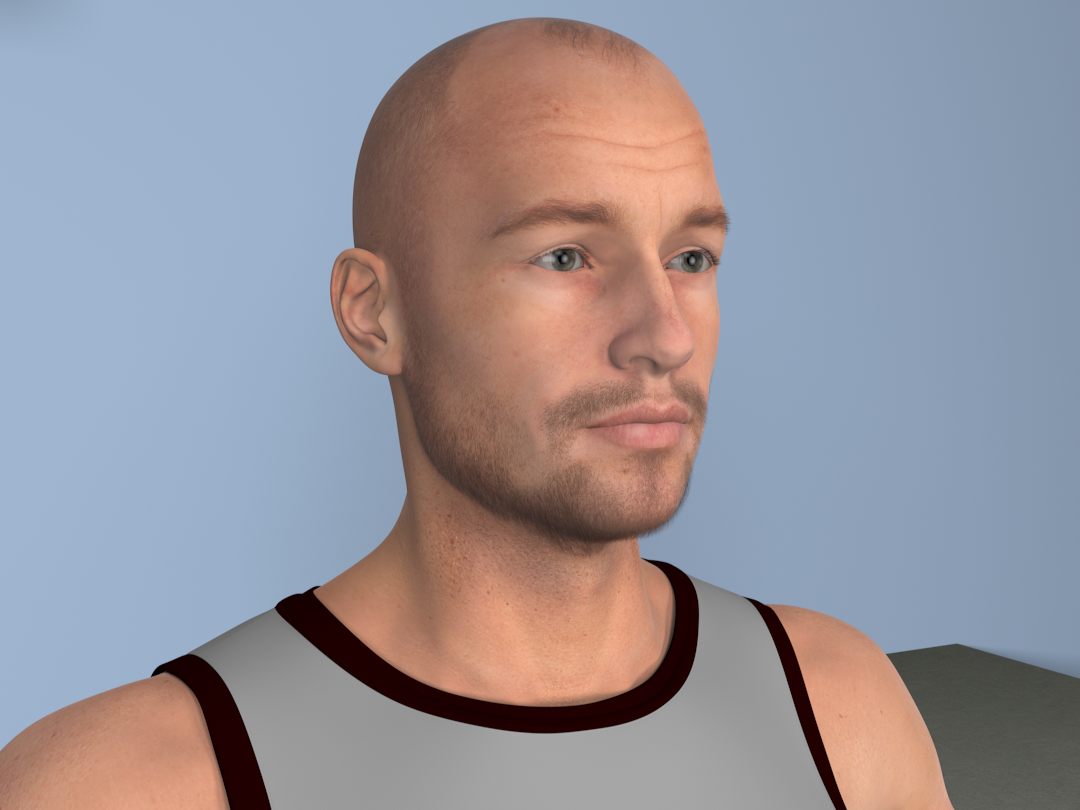
Lips look good to me, but you could maybe play with imagegamma/diffuse strenght to see if it makes a difference?
============Ready to go and play with water when decided to add actors to the scene. All of the versions I have of DS do *not* like 3DL or version of omnifreaker I'm using.
"Files/DAZ3D/DAZStudio4_Version4_20/shaders/omnifreaker/displacement/omDispStandard2.sdl' uses a different interface version. Automatic conversion was successful. It should be recompiled for better performance.
Shouldn't be too much to worry about, if successful? Are you sure you have installed the displacement2.sdl (if there is one) in Omnifreaker's shaders folder?
3Delight message #46 (Severity 1): The subsurface() shadeop should be specified with an "irradiance" channel for correct rendering and better performance when using global illumination. (in shader 'brickyard/{407f8e5c-3a9b-4708-b5e5-799ff1fe7c1d}/shader_Surface' on object 'shapematerial_Arms_3023_875')
Greek to me. In plain English it means the render effectively hangs at 51%. Leave it two minutes or twenty-- no progress that I could see.
Did you get this only on arms? Was that with UE2, if so which lighting mode? Not that I can decode this message, but I believe it means you would have to import the shader into Shader Builder, make the necessary changes to the SS code/setup, then re-compile it? Maybe PM someone like Omnifreaker himself or wowie (yeah I know, not active here for a long time), or ask Richard H, or contact DAZ/ file a ticket?
Few things to consider: Does it hang using progressive mode, i.e. the raytracer? Does it hang if turning off SSS? Does it hang with GI turned off? What other lights are in the scene?
So... Try AWE-Surface. Does indeed make a difference!
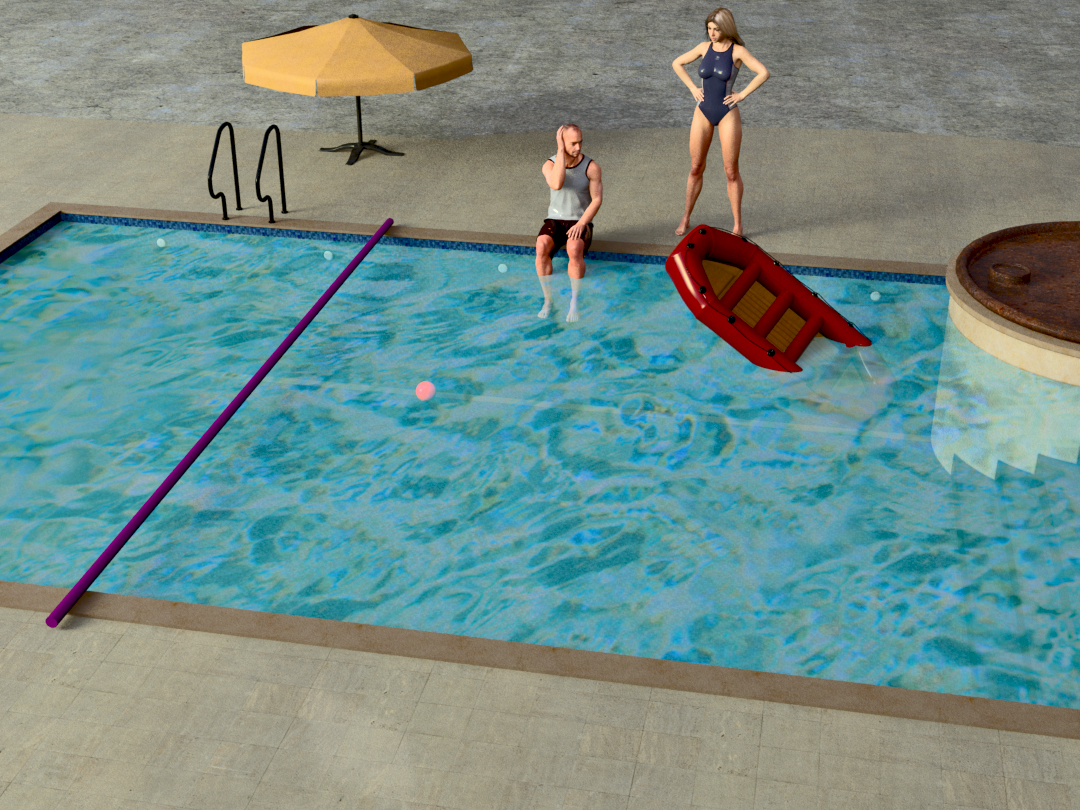
Water’s not perfect but at least it's about the color & opacity I’d expect. Not sure technical term-- aberration for how water distorts things? Actors out of focus & using DoF so probably mistake. Very late here.Right, here goes: Opacity with awe should be used only for non-refractive surfaces, not for water or glass with thickness. You need to use Transmission at 100% (which will disable diffuse contribution automatically), with the proper IoR (1.33 or so), and use transmission color with absorption to design the amount of saturation, Transmission roughness, if needed for murky water etc. Transmission shadow for colored shadows. Aberration simulates wavelengths refracting like in a prism, so will alter hue-values and will add to rendertimes. so not necessary for poolwater.
Two ways of using a color map for transmission: Drop it into transmission color OR use the diffusecolor as transmission color when "Use Diffuse texture with Transmission" is checked.
Still, I don't see any reason here to use a color map;)
Other things to consider: Turning off visibility for shadows and/or indirect light occlusion to shave off rendertime, and turning on Opacity at 100% strenght with NO map inserted, and having the "Multiply spec/reflections with Opacity" disabled. This could make it easier for diffuse rays to find the camera, without messing up refraction.
Still a fun day playing with sliders and seeing “What’s this one do?”
 ...yeah I do that too
PS: like the T-Rex in the blood soaked water. No more neighbors ‘borrowing’ the pool without asking. : 0 !
Exactly:D
Diffeomorphic - How to export animation?Hemm, I did use easy import.
Why it still behaves like that?
Currently I have to easy import one by one, to prevent that. Each character, and then the scene.
Diffeomorphic - How to export animation?It looks like the mesh is not normalized, easy import does it by default. For example if you enter edit mode and move the mesh away from the armature then you get those "rubber" effects because the pivots are misplaced.
update. I tried to easy import multiple G8 G9 figures together and it works fine here. However, importing each figure alone is recommended, especially for complex figures.
Diffeomorphic - How to export animation?Why sometimes the body mesh could become totally mesh up when I import a pose?
The bones pose correctly, but not the body mesh.
I loaded a scene where there are 2 figures standing in the center of a room in neutral A pose.
One figure always bending like that, everytime applied a pose, the other is not.Zipper Help G9 - X-Fashion Slim Fit JacketFabler said:
crosswind said:
The weight on G9's Spine 4 is different from G8's Chest Lower, so auto-fit or whatever converter will bring your "distortion" as long as G9's Clone is used. Even if you go for tweaking weight, it won't work. There's no better way other than fixing it with external application...
If you know a sculpting software like Blender / ZB, it'll be pretty easy to fix it. Export Jacket to OBJ file with Base Resolution and fix the distorted area in Blender with Smooth Brush, then import OBJ back to Jacket as a fix morph...
Thanks for the info about the G9 Spine, that explains why other jackets with the zipper in the closed position were also distorting.
I have not used Blender / ZB. Can you give pointers on how to fix the distorted area in Blender with Smooth Brush?
Or do you know of a video or tutorial on how to do that?
I ever learnt it from Sickleyield's tutorial in here - https://youtu.be/wHfe6t2J4EY?si=F2dEkr6kzrQGeacJ
You just fix the Jacket with figure's A Pose, and fix the Base instead...
Daz 3D is part of

Connect
DAZ Productions, Inc.
7533 S Center View Ct #4664
West Jordan, UT 84084Licensing Agreement | Terms of Service | Privacy Policy | EULA
© 2026 Daz Productions Inc. All Rights Reserved.













