-
Smoothing Belly
Easy Shape Master and Vinme Morphs for Genesis 9 both have morphs for Belly Smoothing (ss1). But if you know Blender, you can quickly smooth the belly (by using smooth brush and import as a morph to G9) for free ~~ (ss2)
Smoothing BellyI don't think there would be a simple solution since the definition is probably being supplied by a custom-sculpted figure morph. If the figure has a split head and body morph (as many figures do) you can dial the body down to zero and perhaps recreate the parts you did want from other morphs? If you still wanted the rest of the body morph then there is the Shape Splitter product in the store but I don't have experience with that so not sure how easy that is or whether it will do what you want.
Issues with Eyebrow Animation and Motion Transfer from Daz Studio to Cinema 4DHello,
I created multiple animations using the Genesis 9 figure in Daz Studio. Some of these animations include eyebrow movements, which were created using the Pose Controls. However, when I transfer the animation to Cinema 4D using Daz to C4D, all other motions transfer correctly, but the eyebrow movements do not.
Even when I export the animation as an FBX file, the eyebrows remain static in Cinema 4D. In fact, I’ve noticed that some other animations from Daz Studio also don’t import correctly into Cinema 4D.
Is there a way to fix this issue? Or is it a known limitation that Daz animations don’t fully transfer to Cinema 4D? I would appreciate any advice or solutions.
Thank you.
Diffeomorphic and HD Morphs QuestionCozy said:
Thank you so much for the explanation and interpretation!
Once you have applied all your HD morphs onto your character in Daz Studio and dialled up viewport SubD, then you have created a HD character shape whch you can export via diffeomorphic. Note that the HD 'shape' will appear in Blender on the modifiers tab as a multiresolution modifier. It wont be a shapekey aka "morph" in Blender but rather an HD sculpt that is baked into the multires modifier.
By 'applied all your HD morphs', do you simply mean using the dials? Sorry to ask, but I just wanted to make sure.
If I see the effects in the viewport, do I still need to increase the SubD? Right now, 'SubDivision Level' is 2 and 'Render SubD Level (Minimum) is 3, and these are unchanged from default but still show the desired results.
Understood on the multires.
https://bitbucket.org/Diffeomorphic/import_daz/wiki/Export/High-resolution Export To Blender
Please note that the HD information is baked from the viewport, so in daz studio you need to set the viewport subdivision to the desired level before exporting.
If you think Subd2 level of 2 is enough, then thats enough. Some vendors make HD morphs at like higher levels though. Up to you what level of detail you want.
If you want to have a HD shapekey or HD "morph" in Blender, i.e., something that you can dial up and down, then you can't do that unless you bake into a Displacement Map (i.e., by using the Xin HD addon to do this). Blender doesnt have any such thing as an HD shapekey/HD Morph system. The closest thing we have is dissolving between or layering on different displacement maps. Xin's addon can convert HD morphs from Daz Studio into displacement maps and then hook them up to drivers so you can dial them up and down in Blender. Doing it manually would be very tedious.
So i think what Padone is getting at is (using their own definitions)
"HD Shape" = your HD character shape from Daz Studio (which could be constituted from 100s of various HD morphs) that Diffeomorphic bakes into the multires modifier in Blender. The multires modifier can only be set to either on or off, by turning on the Modifier in your modifier stack in Blender. It cant be dialled up or down in Blender. In this way it is a baked shape and you cant dial in the various HD morphs like HD glutes or HD cellulite. The whole HD cahracter shape is either on or off depending if you have the multires on or off.
"HD Morph" = something more dynamic that can be dialled in/out as needed in Blender. You have to bake these component HD morphs from Daz to displacement map using Xin's HD addon because Blender doesnt support multires shapekeys.
Understood on Blender not having that. The main confusion I had was over the dials and Padone's definitions. Since I don't want to dial them up and down, I don't need to use Xin's, is that right? As such, all I need to do is follow Diffeo's HD Tools' documentation found here: https://diffeomorphic.blogspot.com/2020/09/high-resolution-meshes.html Is that correct?
Thanks again for the help!
In daz studio, there are some things like HD correctives and HD facial expression morphs which would be useful to have set up with drivers using Xin's HD addon, but up to you if you want those additional features.
If you just want your HD character from daz studio viewport, then diffeo's export HD option will put that on the multires modifier.
Diffeomorphic and HD Morphs QuestionThank you so much for the explanation and interpretation!
Once you have applied all your HD morphs onto your character in Daz Studio and dialled up viewport SubD, then you have created a HD character shape whch you can export via diffeomorphic. Note that the HD 'shape' will appear in Blender on the modifiers tab as a multiresolution modifier. It wont be a shapekey aka "morph" in Blender but rather an HD sculpt that is baked into the multires modifier.
By 'applied all your HD morphs', do you simply mean using the dials? Sorry to ask, but I just wanted to make sure.
If I see the effects in the viewport, do I still need to increase the SubD? Right now, 'SubDivision Level' is 2 and 'Render SubD Level (Minimum) is 3, and these are unchanged from default but still show the desired results.
Understood on the multires.
If you want to have a HD shapekey or HD "morph" in Blender, i.e., something that you can dial up and down, then you can't do that unless you bake into a Displacement Map (i.e., by using the Xin HD addon to do this). Blender doesnt have any such thing as an HD shapekey/HD Morph system. The closest thing we have is dissolving between or layering on different displacement maps. Xin's addon can convert HD morphs from Daz Studio into displacement maps and then hook them up to drivers so you can dial them up and down in Blender. Doing it manually would be very tedious.
So i think what Padone is getting at is (using their own definitions)
"HD Shape" = your HD character shape from Daz Studio (which could be constituted from 100s of various HD morphs) that Diffeomorphic bakes into the multires modifier in Blender. The multires modifier can only be set to either on or off, by turning on the Modifier in your modifier stack in Blender. It cant be dialled up or down in Blender. In this way it is a baked shape and you cant dial in the various HD morphs like HD glutes or HD cellulite. The whole HD cahracter shape is either on or off depending if you have the multires on or off.
"HD Morph" = something more dynamic that can be dialled in/out as needed in Blender. You have to bake these component HD morphs from Daz to displacement map using Xin's HD addon because Blender doesnt support multires shapekeys.
Understood on Blender not having that. The main confusion I had was over the dials and Padone's definitions. Since I don't want to dial them up and down, I don't need to use Xin's, is that right? As such, all I need to do is follow Diffeo's HD Tools' documentation found here: https://diffeomorphic.blogspot.com/2020/09/high-resolution-meshes.html Is that correct?
Thanks again for the help!
Diffeomorphic and HD Morphs QuestionOnce you have applied all your HD morphs onto your character in Daz Studio and dialled up viewport SubD, then you have created a HD character shape whch you can export via diffeomorphic. Note that the HD 'shape' will appear in Blender on the modifiers tab as a multiresolution modifier. It wont be a shapekey aka "morph" in Blender but rather an HD sculpt that is baked into the multires modifier.
If you want to have a HD shapekey or HD "morph" in Blender, i.e., something that you can dial up and down, then you can't do that unless you bake into a Displacement Map (i.e., by using the Xin HD addon to do this). Blender doesnt have any such thing as an HD shapekey/HD Morph system. The closest thing we have is dissolving between or layering on different displacement maps. Xin's addon can convert HD morphs from Daz Studio into displacement maps and then hook them up to drivers so you can dial them up and down in Blender. Doing it manually would be very tedious.
So i think what Padone is getting at is (using their own definitions)
"HD Shape" = your HD character shape from Daz Studio (which could be constituted from 100s of various HD morphs) that Diffeomorphic bakes into the multires modifier in Blender. The multires modifier can only be set to either on or off, by turning on the Modifier in your modifier stack in Blender. It cant be dialled up or down in Blender. In this way it is a baked shape and you cant dial in the various HD morphs like HD glutes or HD cellulite. The whole HD cahracter shape is either on or off depending if you have the multires on or off.
"HD Morph" = something more dynamic that can be dialled in/out as needed in Blender. You have to bake these component HD morphs from Daz to displacement map using Xin's HD addon because Blender doesnt support multires shapekeys.
Diffeomorphic and HD Morphs QuestionHow can I tell if something is an HD shape as opposed to an HD morph?
You state 'The HD shape must be visible in the daz viewport when we export', and I see the desired shape on the character. However, this was done via HD morphs.
In the products' own words, they are:
Body Diversity Morphs for Genesis 8 Female(s)
Included Morph Dials (.DSF):
Partial Lower Body Dials:
Cellulite HDand
Glutes Utilities HD Morph:
Cellulite HDLooking into the files, they both have .dhdm files, so I assume this confirms that these are HD morphs? Does this mean the character mesh is now an HD shape or is 'HD shape' referring to the fact that more geometry is needed?
Also, when you say 'HD morphs imported without the Xin addon do work, but will only affect the base mesh, not the HD layer.', what is the difference between the base mesh and the HD layer?
Is the HD layer a means of improving performance rather than relying on the geometry of the base mesh or are both affected regardless when using Xin's?
I don't know if this is relevant, but I don't plan on changing the morph once the desired look is present in Blender since it isn't an expression if that influences whether I should use the HD tools in Diffeo as opposed to Xin's.
Thanks again for any answers you can provide!
Diffeomorphic and HD Morphs QuestionIt is important to distinguish between HD shapes and HD morphs.
The HD shape must be visible in the daz viewport when we export, so you may want to set the desired subd level. Then it is imported as multires, not visible in the blender viewport by default for performance reasons, but visible in render.
The HD morphs are those morphs affecting the HD shape, that we want to import as morphs in blender. For example the HD facial expressions. In this case we need the HD addon by Xin to convert the HD morphs to a blender displacement map, then the addon also sets up a driver for the morph to work.
Diffeomorphic / import_daz / wiki / Features / HD Tools — Bitbucket
https://bitbucket.org/Diffeomorphic/import_daz/issues/1862/
note. HD morphs imported without the Xin addon do work, but will only affect the base mesh, not the HD layer.
Willow 93Diva said:
A request for anyone with some extra time - is it possible to see Willow 9 mixed with a couple of other characters - maybe some creatures? It's not a big deal if people don't have the time or the figures/characters to do so. :) Was just curious how she might "toon-ify" creatures or less human characters.
It would be interesting to see somebody turn her into "Dr. T'Ana" (the grumpy foul mouthed Caitian from "Lower Decks") by blending Willow with one or another of the G9 "cat people" morph sets.
Who is the character used in the promo for "Coquette Tattoos for Genesis 9"?Hi everyone!
I’m trying to identify the character used in the promo images for the product Coquette Tattoos for Genesis 9 (by 3D Sugar Stardust Angel). (https://www.daz3d.com/coquette-tattoos-for-genesis-9)
She has a super cute and expressive look, and I’d love to know which character or morph was used — whether it’s a custom morph, a specific Genesis 9/8.1 character, or a product available in the store.
The product page mentions a few outfits and poses (like the Sunny Days Outfit and Coquette Pose Set), but not the figure or skin used.
Any info would be greatly appreciated!
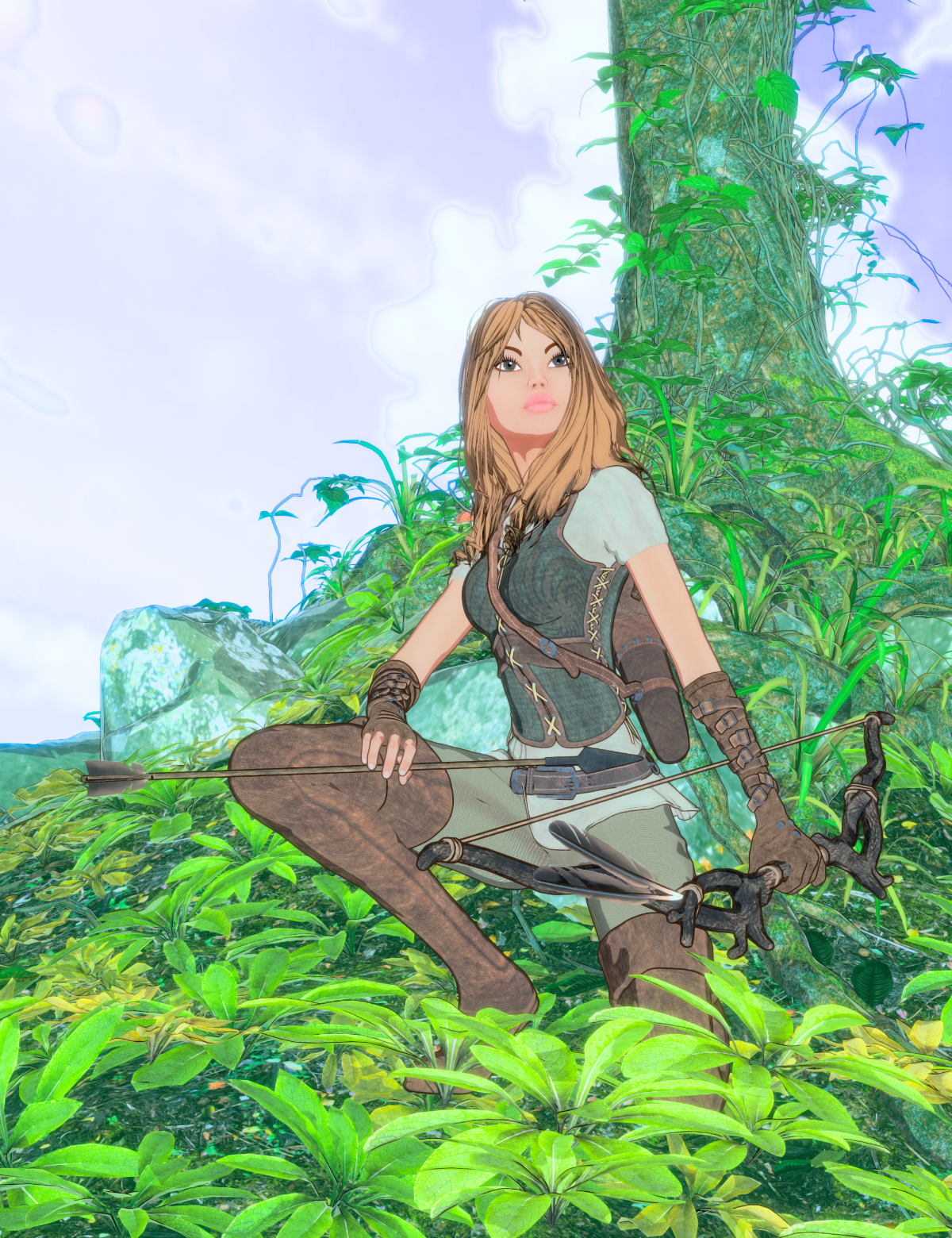
Thanks in advance!Render your buys! Use buys from the current month and the previous month of salesI just picked up the Ranger Bundle for Genesis 2 Female - it had been on my wishlist for ages but when I saw I could nab it for just over $3 I had to finally grab it! I'm glad I did! It does nicely with Filatoon. The gloves were a bit fiddly to transfer to Filatoon, but I finally got it worked out. The rest of it did great "out of the box" with the FilaToon settings.
 DS 4.23 "forgets" that my Premier Plugins are registered
Yes. I do. And I had used the shape transfer tool once (well, twice. It errored on one model. But it was the same session), before this weekend. I don't know when the tools stopped showing up exactly because I hadn't had need for them in the few days in between.
Still not there on a new load today.Richard Haseltine said:
Shadowdream said:
Yeah, it still isn't working. I have fully logged out and closed the program, left it for five minutes, reloaded the program (which logs me back in) and then closed and restarted it again. Multiple times. Still no Premier tools.
I'm also one of those people who was hit with my remaining membership time not showing correctly since the annual memberships have been re-added. I've put in a ticket for that, but maybe it's related? I claimed my free month of Premier, it said my renewal date would be 4/28, and now it says it's 3/28 again. Maybe, even though I still have the coupons and the program still says Premier, something isn't quite right, and some parts of the system aren't crediting that month? Just a theory.
Richard Haseltine said:
Shadowdream said:
I'm having the same issue. My account is always online, and Daz Studio seems to recognize that I have premier, as it says Premier on the splash screen and up at the top of the screen. I had the tools exactly once since I have had a premier account (I have only had it for a few days). I don't see geometry sculptor under tools or the tools settings pane. There is no "manage" on the simulation settings pane, no queue tab on the render settings pane, etc.
I have restarted the program a few times today and I've logged out and back in, and it's still not showing up.There was an issue, fixed in a recent beta, that meant if authorisation expired while DS was connected then it wouldn't revalidate until the next start or log-in - but if you restarted the application that should have revalidated, but a second restart would be needed for the plug-ins to be available. However, two restarts, the first logged in, should have revalidated and enabled everything.
You do have DS Pro, though - with the serial number, showing the content creation tools (e.g. Tools>Geometry Editor, Joint Editor, etc.)?
Diffeomorphic and HD Morphs QuestionI wanted to doublecheck and ask people more familiar with Diffeomorphic and models with HD morphs.
I'm trying to import a character that uses the cellulite morphs in Glutes Utilities for Genesis 8 Female(s) and Body Diversity Morphs for Genesis 8 Female(s) into Blender, but after manually importing, it looks like the morphs are not appearing.
I looked into the Diffeo manuals saw the post 'DAZ HD Morphs and Xin's Addon' but wanted to make sure that is up-to-date/if this is the right thing I need to do to transfer these morphs over. Edit: Also, if that's correct, I assume I'll need to make an HD mesh of the character to use the HD morphs as per Xin's addon's instructions?
Any help would be appreciated!
K-Pop Female CharacterMattymanx said:
crosswind said:
More or less just a Base head morph needs to be generated, it doesn't have to be perfect. Blending / tweaking with partial head morphs (or plus the head morphs from other characters) as per the idol picture is the key ~~
Here's an example of my Korean characters that I ever made with the similar way. Well... plus some sculpting I have to say ~~
Looks really good!!!
SNSD Genie fan art ? ?
Thank you Mattymanx, you know K-Pop well ! Unfortunately she's not... but just a virtual girl ~~
 Removing an old path from Modify Assets save out dialog??
Removing an old path from Modify Assets save out dialog??
I made some needed changes to a character morph and saved it out to an old path. Took me forever to figure that out. SO I'm asking how does one go into the settings, wherever they are, even into RegEdit if I need to to remove this old path? It's annoying and messed me up for a little while this morning.
Let's appreciate/discuss today's new releases - more ongoinger threadjoanna said:
I really like DAV Gemma's looks, but it seems that her makeup is already painted on, so it's a big no for me. I would have also appreciated a non-posed full body shot with minimal clothing, so that I could get better idea of the body shape. Promo pictures are nice, sure, but I also need non-makeup shot (especially that makeup options for Gen 9 figures are often horrible; as if you gave a makeup kit to a five year old) and a body shot.
That's right. I would also always like a profile picture of the face. I recently discovered an interesting character here, but when I saw the profile, with such an extreme snub nose that it reminded me of a certain animal, the purchase was cancelled. Even the best morph programme can't correct something like that.
How to apply poses from Battle Cat to avoid the figures being appart ?Is there scaling applied? Do the poses require that one figure be parented to the other and if so is it (or conversely, poses require not parented and it is)? Edit: the product page says
Also includes a special morph that scales the cat up
is that applied? If not it wouild explain why there is a mismatch.
Autofit not showing!Obsi said:
CES3D said:
Let's troubleshoot to pinpoint the cause of the problem.
- First, open a new scene.
- Load Genesis 9 Dev Load into the scene and select it in the Scene Pane.
- In the Parameters Pane, check Preferences > Show Hidden Properties from the hamburger button (or the right-click menu of the Parameters Pane tab).
- In the Parameters Pane, select Currently Used and check the Properties currently applied to Genesis 9, and see if any unnecessary Properties are applied.
- From Daz Studio's Menu bar, select Help > Troubleshooting > View Log File, and check the latest timestamp of the log at this point.
- Load the problematic clothing (MEGA Wardrobe SuperJeans) onto Genesis 9.
- Check the log again and review the logs after the timestamp you checked earlier. There might be a clue to solving the problem.
My friend manage to fixed it! Thank you so much tho
My sister was doing something with the jeans last night then daz crash and my friend suspected that it might have something to do with it.She was trying to do this when daz crash
https://www.daz3d.com/forums/discussion/698211/create-or-transfer-open-fly-morph-for-g8-male-mega-wardrobe-jeans?srsltid=AfmBOoo22bVkjo384Fwe6dwMEmKg6v9Q5_ZOtvKuBV0EDAqePrk2_pb3I'm happy you got it fixed! You're lucky to have such a good friend.
K-Pop Female Charactercrosswind said:
More or less just a Base head morph needs to be generated, it doesn't have to be perfect. Blending / tweaking with partial head morphs (or plus the head morphs from other characters) as per the idol picture is the key ~~
Here's an example of my Korean characters that I ever made with the similar way. Well... plus some sculpting I have to say ~~
Looks really good!!!
SNSD Genie fan art ? ?
Autofit not showing!CES3D said:
Let's troubleshoot to pinpoint the cause of the problem.
- First, open a new scene.
- Load Genesis 9 Dev Load into the scene and select it in the Scene Pane.
- In the Parameters Pane, check Preferences > Show Hidden Properties from the hamburger button (or the right-click menu of the Parameters Pane tab).
- In the Parameters Pane, select Currently Used and check the Properties currently applied to Genesis 9, and see if any unnecessary Properties are applied.
- From Daz Studio's Menu bar, select Help > Troubleshooting > View Log File, and check the latest timestamp of the log at this point.
- Load the problematic clothing (MEGA Wardrobe SuperJeans) onto Genesis 9.
- Check the log again and review the logs after the timestamp you checked earlier. There might be a clue to solving the problem.
For reference, the log from my environment where Auto-Fit completed successfully is as follows:
2025-03-23 10:08:57.694 [INFO] :: Prepare asset load (merge): /People/Genesis 8 Male/Clothing/OOT MEGA Wardrobe Male/MEGA Wardrobe SuperJeans.duf
2025-03-23 10:08:57.694 [INFO] :: Locking viewport redraw...
2025-03-23 10:08:57.694 [INFO] :: Viewport redraw locked.
2025-03-23 10:08:58.083 [VERBOSE] :: Native format content directories: 10
2025-03-23 10:08:58.083 [VERBOSE] :: Poser format content directories: 4
2025-03-23 10:08:58.083 [VERBOSE] :: Other import format content directories: 0
2025-03-23 10:08:58.083 [INFO] :: Begin asset load (merge): /People/Genesis 8 Male/Clothing/OOT MEGA Wardrobe Male/MEGA Wardrobe SuperJeans.duf
2025-03-23 10:08:58.087 [INFO] :: Determining missing assets...
2025-03-23 10:08:58.137 [INFO] :: Setting textures...
2025-03-23 10:08:58.177 [INFO] :: Scanning for addons...
2025-03-23 10:08:58.185 [INFO] :: Creating node geometry...
2025-03-23 10:08:58.188 [INFO] :: Creating UV sets...
2025-03-23 10:08:58.188 [INFO] :: Creating materials...
2025-03-23 10:08:58.189 [INFO] :: Resolving legacy figures...
2025-03-23 10:08:58.189 [INFO] :: Preparing modifiers...
2025-03-23 10:08:58.189 [INFO] :: Creating modifiers...
2025-03-23 10:08:58.238 [INFO] :: Finalizing modifiers...
2025-03-23 10:08:58.238 [INFO] :: Sorting property groups...
2025-03-23 10:08:58.238 [INFO] :: Setting up follow targets...
2025-03-23 10:08:58.238 [INFO] :: Start following: Genesis 9 << MEGA Wardrobe SuperJeans
2025-03-23 10:08:58.238 [INFO] :: Following started: Genesis 9 << MEGA Wardrobe SuperJeans
2025-03-23 10:08:58.254 [INFO] :: Finished asset load (merge): 0m 0.170s - /People/Genesis 8 Male/Clothing/OOT MEGA Wardrobe Male/MEGA Wardrobe SuperJeans.duf
2025-03-23 10:08:58.659 [INFO] :: Unlocking viewport redraw...
2025-03-23 10:08:58.659 [INFO] :: Viewport redraw unlocked.
2025-03-23 10:08:58.673 [INFO] :: Loaded morph deltas: 0m 0.6s - /data/outoftouch/MEGA Wardrobe G8M/MEGA Wardrobe SuperJeans/Morphs/outoftouch/Base/Fix.dsf
2025-03-23 10:08:59.129 [INFO] :: Retrieving conversion options...
2025-03-23 10:09:24.470 [INFO] :: Starting conversion: MEGA Wardrobe SuperJeans >> Genesis 9 :
2025-03-23 10:09:24.485 [INFO] :: Loaded morph deltas: 0m 0.12s - /data/Daz 3D/Genesis 9/Base/Morphs/Daz 3D/Clones/CloneGenesis8Male.dsf
2025-03-23 10:09:24.505 [INFO] :: Loaded morph deltas: 0m 0.7s - /data/outoftouch/MEGA Wardrobe G8M/MEGA Wardrobe SuperJeans/Morphs/outoftouch/Base/Pull-R.dsf
2025-03-23 10:09:24.584 [INFO] :: Loaded morph deltas: 0m 0.7s - /data/outoftouch/MEGA Wardrobe G8M/MEGA Wardrobe SuperJeans/Morphs/outoftouch/Base/Pull-L.dsf
2025-03-23 10:09:24.608 [INFO] :: Loaded morph deltas: 0m 0.8s - /data/outoftouch/MEGA Wardrobe G8M/MEGA Wardrobe SuperJeans/Morphs/outoftouch/Base/Pull-Front.dsf
2025-03-23 10:09:24.620 [INFO] :: Loaded morph deltas: 0m 0.7s - /data/outoftouch/MEGA Wardrobe G8M/MEGA Wardrobe SuperJeans/Morphs/outoftouch/Base/Pull-Back.dsf
2025-03-23 10:09:24.632 [INFO] :: Loaded morph deltas: 0m 0.7s - /data/outoftouch/MEGA Wardrobe G8M/MEGA Wardrobe SuperJeans/Morphs/outoftouch/Base/Pockets-FrontOpen2R.dsf
2025-03-23 10:09:24.643 [INFO] :: Loaded morph deltas: 0m 0.6s - /data/outoftouch/MEGA Wardrobe G8M/MEGA Wardrobe SuperJeans/Morphs/outoftouch/Base/Pockets-FrontOpen2L.dsf
2025-03-23 10:09:24.655 [INFO] :: Loaded morph deltas: 0m 0.7s - /data/outoftouch/MEGA Wardrobe G8M/MEGA Wardrobe SuperJeans/Morphs/outoftouch/Base/Pockets-FrontOpen1R.dsf
2025-03-23 10:09:24.667 [INFO] :: Loaded morph deltas: 0m 0.7s - /data/outoftouch/MEGA Wardrobe G8M/MEGA Wardrobe SuperJeans/Morphs/outoftouch/Base/Pockets-FrontOpen1L.dsf
2025-03-23 10:09:24.679 [INFO] :: Loaded morph deltas: 0m 0.7s - /data/outoftouch/MEGA Wardrobe G8M/MEGA Wardrobe SuperJeans/Morphs/outoftouch/Base/Pockets-FrontFilledR.dsf
2025-03-23 10:09:24.692 [INFO] :: Loaded morph deltas: 0m 0.7s - /data/outoftouch/MEGA Wardrobe G8M/MEGA Wardrobe SuperJeans/Morphs/outoftouch/Base/Pockets-FrontFilledL.dsf
2025-03-23 10:09:24.704 [INFO] :: Loaded morph deltas: 0m 0.7s - /data/outoftouch/MEGA Wardrobe G8M/MEGA Wardrobe SuperJeans/Morphs/outoftouch/Base/Pockets-BackFilledR.dsf
2025-03-23 10:09:24.716 [INFO] :: Loaded morph deltas: 0m 0.7s - /data/outoftouch/MEGA Wardrobe G8M/MEGA Wardrobe SuperJeans/Morphs/outoftouch/Base/Pockets-BackFilledL.dsf
2025-03-23 10:09:24.730 [INFO] :: Loaded morph deltas: 0m 0.8s - /data/outoftouch/MEGA Wardrobe G8M/MEGA Wardrobe SuperJeans/Morphs/outoftouch/Base/pJCMThighSide_85_R.dsf
2025-03-23 10:09:24.743 [INFO] :: Loaded morph deltas: 0m 0.8s - /data/outoftouch/MEGA Wardrobe G8M/MEGA Wardrobe SuperJeans/Morphs/outoftouch/Base/pJCMThighSide_85_L.dsf
2025-03-23 10:09:24.758 [INFO] :: Loaded morph deltas: 0m 0.8s - /data/outoftouch/MEGA Wardrobe G8M/MEGA Wardrobe SuperJeans/Morphs/outoftouch/Base/pJCMThighFwd_57_R.dsf
2025-03-23 10:09:24.771 [INFO] :: Loaded morph deltas: 0m 0.8s - /data/outoftouch/MEGA Wardrobe G8M/MEGA Wardrobe SuperJeans/Morphs/outoftouch/Base/pJCMThighFwd_57_L.dsf
2025-03-23 10:09:24.785 [INFO] :: Loaded morph deltas: 0m 0.7s - /data/outoftouch/MEGA Wardrobe G8M/MEGA Wardrobe SuperJeans/Morphs/outoftouch/Base/pJCMThighBack_35_R.dsf
2025-03-23 10:09:24.811 [INFO] :: Loaded morph deltas: 0m 0.8s - /data/outoftouch/MEGA Wardrobe G8M/MEGA Wardrobe SuperJeans/Morphs/outoftouch/Base/pJCMThighBack_35_L.dsf
2025-03-23 10:09:24.825 [INFO] :: Loaded morph deltas: 0m 0.9s - /data/outoftouch/MEGA Wardrobe G8M/MEGA Wardrobe SuperJeans/Morphs/outoftouch/Base/Open-6.dsf
2025-03-23 10:09:24.838 [INFO] :: Loaded morph deltas: 0m 0.7s - /data/outoftouch/MEGA Wardrobe G8M/MEGA Wardrobe SuperJeans/Morphs/outoftouch/Base/Open-5.dsf
2025-03-23 10:09:24.850 [INFO] :: Loaded morph deltas: 0m 0.7s - /data/outoftouch/MEGA Wardrobe G8M/MEGA Wardrobe SuperJeans/Morphs/outoftouch/Base/Open-4.dsf
2025-03-23 10:09:24.863 [INFO] :: Loaded morph deltas: 0m 0.7s - /data/outoftouch/MEGA Wardrobe G8M/MEGA Wardrobe SuperJeans/Morphs/outoftouch/Base/Open-3.dsf
2025-03-23 10:09:24.875 [INFO] :: Loaded morph deltas: 0m 0.7s - /data/outoftouch/MEGA Wardrobe G8M/MEGA Wardrobe SuperJeans/Morphs/outoftouch/Base/Open-2.dsf
2025-03-23 10:09:24.886 [INFO] :: Loaded morph deltas: 0m 0.7s - /data/outoftouch/MEGA Wardrobe G8M/MEGA Wardrobe SuperJeans/Morphs/outoftouch/Base/Open-1.dsf
2025-03-23 10:09:24.905 [INFO] :: Loaded morph deltas: 0m 0.10s - /data/outoftouch/MEGA Wardrobe G8M/MEGA Wardrobe SuperJeans/Morphs/outoftouch/Base/FitStyle-Tapered.dsf
2025-03-23 10:09:24.922 [INFO] :: Loaded morph deltas: 0m 0.11s - /data/outoftouch/MEGA Wardrobe G8M/MEGA Wardrobe SuperJeans/Morphs/outoftouch/Base/FitStyle-Loose.dsf
2025-03-23 10:09:24.936 [INFO] :: Loaded morph deltas: 0m 0.9s - /data/outoftouch/MEGA Wardrobe G8M/MEGA Wardrobe SuperJeans/Morphs/outoftouch/Base/FitStyle-Foldy.dsf
2025-03-23 10:09:24.949 [INFO] :: Loaded morph deltas: 0m 0.8s - /data/outoftouch/MEGA Wardrobe G8M/MEGA Wardrobe SuperJeans/Morphs/outoftouch/Base/FitStyle-CrotchDown.dsf
2025-03-23 10:09:24.966 [INFO] :: Loaded morph deltas: 0m 0.12s - /data/outoftouch/MEGA Wardrobe G8M/MEGA Wardrobe SuperJeans/Morphs/outoftouch/Base/FBMPortly.dsf
2025-03-23 10:09:24.982 [INFO] :: Loaded morph deltas: 0m 0.12s - /data/outoftouch/MEGA Wardrobe G8M/MEGA Wardrobe SuperJeans/Morphs/outoftouch/Base/FBMMichael8.dsf
2025-03-23 10:09:25.000 [INFO] :: Loaded morph deltas: 0m 0.12s - /data/outoftouch/MEGA Wardrobe G8M/MEGA Wardrobe SuperJeans/Morphs/outoftouch/Base/FBMEmaciated.dsf
2025-03-23 10:09:25.017 [INFO] :: Loaded morph deltas: 0m 0.12s - /data/outoftouch/MEGA Wardrobe G8M/MEGA Wardrobe SuperJeans/Morphs/outoftouch/Base/FBMBodybuilderSize.dsf
2025-03-23 10:09:25.034 [INFO] :: Loaded morph deltas: 0m 0.12s - /data/outoftouch/MEGA Wardrobe G8M/MEGA Wardrobe SuperJeans/Morphs/outoftouch/Base/FBMBodybuilderDetails.dsf
2025-03-23 10:09:25.046 [INFO] :: Loaded morph deltas: 0m 0.7s - /data/outoftouch/MEGA Wardrobe G8M/MEGA Wardrobe SuperJeans/Morphs/outoftouch/Base/Down-R.dsf
2025-03-23 10:09:25.058 [INFO] :: Loaded morph deltas: 0m 0.7s - /data/outoftouch/MEGA Wardrobe G8M/MEGA Wardrobe SuperJeans/Morphs/outoftouch/Base/Down-L.dsf
2025-03-23 10:09:25.069 [INFO] :: Loaded morph deltas: 0m 0.6s - /data/outoftouch/MEGA Wardrobe G8M/MEGA Wardrobe SuperJeans/Morphs/outoftouch/Base/Down-Front.dsf
2025-03-23 10:09:25.092 [INFO] :: Loaded morph deltas: 0m 0.8s - /data/outoftouch/MEGA Wardrobe G8M/MEGA Wardrobe SuperJeans/Morphs/outoftouch/Base/Down-Back.dsf
2025-03-23 10:09:25.104 [INFO] :: Loaded morph deltas: 0m 0.7s - /data/outoftouch/MEGA Wardrobe G8M/MEGA Wardrobe SuperJeans/Morphs/outoftouch/Base/Bulge.dsf
2025-03-23 10:09:25.116 [INFO] :: Loaded morph deltas: 0m 0.7s - /data/outoftouch/MEGA Wardrobe G8M/MEGA Wardrobe SuperJeans/Morphs/outoftouch/Base/Adjust-ThighR.dsf
2025-03-23 10:09:25.138 [INFO] :: Loaded morph deltas: 0m 0.7s - /data/outoftouch/MEGA Wardrobe G8M/MEGA Wardrobe SuperJeans/Morphs/outoftouch/Base/Adjust-ThighL.dsf
2025-03-23 10:09:25.149 [INFO] :: Loaded morph deltas: 0m 0.6s - /data/outoftouch/MEGA Wardrobe G8M/MEGA Wardrobe SuperJeans/Morphs/outoftouch/Base/Adjust-ShinR.dsf
2025-03-23 10:09:25.161 [INFO] :: Loaded morph deltas: 0m 0.6s - /data/outoftouch/MEGA Wardrobe G8M/MEGA Wardrobe SuperJeans/Morphs/outoftouch/Base/Adjust-ShinL.dsf
2025-03-23 10:09:25.172 [INFO] :: Loaded morph deltas: 0m 0.6s - /data/outoftouch/MEGA Wardrobe G8M/MEGA Wardrobe SuperJeans/Morphs/outoftouch/Base/Adjust-KneeR.dsf
2025-03-23 10:09:25.182 [INFO] :: Loaded morph deltas: 0m 0.6s - /data/outoftouch/MEGA Wardrobe G8M/MEGA Wardrobe SuperJeans/Morphs/outoftouch/Base/Adjust-KneeL.dsf
2025-03-23 10:09:25.195 [INFO] :: Loaded morph deltas: 0m 0.7s - /data/outoftouch/MEGA Wardrobe G8M/MEGA Wardrobe SuperJeans/Morphs/outoftouch/Base/Adjust-Hips.dsf
2025-03-23 10:09:25.206 [INFO] :: Loaded morph deltas: 0m 0.6s - /data/outoftouch/MEGA Wardrobe G8M/MEGA Wardrobe SuperJeans/Morphs/outoftouch/Base/Adjust-HipR.dsf
2025-03-23 10:09:25.219 [INFO] :: Loaded morph deltas: 0m 0.7s - /data/outoftouch/MEGA Wardrobe G8M/MEGA Wardrobe SuperJeans/Morphs/outoftouch/Base/Adjust-HipL.dsf
2025-03-23 10:09:25.231 [INFO] :: Loaded morph deltas: 0m 0.7s - /data/outoftouch/MEGA Wardrobe G8M/MEGA Wardrobe SuperJeans/Morphs/outoftouch/Base/Adjust-Glutes.dsf
2025-03-23 10:09:25.245 [INFO] :: Loaded morph deltas: 0m 0.6s - /data/outoftouch/MEGA Wardrobe G8M/MEGA Wardrobe SuperJeans/Morphs/outoftouch/Base/Adjust-GluteR.dsf
2025-03-23 10:09:25.257 [INFO] :: Loaded morph deltas: 0m 0.6s - /data/outoftouch/MEGA Wardrobe G8M/MEGA Wardrobe SuperJeans/Morphs/outoftouch/Base/Adjust-GluteL.dsf
2025-03-23 10:09:25.268 [INFO] :: Loaded morph deltas: 0m 0.5s - /data/outoftouch/MEGA Wardrobe G8M/MEGA Wardrobe SuperJeans/Morphs/outoftouch/Base/Adjust-FootR-Width.dsf
2025-03-23 10:09:25.279 [INFO] :: Loaded morph deltas: 0m 0.5s - /data/outoftouch/MEGA Wardrobe G8M/MEGA Wardrobe SuperJeans/Morphs/outoftouch/Base/Adjust-FootR-Outer.dsf
2025-03-23 10:09:25.290 [INFO] :: Loaded morph deltas: 0m 0.6s - /data/outoftouch/MEGA Wardrobe G8M/MEGA Wardrobe SuperJeans/Morphs/outoftouch/Base/Adjust-FootR-Inner.dsf
2025-03-23 10:09:25.301 [INFO] :: Loaded morph deltas: 0m 0.5s - /data/outoftouch/MEGA Wardrobe G8M/MEGA Wardrobe SuperJeans/Morphs/outoftouch/Base/Adjust-FootR-Height.dsf
2025-03-23 10:09:25.316 [INFO] :: Loaded morph deltas: 0m 0.5s - /data/outoftouch/MEGA Wardrobe G8M/MEGA Wardrobe SuperJeans/Morphs/outoftouch/Base/Adjust-FootR-Front.dsf
2025-03-23 10:09:25.326 [INFO] :: Loaded morph deltas: 0m 0.5s - /data/outoftouch/MEGA Wardrobe G8M/MEGA Wardrobe SuperJeans/Morphs/outoftouch/Base/Adjust-FootR-Back.dsf
2025-03-23 10:09:25.338 [INFO] :: Loaded morph deltas: 0m 0.6s - /data/outoftouch/MEGA Wardrobe G8M/MEGA Wardrobe SuperJeans/Morphs/outoftouch/Base/Adjust-FootL-Width.dsf
2025-03-23 10:09:25.350 [INFO] :: Loaded morph deltas: 0m 0.5s - /data/outoftouch/MEGA Wardrobe G8M/MEGA Wardrobe SuperJeans/Morphs/outoftouch/Base/Adjust-FootL-Outer.dsf
2025-03-23 10:09:25.361 [INFO] :: Loaded morph deltas: 0m 0.5s - /data/outoftouch/MEGA Wardrobe G8M/MEGA Wardrobe SuperJeans/Morphs/outoftouch/Base/Adjust-FootL-Inner.dsf
2025-03-23 10:09:25.372 [INFO] :: Loaded morph deltas: 0m 0.6s - /data/outoftouch/MEGA Wardrobe G8M/MEGA Wardrobe SuperJeans/Morphs/outoftouch/Base/Adjust-FootL-Height.dsf
2025-03-23 10:09:25.384 [INFO] :: Loaded morph deltas: 0m 0.5s - /data/outoftouch/MEGA Wardrobe G8M/MEGA Wardrobe SuperJeans/Morphs/outoftouch/Base/Adjust-FootL-Front.dsf
2025-03-23 10:09:25.395 [INFO] :: Loaded morph deltas: 0m 0.5s - /data/outoftouch/MEGA Wardrobe G8M/MEGA Wardrobe SuperJeans/Morphs/outoftouch/Base/Adjust-FootL-Back.dsf
2025-03-23 10:09:25.407 [INFO] :: Loaded morph deltas: 0m 0.7s - /data/outoftouch/MEGA Wardrobe G8M/MEGA Wardrobe SuperJeans/Morphs/outoftouch/Base/Adjust-CrotchWidth.dsf
2025-03-23 10:09:25.419 [INFO] :: Loaded morph deltas: 0m 0.7s - /data/outoftouch/MEGA Wardrobe G8M/MEGA Wardrobe SuperJeans/Morphs/outoftouch/Base/Adjust-CrotchHeight.dsf
2025-03-23 10:09:25.436 [INFO] :: Loaded morph deltas: 0m 0.11s - /data/outoftouch/MEGA Wardrobe G8M/MEGA Wardrobe SuperJeans/Morphs/outoftouch/Base/Adjust-All.dsf
2025-03-23 10:09:34.377 [INFO] :: Finished conversion: MEGA Wardrobe SuperJeans >> Genesis 9 :
2025-03-23 10:09:34.377 [INFO] :: Connect base morphs: Genesis 9 << MEGA Wardrobe SuperJeans
2025-03-23 10:09:34.402 [INFO] :: Base morphs connected: Genesis 9 << MEGA Wardrobe SuperJeans
2025-03-23 10:09:34.402 [INFO] :: Creating morph projection map: Genesis 9 << MEGA Wardrobe SuperJeans
My friend manage to fixed it! Thank you so much tho
My sister was doing something with the jeans last night then daz crash and my friend suspected that it might have something to do with it.She was trying to do this when daz crash
https://www.daz3d.com/forums/discussion/698211/create-or-transfer-open-fly-morph-for-g8-male-mega-wardrobe-jeans?srsltid=AfmBOoo22bVkjo384Fwe6dwMEmKg6v9Q5_ZOtvKuBV0EDAqePrk2_pb3Daz 3D is part of

Connect
DAZ Productions, Inc.
7533 S Center View Ct #4664
West Jordan, UT 84084Licensing Agreement | Terms of Service | Privacy Policy | EULA
© 2026 Daz Productions Inc. All Rights Reserved.