-
V3Digitimes Daz Studio 2025 (6) compatibility Status
Good morning,
this post will allow you to know the progress status of the updates or new builds of ALL my scripted products for Daz Studio 2025. As many of you know, many scripted products will not basically work with Daz Studio 2025 until they are updated, this is why I plan to update them all during the next weeks/months (depending on how difficult it is, I keep my fingers crossed it will only be weeks). After recent discussions with the Daz Team, it’s better to wait until the Daz Studio 6 scripting API becomes more stable before submitting the next round of builds, but that doesn’t prevent me from preparing everything in advance so things can move quickly when the time comes
IMPORTANT NOTE FOR USERS OF OLD DAZ STUDIO VERSIONS : I cannot test/check the compatibility below Daz Studio 4.22, and some reconnections of the connectors may be problematic for such old versions. So if you are using a Daz Studio version below 4.22, my recommendation is : do not update until someone can confirm if it works or not, and download a manual install zip now before the updates are live (so that you can restore in case of an accidental update). The only input I have is that a couple of wet and tanned skins were tested in older version of Daz Studio without issue.
Note concerning menu installations
For products that install scripts into menus, the updates for small products are working as expected, with one menu installation per session. The updates for large products (more than 27 scripts added to menus) are currently on stand-by. The reason is a limitation observed in Daz Studio itself: it does not seem possible to install more than 27 scripts into menus, while toolbar installations work correctly. This behavior is not caused by the scripts themselves. As a result, the only option at the moment is to wait and see how this evolves during the DS6 alpha phase. - Seems to be solved, but contact me or try this procedure in case of an issue -
So far, only two products are affected: 1. Ultimate Pose Mixer 2. Ultimate Pose Mixer Pro with Mega Pose Toolkit. More products could potentially be impacted if this limitation turns out to be per menu rather than per installation.
1. Already working in DS 2025
Wayfinder Sign Generator. Only limitation in DS 6 is the "style" of the font (italic, bold) which often cannot be chosen properly, and this is something I cannot solve on my side.
Write Anywhere Plus Advanced LIE and Aging Tools. Only limitation in DS 6 is the "style" of the font (italic, bold) which often cannot be chosen properly, and this is something I cannot solve on my side.
Wet and Tanned Skins for Genesis 2. (if used on starter base figures or figures without bump, please load one of the "Use Wetness Maps and Settings Of..." preset after conversion)
V3D Christmas Gifts and Tree (with log warnings, but ornaments loading or swapping work fine)
Snow Globe Your World (with the limitation of small "thumbs" for snowlfakes choice in the interface, waiting to see how DS 6 evolves, but scripts work anyway).Medina Cityscape Generator (with a couple of non dangerous log warnings)
XTreme Reshader for Iray Uber : works
Advanced Collective Transform Tools : works, The only thing to be aware of is the menu and toolbar installer: it must be run in a fresh session, before accessing or modifying any menus or toolbars. If menus or toolbars have already been touched during the session, the installer will fail in DS6.
2. Submitted, live, compatible DS4 and DS6 ! (please contact me if you see issues)
Texture Booster and Shader Converter : Update submitted, LIVE, along with enhancement features (such as the possibility to enter your values using keyboard).
Ultimate Iray Skin Manager : Update submitted, LIVE, along with enhancement features (such as a much faster launch speed).
Ultimate PBRSkin Manager : Update submitted, LIVE, along with enhancement features (such as a better handling of "off limits" starting colors).
Wet and Tanned Skins for Genesis 8.1 (Male and Female Version)
Wet and Tanned Skins for Genesis 3
Wet and Tanned Skins for Genesis 8
Wet and Tanned Skins for Genesis 9 The geograft transfer tool was completely rewritten for ALL Wet And Tanned Skins Generations
Iray Light Manager Pro: warning, updated script fails if you launch it without environment map, needs to be fixed on my side.
Scene Optimizer : along with enhancement features (such as the number of normal maps, the open doc button in the notes, two buttons to switch base or high resolution).
Ultimate Pose Master : done : so much faster and responsive on DS6...Removed function for DS6 : add script to menu (this is the G3 to G8.1 version)
Buildings And Skyscrapers Generator
Shader Rotator
V3Digitimes Hands Controls For Genesis 9
Face To Face Autopose Legs For Genesis 9
Face To Face Autopose Arms For Genesis 9
Face To Face Autopose Arms
Face To Face and Virtual Origin
Maps Copier, Gatherer, Renammer
3. Submitted, waiting for Daz Tests
Drops Generator
V3D HDR Manager
V3D HDR Creator
V3D HDR Add-On Tools
Super Save
Map Manager
A Touch Of Dirt For Iray
Fantasy Skins For Genesis 3
Fantasy Skins For Genesis 8
Fantasy Skins For Genesis 8.1 Males
Fantasy Skins For Genesis 8.1 Females
Universal Pose Splitter
Iray Converter For Genesis
Iray Converter For Generation 4
Iray Converter For Genesis 2
Iray Converter For Genesis 3
Ultimate Pose Master for Genesis 9 : done : SO MUCH FASTER AND RESPONSIVE on DS6, you cannot imagine! Removed function for DS6 : add script to menu (can be done manually in 2 clicks).
Ultimate Pose Mixer
Ultimate Pose Mixer Pro with Mega Pose Toolkit
4. Ready to submit(*) - waiting for beta testers, for more tests, or further enhancements... (*) almost
V3D Speech Bubbles Generator Pro : done. Beta tests required / Corrections active (font families and font styles)
5. Must be updated
--> Any script displaying a font family and font styles, in order to handle correctly the new way Qt handles this. (wayfinder generator, speech bubbles generator, eventually write anywhere TBC)
If some of you already had some of the scripts working or not working on Daz Studio 2025, please let me know here. The same way, if you see scripts having the status Submitted, live, compatible DS4 and DS6, and that you see that something does not work for you (once updated on your side), let me know here.
I thank you in advance for all the feedback and information you would provide to fasten and ease this update process.
Deforming a mesh using another objectRiversoft Art also have products to take care of hairs and hats:
https://www.daz3d.com/hat-check-for-genesis-9
https://www.daz3d.com/hat-check-for-genesis-8
https://www.daz3d.com/hat-check-for-genesis-3
https://www.daz3d.com/hat-check-for-genesis-2
And there is also a free solution for hat and hairs by @mCasual:
Based on smoothing modifiers, @matew has Morph Master:
https://www.daz3d.com/morph-master
Free Toon Characters coming July 1st, early download available nowStill waiting on permission to include clones with the Omnitoons, and waiting to check on rigging as well. Ten business days down...
If permission to use clones is denied, people might have to make their own clothing clones or make their own clothing.
Here's a quick and only lightly-detailed example of how to make clothing from any figures. There are much better video tutorials on Youtube that you can check out for more details. This sample will use the female base Omnitoon figure.
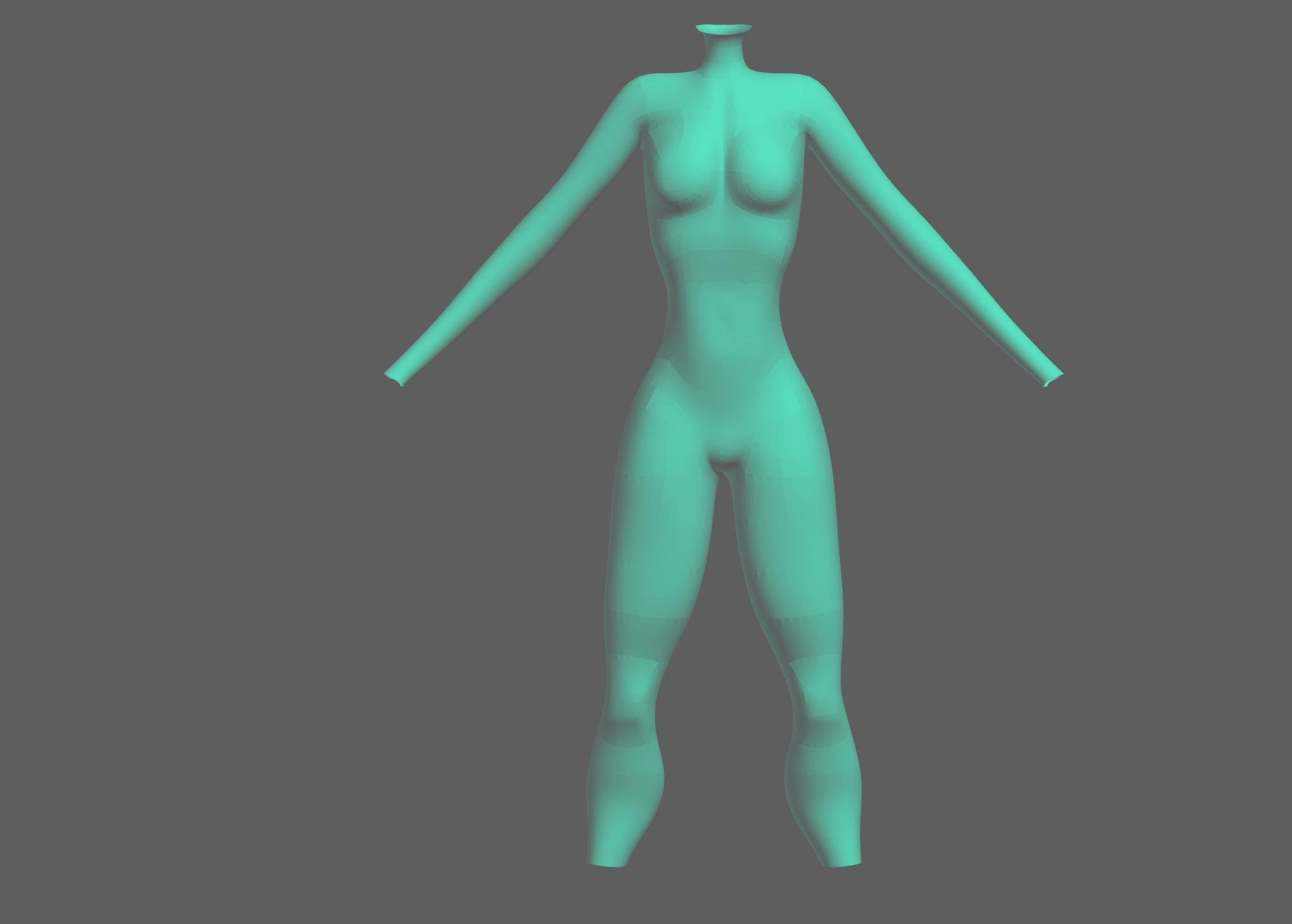
First, load the female figure into a new scene, select the character, and make a standard geoshell:

I generally unparent the geoshell and move the actual character off to the side. I find this makes it easier to select and delete the character once we move to a modelling program, and by moving the character the geoshell stays in place.
Many people keep the character in place so that in the modeller they'll be able to get a better idea of how their clothing will fit and work. Because I'm just doing a basic bodysuit, I'm only going to want the geoshell. Use the base model without any morphs applied.
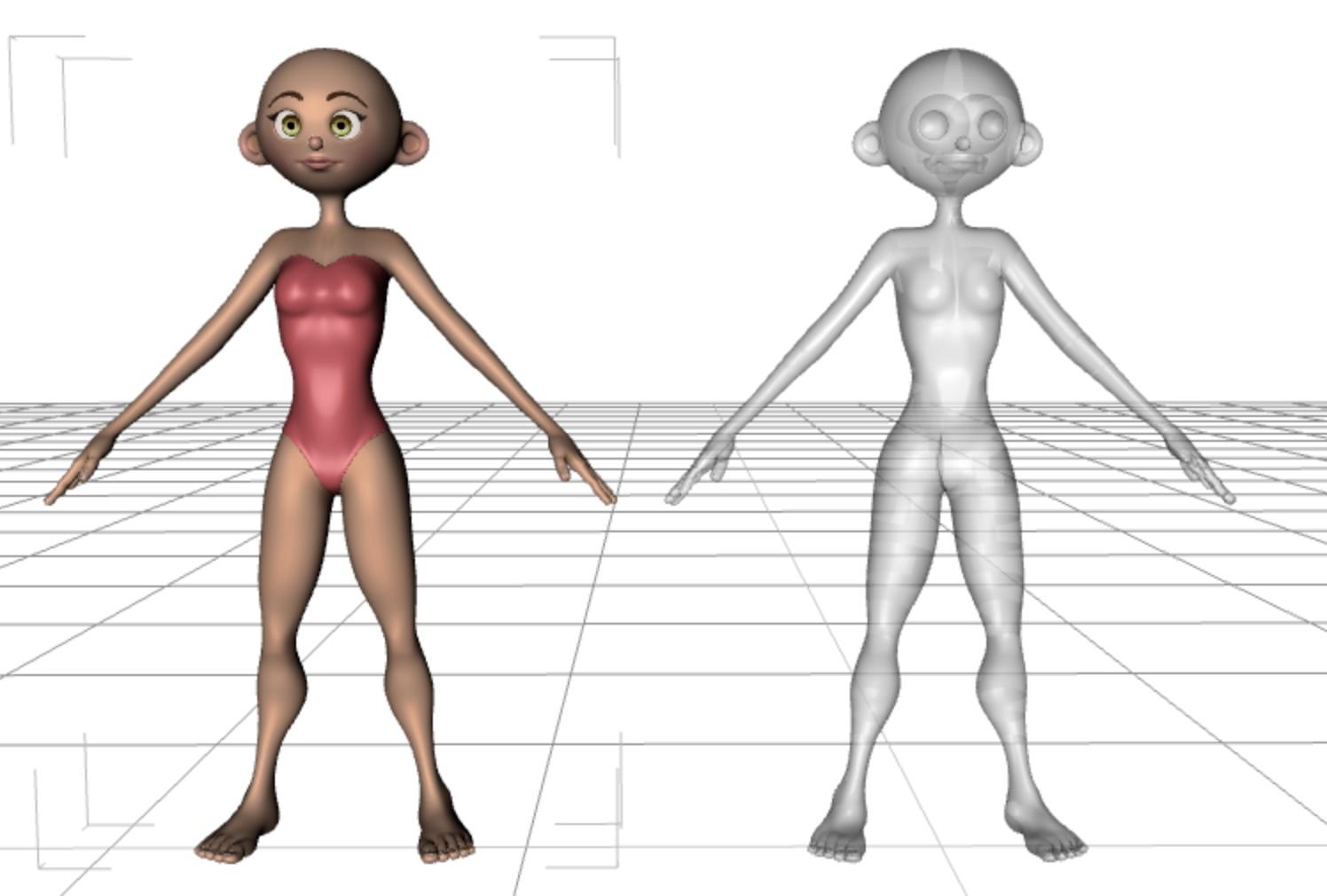
Export the scene in either .obj or .fbx format, either will work fine. It's important to note the settings you use, as you want to duplicate them when importing the geoshell back into DAZ Studio.
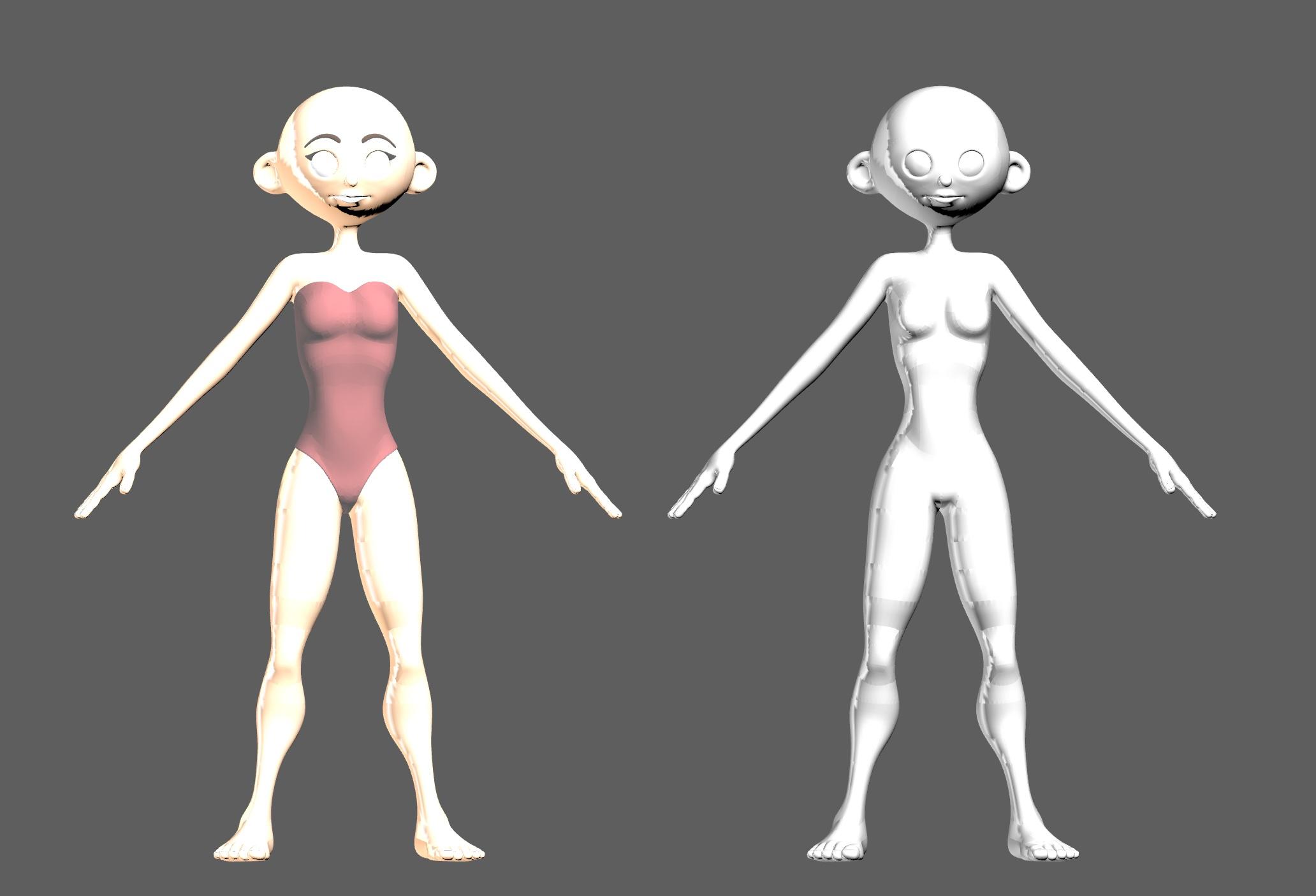
As mentioned, since I'm just making a basic bodysuit, I select the actual character and delete it.
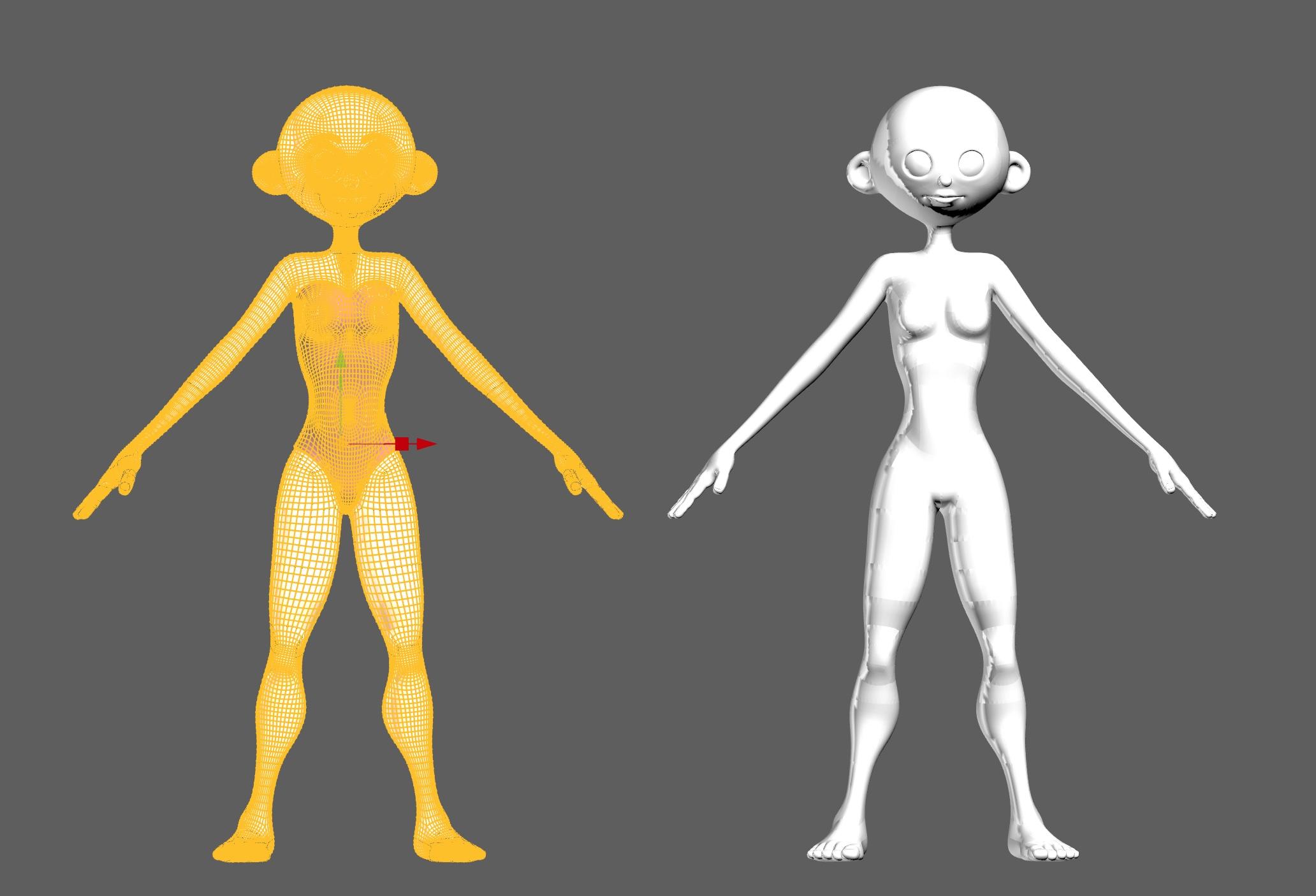
Once we have just the geoshell, I select and cut any parts I don't want, like the head, hands and feet. At this point, if you just want a shirt or pants, you can delete everything that's not part of the clothing you want. Here is where you can also edit your clothing to punch it up with details like trims, piping, seams, wrinkles, etc. As well, you can select parts of the clothing to create new shader or texture zones. When we're done, export the clothing as an .obj or .fbx file, whichever format you exported from DAZ Studio.
Back in DAZ Studio, delete the geoshell and move the base female back to the zero point.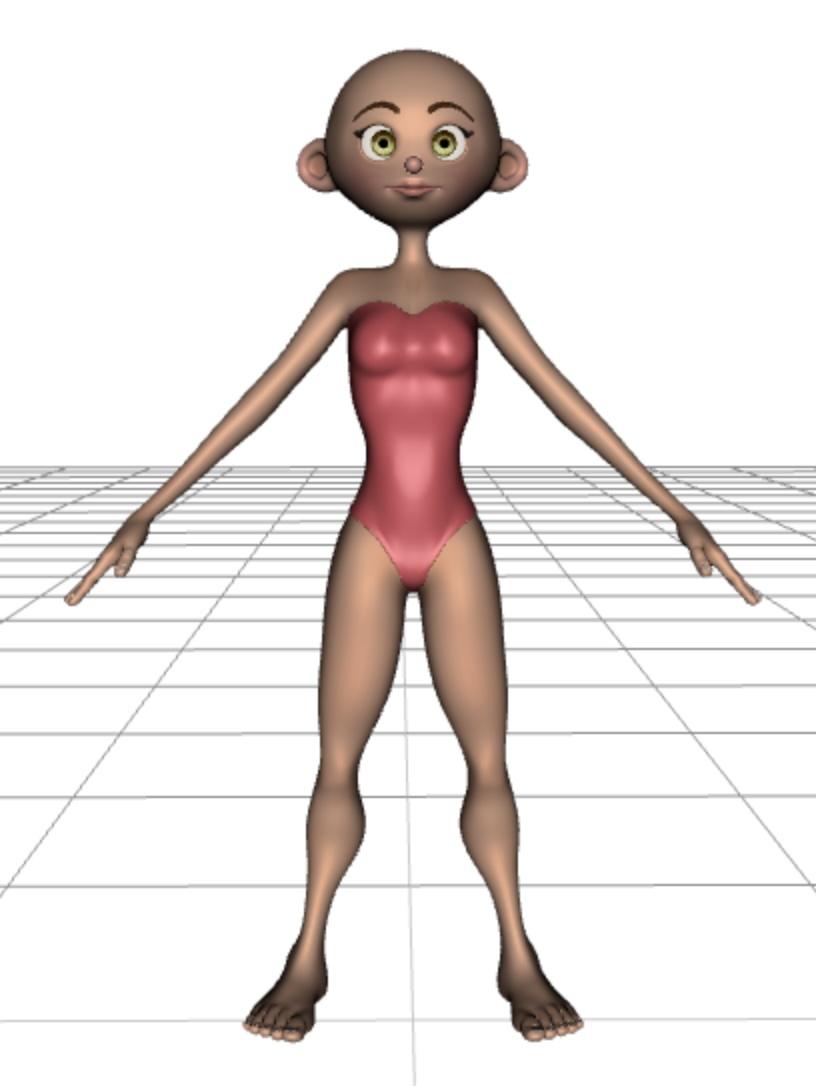
Import the edited clothing file using the same settings you used to export the file originally (e.g. 1 in = 1 cm)
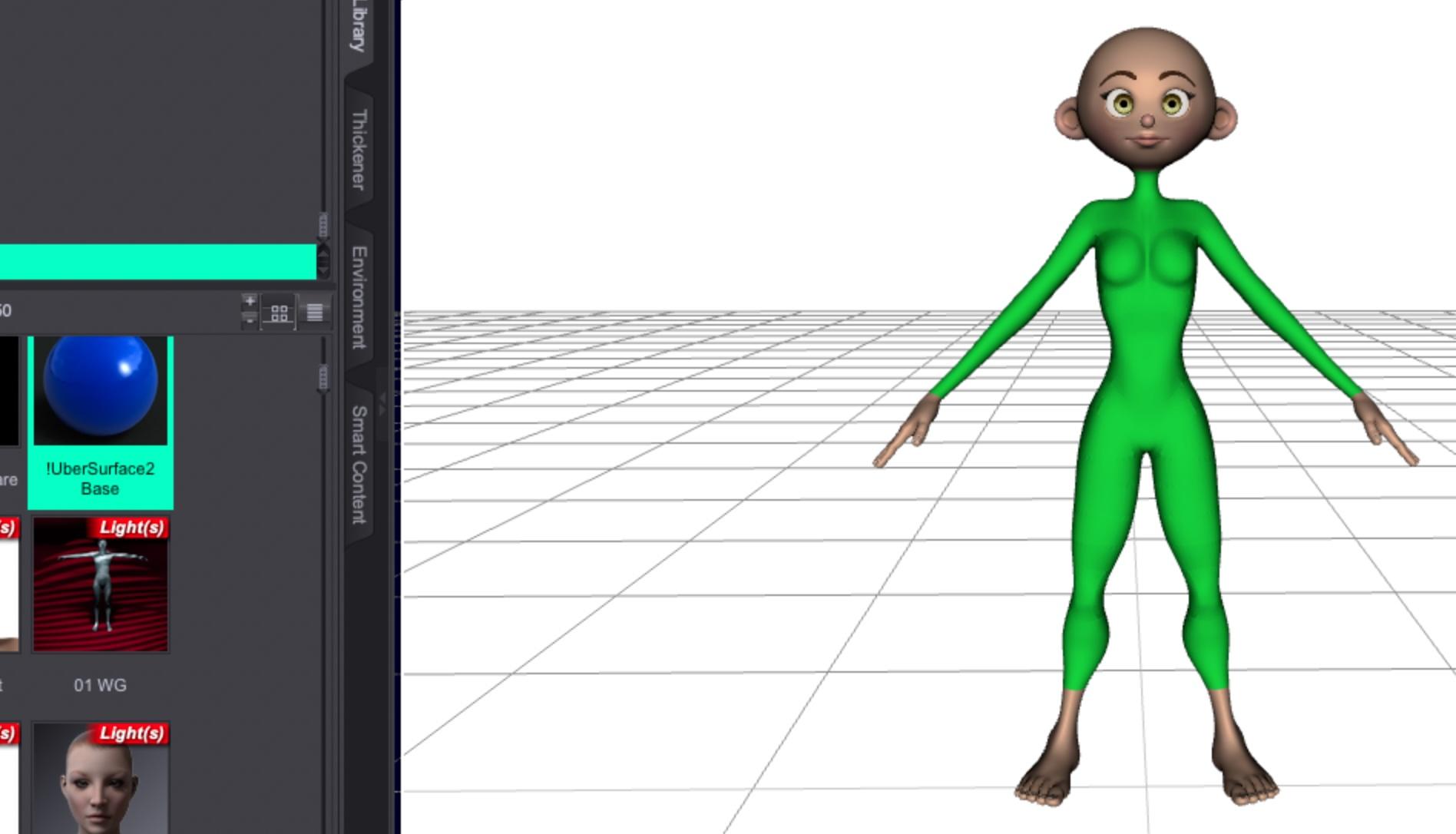
Once you've imported it, select the bodysuit and apply the DAZ Ubershader to it to make it view and render properly.
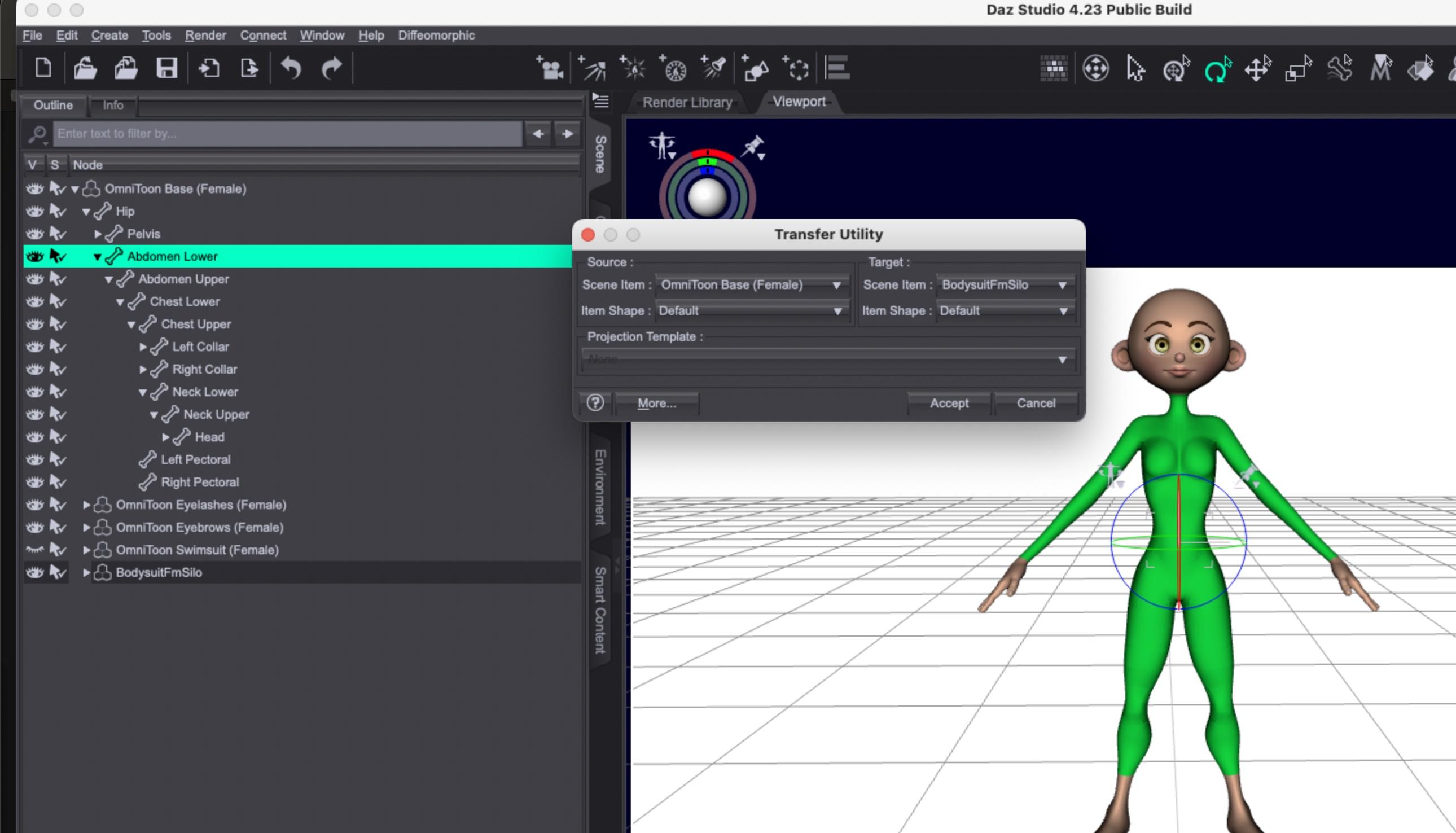
Using the Object Transfer Utility under the "Edit" menu, you can select the Omnitoon character and the bodysuit and transfer the rigging info.
If you find you run into any issues with body poke-through, you can experiment with adding a smoothing modifier.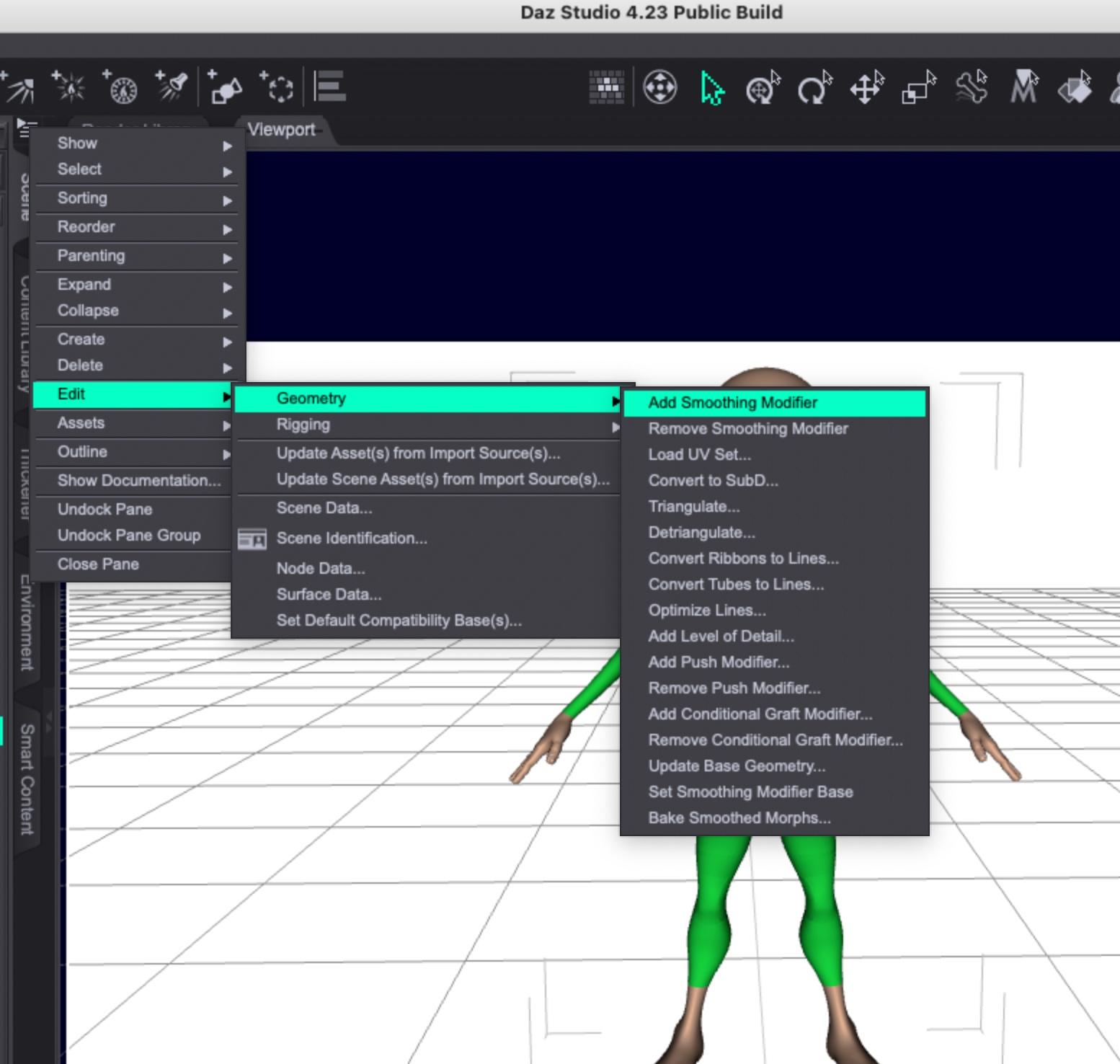
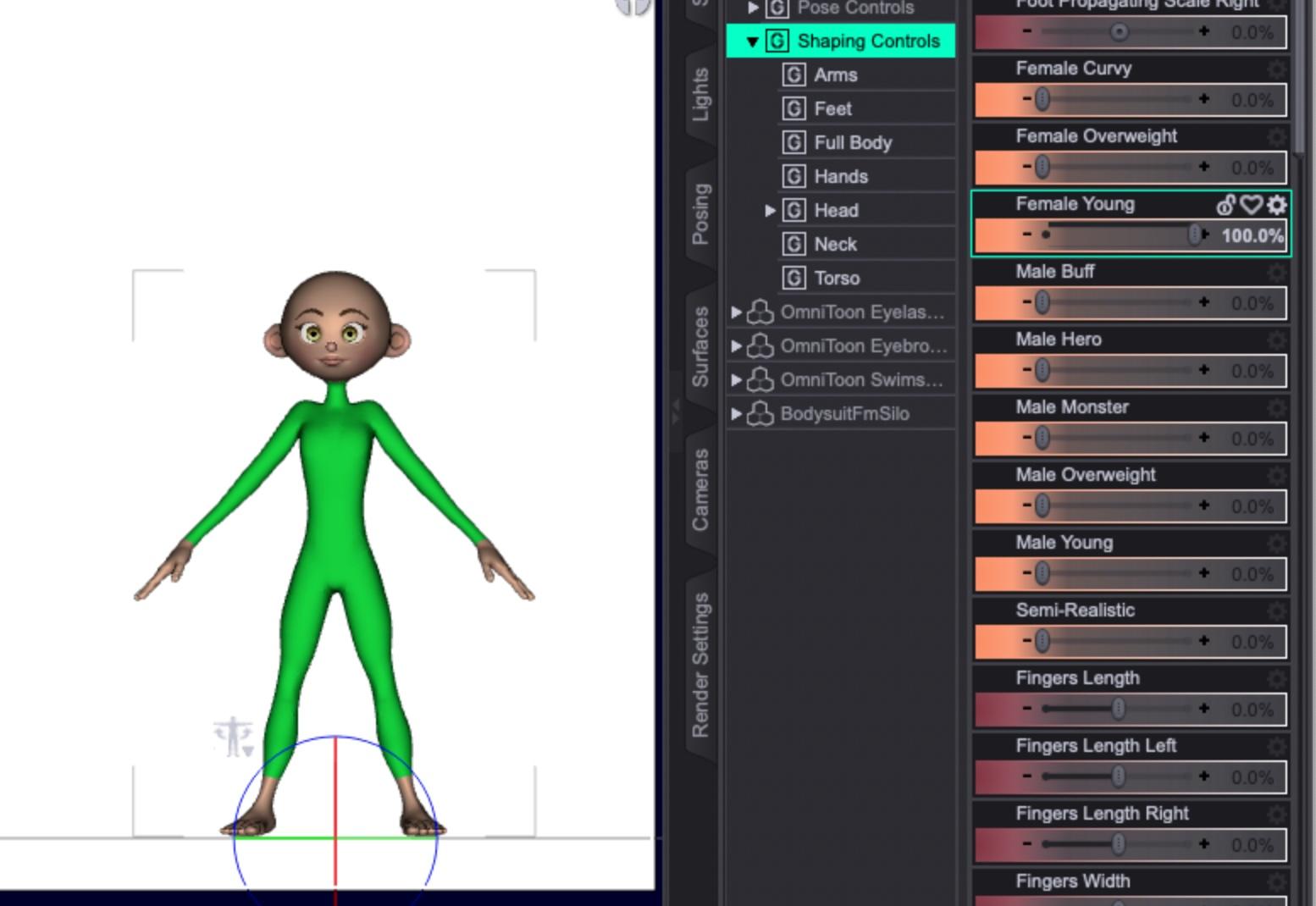
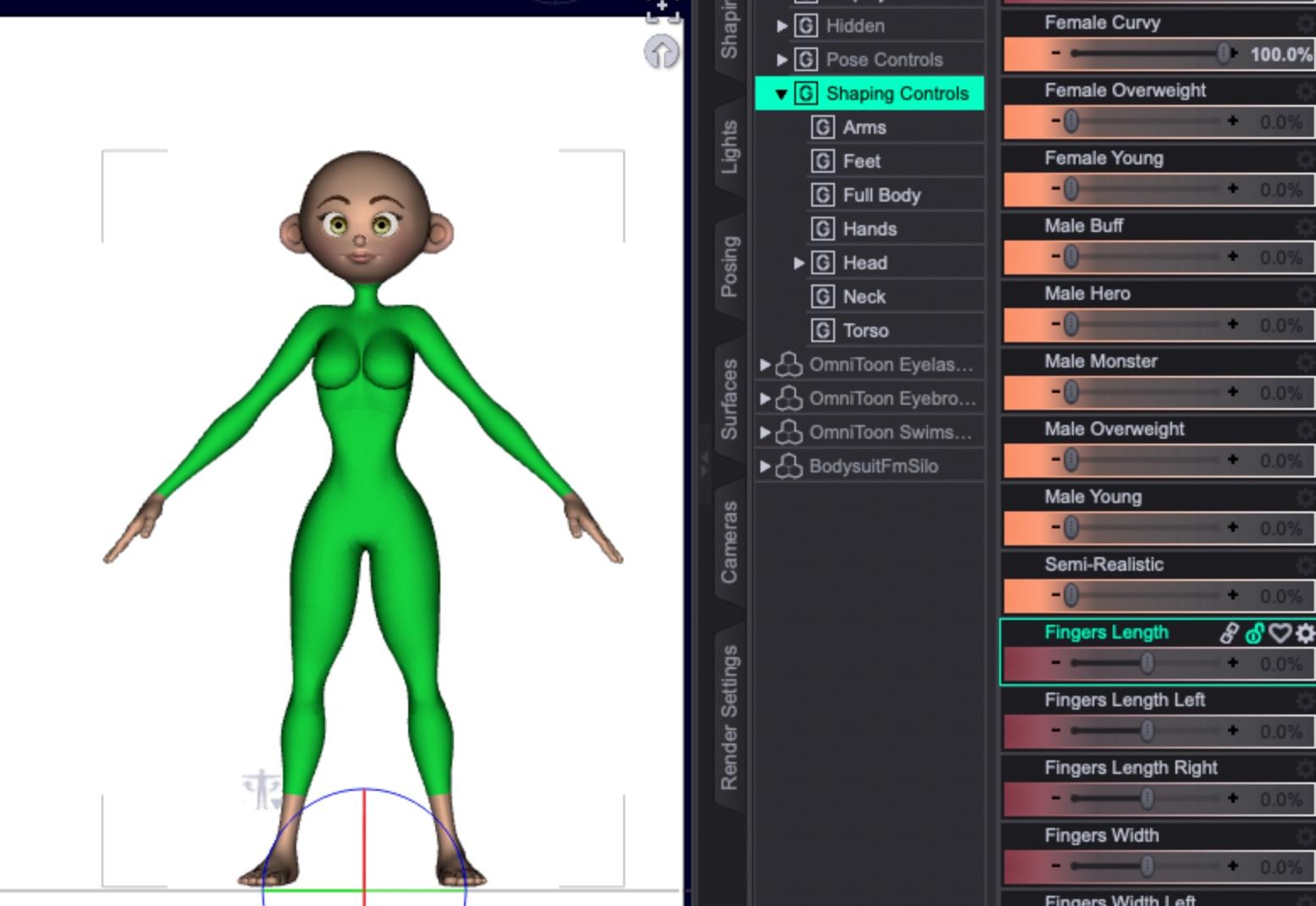
Once you've used the transfer utility, you should be able to apply morphs to the Omnitoon and the bodysuit should match it. Some very extreme morphs might require smoothing or, easier in some instances, hiding the body part poking through the clothing.
Here's the Young morph applied:
Curvy:
Overweight:
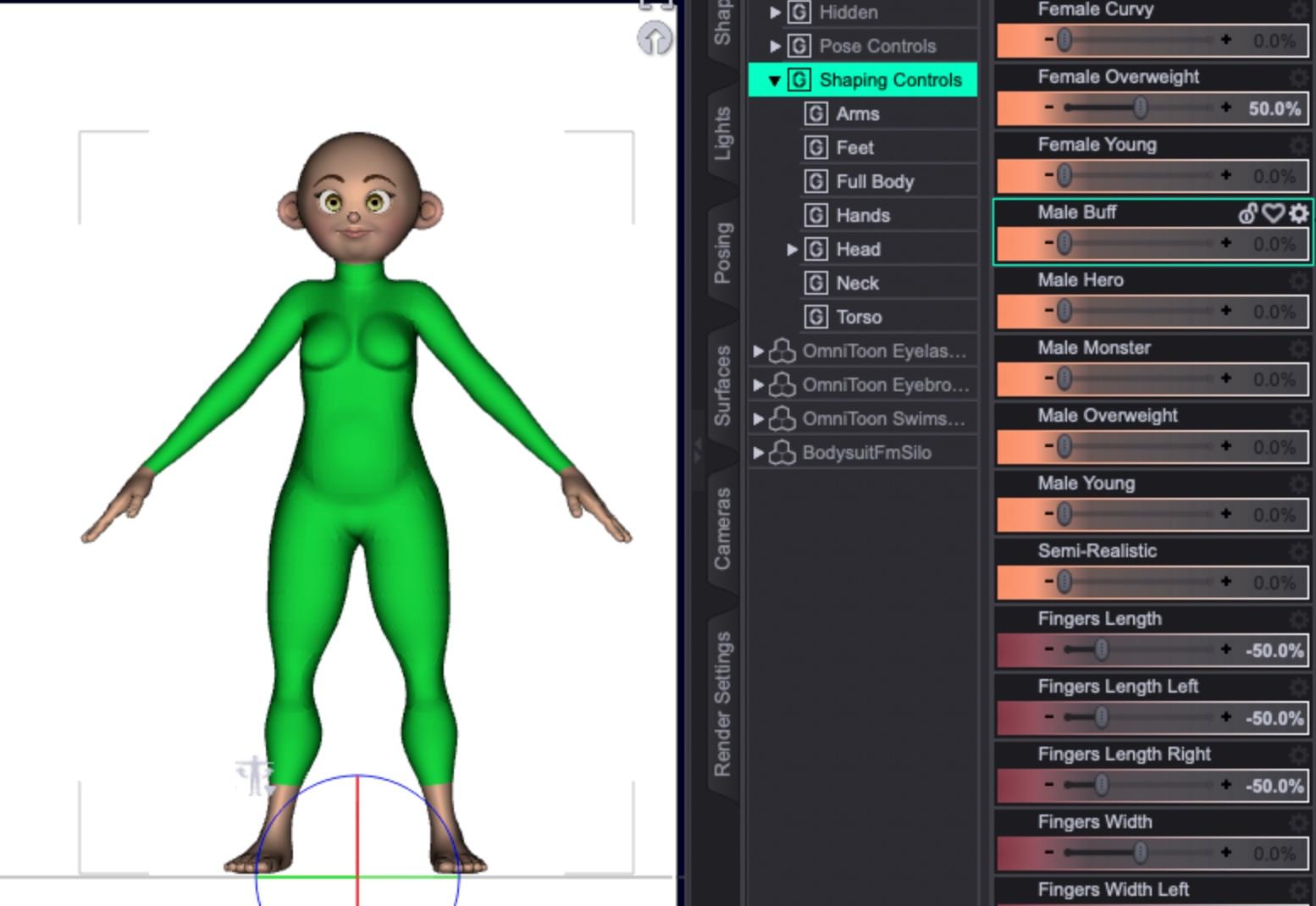
And semi-realistic, to try out a few.
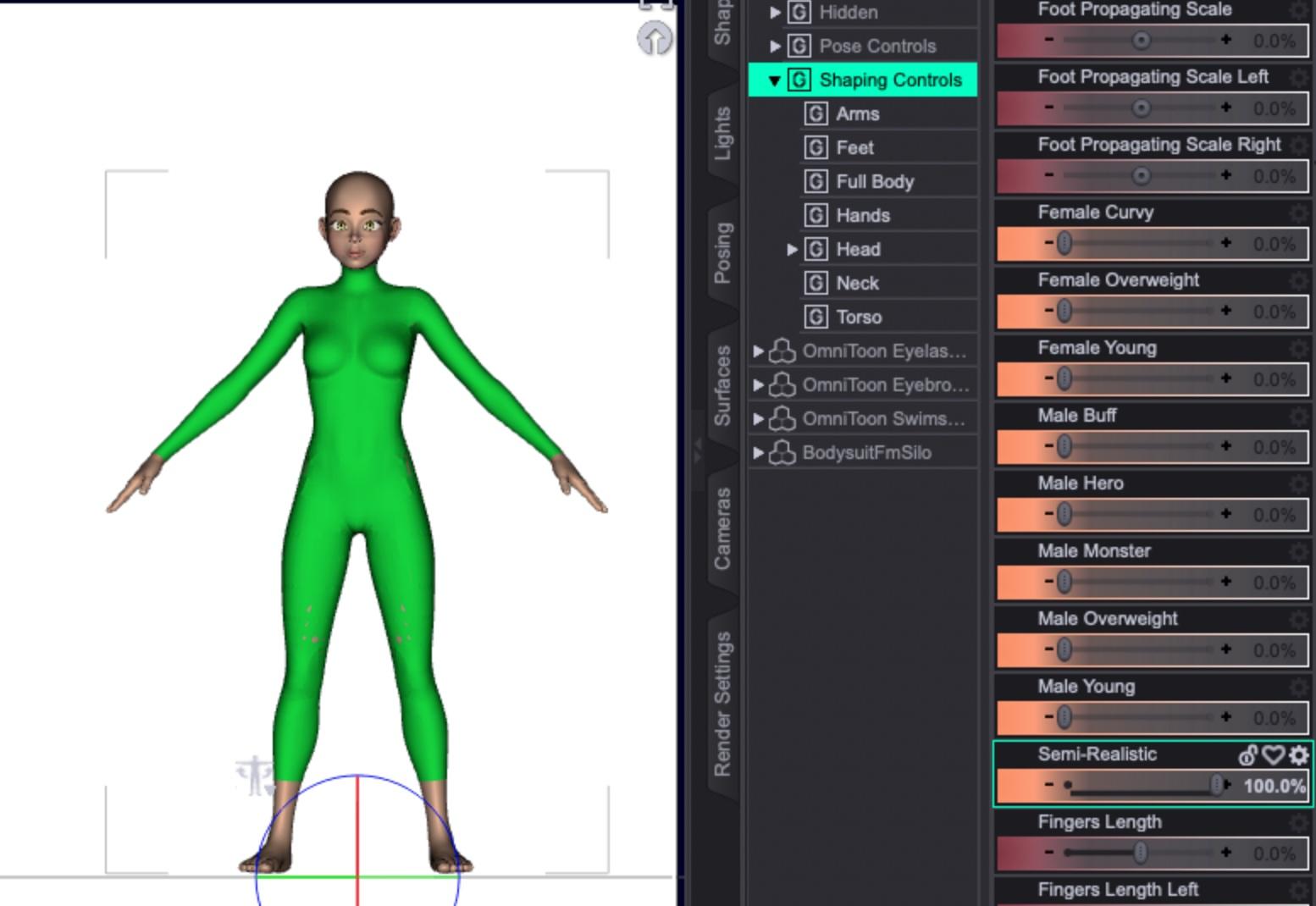
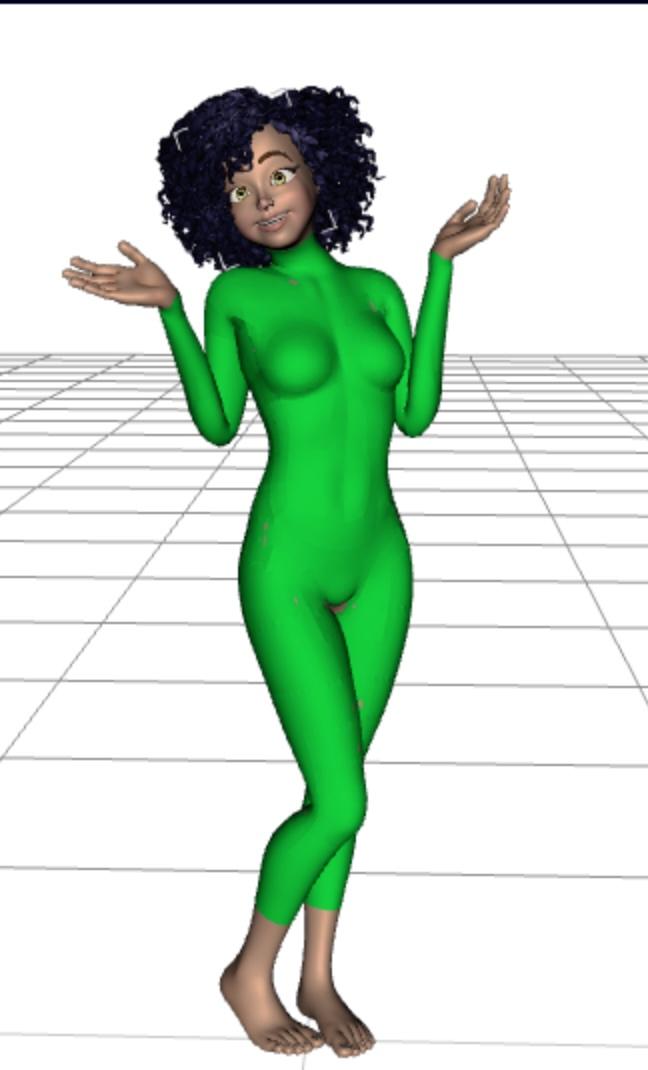
If I'm allowed to distribute the model without re-rigging, you can get close results using Genesis 8 poses:
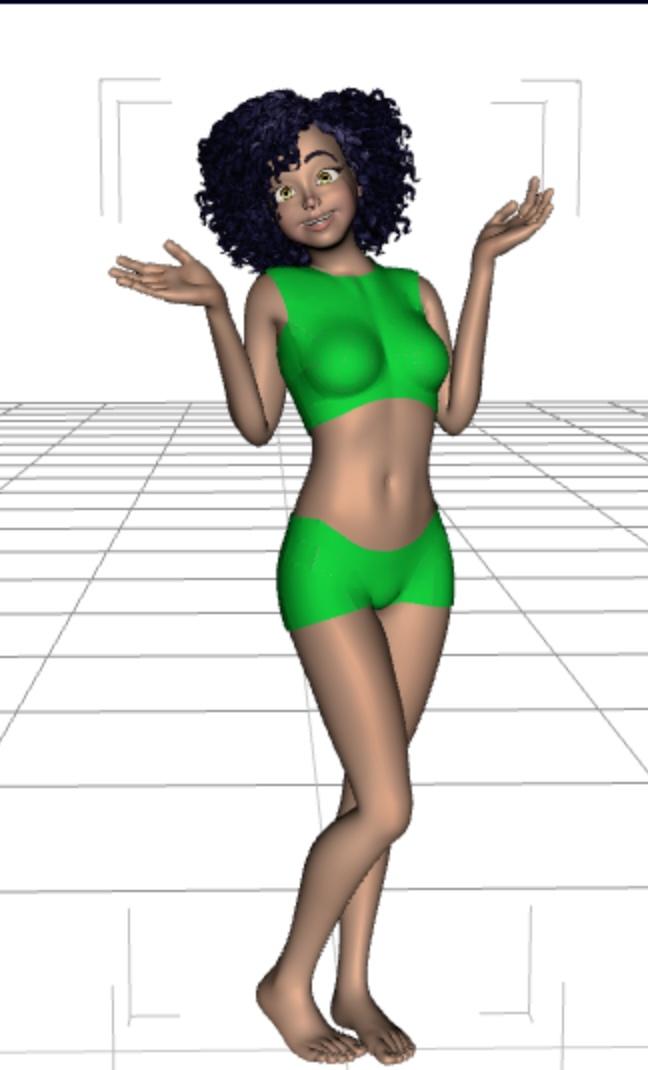
And if you just need some quickie custom clothing, you can just hide parts of the bodysuit:
 Let's appreciate/discuss today's new releases - more ongoinger thread
So here’s the Holy Family wardrobe with some different actors:
- Mary is D.E.M Rima with HS HoneyHeart Hair and a chest smoother morph (hard to tell with the shiny cloth glare)
- Joseph is Edan for Dasan 8 with the same M3D Victorian Hair that seems to be used on Walter in the promo; I’ve applied some aging morphs (I don’t remember which package exactly) and V3D Wet and Tanned Skins to get Edan’s skin tone close to Rima’s
- Baby Jesus is Baby Sam wearing Samuru’s skin from Small World for Caryn and Tobyn
- The poses are from Mix-n-Match Nativity Poses (with adjustments)
 Ethin's Art and ... stuff.
Redfern said:
Ethin said:
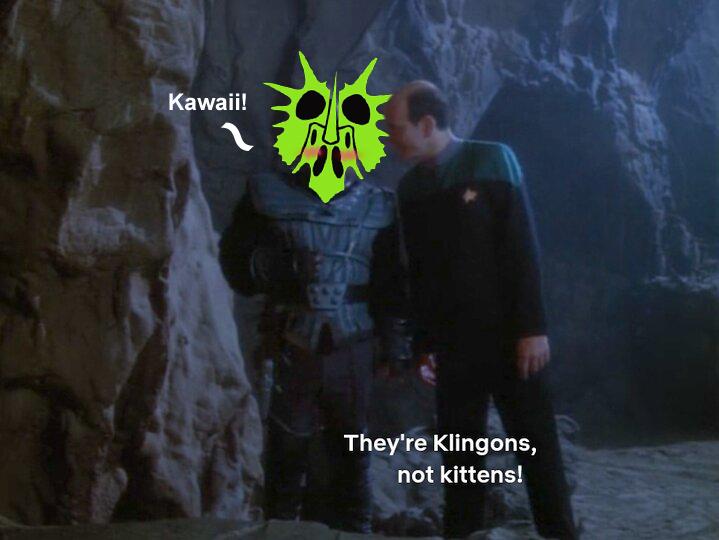
Low effort "M'Ress" scene.
Yeah, something akin to that. Well, I have my own custom head morph I'd use, but yeah, something similar.


... However my aesthetic might not be the best for Trek art. lol
 The Sky is Falling Complaint Thread
Non-complaint: This week's mini-adventure is a trip to the laundromat tomorrow. Morning bus to laundromat, then deposit laundry into washers, then breakfast at Burger King. Then back to laundry to transfer wet stuff into dryers, then a visit to the CVS drugstore to snarf up some cheap post-Easter chocolate bunnies(or whatever's left), then a toddle to the grocery store for the last things on my grocery list, and then back to the laundry to fold clothes and call an Uber to go home. All within a one block radius. Wheee..., an easy and uncomplicated, and immensely satisfying mini-adventure.
After that, no scheduled doctor appointments or other necessary trips for three weeks. And then a trip to the dentist in mid May. Perhaps I can save a little money this month.
 Ethin's Art and ... stuff.
Ethin said:
Low effort "M'Ress" scene.
Yeah, something akin to that. Well, I have my own custom head morph I'd use, but yeah, something similar.
SOLVED - Carrara Not Loading getting MCX errorssearching for mine, I see you too have been here before
https://www.daz3d.com/forums/discussion/369756/problems-installing-plugins-vwd-bridge-hd-morph-gmic
the identifier was the problem with the Sparrowharke and Philemo plugins for me, cannot find my thread
A little help please.https://www.daz3d.com/gurumarra-the-australian-aboriginal
The product page doesn't mention an FBX file being included, and I can't think of a single character for DS that includes an FBX (though there are some Daz characters available in the store as FBX models). Sometimes environments include an OBJ, but generally speaking, content in the Daz store is made for use within DS. You can look at the Compatible Software listed on the product page, and sometimes that will list other programs (e.g. Blender, Maya, etc.), which means that the purchase includes native file formats for those; otherwise, if it just lists "Daz to ____ Bridge", as this product does, then you'll need to open it in DS and either export as FBX or use the free Daz to Unreal bridge to transfer it to Unreal.
tl;dr - yes, you'll need to export from DS first.
Hooking up a morph to a Bend rotation@ Richard .... hmmm, the bend under the Scruff's Head area is zeroed out so not sure if dragging the fix morph to that will do anything.
@ Barbult .... Yes, same sort of thing!
Hooking up a morph to a Bend rotationIs this technique something different than creating a hidden corrective morph for clothing when a character's bone bends?
Hooking up a morph to a Bend rotationYou link the morph to the bend, for example by dragging the bend into the morph's Controllers>1st Stage in the Property Hierarchy while the Parameters pane is in Edit mode, and set the Scalar value to 1/30 (so that when the bend is 30 the morph will be 1, that is 100%.
Hooking up a morph to a Bend rotationHooking up a morph to a Bend rotation
I discovered an issue with my Scruff conformer for G8M. When I bend his head back to the -30.0 degree the Scruff become loose under his chin and around his upper neck. So I took that into ZBrush and created a fix morph. So I need a reminder of where to hook this up ... can't remember if I hook it up under the Scruff dependencies or what?
On a side note, how the hell do I turn down the select color? That bright blue is too much, I'd like it made almost fully transparent, it's too much in the way of my work when I'm hovering over body parts. I don't like it.
Thanks so much
Richard
Is it possible to make a JCM for more than one joint at a timeI mean I havent looked into what Crosswind posted, but just understand that the process is really not that complicated. Go into Property Heiarchy and set your controllers for your morph as required, following SIckleyield's video. She uses Add and Keyed options in 1st Stage for controllers, but I think she should put one of them in the Multiply option in the 2nd stage controller. Free country though, you can do as you wish.
Relevant part of video is at 16:03
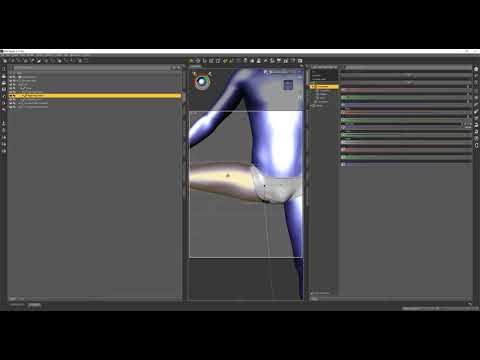
I doubt people can tell you what is or isnt in 4.11 of the top off their head. Just look for yourself in Property Heirarchy and you will know soon enough if you can follow the processes
Geograft QuestionRichard Haseltine said:
In order to use the Transfer Utility the figure needs to be weightmapped. The older dragons use parametric (Poser) rigging, based on include/exclude angles (lines projecting from the centre of the joint defining what moves, what stays put, and the transition between them) and spheres (two spheres doing a similar job). You could copy them, but I am far from sure you could graft to a parameteric figure at all and there would be no guarantee the parameters could be tweaked satisfactorily.
Your image isn't showing - Gallery links now expire, you would do better attaching to the post.
Thanks Richard,
Creating the Tri-Ax for the MD was pretty easy, and once I did, the geograft took with no problems.
As you mentioned, there are definitely some tweaks needed for the maps as well as a ton of display issues when trying to pose the figure--DAZ seems to not like this and flips out (display blanks out and figure is freezing in some really weird positions when I'm adjusting dials for the MD now). I've seen this behavior before, and I know there's a fix for it but I've forgotten how. But this is certainly a step forward! Much appreciated!

Also, hoping the bloody picture is posted correctly now....
 Why does DAZ DO this sort of thing!? edit---nope, it's not~! Can you please show my how?? I have no idea how to "post" a picture here!
 pwiecek said:
I'm not sure if this thread is applicable
Thank you very much, pwiecek!
I only had time to skim through this, but it looks promising. At the very least this could useful in creating some clothing for the MD/Dragonfolk characters.
BTW, I think it'd be a damned good idea if such tutorials like this could all be collected and put into their own Forum Folder (hint, hint, nudge, nudge, wink)
Also, while looking for old thread that I was hoping to have useful info, some threads seem to have "expirations", too. From Imported back to DAZ gone wrong - Daz 3D Forums:
Richard Haseltine said:
If you have loaded it as a morph, and if you have changed the height or other proportions in the new morph, then you will need to adjust the rigging to the shape. DS will do this for you in most cases, though you may need to tweak - it's covered in this thread: http://www.daz3d.com/forums/viewreply/254575/
Dead link.
Dentures?FirstBastion said:
I am sometimes surprised to find what I have in my library. But I apparently have those teeth, and heres a straight iray render of the M4 poser prop and materials. They have a denture morph, yet are still quite big.

I can't see the image.
Creating PropertiesHoplite490 said:
Not an animation. I have some models from other artist that do this. For instance, an airplane when the gears come down. I will see that all the bones used in the property do not move at the same time. Example, gears come down and then rotate, not drop and rotate at once. Is this done in animation? I can convert that to a morph/property? If, so do you know of a link I can use to learn how?
Is this similar to what you are trying to do?
https://www.versluis.com/2022/05/manual-rigging-in-daz-studio-without-the-figure-setup-tool/
and "the other one" I have now found (!): https://www.versluis.com/2021/07/rigging-basics/
(Jay's always worth a watch anyway
)Import material Daz to blendercrosswind said:
chrisvn said:
crosswind said:
You bought the product from Renderosity.com ... The vendors there usually have to split the product into multiple ZIP packages, like the one in your ss4, from 01 to 06. You need to put those six ZIP files into a folder, and unzip all of them. Then you'll got the sub-folders: data, People, Runtime.
Then copy them into the root directory of your Daz Library !
I looked at the installation note and on the manual the instructions were to unzip the folders directly into the Library, so I did that, I was able to use the cropped hoodies except one where I don't see the US colors and there are edges that interact with the character's skin and also when you move it the hoodie goes through the skin (screen_V1), I think it's more a settings thing, but I'm new to this is there a tutorial for that?
You either can unzip the package file one by one or holistically unzip them into a temp folder and copy them to the library all together. I always install 3rd-party product with Content Wizard, so I always make a one package without any garbage folders / files (e.g. Documents... etc.)
Short Hoodie 10 material preset is with "US textures"... though I never use it ~~
The issue you had is because of the character's shape is Sakura 8 but the vendor didn't give a FULL HEAD MORPH for it on the hoodie. You can follow this tutorial to fix the FHM... https://youtu.be/HLt0jpxQA20?si=UeJ67vXsv0k2HCg1
The tutorial from Mada is for fixing FULL BODY MORPH (FBM) but you can follow it similarly to fix FHM for the hoodie. I fixed it by using Blender. (ss1) If you don't know Blender or ZBrush but have Mesh Grabber, you also can fix it...
I noticed that to change the hoodie material at first it didn't work, then clicking on the eye deactivated it then reactivating it by clicking on the hoodie for example I changed it and it's the same for the rest this is correct way (screen_V2) ?
The material presets work for me. I couldn't reproduce any issue with them. Maybe it was a glitch on your side....
Yes, in the end, so since I unzipped it, it went well, I unzipped it directly into the library the necessary files...
But I have the colors with the same hoodie selection as you, however in fit to I don't have sakura 8 but genesis 8 and yet I have the same selection as you! I don't understand because we have to put the genesis 8 female body first..(screen V1 et V2 )
Regarding the video link, it's too advanced for me, I don't even know how to go into editor mode!!! If it worked for you, it will work for me too!
And for the clothes that pass through the body when the character moves, do you think it is necessary to save the body in collisions? I have not tried in blender, I will have to try
The Doctor Appreciation thread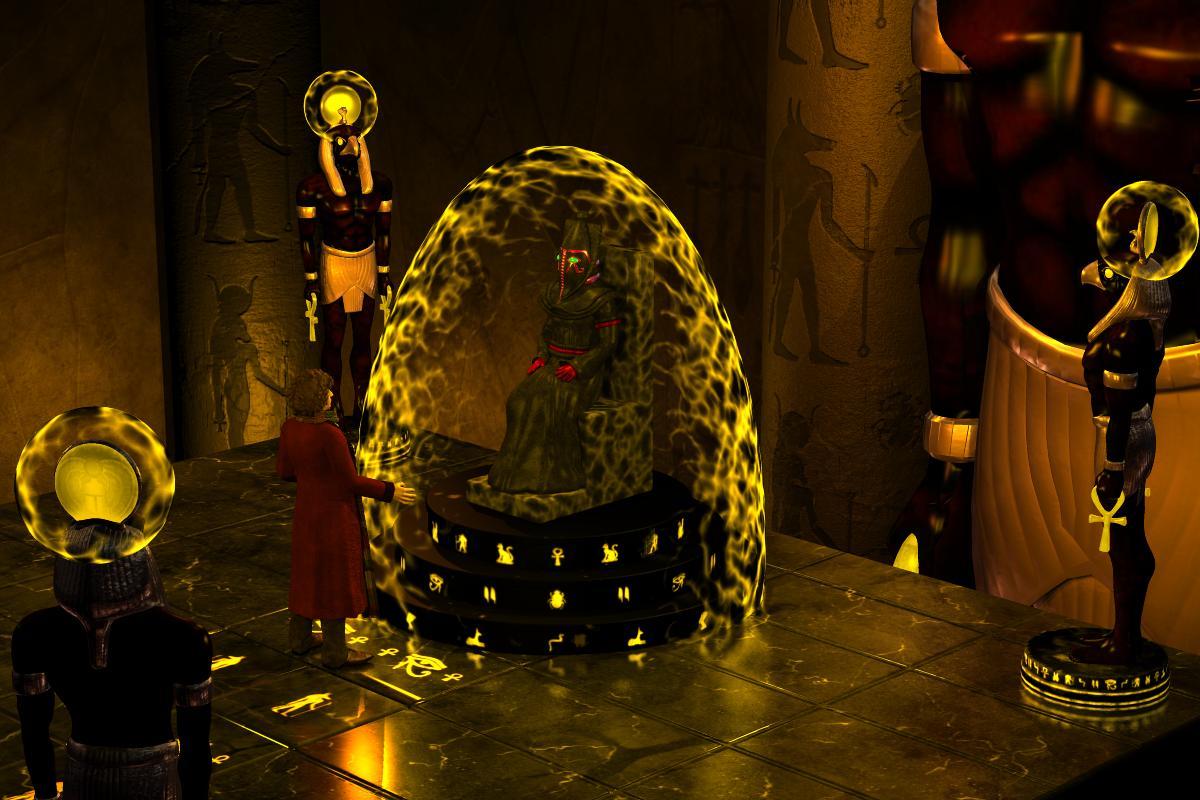
Just an oddball mental exercise. How might have Sutekh's prison/tomb appeared if "The Pyramids of Mars" were produced today? Rather than the confining chmaber with the abstract Jackson Pollack paint scheme, we probably would have seen something on the scale and granduer of the Brandon Frasier "Mummy" flicks. I used the "Temple of Anubis" as a starting point, but I chucked the jackal headed statuary in favor of the hawk headed Horus as he was the Osiran who defeated and imprisoned the psychotic demi-god.
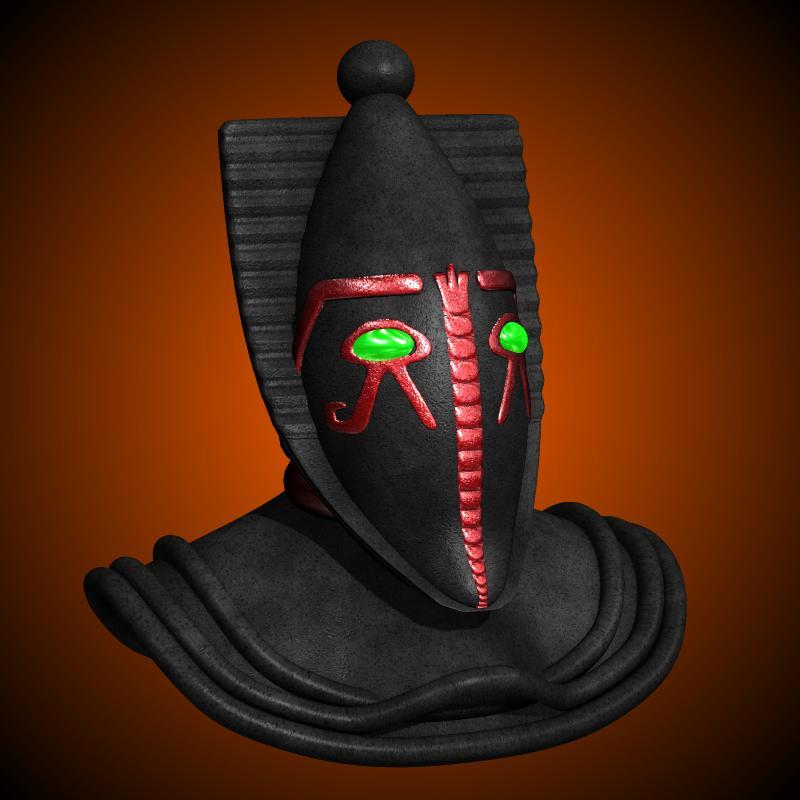
But I couldn't even attempt this project until I had Sutekh distinctive mask and pectoral collar I could affix to one figure or another. I have literally searced "on and off" for a few years trying the find something. Anything for download depicts his "real face" usually just a straight up jackal, not the Egyptain themed "Man in the Iron Mask" type helmet. Well, that's not quite true. Some 20+ years ago, there was a group called Who3D that intended to animate missing episodes of Doctor Who using...Poser. One of the members, Adam Bullock, had a collection of models one could download in a format called "Anim8or". One of those was a whole Sutekh figurine. Let's just say the central part of the helmet, the teardrop section with the Ehyptian themed bas relief dertails was usable, the rest, uh, not so much. Well, the other week I got off my a$$ and tried to "box model" (in Wings3D) new "frills" for the mask and whole new collar/yoke. The "frills" were almost too easy, the collar, well that took two full on modeling sessions. Here's the result.
Once I got it to a passable level, I "parented" the props to a vintage PoserWorld figure called the "Evil Keeper". I chose it as it had a great "sitting" morph that bent the "skirt" section in a believable way, closely capturing the pose as Gabriel Woolf sat in the original story. After assembling the simple granite chair, I placed everything within the setting and puttered with lighing for a few days. This is the result.
Using Lycan 9 Ears on human characters?I think as long as these are either morphs or geografts that attach to the normal G9 figure, you should be able to mix to your heart's content. Morphs from Lycan and Nahr certainly do appear in the morph lists for all G9 characters when I call them up.
With the claws and especially teeth, I don't know, there might be fitting issues. You could just try it out though, you can always return an item for 30 days.
Daz 3D is part of

Connect
DAZ Productions, Inc.
7533 S Center View Ct #4664
West Jordan, UT 84084Licensing Agreement | Terms of Service | Privacy Policy | EULA
© 2026 Daz Productions Inc. All Rights Reserved.