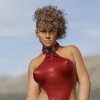
-
Do I have to buy Victoria 4?
V4.2 base: https://www.daz3d.com/victoria-4-2-base
Several bundles including her have been on sale dirt cheap or even free previously.
Do I have to buy Victoria 4?I have V4 muscle maps and a lot of textures but seemingly no 'actor' v4.
Let's appreciate/discuss today's new releases - ongoing threadMousso's Fate is lovely, but I have bought the following lovely characters for G9 so far, two from Mousso. That being said, what is attractive is in the eye of the beholder, so I did not include the 'HID' models I bought because they were not on the standard 'pretty, delicate' mode, but rather with strong chins. And of the ones I have tested below, they have a good range from girl next door to drop dead gorgeous, depending on how I dealt with them.
Mary
https://www.daz3d.com/victoria-9-hd
https://www.daz3d.com/kei-hd-for-genesis-9
https://www.daz3d.com/mso-lorienne-hd-for-genesis-9
https://www.daz3d.com/e3d-aya-hd-for-genesis-9
There's Always Another Sale Thread -- Discussions OnlyMSO Fate HD for Genesis 9
Daz Originals G9F characters have tended toward mannish features/shaping (Victoria, Joan, etc), and PA efforts to look weirdly distorted (numerous, including some previous MSO characters), but Fate looks... pretty good actually. I'm impressed and might have mistaken the character as being G8 from a glance at the promos (which is a good thing).
Is 50% off (for two in cart) the best discount available for new releases (without spending $80 for tokens)? I'm not "making the switch" after a single character, but I think I'll buy Fate later today to say "great job" and have an appealing base character for experiments with G9.There's Always Another Sale Thread -- Discussions Onlydoubledeviant said:
I appreciate the orc bundle being cheap, but it's G9, and the bonus item is an expansion for an environment that I haven't purchased. Not much appeal.
A choice of bonus item from a selection of high-value environments or G3/G8 items could have been interesting. Or something like "ALL Grab Bag items return for $2.99 with purchase of Grommok bundle".
Because G9 has failed to impress me, the value of associated offers needs to more-or-less negate the cost of the required G9 product.Most G9 models that have been released not from the main Daz stuff I find meh. I like a bunch of the daz 8/8.1 stuff like arcadia, senator greave, juan, Jinx Jones, Noska, etc. with their HD add ons much better then most of the current gen 9 stuff with exceptions. The exceptions would primarily be the main Daz 9 stuff like Victoria 9, Michael 9, Freja 9, Joan 9, Minerva 9 etc. When the models are done right, they look great. But it seems a bunch of the PAs (no offence) have not figured out how to use the gen 9 model to make stuff look better than what they could with gen 8/8.1. Josi 9 was awful for a gen 9. It's like taking a super powerful motor and sticking it into a vehicle that you will then use a limitor to keep from being able to be utilized any more then what the weakest motor could handle.
I like the orc because it will give me more options and is a good price for getting into Gen 9. We just need someone to release a conversion tool for taking our gen 8s and 8.1s with HD over to gen 9. I think if that comes out it will speed out adoption of gen 9 as it will be easier to integrate assets previously purchased with new content."V3D HDR Master Bundle" (Commercial)I made an HDRI from Japan World Gardens, Then I did two renders with Victoria 9 and the HDRI. Each final render with V9 took less than 2 minutes a 100% convergence Quality 4. In the render where she is behind the tree, I used a Matte cylinder to hide her behind the tree. I used a Matte bush object to hide her behind the bushes. Then I added another Matte bush to act as a shadow catcher to break up the fake-looking flat shadow that would be cast by Victoria onto the bushes to her right.

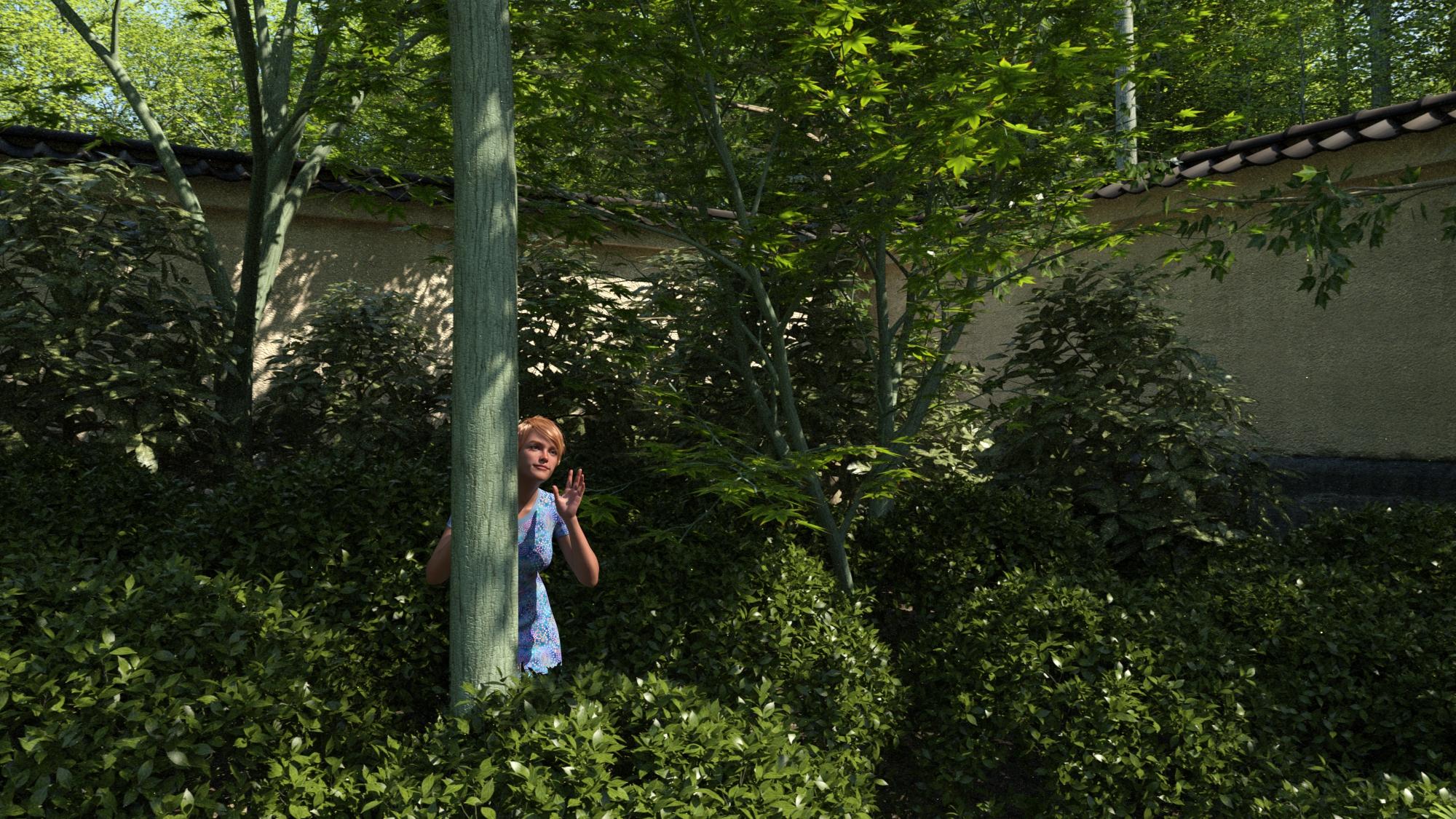
These are the Matte objects. They are not rendered as visible objects in the scene, but they can hide geometry and catch shadows.
 A couple DAZ questions
Thanks all, I appreciate the responses to my questions. Very helpful. I've begun poking around in the surfaces panel and even was able to save items in the favorites folder. The problem now is that I can't find the favorites folders. The dialog box says the saved favorites are in the favorites folder in the main menu bar. Where is the main menu bar?
S
Richard Haseltine said:
wassean_1fcf286464 said:
Hello All,
I'm new to DAZ and have mainly been using Poser 11. There are a couple of features in Poser that I don't seem to find in DAZ. Namely, Poser allows one to create a favorites library to find models and props that one repeatedly uses quickly. The favorites menu also allows one to organize the library with folders that make sense to the user. Does DAZ have a similar favorites feature? If so, how does one set it up?
You can right-click on a file or container and seelct the Create Custom Action command, which lets you add it to the Scripts or Favourites menu (or a sub-folder). Window>Workspace>Customise can be used, in the menus tab on the right, for later rearrangements or removals.
Next Poser also allows one to change the color of some items, like the Victoria 4's skin. Can one change the color of models and props in Daz? How so?
The Editor tab of the Surfaces pane - there is a list of items and their surfaces down the elft, which lets you select targets, and settings for the current shader are then on the right. This doesn't let you create new materials from basic units the way you can in the material room, the equivalent for that is the Shader Mixer pane.
Thanks in advance,
S
A couple DAZ questionswassean_1fcf286464 said:
Hello All,
I'm new to DAZ and have mainly been using Poser 11. There are a couple of features in Poser that I don't seem to find in DAZ. Namely, Poser allows one to create a favorites library to find models and props that one repeatedly uses quickly. The favorites menu also allows one to organize the library with folders that make sense to the user. Does DAZ have a similar favorites feature? If so, how does one set it up?
You can right-click on a file or container and seelct the Create Custom Action command, which lets you add it to the Scripts or Favourites menu (or a sub-folder). Window>Workspace>Customise can be used, in the menus tab on the right, for later rearrangements or removals.
Next Poser also allows one to change the color of some items, like the Victoria 4's skin. Can one change the color of models and props in Daz? How so?
The Editor tab of the Surfaces pane - there is a list of items and their surfaces down the elft, which lets you select targets, and settings for the current shader are then on the right. This doesn't let you create new materials from basic units the way you can in the material room, the equivalent for that is the Shader Mixer pane.
Thanks in advance,
S
A couple DAZ questionsHello All,
I'm new to DAZ and have mainly been using Poser 11. There are a couple of features in Poser that I don't seem to find in DAZ. Namely, Poser allows one to create a favorites library to find models and props that one repeatedly uses quickly. The favorites menu also allows one to organize the library with folders that make sense to the user. Does DAZ have a similar favorites feature? If so, how does one set it up?
Next Poser also allows one to change the color of some items, like the Victoria 4's skin. Can one change the color of models and props in Daz? How so?
Thanks in advance,
S
exported characters asking for things not in themJust downloaded you Sakura Faux from ShareCG.
What a mess, even I'm going to have a hard time fixing this, badly done content I can deal with, missing files I can't as I don't have the ability to magic them out of thin air.
Sakura Faux.DUF, has three full morphs stored inside it, no ****in' idea how you managed to do that, but DS wont even see them in there never mind load them. I'm guessing "Fauxeyesdown-0x9fba18d" is your morph, but the Pyra head and body morphs belong to Shinteo5.
There are four "morph calls" and all four give missing file warnings, PHMEyelashesLengthUpper.dsf, PHMEyelashesLengthLower.dsf and PHMEyelashesCurl.dsf are all DAZ files that come with the G8F starter essentials, but the fact they are listed as being in "Morphs/Spearcarrier/Product" sets off alarm bells. The fourth is "Neck Thin" no idea where it comes from but it's pathway is the same as the other three.
One missing texture = "/Runtime/Textures/spearcarrier/animeeyes/Genesis3/blue2.jpg", and one missing UV = "/data/DAZ%203D/Genesis%208/Female/UV%20Sets/Cayman/Legacy%20UVs%20for%20Genesis%208/Victoria%204.dsf#Victoria%204".Fauxeyesdown.dsf and Fauxeyesup.dsf, neither work right, they have a Formula connecting them to "eCTRLEyesUpDown.dsf", but the pathway is yet again "Morphs/Spearcarrier/Product".
Now any time I find DAZ assets listed with the wrong pathway, usually means screwed up Morphs folder, at some point you have tried to save a morph asset, and instead of "drilling down" through the list to just find and select your morph, you just selected everything, which means you now have duplicate copies of every morph that was installed.Sakura Faux.DSF, couple of Formula linking to XTransfer created assets, and a whole bunch of Formula (yet again) looking for assets in "Morphs/Spearcarrier/Product".
Might want to remove this from ShareCG, and then spend some time cleaning up the mess you have made of G8F's Morphs folder.The I Miss the Old Days Complaint ThreadNylonGirl said:
Charlie Judge said:
Complaint: March madness is over for me. Duke lost in the second round so no more interest in the tournament (the real March maddness).
The sale also may be largely over for me. My tokens will all expire tonight and I have way overspent my March budget so I can't buy much more.
I have not overspent because I haven't spent anything here since they announced what Victoria 9 costs. The newest product in my library is Genesis 9 Starter Essentials.
I don't have Victoria 9 either.
The I Miss the Old Days Complaint ThreadCharlie Judge said:
Complaint: March madness is over for me. Duke lost in the second round so no more interest in the tournament (the real March maddness).
The sale also may be largely over for me. My tokens will all expire tonight and I have way overspent my March budget so I can't buy much more.
I have not overspent because I haven't spent anything here since they announced what Victoria 9 costs. The newest product in my library is Genesis 9 Starter Essentials.
Buying more G9 or G8/8.1 Daz products these days?PixelSploiting said:
I think it's going to be a while before there's anything like UNB for G9.
On one hand mesh structure like this makes sculpting far easier, on the other hand older generations have specific geometry loop placement for areas like limb joints and midriff. So G9 is much easier to work with for PAs, but G8 works better out of the box with less modifications for the end user.
This is what I was thinking of, but never had the right terminology; but yes, it will be somewhat difficult with making my loops for the joints and the like before I even think of morphing in any anatomical elements such as the knees/elbows and loins, that is why I have so much respect for modellers and sculptors, I was hoping to import UNBM morphs over and re-ERC them myself, but it looks like I'll not only have to re-build the specific G8.1 geometry loops but match them exactly to G8.1 I'll wager...
So, it will be better to build my own, despite being a novice with geometry loop placement. :P But I will remain patient as we're looking at a year or so before the UNBMs arrive!
I can see one problem with G9 that may or may not affect interactive license sales and that is how it decimates for things like animation or games. Because G9 doesn't have specific limb joint loops and relies more on the mesh density in this regard, decimating it might end with having to rebuild joint topology because now it has too few loops and the arm bends like a plastic straw.
'Ole noodle knees 9 should have spent more time in the oven so to speak, imagine the guesswork involved with having to build geo-loops with the resulting decimated character with only a smattering of polygons to work with, so the alternative for the interactive license carrier will be forced to buy a 3rd-party solution on top of the Daz original license I'll wager.
There also has to be parity between Daz's first-party characters as simply creating UNBMs for a single character such as Victoria is easy enough, but to have those morphs uniformly transfer between G9 and V9 is going to be another challenge *unless the Daz originals provide parity between themselves, otherwise, they would have to sculpt for two different character types as they did for G 8.1 and V 8.1 as the last UNBMs had parity between the two!
*I don't have V9 so I don't know.
The good thing is that most 3rd-party characters are usually based on either G9 or V9 so that is covered along with having the male included, I imagine only slight adjustments between the two genders as the geo-loops themselves will remain consistent between the two, at least that's my theory!
What does it mean a character depends on another?Leana,
Thanks for sharing this, because I was wondering if you can make some of those figures work with out those required figures.
Leana said:
It means that the Victoria 9 morphs are used (not necessarily at 100%) as part of the morph mix to create the JeanDoe shape. The morph dial for the character should apply the required amount of the V9 morphs automatically when used.
If you don't have V9, it will apply the other morphs used only so the resulting shape will be different. How different depends on the character.
To give you an idea, there are a few example of characters without the base in this old thread: https://www.daz3d.com/forums/discussion/394456/the-dial-them-out-threadRegarding the texture, it depends on the character. Most will include their own textures.
For older generation figures like Genesis 1, 2 or 3: Older generation "named characters" often included their own custom UVs, and textures made for characters "for named figure" sometimes used those UVs too, so their textures would not work properly if you didn't have the required characters.
FWSA Danica HD for Victoria 8 hair identification helpHey guys, I need to find out what hair she has on main pic https://www.daz3d.com/fwsa-danica-hd-for-victoria-8
What's the Best Way to Make VICTORIA 3 Skin Look Great in IRAY?Fauvist said:
GhostofMacbeth said:
My suggestion would be to post the magical render and then to list which skin it was and see if anyone can help. Something like this might also help https://www.daz3d.com/advanced-material-converter
Looks like most of the Victoria 3 characters have been removed from the stores - but here are Victoria 4 and Michael 4 skins that will give you the effect I'm looking to duplicate in DAZ Studio - go to that OTHER store and type in BAYLEE , or type in METROPOLITAN COLLECTION . I realize, looking at these characters that it is likely the Poser SSS setting that is creating the soft skin.
Yep, that will be hard to do for a V3... The jump from V3 to V4 is closer to the jump from 8.1 to 9 than V4 to Genesis. Resolutions changed, new surface settings were added.... Once you find the settings you like, that product would definitely help automate it.
What's the Best Way to Make VICTORIA 3 Skin Look Great in IRAY?GhostofMacbeth said:
My suggestion would be to post the magical render and then to list which skin it was and see if anyone can help. Something like this might also help https://www.daz3d.com/advanced-material-converter
Looks like most of the Victoria 3 characters have been removed from the stores - but here are Victoria 4 and Michael 4 skins that will give you the effect I'm looking to duplicate in DAZ Studio - go to that OTHER store and type in BAYLEE , or type in METROPOLITAN COLLECTION . I realize, looking at these characters that it is likely the Poser SSS setting that is creating the soft skin.
Buying more G9 or G8/8.1 Daz products these days?Wonderland said:
Matt_Castle said:
Wonderland said:
Have you tried this? https://www.daz3d.com/transgender-shapes-for-genesis-8 You can easily change genders with it.
Excellent if I want a teenage girl to have a father who wears miniskirts and midriff tops. (Also, it doesn't solve if you have existing characters who you want to combine morphs from to make a child).
One way or the other, I end up having to convert something (autofit and even the clothing converter tools have their drawbacks).
As is, I've got two teen male characters built on G8F, a canonically trans female character (built on G8F, but using some morphs that were originally G3F), a conversion of Michael 7 to G8F I occasionaly use, and... well, a lot more G3 to G8 transfers... I can put most clothing assets on the centaurs... I know all the tricks, I use all the tricks, I invented some of the tricks.
Even if we are to argue that G9's execution of a unisex base is flawed, we at least should concede that the concept of being naturally able to share the same morphs on relatives of different genders is meritorious.
You can put male clothes or any clothes you want with autofit. And use Growing Up to your existing characters to make them younger. All the morphs already exist for G8/8.1 that can give you as good, if not better results than G9.
I can only speak for myself, but I struggled with cross-gender fits and morph transfers for years on 8/8.1, and while what you're describing may be sufficient in many cases, the results I get with G9 are much better and much easier for me to work with. Autofit is actually awful at transferring anything that has extruded detail like straps, decorative metal elements, high collars, etc.
Something that probably makes a difference that I haven't seen brought up directly is that some people have permanent "actors" set up that are used in dozens if not hundreds of renders and need to be consistent and flexible. Trying to use an autofit item on a character like this is hit or miss because if it results in warping or stretching, that's something you either have to live with or fix every time. I'm sure plenty of people have setups like this and prefer 8/8.1 and that they have workflows to manage issues or projects that don't require it. It drove me up a wall, and G9 doesn't.
Matt_Castle said:
Autofit destroys the existing weight paint and JCMs, breaks rigid follow nodes and dForce add-ons, frequently fits poorly around the chest area, can be a nightmare if the material presets are hierarchical, and needs to be saved out as a new asset to stop the geometry bloating the scene file.
There's many reasons I specifically mentioned that autofit has drawbacks. Things like the RSSY clothing converter are better, but can still result in distorted fits.
I am confident that know more about converting clothes between different figures than the vast majority of the community - again, I put clothes on centaurs for a laugh - and I can categorically state that, no, things like autofit do not "give you as good, if not better results" than native compatibility. They're a port in a storm, but no more.
I can back this up. I have tried some truly wild stuff to make the characters I want to make, and there are limitations that mean always trying to make up for something that isn't working right.
This is kind of a tradeoff based on what personally annoys you more. Not having the most realistic bends in the world doesn't annoy me because I can fix those easily. On the other hand, often I can't even use external modeling programs to fix clothing that's been messed up by autofit, which means a lot of items are just off limits for my characters when I'm using a split base.
Prior to G9 I could not actually find a sword belt for one of my male characters because every single workable option was for G8F. There is a lot of potential stretching and warping that happens on an item located right on a major bend. But the first one released for Victoria 9 works fine on him.
What's the Best Way to Make VICTORIA 3 Skin Look Great in IRAY?nemesis10 said:
Fauvist said:
GhostofMacbeth said:
I think it might be memory versus actual result. I know stuff that I look at from V3 days would not hold up well at all to the current standard.
It's not my memory idealizing the look of those old renders. I still have the renders, and I still have the V3 textures. They looked magical in Poser - and they look hideous in IRAY. I just want to know what product to buy, or what proceedure I use to get them back to looking sensational. A lot of those old textures were hand painted by actual humans. It's like the difference between the look of a 1939 3-strip Technicolor film like Gone With the Wind or The Wizard of Oz, and a contemporary film, or Kodachrome film and a cell phone photo.
Iray is very unforgiving and a load less painterly and forgiving... It is a complex mix of technological advancement and aesthetic choices. Fortunately, if you don;t mind tinkering, you coudld render using 3delight. If you want to render in Iray, I would suggest that you get the NGS 2 Freebie script and N.G.S. Anagenessis II - Revolution when it is on sale, thoroughly read its manual, and use the manual script to convert the surfaces.
For 3Delight, what product or method works the best - to render Victoria 3 textures?
Help with making a Naga?
Thank you! It might be worth a try on mixing some! And yeah I did look at Lord of the Deep but I wasn't sure if I could morph him at all. It may be a dream that's a little put of reach!Ascania said:https://www.daz3d.com/sy-lamia-genesis-for-8-and-81
https://www.daz3d.com/succubus-add-ons
https://www.daz3d.com/the-gorgon
https://www.daz3d.com/creatura-serpenta-for-victoria-4
https://www.daz3d.com/cobra-king-hd
https://www.daz3d.com/cobra-queen-for-genesis-8-female
https://www.daz3d.com/medusa-maker-for-genesis-8-female https://www.daz3d.com/medusa-gorgon-for-genesis-8-female
Daz 3D is part of

Connect
DAZ Productions, Inc.
7533 S Center View Ct #4664
West Jordan, UT 84084Licensing Agreement | Terms of Service | Privacy Policy | EULA
© 2026 Daz Productions Inc. All Rights Reserved.