-
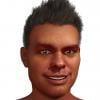
Celebrity Look-a-Likes for 3D figures part 3
Sylvester Stallone free head morph from ElSinestroUno
3D Art Freebie Challenge August_September 2021-"Science" -Main Thread Onlyzh_dasha said:
My daily routine
One day from the Engineer's work

Freebies:
https://www.renderosity.com/freestuff/items/88234/desk-and-bookshelf-for-daz
https://www.renderosity.com/freestuff/items/79697/corkboards-thumbtacks-and-flyer-for-daz-studio
https://www.renderosity.com/freestuff/items/82979/a-few-books-hardbacks-for-daz-studio-4
https://www.renderosity.com/freestuff/items/86919/modular-room-for-daz-studio (floor remapped with a shader)
https://www.renderosity.com/freestuff/items/84803/db-nobel-gas-lights-xenon
https://www.renderosity.com/freestuff/items/80004/venetian-blind-store-v233nitien
https://www.deviantart.com/ancestorsrelic/art/Electric-High-Security-fence-system-as-OBJ-299504446
https://www.cgtrader.com/free-3d-models/exterior/industrial/old-concrete-fence
https://www.renderosity.com/freestuff/items/80428/military-uniform-for-genesis-8-females
https://www.renderosity.com/freestuff/items/74365/office-chair
https://sharecg.com/v/71953/gallery/21/DAZ-Studio/Ghastlys-Ghastly-Lab-Coat-genesis-1
https://www.deviantart.com/tom2099/art/Tom2099-Iray-Car-Paint-2-643769532
https://developer.nvidia.com/vmaterials
https://www.sharecg.com/v/97305/
https://www.deviantart.com/smida460/art/Freebie-SmidA-Woodshader-889460034
https://sharecg.com/v/96438/browse/21/DAZ-Studio/Little-Robot (remapped with a shader)
https://www.renderosity.com/freestuff/items/77164/repair-drones
https://polyhaven.com/a/abandoned_hopper_terminal_03
https://www.renderosity.com/freestuff/items/80771/ivys-magic-pane-background-propPaid :
https://www.daz3d.com/tousled-hair-for-genesis-3-and-8
https://www.daz3d.com/mri-roomNo count :
Genesis 8 Male plus essentials.
My own morph.Primitives (planes, cubes)
I couldn't find what you used from the Military Uniform (or where you used it) but since there are ways enough freebies
All freebies approved, please move to entries
[daz3D is really driving me mad]Well it doesn't take 72 hours to find out if the eyes are going to render incorrectly. Spot render the area ;-)
You will need to provide more information if you want more detailed help. Like is the character at ground zero or is it way off centre someplace?
Dial out the morph and check the eyes. If they look fine, then start dialing in a little of the morph ... eventually figuring out whether it is the character morph doing something nasty with the eye mesh.
Are you using enough lights? Iray does need lights - although the lack of lots of lights shouldn't make black artefacts AFAIK.
Edition of D/S being used, OS, are drivers up-to-date ...
Using correct Iray shaders or materials on the eyes ...
Anything else you can think of that is going on ...
Try using a different character and/or materials on the figure ...
Check the eyelash morphs ... there have been a few cases wherein custom eyelashes were not working correctly with the figure poses. Dial them in/out/whatever, see what happens.
I must be stupid…your searchterm site:daz3d.com is better but that's probably a bit vague
I think it sounds like an added morph is causing problems if it's on all the shoes
load the base figure and filter by used to see if one dialed in
[Released] Character Converter from Genesis 2 Male to Genesis 8 Male [Commercial]RiverSoftArt said:
thistledownsname said:
Why can't the Cross Gender script convert clothes that have already been leveld up from previous generations? I see the big bold text that says it can't, but... is any progress being made on fixing that?
Sickleyield determined why it was a bad idea. I don't remember the specifics now. But, no, we are not working on changing that limitation.
This conversion method relies on copying a morph into the clothing that changes the shape to the target figure. Cross-Figure does, too. When you have multiple target figures, you have layered morphs, and that tends to give bad results. It might technically be possible to make Cross-Figure run against one of the converted items after it has been saved, but I don't think you'd get good results.
Zbrush dynamic simulation problemmashvim said:
In this example I made a simple swimsuit (just extracted mask), but after Transfer Utility it goes down :(
How did you get the mesh in and out of Daz Studio?
Zbrush dynamic simulation problemAnd maybe you could help me with one more problem.
When I create come clothes in ZBrush I can't fit it to my model, it's parented and rigged, it moves but it placed lower than in should be.
In this example I made a simple swimsuit (just extracted mask), but after Transfer Utility it goes down :(
For Those Who Have Vyusur's New Genesis Clones...inquire said:
Can you use any of your regular Genesis 8 or G 8.1 characters, if you've added morphs, etc., to the character? In other words, you don't just have to use a base Michael 8 or 8.1 character without any shaping or morphing: correct?
What an autofit clone will do, is make the clothing as though to fit the base figure then dial in the morphs automatically as auto-follow permits. As with any morph applied to clothing, extreme morphs may require some TLC morphs for adjustments.
New to the Hexo world - Question on its usabilityHi Elidaman198
Copyright side of things I'd say no, you cannot sell or give things away as freebies. If it's for personal use then you can -
1. Use the DS-Hex bridge to morph a figure. It will not work if you add or remove faces.
2. Have not tried clothes but you can morph props, somethings you cannot do with morphs, but you can prep things for rigging with Hexagon.
3, Envrionments, again not sure coz I have not tried.
4. You would normally texture things with a paint package, check out the UV maps supplied with the prop.. You can change the UVmap with Hexagon (simple props like wine bottles).
Released : Face To Face Autopose Arms (Commercial)Yes it's in the documentation, you first have to transfer from the aniblocs to the timeline. Then you will probably have to parent the targets to the steering wheel. I have no idea if it's a problem if the steering wheel is animated by an anibloc, but "by instinct" I would say no (the condition for it to work is that the location of the face of the target can be read by the script, I never tried, I always baked everything to the timeline, but I "suppose" that DS is able to analyse the location of an the target in an anibloc). In your case I think you would require two or three "sessions" of the animated versions of the script, because, even if you will maintain hands on the steering wheel after the "first session", you cannot be sure that the angle of the hands and the steering wheel is the one you want, so you will have to adjust using the "pose" scripts a few frames in the timeline after your first session (you rotate the hands and twist forearm, the hands get off the wheel, but you relaunch the pose script at your given frame, and the hands come back in contact, with the angle you want). So the scripts would be a lot of help, but if I were you I would use "pose" versions on a few frames of the timeline to ensure your angle hand/wheel, then the "animated" versions when you're happy with your "few frames". In this case, maybe a single session is enough...
How to shorten the neck?Sorry I'm a newbie
 but I didn't find the "Y-scaling" or even the dedicated "length" morph...Auto Face Enhancer [Commercial]
As regards the skin HD part.
Just in the early days of testing this. I found on heavy use of it, the neck can run into some issues. It gets a bit jowly on the neck, having head morphs like freak/swole, the auto shape enhancer neck tweaks can help.
With the skin geoshell/graft the topology of head compared to the body mesh at the join can create a hard seam because of the differing higher topology of subd 3+, and you get like a back of neck/shoulder seam hard edge especially at the back corners.
I'm not sure what the skin texture solo 1,2,3 sliders are but I found they can fine tune the bad topology graft seam and lessen it. All in all a seperate zbrush morph can probably per character, iron this tiny issue out in the end.
This really is a very interesting and highly impressive add on. The mesh when exported as .obj retains all the high level skin details for use in Marmoset or whatever other package you might have. :D
How to shorten the neck?In fact this character is a Genesis 3.
i saw a "scale" morph for the neck but no "length"...
Daz to Unreal Morphs not importedit's seens something is really wrong because in your images you have the option "import morph targets" marked which means it was supposed to import the morphs, maybe try to reinstall your daz pluging both sides (daz and unreal) all you have to do is have that option marked as in your second screen on the unreal import menu, the importh morph targets is enabled which means the issue looks like being on daz side
Daz to Blender - Morph update - “Spring Cleaning Update” (2.3.1)DAZ_sam said:
Hey Everyone! So the newest release of Daz to Blender has been added to Daz Central/Daz Install Manager.
You can also find the update here.
https://github.com/daz3d/DazToBlender/releases/tag/2.3.1
We're especially proud to push this update because this is our first bridge update that was inspired by direct feedback from our users, so special thanks to everyone who helped out in making this update even better!
The post can be found here.
https://www.daz3d.com/forums/discussion/482401/daz-to-blender-new-bridge-update-ready-for-testing#latest
If you have questions about the update please ask here we also have a tutorial for this! (Almost done please check back here or on our YouTube channel once it uploaded)
Link - TO BE ADDED
Changelog:New Features:
- New morph selection dialog during export.
- Auto-generate a list of every morph in your export, including clothing and hair morphs
- Filter through your morphs to highlight and select which ones you would like to export.
- Create morph presets to be reused with any figure of your liking.
- This script will automatically grab all associated morphs that are being controlled by your morph in this selection.
- Added an option to disable morphs exporting out of Daz.
- Changed location of exported files to: /Documents/DAZ 3D/Bridges/Daz To Blender/
- A new UI design for the Blender side of the bridge. New options are explained below;
- Pose Tools
- Choose from your figure imported in the dropdown and import them from Daz Studio in a pose.
- Checkbox to add poses to Pose Library
- Morph List
- Get controllers (using the same name in Daz) that will let you control all of your imported morphs that aren’t being automatically driven,
- even when you are in pose mode.
- Available controllers are separated into groups based on the corresponding mesh names.
- Material Settings
- Checkbox to combine duplicate materials at import
- General Settings
- Dropdown for scaling options
- Refresh all Daz figures
- Refresh dropdown of figures in your scene (useful for when your figure isn’t in the choices)
- Note: only works with figures in the newest update (2.3.1) and forward.
- Moved “Remove all Daz” to “General Settings”.
- Commands List
- This is WIP but, is a list of all the commands you can use and the command box.
- Automatically create a pose library with the imported pose
- Added a new option to import poses directly from (.duf) files and automatically save them directly to your pose library
- Automatically combine duplicate materials during import
- Added a new option to scale figure mesh with three different options:
- Real Size (centimeters/Daz scale)
- x10
- x100 (meters)
- Setup auto-drivers for morphs imported into the scene.
- Currently, ERC Keyed Drivers are limited support.
- Currently, drivers for morphs that control bones are not supported.
- Automatically setup settings correctly for materials when using Transmission (Eevee) - Screen Space Refraction
- Automatically set Blending Mode for materials using Alpha/Opacity maps, (this is needed for Eevee Renders).
- Added basic support for materials using: Irayuber, AoA_Subsurface, omUberSurface, and DAZ Studio Default.
- Added support to import in characters that have deleted faces on the figure.
Bug Fixes:
- Improved compatibility for Mac OS. (for Blender)
- Will not fix compatibility issues with your version of MacOS.
- Fixed folders; previously, not all were being deleted from your import.
- Fixed skeletons importing a different size than the base figures in Daz from a Full body morph.
- Fixed Skeletons importing incorrectly if you scale the bones in Daz Studio
- Fixed the skeletons of props being incorrect.
- Fixed locations of props and environments being incorrect after import.
- Fixed child objects morphs not being controlled by the Main Controller.
- i.e: eyelashes not moving when using the figure head morphs.
- Fixed scale being incorrect when importing figures of different sizes.
- Fixed Incorrect Rotation on Hip Bone Custom Shape
Updates:
Hotfix 2.3.1.1:- When we change the scale of the mesh we are updating the Scene Units, Viewport, and Camera to work better with your larger mesh.
- If you wish to not have this feature turned on now you can skip it completely but, still scale the object.
- Also, if you do not have a camera in your scene it will not fail and just skip editing the camera.
https://github.com/daz3d/DazToBlender/releases/tag/2.3.1.1
(Has been added to DIM/DazCentral)Did ya'll change something? the shapekeys no longer work going into Blender within the shapekey area and so will not work with Rokoko.
Please help.
 Recovering high resolution/"ruined" morph shapes
Richard Haseltine said:
gmm2 said:
Richard Haseltine said:
By corrective morphs I meant things like an adjustment so that the eyes close morphs still close the eyes in their modified form, or to avoid a nasty crease when the arms bend - those can't be baked in as they are required only when the shape is applied and some other shape or bend is also applied.
In any event, it isn't a good diea to encourage this practice as the results cannot be shared with others.
I'm really not understanding why corrective morphs are an issue here. If they're required at all, then they can be remade or made from scratch to suit the new morph. They're not ultimately relevant to the process I described; it will work whether they're there or not.
And certainly the results could be shared. If a morph was, for example, created in different "chunks" (like sculpting the body in multiple areas) and then loaded and applied all at once in DAZ, that new shape created from those multiple morphs could then be exported and reapplied as a single morph. If the mistakes I mentioned in exporting happened, the process I described will fix them.
Even if they couldn't be shared, it would still be useful for personal morphs if those errors occurred.
They can't be shared if they are built from other people's or vendors' morphs (depending on the license terms), which seemed to be what you are discussing. If you are building the individual morphs and then combining them then that is another matter.
I was speaking generally. Of course using morphs without permission to make another one wouldn't be allowed to be sold. I wasn't intending to imply anything to the contrary.
The only thing I was getting at with this thread was that this process works to recover an OBJ file intended to be used as a morph through Morph Loader Pro that was saved in one of two incorrect ways. I thought it was neat that it worked and thought I'd share since I didn't see that anyone else figured it out and maybe it could help someone. I just wanted to be helpful.
Recovering high resolution/"ruined" morph shapesgmm2 said:
Richard Haseltine said:
By corrective morphs I meant things like an adjustment so that the eyes close morphs still close the eyes in their modified form, or to avoid a nasty crease when the arms bend - those can't be baked in as they are required only when the shape is applied and some other shape or bend is also applied.
In any event, it isn't a good diea to encourage this practice as the results cannot be shared with others.
I'm really not understanding why corrective morphs are an issue here. If they're required at all, then they can be remade or made from scratch to suit the new morph. They're not ultimately relevant to the process I described; it will work whether they're there or not.
And certainly the results could be shared. If a morph was, for example, created in different "chunks" (like sculpting the body in multiple areas) and then loaded and applied all at once in DAZ, that new shape created from those multiple morphs could then be exported and reapplied as a single morph. If the mistakes I mentioned in exporting happened, the process I described will fix them.
Even if they couldn't be shared, it would still be useful for personal morphs if those errors occurred.
They can't be shared if they are built from other people's or vendors' morphs (depending on the license terms), which seemed to be what you are discussing. If you are building the individual morphs and then combining them then that is another matter.
Tara 2 HD for Victoria7 & Victoria8 broken.Yeah, after downloading & installing the approx. 1.2 Gb product through DIM and firing up Daz 4.10 to test it, I find that it doesn't appear anywhere in Smart Content. Nothing. How long has this product been out now? https://www.daz3d.com/tara-2-hd-for-victoria-7-victoria-8
When I go to the Content Library tab and check in "Products", it appears grayed out. I check in C:\Users\Public\Public Documents\My Daz 3D Library\Runtime\Textures\KayleyssAD\Characters\Genesis8Female and the "Tara2" folder is there and has all of the textures there(afaik).
I load up Genesis 8 female base out of curiosity and click on the Shaping tab and Tara 2 morph dials for the head and body are there & work. Nevertheless, NONE of the material presets are available, nor the horns, etc. So what's going on here?
Just a FYI, in case this could be part of the issue, I do have Tara 8 already installed prior to installing Tara 2. I also rechecked DIM to make sure there wasn't an update that I had missed for the product.
Recovering high resolution/"ruined" morph shapesRichard Haseltine said:
By corrective morphs I meant things like an adjustment so that the eyes close morphs still close the eyes in their modified form, or to avoid a nasty crease when the arms bend - those can't be baked in as they are required only when the shape is applied and some other shape or bend is also applied.
In any event, it isn't a good diea to encourage this practice as the results cannot be shared with others.
I'm really not understanding why corrective morphs are an issue here. If they're required at all, then they can be remade or made from scratch to suit the new morph. They're not ultimately relevant to the process I described; it will work whether they're there or not.
And certainly the results could be shared. If a morph was, for example, created in different "chunks" (like sculpting the body in multiple areas) and then loaded and applied all at once in DAZ, that new shape created from those multiple morphs could then be exported and reapplied as a single morph. If the mistakes I mentioned in exporting happened, the process I described will fix them.
Even if they couldn't be shared, it would still be useful for personal morphs if those errors occurred.
For Those Who Have Vyusur's New Genesis Clones...The G8 clones have shape different from default clone and is more accurate and precise. You can select the option from popup menu of Transfer Utility. The product includes a manual pdf.
Daz 3D is part of

Connect
DAZ Productions, Inc.
7533 S Center View Ct #4664
West Jordan, UT 84084Licensing Agreement | Terms of Service | Privacy Policy | EULA
© 2026 Daz Productions Inc. All Rights Reserved.