Free EnvironKits for Carrara
 Dartanbeck
Posts: 22,155
Dartanbeck
Posts: 22,155
Carrara EnvironKits were created with the idea of using simple lighting tricks to get faster renders when working with larger 360 degree scenes and were sold at Daz 3D.
The first in the series laid down the base environment lighting system which forsakes things like translucent leaves for 'under lighting' to simulate the effect at faster render speeds. True translucency truly looks much nicer for scenic stills, but I was rendering animations. I needed them to render quickly and be very simple to quickly set up.
Being a fan of having multiple options in the browser, I've included a ton of presets with each kit, along with various modular chunks of pre-built terrain that we can place onto the terrain of any of the base scenes for those times when we want to sculpt out our own landscapes. Tree and shrub presets, shader presets, and a morphing selection of volumetric clouds help to round out each of the packs.
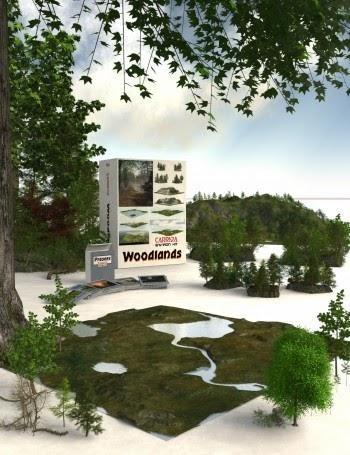 Carrara EnvironKit - Woodlands
What's Included
42 Preset Carrara Scene Files (.CAR - Scenes Browser)
-
30 Using the Realistic Sky Atmosphere
-
12 Using Background Maps Made Using This Kit
Preset Nature Blocks (.Car - Objects Browser) - Preset Objects of Terrain with Plants
-
Small, Medium and Large for Ease in Quickly Populating Scenes
-
New Preset Plants and Leaves(Berries) (.CAR - Objects Browser)
-
-
Premade examples in the Browser
-
Load Presets in the Plant Editor
-
-
Three Complete Terrain Shaders
Two Water Shaders
Full Environmental Lighting Rigs in Every Preset
Additional Optional Clouds System
-
Ground Fog (Volumetric Cloud)
-
Animatable Cloud Domes (Replicated Volumetric Cloud)
The pdf User's Guide is available on the download page
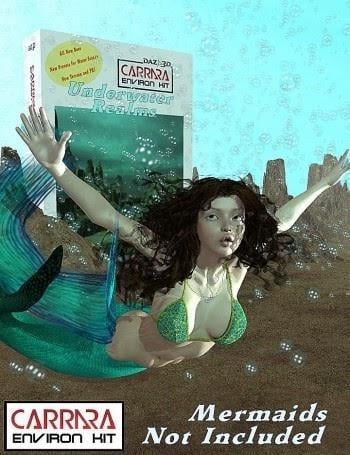 Carrara EnvironKit - Underwater Realms
7 Preset Underwater Scenes: (.CAR - Scenes Browser)
* 1 Base Scene containing all the controls
* 6 Presets made using everything from the kit showing a variety of possibilites and different uses for the terrain pieces.
3 Preset Terrain "Formations":(.CAR - Objects Browser)
* Formation 1 is sharp and irregular
* Formation 2 is smooth and rounded, transitioning to the jagged floor
* Formation 3 is spiky with many smaller formations, suitable for all manner of habitat.
Each are made to scale up large, or shrink down small, making it duplication friendly.
You can build all manner of scenes using nothing more than the files included.
Shaders and Terrain pieces work beautifully with other Carrara Environ Kit products.
Bubbles:
* Grouping of three individual particle emitters that send forth glass-shaded primitive spheres, which are very resource friendly on your system.
Set up to follow directional forces already supplied within each preset scene.
Shaders:
* Underwater Terrain Shader Group
* Overhead Surface Water Shader
Carrara EnviroKit - Underwater Realms.pdf Instructions Manual, which is also available on the Download Page.
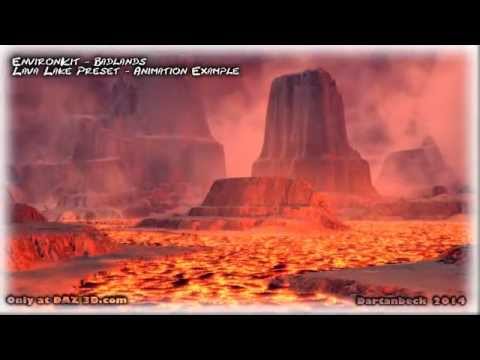
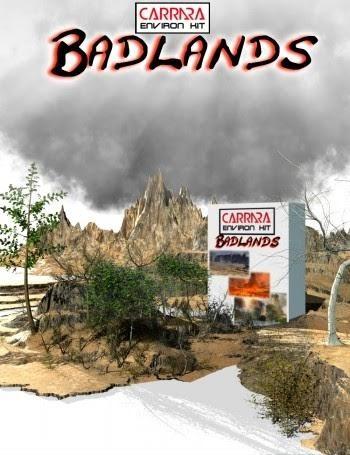 Carrara EnvironKit - Badlands
Scene Presets: (.CAR)
* 14 Using the Realistic Sky Atmosphere
* 6 Using Background Maps Made Using This Kit
Preset Nature Blocks: (.CAR)
* Two Badlands Terrain Detail Terrains
* One Feature covered in Badlands Plant life
* One Ocean of Lava
Preset Plants: (.CAR)
* Badlands Weed
* 3 Thorn Tree variants - 1 Dead
* Competing Hardwood Tree
Shaders: (.CAR)
* New Badlands Terrain Shader
* New Lava Shader - Specific For Ocean Primitive
* New Plant Shaders
Carrara EnviroKit - Badlands.pdf Instructions Manual, which is also available on the Download Page.

Daz 3D is part of 
Connect
DAZ Productions, Inc.
7533 S Center View Ct #4664
West Jordan, UT 84084
Licensing Agreement | Terms of Service | Privacy Policy | EULA
© 2026 Daz Productions Inc. All Rights Reserved.
Comments
Wonderful products Dart, tha k you for your generosity
Should be better now (first post). Let me know if you have any issues whatsoever ;)
Cheers!
Woodlands
The system that started it all, Woodlands combines an environmental system using Carrara's Realistic Sky features with supplemental "Cheat" lighting to assist with a more Global Illumination type of effect without using the Global Illumination render settings. I wanted SPEED! I NEEDED Speed! So I endeavored to provide speedy environmental, yet geometric global surroundings.
To help make it all work, we begin with a simple Base Scene which is nothing more than the basics of the Woodlands Terrain system, which has a mostly flat terrain at the center, where props and figures will load by default when double-clicked, which is how I prefer to work - loading things in at 0x, 0y, 0z, and then moving them into position from there.
In setting up the base scene this way, we're able to always access the systems river or stream with water already set up to animate by default, a simple-to-render outer horizon terrain feature - inspired by Carrara's ability to create vast, quick-to-render vistas of great beauty, and a special lighting setup that includes an additional Group that we can drop signature elements to the story for more accent lighting that its surroundings.
I've grown so used to working in this way that most of my Carrara scenes - no matter the terrain - begin with my loading in the Woodlands Base Scene and getting rid of what I won't be using.
Of course, this is a different way to work. I know that "I" am very used to working this way because... well... that's how I was working back when I created this system. But what about everyone else?
Wanting to make things a little easier to grasp, I created an instructional tips system directly into the system, which opens within the Scene Tray. Once we don't need them anymore, we can simply delete them and save the scene over itself, if one so desires. I've still never done that on my copy, but if I did - if I want to get them back all I have to do is to uninstall the product and install it again. Bam!
Also, when I save new custom setups, I'll often delete those first, since I don't need them. So my actual Working files don't include the tutorials, but I always leave them in the main presets. I always create a new save when I start building a new custom scene.
Along with the Base System I've created special chunks of environment that we can use to build woodland scene with. Of course this modular way of working opens us up to a lot more than only woodlands scene, but its primary focus was to be able to create any sort of cool, wooded scenery that we wanted to see on screen.
These individual chunks come in three flavors:
Each of them are covered in nature - trees and special woodland-looking terrain shaders.
The largest one really has to get at least a certain distance from the camera simply in order to get out from under it. It's quite sizable! For this reason, I purposely populated it with trees only, and it's the only of the three that used the Surface Replicator for placement. Perfect for sculpting non-flat surroundings. This mammoth changes greatly in appearance depending on what parts of it we're looking at - so duplicating this thing around with changes in rotation, scale, and translation makes amazing differences to the appearance of the scene.
The Small and Medium sizes are both populated with trees, shrubs, and fallen wood - and I placed them each by hand, artistically creating a 'chunk' of the woodlands as it basically looks around where I live.
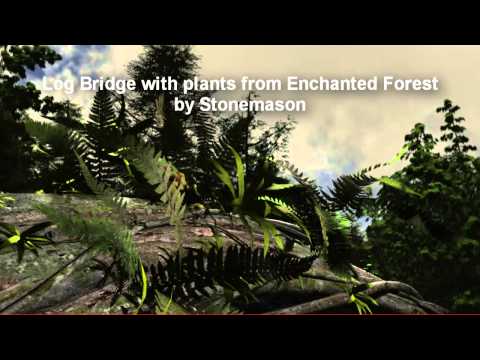
If you care to take the time to watch the videos, you'll see some really cool techniques on how to get the most out of this system. While it comes with quite a lot of presets for instant load or going into building mode, it also includes shader presets, tree (Carrara Plant Editor) presets, custom leaves and berries... so folks can really take this upgrade to Carrara to whatever heights they see fit to.
The pdf User's Guide is available on the download page as well as these two videos to help inspire through guided, albeit long-winded tours
Getting Started
Build a Scene : Palenque Ruins
The much larger download size of this one is mostly due to the fact that it comes with this animated backdrop that we can use directly in Carrara (with no other environment) for walk cycle use. This was included to help demonstrate the additional power of this system for creating animated backdrops and using them as situational assets within our workflow!
Each preset comes with a Spherical Camera in place that we can use to create background domes or even HDRI surrounds, and there are also presets using the results of the included presets as such in Carrara.
Additionally, the "Chunks" of terrain presets can be used as chunks of terrain interest - like exposed bedrock. Simply delete the plant grouping from it. There are also presets that are set up like that as well :)
This last image is a hybrid of Woodlands being used with some of the elements from Badlands.
TIP: Since each EnvironKit comes with Shader Presets, terrain from any of them can be set to match any of the others, which really broadens the horizon of the art we can make with this system! :)
►►► Woodlands Download Page at Dartanbeck.com
I must say, I had a lot of fun scratching my head over how to render the promo thumbnail.
I scaled them for the appearance of the shot, not even similar to the actual size from this distance or we'd never see them. Then the large foreground tree casting its branches and leaves as an upper vignette.
Behind the mat on the right are the terrain chunk presets. To the left of the box is the medium size scaled up for better view and asthetics of the shot.
In front of that is a small card box standing up and empty. The cards stacked somewhat neatly in front of it represents various presets - for there are many!
A ton of work went into all of these kits - this one most of all because the entire system was developed and scrutinized quite heavily. I wanted a way for newcomers to Carrara to have an easy, fast way of bringing in their characters, props, whatever they want, and shoot a nice render.
It was never about making money. I wasn't allowed to give them away, nor could I make them only $1. So to counter that, I poured more and more Bang into the Buck. More presets doesn't only make for a more customized Quick Load of the look we're after, but it also gives clear demonstrations that folks can learn from.
I learned a TON simply by buying Carrara Mystic Gorge, by mmoir and exploring how the distant elements were treated, the water, the cliff elements, the building structure with all of those awesome torches, that amazing bridge! mmoir is someone that I've always looked up to as a Master Carraraist from that purchase (very early after creating my Daz 3D account) forward - and still do. The cool part is that I feel that way about all of you too!
Used underwater realms with my cubed models
Awesome, great environments and a great example of one in use, good stuff!
Stezza, that is Amazing!!! Kudos!!!
Nice woek srezza, i used lots of dart stuff fir a guy selling an animated kidscseries to yank tv, best work of my life anfpd i cant share it, tge images i made were to give producers concepts
Spil chick?
+ 1
These are great resources. I used to use the woodland blocks to flesh out backgrounds quickly. I had many hours of enjoyment from your sets before I started making my own plants and trees. Thanks.
These kits look like fun. I seem to already have them, perhaps from an earlier offering. I'll have to install them and give them a try. Thanks!