
Daz 3D is part of 
Connect
DAZ Productions, Inc.
7533 S Center View Ct #4664
West Jordan, UT 84084
Licensing Agreement | Terms of Service | Privacy Policy | EULA
© 2026 Daz Productions Inc. All Rights Reserved.
Comments
They're so hungry right now, that I got two years Pro
Thanks Dartanbeck for the detailed responses (wolf359 too). It sounds to me like the indie version is a bit crippled compared to the pro version. I think retargeting could be a very valuable tool for any animation project where you would like to use external pre-made animations, of course the Environment Interaction in AutoPhysics looks very useful as well. Now I need to decide if it's worth 4x the cost of an indie license for someone who will just do this for fun.
What I really like is it really gives you an easy to use way to create animations without continually fighting foot sliding, and quickly create secondary movements. Also, the ability to "easily" clean up pre-made animations, and fix foot sliding, is a huge plus.
I guess my next question for Dartanbeck would be how valuable is Cascadeur to your workflow now? You have developed your own workflow to address many of the shortcomings of DS, is Cascaduer now an essential part of you animation process that has replaced some of those (keeping in mind that many of the things you've developed for secondary motions in DS such as breathing, expressions, etc. are still a very valuable part of the final animation that Cascaduer does not address)??
I use motion capture so fluidly in my workflow that I barely ever touch Cascadeur - ever. But a lot of that is also largely due to the need to get a whole bunch of animations finished, hair and cloth simulated, rendered, and onto the screen. Since I'm so used to which aniBlocks/animated pose files I have (I explore them constantly) I have a good feel for which ones will get my feet > hip doing what I need them to do. I take care of the rest either by hand, using partial aniBlocks, or using what's there and editing it with my dials.
Doing that, I normally get several animations completed - including rendering them within a day. Some of the more complicated shots will take a whole day on their own if I really need it to be exact and if it's a fairly long animation.
That said, my intentions for Cascadeur are rather large. I am always looking for a way to get what I'm doing now to a point where I can call it done for now and hop into Cascadeur and make my own custom animations.
In that regard, I'm not looking at it for retargeting at all. I've done it, and the workflow Really Rocks - just have to do things right, and in the proper order. I have so many excellent animations that work on Daz 3D figures that I continue my collection of Bone Minion for that. I can already take any pose/animation from M4/V4 through Genesis 9 and retarget them for anything between M4/V4 and Genesis 9 with my current collection. So the only remaining Bone Minion purchases will primarily be out of completeness of the collection and to support the cause that helps me so very much on a regular basis.
My favorite way to use Cascadeur is the way I show in that video - keyframing by hand. It's So Slick that I have been having difficulty trying to figure out the auto-physics, since I'm using the motions of real actors as a reference, the physics is already there.
I do have other plans that involve keyframing by hand without reference, and for those I'm looking forward to learning the upper tier tools like the in-betweener and ragdoll physics, for a small example.
Breathing, Expressions - along with all facial musculature control... I'm looking forward to seeing what they come up with for Cascadeur, but I have no intentions of using it. I have my own "Breathing" morph dials that I've made using shaping morphs combined with spinal pose controls. One is for use with animations that have breathing built into the, the other adds the additional spinal poses to add that motion in, while keeping the arms and head at the same angles. I never want facial musculature saved onto an actual full-body motion as that takes away from the value of the motion - making it only limited to that emotion without back-track work.
I must say that I truly enjoy working with facial musculature. They won't let me show my videos here, but my latest videos have some of my newer work in that regard - and I'm really only just getting started with that in 2025 - so I'm still learning through analyzing my own failures - which is Incredibly Fun!!!
What I love about the Cascadeur Membership plans:
Free:
The free version works incredibly well to help get your feet wet learning the tools, following tutorials, and making - even saving animations. Genesis 8 and 9 FBX are automatically recognized and, when I asked the developers, they said that they do intend to eventually support more of the earlier generations. In the meantime, their auto-rigging tool is really quite nice!
So even though we cannot export animations back out of Cascadeur, the Free tier is an invaluable way to discover whether or not the software is a good fit - and if you want to create you own motions... the answer to that question will be a resounding Yes - so it's always a great move for them to offer this - and they always will. Kudos to them for that decision!
Indy:
The way I'm using Cascadeur, I really could get by nicely with this tier. I wanted to have the ability to explore the Pro Tier tools and features, so my beloved Rosie allowed me to get two years of Pro. But the Indy version grants the Amazing "Command > Send to DAZ" feature. It's an FBX that would be like what we'd get from Mixamo, except that this one has our own custom work. Just save that as a Pose and aniBlock... Bam. Done.
Many of the upper tier features can be held off until we really need them. In the meantime, Indie tier offers an incredibly fair plan to support development as we animate like mad and send our work into Daz 3D - or wherever you choose.
Pro:
Well, Pro is Pro. And Pro is Everything. Including expedious support.
Cascadeur Team is CONSTANTLY developing the software - pushing the boundaries and always making things easier and more powerful all at the same time. Pro gets us a front-row seat to all of it.
The Upper Tier Physics tools are where its at if you want to really get into this stuff - interactions between two or more figures, interacting with objects, ragdoll or not... this stuff is Insanely Awesome!
Retargeting really comes in handy if you like to shop at other places that sell Motion Capture, since most don't usually support Daz 3D figures. MoCap Online told me that it was too costly to retarget their motions to the Daz 3D figures, so what we have in the store is it. At least for now. So if you want more of their cool stuff, Cascadeur Pro offers the means to retarget, and MoCap Online's FBX is fully recognized by Cascadeur upon import. I've checked!
All of it:
No matter the tier - even if we might have not even downloaded it yet, their YouTube channel and Doscuments Section at their website is a spectacular arena of animation study Bliss! The reason that they have the tweeners that they have available is because that's what They need to use - so we have the high-end tweener interpolations as well as a new one that the CTO thought made more sense for certain situations - and That's Awesome!!!
Thank goodness for the time needed to simulate hair because that's the sort of moment that I use to just absorb some of that stuff. So much of it becomes more and more clear to me the more times I watch the same thing over again - so I do. And then I watch it Again!!!
Even this quick, early promo video continually remionds me of how amazing this software really is!
aniMate 2 - Paid Version
To me, aniMate 2 is absolutely essential in Daz Studio. DS 2025 Alpha doesn't have it, so I never open it anymore.
In Carrara we have the Sequencer, which can perform many of the functions that aniMate 2 adds to Daz Studio, and Carrara's NLA system appears to be what GoFigure set out to create with aniBlocks - non-linear animation containers that can be linked together in various intelligent ways to make continous, editable animation possible. So Carrara's already good in those regards, but lacks support for modern versions of figures.
aniMate 2 is elegant. I've seen complaints that subBlocks on Genesis 3 and newer figures lack the exclusion features - yeah... bummer. Cry me a river, build a bridge....
It's a minor inconvenience at best compared to the idea of living in Daz Studio without aniMate 2 - or a really worthy substitute.
To contend with the above complaint, I don't mean to make light of people's woes - I really don't. Try this as your solution:
Create "Partial aniBlocks"
To do this:
You'll now have only the motions that you want to add to another motion in the timeline.
So back in the aniMate 2 pane:
You now have a partial aniBlock made that took less time to make that it did to read this post ;)
The Power of aniMate 2 can give you a decent idea of my love for this amazing plugin, with all kinds of weokflows as sub-pages to that main one. I use it All Day, Every Day!
I really hope that either GoFigure themselves make aniMate 2 compliant for Daz Studio 2025, or that Daz 3D buys aniMate 2 from GoFigure so that they can tool it into Daz Studio 2025 permanently.
It's still only in Alpha, so I don't want to get too crazy.
@Dartanbeck
Check the DS 2025 Alpha “evergreen” thread
AniMate 2 for DS alpha is listed as pending.
You should really have a look at the Auto tweening feature in the latest build
its like magic!!
What is most amazing this software is how it manages to be useful to nearly every Character animation ecosystem.
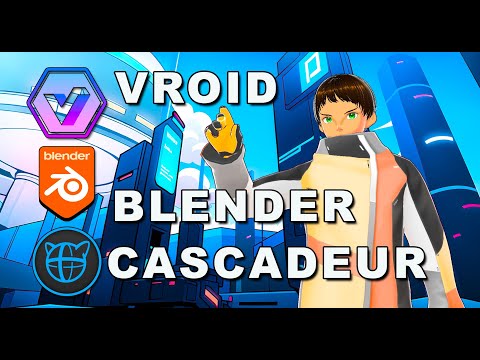
I recently migrated over to the toon shaded VROID “V-tuber” anime figures ,that I Import to Blender (via a free addon), for NPR anime style production.
As Cascadeur is strongly geared towards realtime video game animation all I have to do is export to a game rig format
(unity or UE)
and my characters rigging is auto recognized
Also Cascadeur addresses many of the long time problems with Iclone's motion clip system.
specifically the issue of sharp 90 degree turns ,while moving ,always looking robotic by default.
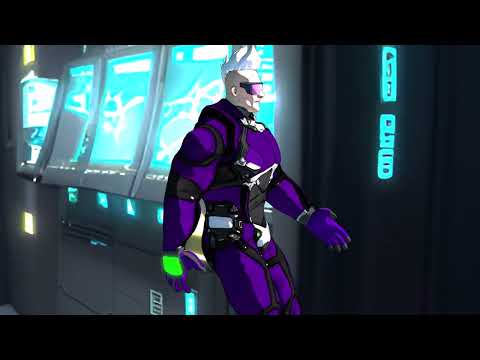
But a quick round trip to Cascadeur’s Autophysics fixes that as well
Wow! Thanks Dartan for such great information, and Wolf as well (especially the info about what Cascaduer does that you haven't been able to do with iClone). So much to consider, but in a good way.
I think another possible big plus to Cascadeur for me would be that it can be used with multiple programs. You just need to get good with creating the major movements in Cascaduer, and do the rest in whatever software you need/want to use (DS, Blender, Unreal, etc.). So your learning one tool to create the major part of the character animations, and then refine with other movements (breathing, etc.) in DS (or Blender, etc.). The "Inbetweening" in Cascaduer looks like it could really speed the creation of animations possibly allowing for more creativity.
Trust me @DustRider, You'll be finishing your animations in Cascadeur!!!
It may start out as you say - just doing some basic blocking out. But then you'll start playing with the trajectory editor, auto-physics, like Wolf says: The Auto-Tweaner!!!!
I was mentioning earlier that, because of how I followed a video reference of live-action actors, proper physics was already present. Well I wouldn't have had to do it that way (but it's so easy and fun!). I could have just plotted out some general key points in the animation and activated Auto-Physics and start adjusting controls as I activate them - like Secondary Action, which Wolf describes a while ago. Amazing!
One of the early-learning tutorials on their site has us make just one or two changes in the pose and copy that along the timeline. Then use the Auto-Physics to finish it. Crazy Awesome. Stupendously Simple. Exhilaratingly FUN!!!
Well .... I bit the bullet and just got Cascadeur Pro (full year so I get the permanent license). The features and the sale price were just too good to pass up. Plus my wife was really impressed and supportive as well. Thanks for all your input.
I started learning animation in DS with Genesis 2 and Animate/Animate2, but for some reason my interest went somewhere else. I played around with it for a while yesterday. I had forgotten what a great product it is, it's sad that development stopped. It really could have developed into something much better. However, I'm pretty certain Cascadeur can fill the void for animation tools in DS really well.
I ended up getting the pro version because of the better physics options (not just rag doll, which is really great, but collision surfaces look super important too), the ability to animate multiple figures, and scene linking is something that could be really valuable for complex multi-character animations. I'm not sure if I'll be using DS or Blender, or maybe a combination of the two? There are more rendering options with Blender, and some other advantaged as well, but there are advantages to DAZ as well.
So now I'm off to learn Cascaduer and dust off all of the cobwebs and remember some of what I learned years ago (and go through your training course).
Thanks again for all the assistance to both dartanbeck and wolf359!!
Contgratulations!!
You have made a wise choice.
Agreed! Congrats, my friend! Especially since you may be on-the-fence about which software you want to use as your render studio - because Cascadeur rocks regarless of those choices! :)
I don't know if it's a useful tool or not (I don't do animation), but I saw it in passing while checking for freebies on Deviantart:
https://www.deviantart.com/schlongborn/art/Sync-Studio-for-Daz-and-Blender-FREE-addons-1229500593
Some interesting points made here in regards to motion capture and character weight & mass.
I wonder if the motion capture target is a factor as my own experiments with motion capture are a bit doll/robot like.
I am no actor and I wonder how much the issue is how well the motion capture actors acting is a missing factor.
Have anyone here used an experiance MC actor as their capturre reference or like me are they using friends?
I think maybe the missing element is a bit more human related rather than software.
I hope this makes sence