Creating character for Daz store
 ludickes
Posts: 27
ludickes
Posts: 27
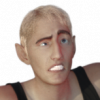
I've been trying to make a character product that's of good enough quality for the Daz 3D store, but it's been rejected. Could anyone here help me with making the product to be good high quality? Daz doesn't give feedback on how to make the product of good enough quality or what needs to be adjusted.
It's a gen 8.1 male character. I custom sculpted in Zbrush and painted the skin from scratch in Substance Painter. Clothes, eyebrows and hair are products I bought, and the eyes are from a merchant resource.
I'm not a huge fan of the super muscular, square-jawed male figures that are usually seen in the store and I wanted to make something a bit more dapper. I also like undead things but what I see on the store is over-the-top zombies, and not something more subtle. I want undead but also not 'super hot vampire dude'.
I did look at renders of recent products but it seems like most of the new characters are HD, and I don't have access to those tools. Lots of the renders I see are for super masculine figures. What should I do to improve this product? Is the idea for this kind of character appealing for you? The first idea I sent in was for face paints and it took three weeks to get a reply. I got a reply within three days for this particular product.
I'm also not sure if they allow for resubmission of the same product idea with improved features and better preview renders.

Daz 3D is part of 
Connect
DAZ Productions, Inc.
7533 S Center View Ct #4664
West Jordan, UT 84084
Licensing Agreement | Terms of Service | Privacy Policy | EULA
© 2026 Daz Productions Inc. All Rights Reserved.
Comments
As a character maker, I can give you a little bit of input at least.
The first thing you need to do is have a clear stylistic goal. Do you want to go for realism? Stylized? Toon? Pick what you want to do and make sure you stay solidly in that genre and relay that clearly in any promotional images. An example of toon would be https://www.daz3d.com/toon-dwayne-8 . Similar, but more in the stylized genre instead of toon would be https://www.daz3d.com/brandon-for-toon-dwayne-8 . The proportions are exagerrated, but the skin is more realistic looking. Then for realism, you have something like https://www.daz3d.com/leland-for-genesis-8-male . You could also do a mixture of two genres, but make sure the choices are purposeful and not random, and that your promos clearly convey that purpose.
Also, everything needs to be a clear design choice and not random. I see you have some bruising or scarring? It's a little hard to distinguish exactly what's intended from the images you posted, so when you do something like that, make sure it is very clear the intent and that your promo images relay that. You mentioned wanting a vampire, so maybe you wanted some veining to show through the skin layer. In that case, a higher translucency diffuse/skin layer over one with the veining can help convey that.
It also looks like there might be a little bit of an issue with rigging in the eye area. In the one image, it looks like his eyes are popping to the side in the sockets.
A lot of characters are indeed HD here at the store, but that could mean several things. It could be that the textures are HD (since most character makers use 4096x4096 textures), or it could be HD shaping. While a non-vendor doesn't have access to the HD shaping tools, that doesn't mean you can't do some HD shaping. You can make normals on a higher subD version of the figure to relay any HD detail you'd like to add.
Other things to consider making a character are JCMs-- joint-controlled morphs. This are shapes that are triggered when a specific bone moves in a certain way. Zev's product https://www.daz3d.com/bend-control-for-genesis-8-male-s is an excellent example of this. It's entirely JCMs to make more realistic characters.
I recommend starting out with a style board, looking at characters in the store that have features similar to what you want to accomplish, and picking up some tutorials on different aspects of character design. YouTube has a treasure trove of videos and tutorials for making things like skin in Substance. As with anything, the more you work at it and practice, the better you'll get. It took some vendors years and dozens of products before they got accepted into the Daz store. I know it's more difficult not getting feedback about how to improve, but they get literally hundreds of submissions a day and, unfortunately, can't respond with personalized feedback to everyone. Personally, I keep a white board with my style choices, an anatomy book and a book on color theory next to me at all times when creating characters, and I frequently refer to all of them. There are also Facebook groups geared towards Daz users specifically that might be able to help you with your work as well.
Can you show us some screenshots?
So it's meant to be toony?
Thank you for the response. I will make a reference board. And it's about time I make use of the fancy ecorche figures I bought. Hehe.
I will redo the skin for the body. I don't think I'm happy with it, looking back at it. I wasn't sure if I was going for vampire or just -embalmed corpse-. I'll stick with the original theme I was wanting to make things more clear.
As for the eye rigging, I was having problems with that during posing and was able to fix it using ERC freeze. I'm assuming to fix the problem I would go back into Zbrush and nudge the mesh around the eyes so that it holds them better.
As for the higher subdivision levels, I would divide the mesh in Zbrush, add in better shaping, and then export the normals, right? I wasn't sure how to nicely do normals for a gen 8.1 figure. I'm following how the base gen 8.1 does its maps. Base, bump, sss and s maps, etc. I'll load in a store bought character into Daz3D and take a look at how they use maps, like their normals.
I'm confused about the JCM. Is it something included with the figure that I would have to make? Or is it an add-on to then use on characters.
Also this is probably odd to ask, but I don't need to provide maps for certain... anatomical parts, right? I see that pretty much every character offers maps for that.
I have plenty of other questions about character making, probably way too many haha. I have a problem where I need to know how everything works inside and out. Do you know of any PAs I could ask for help with additional questions? I know that you're all very busy.
Again thank you for taking the time to respond!
For the rigging, I recommend https://www.daz3d.com/shape-rigger-plus It's really the easiest way to deal with it. Any time you move the mesh, the bones need to be adjusted so the mesh follows properly. This applies to the eyes, face, body, etc. Expressions and poses can have some *really* weird results if you don't rerig your shapes. You can adjust the rigging manually, but honestly, I don't know a single character maker that doesn't use Shape Rigger since it was released.
And yes, that's how you would do normals. Keep in mind, HD really isn't for shaping. It's for detail-- wrinkles, pores etc. You want to make your shape in base res. Higher subD levels actually make it much more difficult to shape in. HD really is just for details and not general shaping.
JCMs are something that you would need to make and include with your figure if it varies greatly from the base it's made on. Thinner generally needs less JCMs and thicker needs more. For example, https://www.daz3d.com/cc-elandor-for-genesis-8-male is pretty close to the base shape and didn't really need too many JCMs, where https://www.daz3d.com/cc-dragomir-for-genesis-8-male needed several. There's a pdf tutorial on making them up in the forums here https://www.daz3d.com/forums/discussion/173151/tutorial-easy-making-of-jcms-and-mcms-in-daz-studio-4-9
As far as the anatomical bits, that's up to the vendors whether they want to include them or not. The only time there are requirements on what you *have* to include is if it's something you're selling straight to Daz. I'm pretty sure I've included them with all my characters. Some vendors never include them. They really don't make much of a difference one way or the other. There are 3rd party bits with scripts to blend things in, so basically, if it doesn't take too much time for you, include them. Otherwise, don't worry about it.
As for PA's to ask for help, you have :D We visit the forums and answer as we can. I'm in a procrastinating period right now, so you had good timing :D Several PA's have video tutorials up on YouTube as well as for sale in the store. Sickleyield has an extensive set of tutorials she's done on various topics over on her DeviantArt page. Digital Art Live ( https://www.daz3d.com/digital-art-live ) frequently will host paid webinars that they'll record and sell in the store on various topics as well, generally with a Daz PA that's accomplished on the subject. The other folks (both PA's and non-PA's) can also be a valuable resource in the forums. The community here is quite active, and there's always someone willing to help out.
@ludickes I will buy this character when you get it to the DAZ Store. Personally I think you need fangs and ears to be morphable. You need to make Vampire clothing and hair. You need a clean vampire skin not a zombie skin. You need a Vampire bat. You need a Vampire silver bullet, coffin, and stake.
Then you need a 2nd product, Elvira-like Vampress.
There is a 'almost' 1930s Classic Frankenstein and Bride of Frankenstein in the DAZ Store. There are not the 30s styles of Wolfman, the Mummy, or Dracula in the DAZ Store to my disappointment. I know there are more grotesque & detailed monsters in the movies nowadays but classics are needed. It looks like to me you are doing caricatures that tend toward toony 30s classics.
I can be the 1st pass of helping test if you like and tell me what they didn't like. Then you can get a current DAZ PA to help you, if needed, before you try a second submission. You have plenty of time before September Halloween season. PM me if you like.
I don't have a dog in the fight....
I just wanted to take time to thank Changlingchick for her very thorough and thoughtful response
Kudos!
I'm definitely bookmarking this thread, some really great idea's here. The first time I clicked on this I thought the character was going to be a toony Sherlock Holmes, that was the feeling I got when I first looked at the images till I enlarged them.
I would recommend to ask some people to test it thoroughly for you, with movements and some morphs (people want to add things to the gene pool, not just a figure that isn't mixable with others)
I'm not into toon characters but your figure have potential, when I saw your first image reminded me some Dreamworks movies like Transilvanya 3 and that is good!
yes you have some issues but you are starting and pretty advanced that many of us, just don't give up and when available i'll include your character in one of my videos, promise.
Seconded, I really appreciate the insight!
Another suggestion, at least from my own customer perspective, is that if you're going to go with the vampire route, can you make the fangs a separate morph? His shape looks good for a "regular human" toon character. There's some characters I have that have a nice face shape, but I have to figure out how to dial out the monster teeth. (The worst was Damien Demon for G3M. Both head morphs had the split monster teeth.)
I'm not asking for a human version skin either. I can use from other characters. Him having a monstrous/inhuman skin is fine to me. (Certainly didn't bother me when I bought Frost Maiden HD.) Good luck!
Speaking from past experience, I would probably stay away from toons as a first submission. I was left, personally speaking, with the impression at the time that DAZ was less interested in toon skins/shapes. I was fortuante enough at the time to have someone from DAZ coach me to produce a more elaborate, more realistic skin. I don't know what the sales trends are these days, but I think the trend is towards more photoreastic stufff,
Things to double check before submitting: All joints bend properly. Hands take poses properly. Eye motion is complete (e.g. eyes both fully open and close.) Mouth motion works propely. Limits are set correctly. If its a morph that needs to adjust the underlying rig, be sure that ERC save has been properly used so that the rig is propely adjust.
Changeling Chick has pointed to some of the good tuts about JCMs if you need those to get your character to properly move.
Side trick: if you need to preseve the face and are using Zbush, you can "freeze" parts of original Genesis development rig by masking out eyes/mouth as well as hands and then apply other shape changes in mesh as a morph target. This will give you a mesh you can load with Morph Loader Pro that doesn't damage the delicate relationship between eyeballs and eyelids in the rig or other fiddly-bits of the rig that might otherwise demand JCMs.
Best of luck,
-K
Okay, my tiny little brain is completely blanking on anything regarding the JCMs. Is it to simulate the natural 'squashing' or 'squeezing' that happens normally with flesh?
So if I am making a JCM for bending an arm, I pose the figure (full morph applied) with the arm bent as needed and it will be distorted. I send this figure directly into Zbrush and then I fix/sculpt it so that it is realistic. Then I save the fixed figure in Zbrush using Morph Loader Pro. After that, I follow the instructions that are in this video
Badda bing badda boom, I got a JCM. Rinse and repeat until I got all the JCMs set up and connected solely to one character. (Like the video says.)
Also, I redid the entire character shape and made it more realistic. My experience in 2D animation is starting to show through where I exaggerate things and focus on silhouettes for design.
I do have the current morph ready to be downloaded, but there aren't any JCMs applied yet. This is mainly so people can test out the morph and see if the shape is good. Message me if you would like to test out the newest morph. I will be uploading the rendered previews of the new morph when I have time. Also, I think the eyes work nicely and have been adjusted so I don't think I will need to apply any JCMs to the face, so Morph Loader Pro won't wreck up the face.
Unless you mean that doing a simple arm morph could mess up Morph Loader Pro and damage the face, in which case I will have to rethink what I am doing in life with the image of an arm flex resulting in eyes shooting out of the model.
Once I get a morph that looks nice as a basic shape and has proper moving parts, I'll move on to texturing and making normals. All that good stuff.
IMO head shape looks good enough, you just need a higher quality skin
For anyone interested in my progress, I've started a conversation in the art studio thread called 'creating josiah' where I will post WIP, and will ask for people to help test out the character.