
Daz 3D is part of 
Connect
DAZ Productions, Inc.
7533 S Center View Ct #4664
West Jordan, UT 84084
Licensing Agreement | Terms of Service | Privacy Policy | EULA
© 2025 Daz Productions Inc. All Rights Reserved.
Comments
Go to File > User preferences > Add-ons to see the list of add-ons currently installed. If you see one you want to use or just play around with just check the box next to it. It will only be active (that's what I meant by "turned on") for that session unless you click Save User Settings.
If you expand any of them, there is usually a button called "Documentation" and if you click on that it will take you to a web page explaining its functions.
Like @ebergly said, you can also search YouTube and someone somewhere has made a video demonstrating pretty much every available add-on if the documentation page isn't enough (or isn't there).
If you're referring to the matcap that looks like terra cotta, that's my favorite also. I started Blender, changed the view to that matcap setting, then saved my startup file. BAM! Now I always get that matcap setting as the default view on every new file, with no coding or new button required. Of course, your button and code will be needed to make it easier to switch up the view when you open blend files received from others...
One thing I would recommend if you're using Blender for materials/shaders....
The latest Blender has introduced the father of all shaders, called the Principled BSDF. That one shader can be used for just about any material you can imagine. All you have to do is provide appropriate inputs, depending upon the type of material/surface.
So what I did is to save my startup file with a simple cube, and that cube has a material applied that has the basic node setup to apply texture images to the important inputs of the Principled shader. So anytime you start blender that node setup is ready, and all you have to do is select which input images to use for color, metallicity, gloss/roughness, and normal maps. It makes the entire job of building shaders extremely easy.
There is also a python addon called "Material Library" (?) that allows you to save your own custom shader node setups, and when you start a new scene you can just load your library and all those shaders you built over the years are available. Kinda like what DAZ Studio already does
I have a series of blender add-ons that are worth a look on a Pinterest board. I was using Pinterest as a visual bookmarking site for Blender and a picture board for reference and inspiration. With changes to how Pinterest does their pins I'm not sure how much I'll keep it up past this but there are resources there if you care to check them out. Also, here is the Add-ons section of the Blender Manual which has some information and links. BlenderNation has an Add-ons section, paid and free which give some good information and links. The Blender Wiki has an extensions section that is a little behind, being listed as 2.6 but is still a good resource for information and links. Note, add-ons in Blender have been traditionally called extensions and while the name addons or add-ons has become more popular lately, searching on extensions can give good results.
What people have said about addons, or extensions is correct. It is a personal thing really since Blender is such an encompasing tool that we all end up using it differently. A tool like node wrangler which would be essential to some is not much use to someone who doesn't work with nodes much. Learning an add-on is an investment in time so we want to decide if it will give us a return. Going through available addons to see what is available and basically what they are about is an investment that is sure to pay off, even if we never use most of them for it expands our vision of what Blender is capable of.
Best of luck and keep asking questions. :)
Thank you all for the information you've posted about add ons/extensions. I will follow the links you suppplied and check out some of th you tube videos showing how to add and use them.
I would still like to know where to find the architecture one for doors, windows, etc if anyone knows
It's called Archimesh. Not sure if it comes with Blender or you have to go searching for it.
It's part of Blender official release
https://github.com/Antonioya/blender/tree/master/archimesh
BTW, thanks for reminding me about Archimesh. For some reason I have been using the addon in Studio to create a room (I forget the name...), and it was, well, annoying to say the least. And I ended up making my own rooms and buildings from scratch in Blender. But after being reminded of Archimesh I checked out the how-to video and it's infinitely easier than the Studio app. Though I'm not convinced doing it manually in Blender by just loop cuts and cubes isn't easier in the long run. I'll have to try it this weekend.
I missed this before. Blender.org evidently came out with a new Fundamentals training series for anyone who is new to Blender and looking to get started or anyone who wants to go through a refresher on the fundamentals.
Blender + Natron | 3D Speed Art | The Mushroom Forest
A beautiful piece and a skilled artist. Even someone as skilled as this could make use of a couple of DAZ faries though ;)
I just found an interesting addon https://wiki.blender.org/index.php/Extensions:2.6/Py/Scripts/Objects/HairNet for blender, and was wondering if it can be used to create mesh hairs for my Daz characters. I'm currently at work, so I can't test it yet, but does anybody has any experience with that addon, and do you know if it will work with current Blender version?
I might be a little tipsy but that was a really fun watch.
It doesn't look like it. From a cursory glance what it is doing is creating a particle system to mimic hair using 3 different possible inputs, curves, mesh edges sans faces or rectangular planes. I it possibly could be used to create a 'hair like' system out of hair made from planes (much of the DAZ hair) but it can only work with rectangular planes so if the hair tapered or was in any way irregular it wouldn't work. Also, it's using a particle system to mimic hair and as it states on the plugin page, is slow. In summary, you can't export it to DAZ, it's a from DAZ to Blender only type of solution and is limited and, you'd probably be better off creating hair in Blender using the hair system in that case.
Here's an interesting informative article: Rendering Terminology Explained from Lifewire.
I thought I did see someone working on an addon that created mesh hair from Blender's particle hair a while back. When I have a minute I'll look through the forums at blenderartists and see if I can find it.
It's certainly possible because Philemo recently made a plugin for Carrara that creates mesh hair from Carrara's dynamic hair (which is very similar to Blender's hair) and if it can be done in Carrara, I'm sure it can be done in Blender.
EDIT: Found it - this is the one I was thinking of: https://blenderartists.org/forum/showthread.php?383004-Addon-generate-mesh-from-hair(with-UVs)
Here's a link to an excellent poster displaying loads of Blender shortcut keys in an organized, easy-to-reference fashion:
http://giudansky.com/design/51-blender-map
I don't want to cross-post, but if anyone would like to help me with something, please check out my thread named "Seeking Advice for Rigging a Boardgame Spinner" in the Technical Help forum. I'm trying to rig a Blender-created object in DAZ Studio.
I still use Loop Tools - it is still great for circleing a selection of verts. Plus the others have uses too, but that is the one I use often, although it may have an alternative by now, I've just not noticed.
Once installed, it's accessible through the W menu > LoopTools; no idea where it's from now
How do you get hair to preview in Blender? The particle system is set to hair, there are hair strands on the object, Children are set to Simple and Display is set to 60. What really stupid thing am I missing, because I can't find a single other person in the world who has this problem?
EDIT: Seriously, wth. This looks right.
EDIT EDIT: They only show up in object mode? Is this for real?
EDIT EDIT EDIT: For anyone else who runs into this pointless issue, you need to enable Draw Children in the tool menu. Because it makes complete sense to have to toggle this on in two different places.
https://www.youtube.com/results?search_query=blender+hair
I hope it's ok to revive this old thread, but there's already so much blender stuff collected in this thread, and it's nice to keep it all in the same place.
Recently I've been playing with Eevee, and personally I really like the changes they have made, and for Iray users it's speed is just mind-boggling. This pic took about 2-3 seconds to render
I'm still experimenting with skin/eyes/hair etc. shaders, but for normal materials like metals/plastic and stuff like that, normal principled shader seems to work really nicely. Also I've been unable to find anti-aliasing settings, so pic is little "edgy". I'm still struggling with shadows, but contact shadows seem to help some. I hope devs are still working with shadows more, since I think that at least HDRI shadows are still missing ( or I just haven't figured out how to get those to work ). Also I think mesh lights do not really work yet, but it's still early days, so I'm not really that worried. I have briefly tried light probes and irradiance volumes, but still need to experiment more with those. Ambient occlusion and bloom effects out of the box are really nice, and I still haven't even tried DOF or motion blur, but Eevee is still so much fun to play with.
All and all, I think new Eevee is the next big thing, and I haven't been this hyped since I found Daz Studio and Iray couple of years ago. Has anybody else still had time to play with it, and what do you think?
Maybe by the time it adds all those missing features it's as slow as iRay?
I read the blog entry from the main Blender founder guy, a Dutch guy be the name of Tom I think, and he said Blender 2.80, which includes Eevee, is supposed to be ready by July 1 for stable official release. It doesn't sound like it to me from what you just said.
Your render does look really good though.
Excellent render, Mendoman. I wish, I could transfer Daz characters to Blender, like you did.
Heh, they sure have to mess up big time if they somehow make it as slow as Iray. Current couple of seconds renders are just freaking amazing, and I'd rather have bland shadows than wait several hours for indoors renders to finish.....but yeah, there's still some problems and missing features like it's expected from a beta release, but I'm not really that concerned. Also like I said, some of my problems might already be there, and I just didn't know how to use the new engine. Anyways, to me even current beta build looks really good already ( mine's like a week old ), and if they still have over 2 months developing time left, can't wait to see the final version.
@Artini Moving Daz characters ( even entire scenes ) is super easy with mCasual's script/plugin. Support thread here in Daz forums is https://www.daz3d.com/forums/discussion/2877/mcjteleblender-daz-studio-scenes-animations-w-blender-s-cycles-engine. I'm using teleblender 3, and it seems to work just fine with 2.79. I haven't tested if it works for 2.8 yet, but current beta release still have some problems in arrays etc. modifiers, so it's easier to build scene in 2.79. apply modifiers and then move to 2.8.
The hair shader setup is taken by someone far cleverer than I. Specifically this thread on blenderartists. only thing I've really added to it is plugging the hair strand intercept into a color ramp and using that to make the roots a bit darker its less visible here, but on lighter hair can really make a difference (for long hair it can also help to make the hair underneath, that doesn't get as much sun, darker as well)
Other hair tips: use a scull cap to grow your hair from, if for no other reason than it makes it way easier to recycle your hair onto other characters. I generally only use 2 hair groups: a main one that gets me 99% of the way, with children set to interpolated and then one other group to clean up parts and the hairline, with a slightly thinner strand thickness, children set to simple and all strands for this group placed manually. But 90+% of the work is just brushing the hair around as a whole unit. There are multiple sliders that add some randomness helpfully labled "random" and they are the best things. There's one under the render heading that randomized the lengths of the strands so that everything isn't uniform and one under the children heading that also has a threshold slider that you can basically use to control how much of the hair conforms to the clumping, this is the greatest thing ever. I find a lot of strand hair in renders ends up looking off because its too smooth and perfect
The skin is actually super simple I used to have a super complex 3 layer shaderwith all sorts of bells and whistles (that I built myself, even) but this is so much easier to set up
Ton. And it's the first *beta* by July. To one of the other points, Eevee is a realtime pbr engine (think modern game graphics) although since it isn't actually for games there is some consideration for also doing some near-realtime (ie .5 fps vs 30 fps). And given that their main render engine Cycles is already *definitely* faster than Iray....Also as long as we're bringing this back...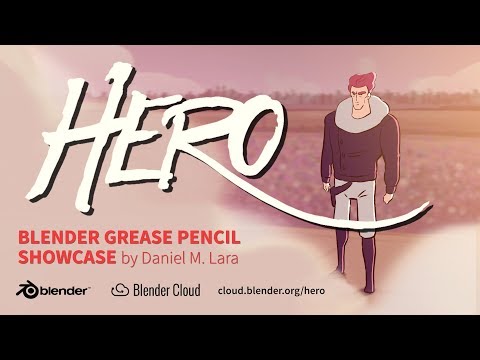
This is what I really love about blender. Someone takes what's basically a simple markup tool and goes "I can make that awesome" and... There are now really cool 2d animation tools. That you can then move around in 3d and mix with meshes. Pretty nifty no?
Also hey that last comment had something I never got around to posting months ago.
When I played around a bit recently I noticed that the viewport cannot be navigated while a tool is active. Is that true? You can't change the view while extruding a face for example?
Yep. While you're extruding the face, mouse movements and modifier keys are dedicated to controlling the extrusion, so they can't be used to move the viewport around.
I recently encountered a similar but even worse problem in Hexagon. The camera view I needed to make a selection was different than the view I needed to perform extrusion from the selection. But after selecting the needed faces, any attempt to change the camera caused the selection to be cleared. I submitted a Hexagon bug report.
The Blender devs may be thinking about ways to change this in the future. Pablo V. recently said something about it being unfortunate that you can't do other things in the middle of "circle select" mode.
Ok, yeah that's a really alien concept that I would add to the "Blender is hard" category. Looking around an object while you model seems kinda essential. Then again, with mouse movements directly controlling the extrusion you can presumably be faster than with dragging around a tool handle. Isn't it conceptually possible to have both that speed and viewport control still working?
@j cade Heh, I can't believe I missed it was a strand hair. I thought it was normal Daz mesh hair, and I thought that's the best CG hairshader I've ever seen. Now don't get me wrong, that hair looks awesome, I just for a moment hoped that we could get that kind of results with normal Daz hairs.
Also thank you for the tips for blender hair. All my previous attempts have ended with not so great results, and the little barber inside of me have almost given up, so I'll take all the help I can get