Dynamic clothing tips
 Oso3D
Posts: 15,097
Oso3D
Posts: 15,097
Since there's been some renewed interest in Dynamic Clothing, I thought I'd share some hard-won tips. (I don't know where the old dynamic clothing thread went off to, sorry)
Animated draping is fantastically useful, particularly if your character has proportions far from default. But I find it can be hard, in a scene, to suddenly decide 'I need an animated drape' and try to make a 0 point where the character is at default settings. (For one thing, I find it hard to set the 0 frame without the changes propagating. I'm probably missing something). So I try to figure out more and more tricks to do regular draping.
Dynamic clothing ignores scaling. If you scale dynamic clothing, once you start draping it will return to it's original scale.
This is frustrating if you really wanted a dress to have baggier sleeves or whatnot. However, it can make draping a lot easier -- you can copy a pose to the outfit (ideally, assuming it's rigged), then scale and adjust parts to fit around the figure, and then drape will pull the clothing into shape. Otherwise, when an outfit clips a lot through the figure, it might not 'catch' the outside of the figure and you get a mess.
You may find it useful to change a figure's scale to drape clothing, then freeze the simulation (turns the clothing into a fixed item), then scale everything back. You may need to scale other items if the clothing is going to collide with other stuff.
Set collision to as few items as possible. There is some point at which the simulation breaks down and ignores everything. If clothing keeps falling through your figure, try to pare down collision more.
Also, the collision for draping is affected by polygons. You don't want too much, or the simulation will take forever (Base resolution on clothing is enough, I think), but planes or other simple objects with few polygons won't properly affect the simulation. If you have clothing falling through floors and tables, this may be why.
Finally, don't forget that after you do all of this and have a wonderfully fitted outfit, you can add Subdivision (to make the model higher quality), add Smoothing modifier (to, well, smooth it and add collision to eliminate poke-through), and add Push Modifiers (to push out the clothing, handy for more elaborate pokethrough problems or to layer clothing).
Anyone else have tips?

Daz 3D is part of 
Connect
DAZ Productions, Inc.
7533 S Center View Ct #4664
West Jordan, UT 84084
Licensing Agreement | Terms of Service | Privacy Policy | EULA
© 2026 Daz Productions Inc. All Rights Reserved.
Comments
The Shrink X% and Shrink Y% parameters can be very useful (if you have the paid plugin).
Bump up Collision Tolerance a little or a lot for different effects and to sometimes help with troublesome simulations.
The less things studio has to worry about calculating the faster it goes. I tend to make sure the figure I'm draping on is set to base resolution and any body part I can assume won't interact with the clothing I set to not interact with the figure. For simple drapes it doesn't matter too much, but when the drapes get more complex it can help. It also means I can spare more polygons for the cloth figure which can mean prettier draping wrinkles.
Speaking of cloth resolution, there's a sort of sliding scale. Too low resolution and the wrinkles will be ugly and unrealistic, but the higher resolution you go the longer it takes to calculate, Think about the smallest wrinkle you want, the polygons have to be able to make that. (I have done stuff with rather high polys in blender, and yes it took forever, but it looked so pretty)
75% of the time f you try to make a hand collide with cloth it will try to eat it. its much easier if you use a primitive like a cylinder as a proxy instead.
If you do not have the paid plug in to scale the clothing, I would recommend you scale the figure up/down to fit the clothing and then run the simulation. After you are happy with the drape, then freeze it, parent it to the figure, and scale the figure back to its original size (the drape will scale along with it). There may be some minor poke through, so add a smoothing modifier to the clothing to collide against the figure.
I have the plugin, I still find it easier to scale the figure to fit the clothing most of the time. ;)
Oh, speaking of primitives, I meant to mention that... various primitives can be useful to shape or keep parts of clothing from wandering off. I've found it handy to put a cylinder (or something) in shoulders to keep dress straps from falling down the arm (unless that's what I WANT). Also, if you intersect an object through clothing, it can sometimes (depending on polygon density and a bunch of other things) help 'pin' that part of the clothing in place, which is handy for a bunch of things.
Oh, and here are some fabric presets that can be useful, from Optitex:
http://www.optitex-dynamiccloth.com/WordPress/?attachment_id=57
I've played with these a little.
And another thought about scale -- if the clothing is moving from stretched out back to a smaller shape, it has something like momentum. So it'll tend to overshoot and fly up weirdly. You can either keep draping until it settles down, or try to make the clothing heavier/less stretchy or up the force of gravity (if you have plugin)
I use this method too, inserting a polygon to pin a section of the drape down. What I would love for Optitex is to steal Blender's "pin" feature, where you select the verticies of a mesh, assign a pin, and then it stays put.
There are some 'pin' items in the Daz store. I haven't bought one, because I'm 99% sure it's nothing more than a primitive, maybe with a good polygon density.
(If someone knows otherwise, please pipe up!)
These are simply scripts, and they are plaintext, so you can modify them as needed to adjust the parameters. Though finding out exactly what those parameters do, and what values are appropriate for various effects, will require some experimentation......
(also, the link only goes to a blog post with no direct download link. The actual download link is: https://s3.amazonaws.com/dynamicfree/FabricPresets.zip )
Also, using a bodysuit as a proxy will help with diffcult drapes...
And something Martin told me a long time ago...those presets can be edited, if you know the properties you can add/edit the presets. It does work, but finding actual data is not easy. And just randomly changing numbers can have some rather stranged effects. The mass and friction parameters are the easiest to deal with.
Although if you have the full plugin, you don't have to edit them, as you have access to change the properties of the cloth.
I picked up this to get a bit more control with drapes of certain primitive cloths, like sheets
http://www.daz3d.com/controllable-dynamic-shapes
It works well, but I have not done much more than test it at the moment, I got it at a fairly low sale price. Despite what the description says regarding it not working in DS 4.6, it actually works just fine (at least it does in 4.8)
Here's a really useful tutorial with some nice tips -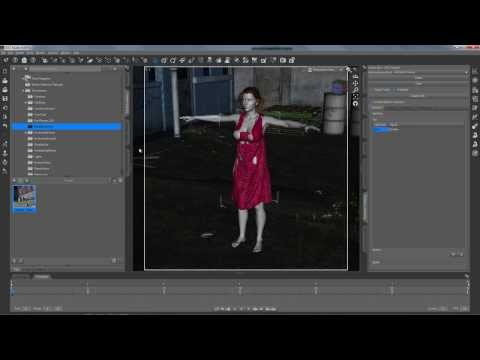
That's what I was curious about getting. I'll be very interested in whether the control loops work significantly better than simply using a primitive and sticking cloth in it.
I am not sure, I have not tried the primitive trick. I guess with this the cloth is held at a known point, with no risk of the cloth trying to slip pass, that might happen with a primitive not actually attached to the cloth, like these handles are. Having said that, this product is not worth 25 dollars, or even close to that. I got it with a double discount running, so I paid around $5.
It doesn't matter what clothing software you use, it helps to put gloves on hands (mittens preferably) and socks on feet first (there are free ones out there that might be adaptable for your figure). Fingernails and toenails just love to wreck your clothing.
You can create rigid follow nodes to attach buttons, etc, to your clothing. Use the Geometry Editor to select some polys on your clothing > Geometry Assignment > Create Rigid Follow Node From Selected. Give the node a name and child your object to the resulting null. But I'm sure someone with more experience has a more elaborate and elegant way of doing it.
Thanks everyone! Im fascinated by dynamic clothing. Its difficult to find information and tips on it. Your help is greatly appreciated!
Doesn't work too well on worn clothing, but one thing worth trying, is to stop the drape before it's completed. Can look surprisingly natural, if your character's dropping something.
Someone mentioned adding subd and smoothing modifier after draping; it can also help the look of the render too - the left is without and the right is with both applied; the sub-d is set to 2.
Genesis 3 seems to be the most puzzling; I've had objects fall through the figure more than any of the others. Turning off subd usually works, but sometimes I've used primitives to help to.
Oh and on the paid for version, the thickness setting is great for helping with layering and poke-through; it defaults to 0.05, but up to about 0.2 can be good: experiment.
There's a pdf somewhere, if anyone has a link; I don't remember it, and doubt we're allowed to share it? Anyone know? It's called "TipsNTricks" The properties within the pdf might help one to locate it: "Dynamic_Clothing_UI_Overview_tipsNtricks_12_21_09". All I found was a youtube link.
So, if you leave subd off on the main figure (G3 for example) when doing the drape, can you turn subd back on afterwards prior to rendering (because, say you want to use the figure's HD morphs or something)? Would freezing the simulation after the drape help in that case?
I did a drape recently and the cloth fell right through G3F's foot, though it did collide with other parts of the body, very odd. I have seen the same effect on other figures as well, the foot is ignored for some reason.
Yes
Don't know of subd out of my own experience but I would guess the lower the poly-count the better the effects of the smoothing modifier. I use the smoothing modifier at several degrees all the time, before importing the resulting obj into Carrara. There I can adjust the remaining poke-through on layered clothing most of the time. If not I have to switch do a more capable programm of smoothing out "crumbled" polygons.
For multi-layered clothing I usually export the figure with the "more-near" clothing as obj, import the file and use this file as collision target. (Works only with static images.)
I don't know at the moment, if I actually played with Genesis 3 and Optitex dynamic clothing, but I had the "fall through"-moment mostly when doing multiple dynamic calculations with multiple dyn-clothes without restarting Studio. Restarting fixed the problem. I guess there are memory leaks in the dynamic clothing part as there are other bugs, e.g. loading a dynamic cloth with a smoothing modifier applied crashed Studio everytime (up to 4.8, didn't tried with 4.9) or the normals are messed up on some items obj-exports with Carrara (can be fixed in Blender).
That's good to know. Thank you.
Wasn't there a PDF coming with the Dyn Clothing Control, which explained a lot of the settings? At the moment I don't know it's name, but it must be somewhere in my ReadMe's- or Tutorial-folders of my DAZ-runtime..
For some clothing that was designed for V4 when trying to use it on a different figure with significant difference in the shape (say Arabella 7 who is more slim than V4) I will start with the V4 clone morph dialed in and the character dialed out on Frame 0, do a single frame drape. After the drape, then do an animated drap where I dial out the V4 clone morph and dial in the character morph while also applying shrink to the panels. I found this really helps with collars and long sleeves from getting crazy bunched up or shooting off into space.
Oh, that's another good tip... you can change collision parameters and do a series of drapes.
This can be helpful in a bunch of ways.
Edit: I think I was unclear. Heh. That is, you can drape with collisions on, say, one character. Then change the collision to another character. And so on.
Another thing is if you're going to do complicated animated drapes, morphing shapes, moving things around, Keymate is very useful http://www.daz3d.com/keymate
Just in case there's any script writers out there poking at this stuff. Here's a dump of the exposed Optitex methods for DAZScript.
I was a bit curious whether I could simulate a volume of water or smoke, but it's proving tenacious. If I could set 'internal pressure' above 100, maybe, but... enh. So much for using a wrench as a hammer. ;')
It's supposed to be a high-heeled shoe...not a wrench.
Speaking of values, even though the user interface will allow you to enter a negative shrink X% or Y%, trying to run a simulation with these values will always produce the following error message.
There are a few things that can cause that. Sometimes you can bully through anyway and keep draping into a state where it's no longer balking.