Lighting problem
 dennisgray41
Posts: 1,018
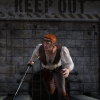
Trying to get my render to look more like the texture shaded version with the stark lighting contrast.
First image I changed nothing. Headlamp was not on because there were scene lights.
socond image I tried setting rendermode to interactive. I liked that much better, but the figure is still washed out like the jack o lanters don't affect it. I put that back ( never make more than one correction at a time or you can't tell what is working) Finally I started adjusting the exposure. The last one is with f stop at about 2.5.
Suggestions?



Daz 3D is part of 
Connect
DAZ Productions, Inc.
7533 S Center View Ct #4664
West Jordan, UT 84084
Licensing Agreement | Terms of Service | Privacy Policy | EULA
© 2026 Daz Productions Inc. All Rights Reserved.
Comments
I can't tell for sure but the figure seems to be in front of the jack-o-lanterns. I would add a spotlight or ghostlight focused on her and give it a yellow/orange hue to match the lanterns light.
I agree with the comment above - a yellow/orange spotlight or ghostlight focused on the figure to help her stand out. If you don't want to light the whole figure, I would position the light on her head/face.
Is it the Environment that is washing out the orange lighting you want?
You could try putting a similar orange colour into the 'Environment Tint' channel to give the scene an overall cast.
I would leave whatever 'Environment Map' you are using on, but turn it down significantly from the default '2' to something like '0.2'.
Similarly with 'Environment Intensity' down from '1' to '0.5'. Those two settings are the ones that stop it washing out the light from the pumpkins, play around with the actual values to balance in your scene.
I find most HDRIs work better with map and intensity reduced. Sometimes the skies look white unless you reduce the Environment Intensity. (And then I add light with a distant light if foreground has gotten dark. :) )