Diffeomorphic Export HD with Geograft -Mouth Issue
 Freddy
Posts: 34
Freddy
Posts: 34
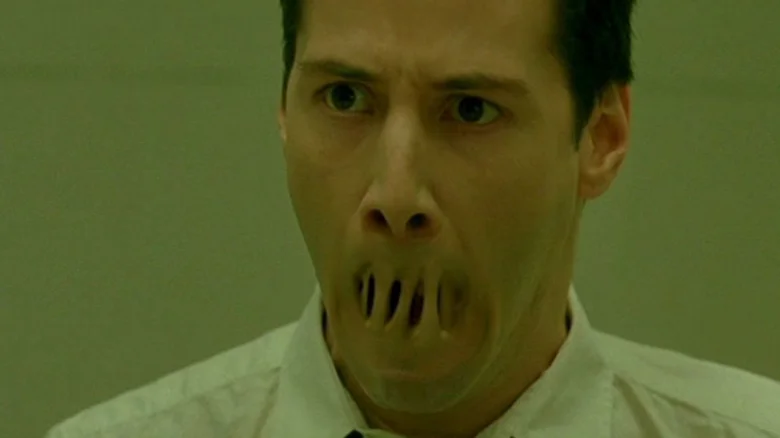
I'm having this issue when exporting HD characters to Blender using Diffeomorphic. The mouth on the HD version of the mesh seems to have issues (shape keys are broken). The mouth and the main body mesh have broken shape keys. I can't post my own image here for some reason but it looks like Neo in the Matrix when his mouth was being sealed...
Any help is appreciated.

Daz 3D is part of 
Connect
DAZ Productions, Inc.
7533 S Center View Ct #4664
West Jordan, UT 84084
Licensing Agreement | Terms of Service | Privacy Policy | EULA
© 2026 Daz Productions Inc. All Rights Reserved.
Comments
Sometime multires can't properly unsubdivide a HD mesh, or the DAZ mesh itself has issues and must be "repaired" to be imported in blender, in these cases morphs may not work fine. These are not bugs in the addon but limitations in blender itself. You should have errors in the console reporting a bad mesh or vertex count mismatch.
window > toggle system console.
If there's no errors in the console then you may want to report a bug at github, also providing steps to reproduce the issue. See #2 at github.
https://github.com/Diffeomorphic/import_daz/issues
p.s. If it's multires then you can try to lower the exported HD level. Exporting HD higher than level 3 can also be particularly cumbersome and slow.