Diffeomorphic UDIM Artefact
 mark212160
Posts: 28
mark212160
Posts: 28
Blender 5.2.0
Diffeomorphic 5.2.0.3018
G8F material: FW Rebekah HD for Victoria 8
Steps:
- Import a G8F via Diffeomorphic's manual import
- Merge Rigs
- Import standard morphs, including Head, Expression, FACS, Body, JCMs, Flexions
- Import Daz Favorites, including Zev's Breast Control, Bend Control, Tongue Control, Expression Smoother
- Save Local Textures with All Mesh checked
- Merge Materials with every setting unchecked, including Ignore Bump Strength
- Switch to Edit Material tab, set Face as Active Material, press Make UDIM Textures, change Image Size to 4096, check Combine Texture Types and all material zones, and press OK
- Set Face as Active Material, press Overwrite Materials, check only Torso, Lips, Legs, Fingernails, Toenails, Face, EyeSocket, Arms, and press OK
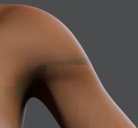
- Switch to Cycles GPU, and the following artefact occurs on the whole G8F mesh.

Daz 3D is part of 
Connect
DAZ Productions, Inc.
7533 S Center View Ct #4664
West Jordan, UT 84084
Licensing Agreement | Terms of Service | Privacy Policy | EULA
© 2026 Daz Productions Inc. All Rights Reserved.
Comments
Support for "all material zones" is experimental and may need to fix some udims by hand. Try step 7 selecting only the materials you need for the skin. Also, if the figure uses LIEs it is always required to bake LIEs first. Your first steps are unneccessary to reproduce the issue as udim doesn't depend on morphs.
https://diffeomorphic.blogspot.com/2026/08/how-to-make-udim-aka-fix-iray-skin.html
p.s. In any case to report bugs it is always required to update to the current dev version first, as stables don't get fixed once released. It's currently 5.2.0.3032.
https://github.com/Diffeomorphic/import_daz/issues/2
https://github.com/Diffeomorphic/import_daz/archive/refs/heads/master.zip
I updated to 5.2.0.3032, followed the same steps as described above, except that I unchecked Combine Texture Types, Pupils, Irises, EyeMoisture, Cornea, and Sclera in the Make UDIM Textures step, and the same artefact is still present.
Could you explain how to "fix some UDIMs by hand"?
It is explained in the link I posted above. Essentially you check the udim and see if everything is in place. Of course in blender you can sort or move them as you wish, or add fillers, by hand. I will look at your specific case and let you know what I find.
Yes, there's something in the Rebekah textures which makes UDIM fail. Note that G8F or Victoria 8 work fine so this is limited to Rebekah. Now reported to Thomas.
https://github.com/Diffeomorphic/import_daz/issues/91
Thank you for the confirmation and report!
Ok, I believe I got what it is. It's not a bug in the addon I can't reproduce it on my side, the missing diffuse I reported to Thomas is correct as the translucency for Rebekah is 1.0 so diffuse is zero. It is my fault I didn't notice this before. The issue you get is due to a blender bug, also reported at github, as blender 5.2.0 has issues with 50xx cards, that I guess you have.
https://github.com/Diffeomorphic/import_daz/issues/58
To resolve the issue please update to blender 5.2.1, which works fine with 50xx cards.
Yes! After updating to 5.2.1, the issue went away! Thank you!