Need help with dForce necklace
 kit6961
Posts: 8
kit6961
Posts: 8
Hello,
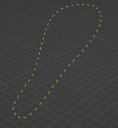
I am new here and I have been trying to make a dForce bead necklace in Daz Studio. I am attaching a picture of the necklace below. I made the necklace in Blender and imported it into Daz as an .fbx and .obj. But no matter what I do, I cannot get it to simulate the way it should. I have searched several YouTube videos, used AI but no luck.
Finally, I bought this product https://www.daz3d.com/dforce-necklace-merchant-resource because I thought this will help. But then I realized, I dont really know how to use a merchant resource either.
Any direction or help will be useful. Thanks

Daz 3D is part of 
Connect
DAZ Productions, Inc.
7533 S Center View Ct #4664
West Jordan, UT 84084
Licensing Agreement | Terms of Service | Privacy Policy | EULA
© 2026 Daz Productions Inc. All Rights Reserved.
Comments
Fabiana makes dForce necklaces that work very well. Maybe you could learn some tips by buying one of her products and examining what she has done. I don't think it is a trivial task at all, though. You have to keep the shape of each bead from collapsing, but allow the chain or cord between beads to simulate to conform to the character's body. And the beads must move along with the chain. I don't even try. I'm happy to pay for her products and just use them. I've had excellent results with them.
Using a dForce AddOn to brace the beads is the obvious trick, that means a simple frame inside the beads a a separate object whose vertices align with the vertices of the beads. You are going to have to enormously reduce the dForce minimum offset to stop the simulation getting locked into a loop of stretching the beads and cord to be at least the minimum separation, then bringing them back to scale to reduce the energy from the stretching and diffusing the energy away until the whole mesh explodes.
As for how to use a Merchant Resources, the vendor clearly explained on the product page of https://www.daz3d.com/dforce-necklace-merchant-resource
As for how to use the Necklace from the products, load a Necklace from the product folder, The necklace will be right above the figure's neck. Then Simulate ~
If you want to make a non dForce ready necklace have dForce capability, you have to first of all make sure the necklace geometry is fully welded otherwise the beads will fall off all around in simulation. If they're not welded, you have to weld them in external software beforehand ~
(How to check if the geometry is welded : Ctrl + 8 to switch to Wire Texture Shaded drawstyle, Alt Shift + G to activate Geometry Editor, Tool Mode > Polygon Selection, Select Mode > Drag Selection, select a polygon on a bead, repeat Ctrl + +. If the polygons of adjacent beads can be selected, then it means they're welded ~ )
As long as the necklace has welded geometry, you can easily make it dForce Ready by using optimal settings on its dynamic surfaces. I used 6 Disc Pendant Necklace Long from dForce Necklace Merchant Resource since you have this product, and this necklace's geometry is welded.
0) Load it into the scene. Delete the child node: NecklaceAddOn_Long which is a dForce Addon. Delete the rigid follow node of Pendant if you want ~ (screenshot 1)
1) With the necklace selected in Scene pane, a) Edit > Figure > Geometry > Remove dForce Modifier; b) Edit > Figure > Geometry > Add dForce Modifier: Dynamic Surface. (With the necklace shown in your image above, you just need to do step b) )
2) Go to Surfaces pane, select all Surfaces, load the attached Shader Preset (This preset only have Simulation settings for dynamic surfaces) (screenshot 2)
3) Go to Simulation pane, use the settings shown in (screenshot 3). Click Simulate button.
4) You should be able to get the result in (screenshot 4).
If you do these on other non-dforce necklace, better give it a proper initial shape and position above the figure's neck. The one shown in the image you attached seems just fine.
Edit: This process can be used for any necklace props (or similar accessories) with welded geometry, to make them dForce ready. Be noted, you can further finetune the settings on dynamic surfaces as well as in Simulation Settings as needed.
Thank you so much, I will definately check her store to find something that works for me.
I will research on how to add a dforce addon. I have not done this yet. Thank you so much for your prompt response.
Thank you sor much for such a detailed response. I will work through what you have described and report back. To begin, it seems my geometry is not welded together, when I followed your instructions to check the weld status, i could only select one bead with Ctrl++. I am back in blender to add a "string" to the necklace. I will keep you guys updated.
Hello Richard. Well, that trick was my first option when doing the Beaded Necklaces but it didn´t work at all for the idea I had, even more, it literally frozen my computer LOL.
It was just epic... if it wasn´t so scary I would have tried to recreate for a video. So I wouldn´t even dare to suggest no one to do that :P
I finally succeeded with other system but if I wasn´t who did it, or would have to do it again, I won´t... It was one of the trickiest, longest and defiant things I have ever did in the last 25 years of 3D design.
@kit6961 I strongly recommend my beaded and chain necklaces... they work like a charm and are also... very pretty
Thanks for the warning.
I agree, you do have very beautiful products in your store. I don't mind buying one of your products, I am just learning to customize my own design. If you will share your secret; that will be a bonus to my purchase.
Just a quick update, I don't get too much time in the day to work on this, but right now, I am struggling to weld the beads together. I have welded them in Blender and using the L command selects the complete chain, but when I import them into Daz, I can't select more than one bead with Ctrl++. So still at it. Thanks all of you for your comments and help. I will keep you posted.
Considering fabiana's answer, it's seem to be a dead end for what you want to do, but in case you want to use dForce addon for other cases, Mada has a tutorial on the subject on her Youtube account (she also has lots of other useful tutorials)
I don't think using dForce add-on is a dead end, only it'll require some skills as well as more time. The way I showed above is just a much easier way i.e. one only needs to tweak settings on dynamic surfaces on a welded object.
If one understands each setting on dynamic surfaces / in Simulation settings, with more experiments, one can find the proper way : https://www.daz3d.com/forums/discussion/203081/dforce-start-here#latest ;
OP may learn both ways if interested, however, the case / approach shown in the above tutorial won't work for this case of necklace. Mada explained the unique dForce add-on for her "Gorgon Set" product in here : https://www.daz3d.com/forums/discussion/638391/dforce-keep-the-bending-object-s-shape with which she similarly used in her dForce necklace products ~~
You made the necklace or just got it from other sources ? Since you use Blender, better show the mesh of the necklace you have... to avoid wasting your time. Wrong ways of welding geometry may bring you unexpected result. Also be noted that denser mesh may bring the object an explosion in DS simulation...
Besides, if Ctrl + L worked in Blender, Ctrl + + or Ctrl + * should also work in DS ~~
To be clear... The DForce AddOn works perfectly and I also experimented with other elements and it was good for keeping edges with thickness and gathered, as Mada shown in the videos.
For my project it didn´t work and who in this world can understand completely how dForce wants to act any given day? I thought I tamed it but it always gives me a fun day...
The welding is certainly a hard task and there are so many ways to fail that in the end, when it works, is like a wonder, or a miracle.
I made this myself. I made 10 beads, assigned 5 beads black material and 5 beads gold material, then created a Bezier curve, added array and curve modifier to the row of beads. Gave the bezier curve a thickness and converted it to a mesh. Now the Bezier curve is a string inside the beads. Then used the boolean modifier to weld them together. Also used merge by distance.
Now it selects the adjacent bead in Daz with Ctrl++. I am attaching a picture of what my necklace looks like in Blender.
Then it should be okay, looks fine. You also need to check its topology, better all quads, as well as check polycounts to make sure they're optimal.
And I fully agree with Fabiana , dForce sometimes is unpredictable, better have more experiments with it. Good luck !
Edit: You can futher import a Genesis Base figure into Blender, tweak the necklace around the figure's neck by using sculpt tools...so as to give it a better initial shape and position.