• Daz 3D
  • Shop
  • 3D Software
    • Daz Studio Premier
    • Daz Studio
    • Install Manager
    • Exporters
    • Daz to Roblox
    • Daz to Maya
    • Daz to Blender
    • Daz to Unreal
    • Daz to Unity
    • Daz to 3ds Max
    • Daz to Cinema 4D
  • 3D Models
    • Genesis 9
    • Genesis 8.1
    • Free 3D Models
    • Game Ready
  • Community
    • Gallery
    • Forums
    • Blog
    • Press
    • Help
  • Memberships
    • Daz Premier
    • Daz Plus
    • Daz Base
    • Compare
  • AI Solutions
  • Download Studio
  • Menu
  • Daz 3D
  • Shop
  • 3d Software
    • Daz Studio Premier
    • Daz Studio
    • Install Manager
    • Exporters
    • Daz to Roblox
    • Daz to Maya
    • Daz to Blender
    • Daz to Unreal
    • Daz to Unity
    • Daz to 3ds Max
    • Daz to Cinema 4D
  • 3D Models
    • Genesis 9
    • Genesis 8.1
    • Free 3D Models
  • Community
    • Our Community
    • Gallery
    • Forums
    • Blog
    • Press
    • Help
  • Memberships
    • Daz Premier
    • Daz Plus
    • Daz Base
    • Compare
  • AI Solutions

Notifications

You currently have no notifications.

Loading...
    • Categories
    • Recent Discussions
Daz 3D Forums > 3rd Party Software > Blender Discussion

Iray Section Plane Node for Blender?

evilded777evilded777 Posts: 2,516
July 13 in Blender Discussion

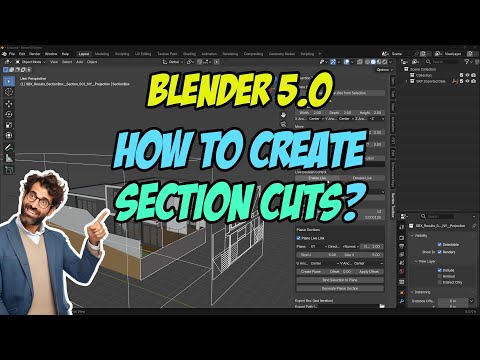
Does Blender have an equivalent to the Section Plane Node?

What about the Sun/Sky tool or is that all HDRI/Distant Lights?

Thanks!

Comments

  • Richard HaseltineRichard Haseltine Posts: 110,852
    July 13

    It sems there is an add-on for this

    https://extensions.blender.org/add-ons/stb-section-toolbox/
  • evilded777evilded777 Posts: 2,516
    July 13

    Richard Haseltine said:

    It sems there is an add-on for this

    https://extensions.blender.org/add-ons/stb-section-toolbox/

    I'll look at that. Thanks Richard. I also figured out how to use the "Sky Texture" to get my Sun/Sky.
  • PadonePadone Posts: 4,243
    July 14 edited July 14

    Any camera in blender also has its own clipping, that is similar to section planes. Any geometry outside the clipping planes is not rendered.

    camera > lens > clip start/end

    camera > viewport display > show limits

    p.s. Or you can also use a boolean modifier which will work fine as section plane, but for easy of use better join all objects first.

    Post edited by Padone on July 14
Sign In or Register to comment.
Adding to Cart…

Daz 3D is part of Tafi

Connect

DAZ Productions, Inc.
7533 S Center View Ct #4664
West Jordan, UT 84084

HELP

Contact Us

Tutorials

Help Center

Sell Your 3D Content

Affiliate Program

Documentation Center

Open Source

Consent Preferences

JOIN DAZ

Memberships

Blog

About Us

Press

Careers

Bridges

Community

In the Studio

Gallery

Forum

DAZ STORE

Shop

Freebies

Published Artists

Licensing Agreement | Terms of Service | Privacy Policy | EULA

© 2026 Daz Productions Inc. All Rights Reserved.

Create An Account
