
Daz 3D is part of 
Connect
DAZ Productions, Inc.
7533 S Center View Ct #4664
West Jordan, UT 84084
Licensing Agreement | Terms of Service | Privacy Policy | EULA
© 2026 Daz Productions Inc. All Rights Reserved.
Comments
Reallusion has extremely constricting licenses though, making their great game quality characters useless for a large portion of games. For example if you want to use their characters in an RPG where when you find a new sword you can equip it, or change helmets or something like that, you can no longer use their characters unless you go for the enterprise license.
In regards to Metahuman, if memory serves you can only use the output in Unreal, not in Unity or Godot for example.
Though I do agree that the approach to the new game ready characters in the Daz3D store is a bit odd. The greatest strenght Daz3D has is customization, so buying an FBX offers very little compared to buying it in another store. It would be far cooler if they would release something like a special figure intended for use as a game assets, which supports all the morphing features etecetera of Daz3D but where the geometry is actually intended for game development. Something like GenesisForGame 9 (or just GameFigure 9) or something like that. And easier/cheaper licensing for use in a game. Yes I know we can buy interactive licenses, but they're fairly expensive and you have to buy them for each product individually, so having figures and assets specifically made for game dev come with the license included would be awesome.
Great summary, @TheLion
I have also abandoned Reallusion assets and tools, because of the price and their licensing rules.
I like Daz Studio and Unity very much and try to support Daz 3D efforts as much as I can.
The idea of providing game ready characters is good. One can do it by hand of course but it requires time and knowledge and tools. There's some quirks as they seem to lose the colors, especially for hairs but also skin and clothes are much greysh. About the duf version being a character preset that's odd, as the preview images clealry show a full dressed character, I mean all of them that's clearly misleading.
https://www.daz3d.com/mplx-tessa-for-genesis-9
https://www.daz3d.com/mplx-tessa-for-genesis-9-fbx
I'm also wondering about the purpose of .duf versions of Game Ready characters.
Perhaps their goal is to provide this simplified Asset Structure as mentioned on:
https://www.daz3d.com/game-ready
That looks greatly simplified compared to the usual daz studio shaders and textures. Essentially each single object gets baked into its own texture set. However, it is far from being optimized for games. In a game all the figure objects would be merged into one and we have one single texture set for the whole figure. Plus hidden geometry is removed. Let's say this is half-way between daz figures and game figures.
The DUF version of the game ready characters is just a regular G9 character shape.
Thanks for the information, @Leana
I only have one Game Ready model in DUF format, for further investigation.
Great, that Daz 3D gave us the code to get it for free.
I agree, but that is the step in right direction.
I am pretty happy with Game Ready characters in FBX format. They works well in Unity.
Used https://www.daz3d.com/mplx-riley-for-genesis-9-fbx in Unity
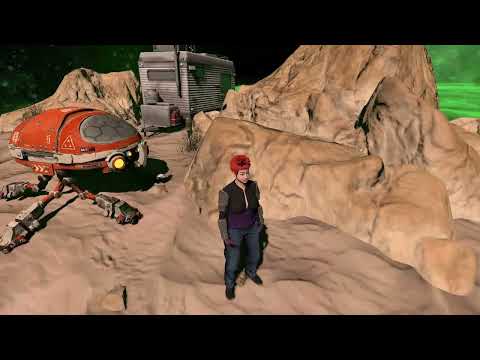
Some materials needs adjusting in Unity (click to fix normal maps)
Please watch my video on YouTube
I watched it because I am subscribed and was guessing that was a DAZ Game ready character
cute scene
not done much more with mine yet in Unreal but should
had too much drana this week AFK
(my kitty had all her teeth pulled , I also broke one of mine off too down to the gum so will probably need dental surgery to remove it)
Thanks a lot, @WendyLuvsCatz
Sorry to hear about teeth problems.
Now I know, that materials of Game Ready characters need to be fixed in Unity to get a better look.
I bought the hair mine had for G9
definitely optimized on the Game Ready FBX
G9 is standing slightly closer but they are somewhat different face and definitely skin wise
can't upload my render
was too big? resized
no, still cannot on any browser
I won't bother buying the other 3 outfits
poses need to be converted to AniBlocks for the FBX BTW