Pants not being imported properly with diffeomorphic
 Misarmor
Posts: 43
Misarmor
Posts: 43
Hi
I'm running into a weird issue I've not run into before, with some pants my character is wearing.
Basically, for some reason, the pants don't display, and they get imported as an armature...
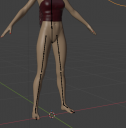
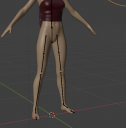
This above is a screenshot of the pants not appearing
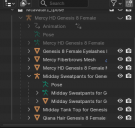
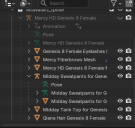
And here are my object properties. The pants asset is the "midday sweatpants". Note that on import, the armature and object are hidden by default, and that unhiding them doesn't change anything.
I've managed to import this character with pants in the past without issues, and I don't know why it's not working anymore :/ i've also tried many import options (merging geografts/not, merging rigs/not...) Without any luck.
Any input is greatly appreciated.
I've also not moved the install directory of the pants asset, and the directory list is still the same in diffeo's options.

Daz 3D is part of 
Connect
DAZ Productions, Inc.
7533 S Center View Ct #4664
West Jordan, UT 84084
Licensing Agreement | Terms of Service | Privacy Policy | EULA
© 2026 Daz Productions Inc. All Rights Reserved.
Comments
Be sure the pants are visible and selectable in daz studio before exporting.
They are very much so
Ok, then see if there's some error reported in daz studio or in blender when loading the scene. For daz studio check the log, for blender check the console, you may also increase the verbosity to 3 in the addon global settings to get more information.
daz studio: help > troubleshooting > view log file
blender: window > toggle system console
addon: global settings > verbosity
p.s. Since the pants are there in the outliner, you may also check if for some reason they're disabled in the viewport, for this expand the filters to include the disable toggles.
p.s. If that item is the only one you're having issues with, then there may be some conflicts in your daz library that daz studio can handle but the addon doesn't like. For example if you reinstalled the pants both using dim and connect, then there may be issues, as the blender addon is not too smart with connect.
Sorry, I know what the issue is now.
I hid the pants in DAZ, displayed them back, but didn't after re-displaying them again before exporting to Blender. The script was working on the un-saved file and I wasn't aware of that.
I feel stupid, but my character is wearing pants now. Sorry again.