Please delete this entire thread
 Ron Knights
Posts: 2,791
Ron Knights
Posts: 2,791
Delete
All3 04.jpg
939 x 882 - 522K
Post edited by Ron Knights on

Daz 3D is part of 
Connect
DAZ Productions, Inc.
7533 S Center View Ct #4664
West Jordan, UT 84084
Licensing Agreement | Terms of Service | Privacy Policy | EULA
© 2026 Daz Productions Inc. All Rights Reserved.
Comments
I'd suggest you take the top level node in the character and then Rotate Y through 180 degrees. Don't do it via the hips, just rotate the whole character.
Then, take a side view to translate the whole character in Y and Z to move his bottom onto the stool where you want it..
Regards,
Richard
You might also try defining a group for Marlin, then rotate the group instead of the figure.
richardandtracy, what is a top level node?! Can you tell I'm still an amateur, after 25 years?!
David R, how do I define a group? Boy, do I feel dumb!
The hip is the first choild of the figure in the Scene pane. If you select the Hip it wil work locally, but if the hip is rotated the sliders will also be rotated in their effect (so he will spin around a slanted axis, and trying to move him horizontaly will also move him up or down). One solution is to use the Viewport Rotate and Translate, or the Universal, Tool, and in the Tool Settings pane set the Coordinate System to Universe - that will keep the rings and arrows in the Viewport gizmo that you click and drag on are oriented as you'd expect, and DS will translate the adjustments into the correct values on the sliders.
Top level node, is when looking in the scene tab, the highest node related to that object. For a character it is the character itself, also known as the root node.
Creating a group, can be done by selecting the character in the scene tab, and then in the local scene tab menu (4 horizontal bars = burgermenu) select Create > New Group.
Select Marlin in the "scene" tab.
On the menu bar select Create/New Group
Create the new group, making sure that "Parent selected item(s) to new group" is selected.
Now select the group in the "scene" tab and rotate that along the y axis.
Hope that helps.
I'm sorry. I'm having trouble understanding the suggestions, or where to find the tools, etc.
Marlin is somewhat distressed.
OK, I'll take a look.
In the meantime, Bitti Botti is very happy with Marlin's predicament.
I'm a bit fuzzy-headed today. I did watch the YouTube video about grouping. Guess I'll create a group tomorrow,
In the meantime, Thomas decided he's surrounded by morons.
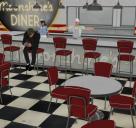
I fiddled around and finally got Marlin to sit at the counter properly. And Victoria 5 joined him.
You might not know this. I've been struggling for around 25 years to put together some semblance of a story with Marlin Fingle and his cast of friends or cohorts.
This little series of stumbling renders represents the most progress I've made. From what I can tell I first latched onto parts of the Moonshine Diner in 2012.
I must suffer from some sort of learning disability. It takes a long time for me to understand even the simplest stuff.
Here, in this render are Marlin Fingle, Bitti Botti, Thomas (M5), and Victoria 5. As time passed, I became lazier and just used "stock characters."
I've noticed that my ability to concentrate and remember declines with age. I'm 74 now, and 75 next month. Try not to be too hard on yourself. Start a thread for your story, like my thread about the adventures of Jack and Richard. Having the thread and getting comments on the story will encourage you to keep it going. Sometimes I get inspired and post every few days. Sometimes weeks go by. There is no pressure. It is just for fun.
P.S. You can always add Richard Haseltine to your story. Then it is sure to take an unexpected turn. In my stories, Richard likes tuna. They probably serve that at the Moonshine Diner.
Barbilt, we are the same age!
I hear you. Telling a story is a great idea. However, I would not want to do anything that would come near to your stories.
I do have an entire cast of characters that I've assembled over the past 25 years.
I've only upgraded a few of them to the Genesis generation.
I do like the idea of posting my story in ArtZone. Somehow it feels less intrusive than splattering stuff in The Commons. People will only see it here if they want to see it.
Thanks again for your support. I really look forward to seeing your stories.
I hope I'm still creating when I'm 75. :)
Just take care of yourself emotionally and physically.
I may be older, and softer, but in some ways I've never been better. Or at least I'm still easily tackling my health concerns.
I cut out all the wonderful candies I love to eat. I lost around 30 pounds.
And I no longer need insulin. I still have a FreeStyle Libre sensor to monitor my blood sugar. It passes info to my iPhone.
I've actually reduced my clothing size from 4 Extra Large to 3 Extra Large.
And I have about 100 friends. I used to live like a hermit till I moved here 4 years ago.
I did have one significant set back. My right ear had a blood vessel burst. That is extremely rare.
I can't hear from my right ear. But I have fancy hearing aids that work with my iPhone.
It's March 13, 2026. I'm feeling great now. I continue to get great feedback concerning my artwork.
I show everything to all my friends. I like to say I have 100 friends... which I do.
I did a painting for Sherry. She brings her retired service dog over to visit us seniors every week. One of my friends said "What is this, a cow??!"
I'm still a bit crestfallen. I had a crush on her for awhile before this day. I created a new image, using DAZ Studio.
I gave the dog painting and more to the lady Sherry (the lady who brings Tango to visit.) Sherry loved all the art I gave her.
Here is the "cow picture."
Here's my first attempt to create a 3D Version of myself, from scratch.
I started with the Genesis 8.1 male. Added Merlin 8.1's textures.
Then I fiddled with moph dials in an attempt to get realistic facial wrinkles, etc.
Add Mr Banks hairstyle, and make sure to get the high forehead.
I neded to show how my beard has turned mostly white, while the moustache remains brown. The "Facial Hair" set made that happen.
I wanted to start from scratch, because I couldn't see a way to adopt other characters to my own use.
Fred is a great character, but he is heavier than me. I tried putting the MEGA wardrobe on him, and he looked like a squashed sausage.
I made the Genesis 8.1 base character a little less heavy than Fred.
And here is the full figure,
**** Edited to Add ****
Thank you, Cris Palomino, and the rest of my DAZ Friends, for your support.
Some of you know my journey in the DAZ3D world stretches out around 25 years. There were many challenges and changes during that time.
I'm truly ecstatic to be here now. I just love all the support you provide. I do my best to let you all know how I feel.
But when you have the thread here, you miss out on all those people who only post in "The Commons".
Also, the link in the signature might have something going on,
I'm sorry. I thought someone said I should move all this talk over to the Art Studio for the sake of Continuity.
Now I'm not sure what to do.
I think I fixed the signature link.
Art Studiio is the right place.
Thanks, Richard.
Richard means Art Studio (one i) forum section. Your thread is in the right place already.That is where my Jack and Richard thread lives, too. It is where we put our "artistic" renders.
Your signature link to this thread doesn't work for me, though. I get a Server Not Found error. The name of the link looks OK, but the actual URL that it links to is "http://tps//www.daz3d.com/forums/discussion/751076", which is invalid. It looks like just a typo in the actual URL in the link. It should link to URL "https://www.daz3d.com/forums/discussion/751076" I think.
barbult, it's good to hear from you . I think I finally got the signature fixed.
I've been spending lots of time in an effort to get a good likeness of myself, using DAZ Studio.
I discovered it's best to start with a quality figure like Michael 8, as opposed to other characters that don't have as many morphs, etc.
I used Floyd 8's textures for this character.
I do think he'll look better once I buy Michael 8 HD.
Here's a photo of my friends looking at my stuff in the recent art show.
And another photo.
Absolutely Fantastic and Fun!
I think your friends are loving your art!
Did you print out your likeness to show them? You did an awesome job with it!!!