Refining a character mesh in Blender - can't get it to work
 DrGonzo62
Posts: 419
DrGonzo62
Posts: 419
Hi,
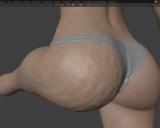
I wanted to try some sculpting on a G8 character in Blender and tried to subdivide its mesh in order to have enough geometry for that.
However, once I deform the mesh by posing bones, the skin binding goes all wonky.
Any idea how to fix that other than sculpt smoothing every time I change the pose?
Thanks!

Refine A.jpg
1292 x 942 - 320K
Refine B.jpg
1215 x 970 - 133K

Daz 3D is part of 
Connect
DAZ Productions, Inc.
7533 S Center View Ct #4664
West Jordan, UT 84084
Licensing Agreement | Terms of Service | Privacy Policy | EULA
© 2026 Daz Productions Inc. All Rights Reserved.
Comments
Blender doesn't smooth the weightmaps when we subdivide, it's the same with multires, so you have to smooth it yourself. Be careful to do it once, affter all the subdivision is done, to avoid smoothing too much. That's probably why blender doesn't do it automatically.
https://bitbucket.org/Diffeomorphic/import_daz/wiki/Features/HD Tools
Hi Padone, thanks for the explanation.
Unsurprisingly, this is a lot more complicated than I had expected... ;^)
I played around with weight mapping and smoothing, but that didn't fix the issue for me.
I rather not use a full HD character mesh as this would create a lot of overhead since I only need more topology in a few areas of the mesh.
Guess that's not going to happen.
Thanks for your feedback though!
Be sure to set the smoothness when you subdivide, it seems to work fine here.
Yes, I had smoothness set to 0.5 since 1.0 would give me more faceting.
Not sure why you don't seem to have that issue when subdividing..
However, you had mentioned the Multires modifier which I hadn't played around with before, and it looks like it might give me all I need for sculpting parts of the mesh. 8^)
Sorry my fault I tested without jcms, it works fine with just weightmaps. Not sure how existing shapekeys are interpolated when we create new geometry, it may be a linear interpolation possibly causing the "flat effect". You could try a little smoothing on the affected jcms to see how it works.
p.s. In general though creating new geometry on a rigged figure is expected to cause issues, you should be careful with that. Just reshaping aka moving vertices is fine. If you want to sculpt HD preserving the jcms then one way is to import as HD and sculpt with multires.
Thanks for the explanation, Padone.
I haven't tried to import a character in HD yet. Is there an advantage to this vs multiressing a standard def character in Blender?
Just doing all the subD in Blender?
Thanks!
Well if you're not interested in the figure HD shape then I guess not, it should be the same. Be sure to disable all HD morphs before exporting though, or they will affect the base shape.
That's good to know.
I'm currently fine with the standard character meshes, just needed more topology in some areas.
A subD level of 2 in multires seems to give me enough detail. I had tried 3, but that made my system cry.
Blender is really starting to grow on me. 8^)
While on the subject...
Does anyone know how to sculpt non-destructively when a multires modifier is active?
Shape keys don't seem to work.
Bummer...
You can't sculpt HD shapekeys, if this is what you mean, you can only sculpt the HD mesh. The multires modifier doesn't support HD shapekeys. But you can of course sculpt shapekeys on the base mesh.
Thanks Padone, that's what I figured.
I'm not sure what the purpose of "sculpt base mesh" is, since you can't sculpt without having the topology created by the modifier in the first place.
Thanks for confirming though.
Well "sculpt base mesh" can be used for shapekeys, you select or create a shapekey then sculpt the base mesh for it. This is different from sculpting the HD mesh which will affect all the shapekeys being the base for them.
Got it, thanks!