Detached clothing items, like buttons?
 DrGonzo62
Posts: 423
DrGonzo62
Posts: 423
Hi,
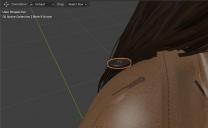
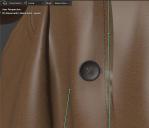
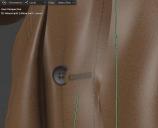
How can I deal with parts of a clothing item that are detached from the main clothing mesh, like buttons from a coat, after importing with Diffeo?
In DAZ, I would just parent them to the main clothing item and they would follow along with the figure's pose. But how do you do this in Blender?
I tried joining the button to the coat's mesh, but the button won't move with the rest of the coat when applying a pose to the figure.
I tried a Child Of constraint, trying to lock the button to the coat's mesh, but the button stayed in place while the coat moved with the figure.
I tried an armature constraint on the button, but the button wouldn't stay at the right location relative to the coat.
Is that something I need to fix in DAZ before exporting it?
Or can I weld the button to the coat's mesh in Blender for it to move along with the coat? I thought Join would do that.
Any help would be appreciated! 8^)

Daz 3D is part of 
Connect
DAZ Productions, Inc.
7533 S Center View Ct #4664
West Jordan, UT 84084
Licensing Agreement | Terms of Service | Privacy Policy | EULA
© 2026 Daz Productions Inc. All Rights Reserved.
Comments
Diffeomorphic already imports rigid followers from daz studio and converts them to vertex parenting. Or you can do vertex parenting yourself.
https://docs.blender.org/manual/en/4.5/modeling/meshes/editing/vertex/make_vertex_parent.html
Thanks Padone!
The asset I'm using is the dForce Classic Trench Coat.
It doesn't look like Diffeo v4.5.0.2698 converted the buttons rigid followers on this item for some reason.
I'll use the manual approach then.
OK, I was able to get it to work with the link you provided. Thank you very much for that!
I couldn't get it to work at first, since the Usage instructions say to shift-select the child first and then to select the parent.
I thought maybe this is a super secret way of selecting parent and child, until I realized that the manual just got it backwards. ;^)
Works fine here the buttons follow with the pose and the coat, even if I deform the coat in edit mode the buttons follow as vertex parented. I don't see where the issue is unless there's specific steps. It is best to use "eliminate empties" in easy import to avoid some cluttering with the rigid followers, but works fine without as well.
Oh man...
If it didn't take me over 10 minutes to import the full figure (including several hair moving morphs) into Blender, then I would probably have tried to re-import it again before.
But since the buttons on both the coat and the blouse the character is wearing were static, I figured that this just isn't supported in Diffeo. Can't have it all, right?
So today I did re-import it and sure enough, the coat's buttons were parented to the coat just fine this time. Minus an offset from where they actually should be attached. Not sure why that is. Maybe because the figure wears shoes and that created the Z offset.
But the buttons from the blouse were still static. Go figure.
I checked in DAZ and finally noticed that visibility for the button followers was turned off. Probably to not annoy people with all the little crosses. That apparently made Diffeo ignore them on import. After turning vis. back on, it worked fine.
I have to admit that I'm constantly amazed by how complex Diffeo really is. There is just so much functionality under the hood.
Anyway, thanks Padone.
Yes I can confirm there's an offset if the figure is wearing heels, this is due to "apply transforms" in easy import that apparently doesn't work fine if the figure is moved away from zero coordinates. As a workaround we can either uncheck "apply transforms", or move the figure to zero before exporting, the latter is better. Now reported to Thomas.
https://bitbucket.org/Diffeomorphic/import_daz/issues/2569/
update. Rigid followers are fixed in the last commit.
https://bitbucket.org/Diffeomorphic/import_daz/downloads/
Your workaround works great, thanks Padone!
Instead of moving the figure to the floor in DAZ first, I now export it as is. With the feet slightly below the floor after resetting the hip's Z translation.
Import into Blender now has all the buttons in the right places, more or less. With a bit of tweaking its fine.
Much easier than moving, rotating and vertex parenting every single button individually. Shudder!!