Problem with MakeHuman MPFB Add On - Locked Bones
 Diomede
Posts: 15,468
Diomede
Posts: 15,468
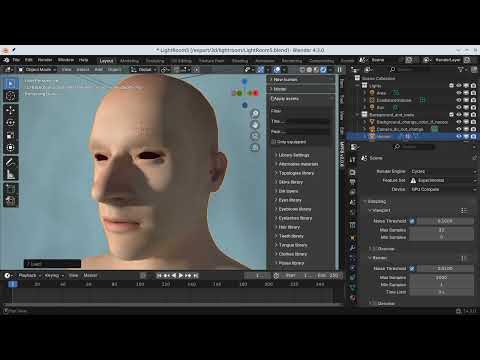
Greetings. Relatively new to Blender. I am testing out the add on for MakeHuman called MPFB. I followed the online video instructions by the MakeHuman.org coordinator (link to video down below). I successfully installed the add on some assets in the library. I successfully created a simple female character, rigged, added skin, eyebrows, hair, clothes, etc following the steps below. However, after I switch from Object mode to Pose mode, my bones seem locked. I cannot pose the character. See steps below. Suggestions welcome.
Once installed, the video's recommended order is
- Start Blender
- Open the MPFB Add-On menu by pressing 'n' key, menu opens in upper right.
- Under 'New Human,' choose 'from scratch' in this case to start from MPFB base.
- Do NOT add eyes, clothes, or hair yet. Wait until after rigging so they can be rigged automatically.
- You can do basic shaping under the 'Model' tab to weight, gender, nose, etc.
- You can also add a skin texture under the 'Apply Assets' tab. Or you can wait until after rigging. To see the skin, Blender must be in material preview view.
- Under Rigging tab, choose 'Add Rig' tab and choose a rig, in this case 'standard.'
- Under Apply Assets, attach common body parts such as eyes, eyebrows, and eyelashes.
- Under Apply Assets, attach clothing.
- Make sure the human.rig is selected in upper right screen tab (or whatever you have named your rig if not default).
- Under Rigging tab, choose the 'rig helpers' folder if desired. It adds eye helpers and inverse kinematics for hands and feet so recommended. Click 'add helpers.'
** The character is now ready for manipulation in Blender.
- To pose, go to upper left of viewport and switch the mode from either Object or Edit mode to Pose. You can now manipulate the rig of the character and the mesh will follow.
*** Note that I followed the video tutorial but my figure is locked, and I am searching for a solution. If this has happened to you, a solution would be great. I am going to ask in the Blender Forum. If I get a working solution, I will edit this post.

Daz 3D is part of 
Connect
DAZ Productions, Inc.
7533 S Center View Ct #4664
West Jordan, UT 84084
Licensing Agreement | Terms of Service | Privacy Policy | EULA
© 2026 Daz Productions Inc. All Rights Reserved.
Comments
USER ERROR
I was selecting and rotating the wrong joints with inverse kinematics setup with the rig helpers. I needed to select and move the hands and feet for example, but I was trying to rotate the knees and elbows.