Daz2Blender Issue - suddenly larger scale and error on import
 digitaladiposity
Posts: 34
digitaladiposity
Posts: 34
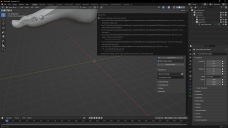
Recently I've had great success transferring two of my Daz G8F/Sakura8 characters into Blender, but when I tried a third the other day I was greeted with a different larger scale than before, visible bones and an error (screencap attached).
The only possible cause I can currently think of seems unrelated - in between my successful imports and this morning's failure, I did "export to .obj" and "export to .fbx" in an attempt to learn how shape keys work in Blender. I know I changed the scale and axis presets in "export to obj" due to issues, as well as trying different presets. The "export to fbx" options were left at defaults. Would changing settings in these Daz dialogs change the way "Send To Blender" handles the export to Blender? I assumed the various kinds of exports were separate, but I did notice that there are FBX options in the D2B dialog. Did it inherit the settings changes when I was exporting the Shape Key models?

Daz 3D is part of 
Connect
DAZ Productions, Inc.
7533 S Center View Ct #4664
West Jordan, UT 84084
Licensing Agreement | Terms of Service | Privacy Policy | EULA
© 2026 Daz Productions Inc. All Rights Reserved.
Comments
The latest version of DTB bridge only exports the model in FBX format plus a DTU file... Which version of DTB are you using ?