Creating Shape Preset
 Joe.Cotter
Posts: 3,362
Joe.Cotter
Posts: 3,362
Hello all,
I'm trying to use GenX to transfer a character from Genesis to G3, specifically, Troll. The problem is, GenX only sees shape parameters, so if a character doesn't have a shape parameter it won't see it. Troll doesn't have a shape parameter. This is also an issue if one wanted to mix in a portion of a character using the shape parameter, that is, if the parameter didn't exist. So, does anyone know how I can create a shape parameter for a character?

Daz 3D is part of 
Connect
DAZ Productions, Inc.
7533 S Center View Ct #4664
West Jordan, UT 84084
Licensing Agreement | Terms of Service | Privacy Policy | EULA
© 2026 Daz Productions Inc. All Rights Reserved.
Comments
Under most circumstances, I would recommend making a controller, as continuing to dial in the existing shapes will preserve any correctives (both bend correctives on the figure, as well as shape correctives clothes may have).
However, in cases where preserving correctives either does not matter or is actually undesirable, then you can instead create a merged morph:
Across generations, preserving clothing fits is irrelevant, but GenX2 *will* attempt to copy bend correctives I believe, and that could be significant on a heavily morphed figure like a troll. If the Troll does have bend correctives (JCMs) specific for its shape, I would suggest the first method, but if not, then the second method may be cleaner.
Ty, how do you know if there are jcms?
Well, if there's no master controller, there shouldn't be any full figure bend correctives (hopefully, as that would mess with other things), but you can see if a given shape has derivatives either in its settings (the little gear icon that appears on its slider) or in the Property Hierarchy pane.
Although you'll need to read through and ignore simple changes to the figure's bone rigging positions.
Alternatively, if you're looking at a specific product, then its read me will have a file listing (assuming the product *has* a readme, all the Rendo transfers don't...), and you want to see if files marked as JCM, MCM or (on Genesis 9) CBS show up.
http://docs.daz3d.com/doku.php/public/read_me/index/INSERT-SKU-NUMBER-BETWEEN-THESE-SLASHES/start
Ok, so Troll transferred to G3, but the morph was messed up in the feet area. Mr Hyde transferred from Genesis to G3M, but when I tried transferring to G9 using "Transfer Character Shape," everything transferred except the Arms, which exploded. I tried putting the arms in the a pose to see if that would fix it but it didn't help unfortunately, nor did "adjust rigging."
So looking at the Joint Editor while doing the transfer shows it is definately getting messed up with the change from the original T Pose of the Genesis character and the A Pose of the G9 figure. The G3 figure took the transform well and poses well even though when looking at the Joint Editor I can see they aren't lined up properly. Using "Adjust Rigging" alligned the skeleton up better, but did not fix the transfer from G3 to G9. It's just the arms that are exploding, and the rigging is all off on the arms. The legs might not be perfect, I haven't tried poses yet to see since the arms are a show stopper right now.
File image titles explain what each are, hovering shows titles.
On a related note, I was converting Topsy 8 to G9 and the basic morph transferred but lost detail and the eyes were way off. They were smaller and placed wrong. I selected each eye bone and adjusted the placement of the eye and resized them up some, but it appears there is some shape difference between G8 and G9 eyes since I can't get them to fit well in the socket when sizing them up. They poke out in places or don't reach all the way, so it seems that G8 eyes aren't as round? Unfortunately, there is only one scale slider, not one for each axis, so trying to adjust the 'roundness' doesn't seem possible without exporting, adjusting and bringing back in as a morph? Not even sure if that would work... When I tried adjusting the position of the eyes beyond a certain minimal amount, it messed with the socket, moving it around as well, although not in a way that would conform it around the eye better unfortunately.
I used this tutorial to figure out what adjustments I could make, for anyone interested: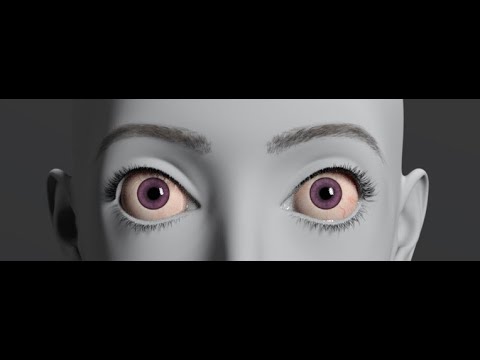
Ok, after some more tweaking I was able to get the eyes adjusted... just took taking a breather and then some more tweaking. Also tweaked the SSS and spec reflect since the skin was too waxy and shiny for my taste. Not sure about the eyes yet, will have to see after hair and clothing. I do want to tone down the gloss on the lips. I can't find the setting for it yet though. The older characters had a separate surface for lips but I'm not seeing it on this G9 char.
I noticed that none of the muscular morphs show up with the detail they should, no HD seems to work on converted chars, and so I checked navel and nipples and neither seem to work. Has anyone else noticed that, and is there a fix? Still haven't figured out what's going on with Mr Hyde either.
When converting to G9, then there isn't enough base geometry for navel and nipples, and as users can't make HD morphs, I cannot see a solution to that.
An Hd geograft perhaps. Vendors already sell those kind of froducts such as https://www.daz3d.com/geo-grafting-navel-and-nipples-for-genesis-9 for example.
Can't you apply HD from one G9 char to another? On further testing, re: the Musculature and Fitness morphs... It ends up with those it was just that I'm used to all of the morphs I have with G8 and I mostly only have the basic ones that come with the G9 packages for G9 at the moment. It's pretty much the HD and navels/nipples. So that brings me back to my question at the beginning of this post, are HD morphs specific to the character, i.e. not able to be applied from one character to another? I have been away for many years so I'm very rusty on some of this.
Just for clarity, if you are asking if G9 Hd morphs can be transfered to a G3 Hd or not figure, the answer is no.
No, I'm referring to using G9 HD preset from one character on another G9 character... It doesn't seem to work when trying to use it on a character that has been converted from a G3 character but is now a G9 character with the converted morph applied. I never mentioned trying to use it on a G3 character since of course one couldn't do that.
Here is another character I attempted earlier. It was a custom character based on Zux with multiple morphs applied. It was a total failure unfortunately.
The Topsy Character seems to have transfered well other than needing to adjust some things like the eyes as shown above, and of course retexturing. Have an updated headshot below.
Yes, I went through the shop and put some of them on my wishlist. This will hopefully help once I'm able to get some of these, ty. My next question is how well it will transfer to UE Metahumans as that is one of my ultimate goals as I would like to experiment with using UE for cinematics and to become familiar with where this seems to be going in general. I would ultimately like to get some high quality DAZ level characters in UE to experiment with UE's Nanite Tesselation, Lumen, Cloth Physics, etc... Unfortunately, so far it seems that the character transfer process tends to fall apart on more complicated characters, which are the ones I most want to save from previous generations. From what I'm seeing, I'll have to temper my expectations and try getting a base morph over as best as possible, patching it up in Blender in some cases, then finishing it by rebuilding the details in G9. Though, there still are some morphs in G8 that aren't in G9 yet, if ever.
On a related note, I read previously that geographs will transfer to Unreal from a G9 character but not earlier? Does anyone know if that is indeed the case? Also, how well do the geographs transfer in the case of G9 characters?
I was creating morphs using the Shape Converter and saving them to a folder that's on another drive. The folder is in my Content Manager list of folders. I went to check for the morphs and none of the converted morphs showed up, so I copied the morphs folder into the default location and restarted and still none of the converted morphs are showing up. I verified that the morphs from G9 native characters were there in the same parent folder and they are all showing up normally. Any suggestions?
Which Shape Converter did you use ?
It's called "Shape Converter," it's part of the Premier software. On the menu it shows up as "Transfer Character Shape"
Sorry, just double checked... it's actually called "Shape Transfer"
To clarify, these are the steps I take:
-------------------------------
Load G9 & Character to convert
Select both and call the script
In the popup Icheck the boxes for head, body and whole morphs then click convert
After the conversion I check "adjust rigging" since it never takes on the morph shape unless that is checked
I make sure body, head and full morphs are checked, that the names are unique to the character and it is saving in the default location uncompressed, then I click save
After it writes out the morph, I save a character preset to have a second backup, which does show up and work.
The morph sliders however do not show up.
------------------------------------------------
The list of steps just shown was for testing the most basic method after saving to another drive didn't work, nor did copying the data files to the default location. Basically, I took another character I hadn't converted yet, and converted using the most default configuration I could to see if that would work and it didn't.
I've converted quite a few G8 chars to G9 with Shape Transfer but have not had such issue.
Well, as default, Shape Transfer plugin creates three morph asset files after you click Save Morph Assets. If you locate one of the morph properties in Parameters pane, click the Gear icon on the right > Parameter Settings....in the popup, there's a File Path, you can correctly locate the DSF files ?
Then, you reload G9. Open your DS log, search by "duplicate", can you identify any duplicate formula related to the morph you created ?
Finally, open File Browser, go to the path: %appdata%\DAZ 3D\dson\cache\data\Daz 3D\Genesis 9 There's a file named: Base.cache.dsf. Open it with Notepad++, search by the name or label of the morph you created, can you find it?
Yes, as I said, the morph files are being written as directed and showing up where they belong. I checked the dslog and searched for the word "duplicate" and got no results. As for the %appdata%/Daz 3D/.... there is no dson folder there. There's only cms, InstallManager and Studio4
I figured it out... I was looking under the shaping pane... you know, the logical place one would look for reshaping a character... not the parameters pane since that would make no sense, unless I'm missing something.... why are they under the parameters pane rather than the shaping pane?
Btw, ty... I only looked there because I was rereading your comments (very closely, as if I was debugging code) and noticed you said parameters pane...
Ah, that's the culprit ~~ Shaping pane only shows you the morphs under Actor path while the morphs created by Shape Transfer are under the path of Shape Transfer. I personally never use Shaping pane and Posing pane ~~
Well, if you want them to be shown in Shaping pane, remember to change, in Parameter Settings, Path to Actor/Full Body or with other sub-path. Then save the morphs by using File > Save As > Support Assets > Modifier Asset(s)...
Thanks, but what's the part about "morphs by using File > Save As > Support Assets > Modifier Asset(s)..." ... I don't understand that part
Also, have you had any luck with doing G3? The arms get all messed up. I'm sure it has to do with the difference between the T-Pose and A-Pose, but I'm not sure how to get around it. Some type of ERC Freeze?
(screenshot 1) > It's the DS standard function of saving morph asset. When you click Save Morph Assets button in Shape Transfer popup, it does the same action but just automate the process.
As for G3 > G9, yup ~~ head shape has no issue but there're artifacts on the body shape cuz T-Pose is the culprit. I've found no way so far to make the body shape 100% correct. I would suggest you just convert head shape, and shape G9's body by using other full body morphs or partial body morphs.
Or, you can convert G3 to G8 firstly than convert G8 to G9.
Oh, gotcha.. tyvm... I was only familar with saving character preset which is totally different. I also had some other way of saving the parameter sliders but it was convoluted and I can never remember it. That is simple and straightforward and something I could have used a long time ago. ;)
Also, ty about the idea of saving head for g3... That gives me something at least ;)
Ok, so here's another one... I just realized some of the saved morphs are setting the scale to the size of the G9 character rather than keeping the original scale. I'm assuming I need to change something in the save dialog box. Also, is there a way to fix the morphs without reconverting all of them?
I checked the save dialog and "Auto-adjust proportional height" is checked and the proportional height for this morph shows -14.5% but when I save it and check, the morph is the same size as the default G9.
This is very frustrating. When creating the morphs, they showed as creating the proper size, but when I go back and test them they all show as not altering the size from the standard G9.
Yes, Shape Transfer may change G9's Proportion Height and Scale. You need to either keep their values (screenshot 1), or export the figure to OBJ, reset Scale / Proportion Height and import OBJ as a morph with Morph Loader Pro to update Body Morph (screenshot 2). Then you'll only have Head and Body morphs with correct figure's size. Then save morph assets.
There's no way to scale it in the app, then lock in the scale and update the morph asset?