• Daz 3D
  • Shop
  • 3D Software
    • Daz Studio Premier
    • Daz Studio
    • Install Manager
    • Partnerships
    • AI Training data
    • Exporters
    • Daz to Roblox
    • Daz to Maya
    • Daz to Blender
    • Daz to Unreal
    • Daz to Unity
    • Daz to 3ds Max
    • Daz to Cinema 4D
  • 3D Models
    • Genesis 9
    • Genesis 8.1
    • Free 3D Models
  • Community
    • Gallery
    • Forums
    • Blog
    • Press
    • Help
  • Memberships
    • Daz Premier
    • Daz Plus
    • Daz Base
    • Compare
  • Download Studio
ADVANCED SEARCH
  • Menu
  • Daz 3D
ADVANCED SEARCH
Add image
  • Shop
  • 3d Software
    • Daz Studio Premier
    • Daz Studio
    • Install Manager
    • Partnerships
    • AI Training data
    • Exporters
    • Daz to Roblox
    • Daz to Maya
    • Daz to Blender
    • Daz to Unreal
    • Daz to Unity
    • Daz to 3ds Max
    • Daz to Cinema 4D
  • 3D Models
    • Genesis 9
    • Genesis 8.1
    • Free 3D Models
  • Community
    • Our Community
    • Gallery
    • Forums
    • Blog
    • Press
    • Help
  • Memberships
    • Daz Premier
    • Daz Plus
    • Daz Base
    • Compare

Notifications

You currently have no notifications.

Loading...
    • Categories
    • Recent Discussions
Daz 3D Forums > 3rd Party Software > Blender Discussion

Golden Palace Vertex issues

joshmitchell1105joshmitchell1105 Posts: 1
July 9 edited July 10 in Blender Discussion

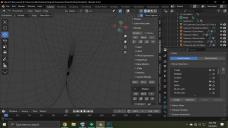
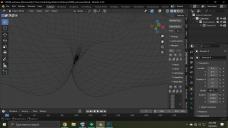
I have been trying to fix this issue for a while now and I guess I did once, by mistake. After I merge geografts my golden palace mesh does not want to move with the rest of the body, so anything requiring the legs to be opened the verts just sit there rendering the graft useless. I have no idea what I am doing wrong but I have been dealing with this issue for months trying to brute force my way into fixing it by changing the way I import and what not. Below is a picture of what my normal imports of the grafts look like along with the one I fixed by mistake but have no idea what I did. Am I doing something wrong or not doing something at all? 
Untitled-1.jpg
1920 x 1080 - 612K
Untitled-2.jpg
1920 x 1080 - 643K
Post edited by joshmitchell1105 on July 10

Comments

  • PadonePadone Posts: 3,998
    July 10

    In both pictures the geograft is merged, the difference is in the first picture you didn't transfer morphs aka you didn't fit the geograft, so it doesn't follow and stays rigid. Easy import transfers morphs for you if you choose a genesis preset, that's the easy way. Or you can transfer morphs after from the figure to the geograft.

    setup > morphs > transfer shapekeys

  • joshmitchell1105joshmitchell1105 Posts: 1
    July 10

    Yes, Thank you for your reply! It seems that I added some morphs from Meipe's folder that I should not have. Thank you kindly!  I am able to reproduce the proper version now. 
     

Sign In or Register to comment.
Adding to Cart…

Daz 3D is part of Tafi

Connect

DAZ Productions, Inc.
7533 S Center View Ct #4664
West Jordan, UT 84084

HELP

Contact Us

Tutorials

Help Center

Sell Your 3D Content

Affiliate Program

Documentation Center

Open Source

Consent Preferences

JOIN DAZ

Memberships

Blog

About Us

Press

Careers

Bridges

Community

In the Studio

Gallery

Forum

DAZ STORE

Shop

Freebies

Published Artists

Licensing Agreement | Terms of Service | Privacy Policy | EULA

© 2025 Daz Productions Inc. All Rights Reserved.