Diffeo - DAZ Multilayer Shader import
 DrGonzo62
Posts: 423
DrGonzo62
Posts: 423
Hi,
I'm trying to import the Grimwood Manor asset using Diffeo.
The asset's ground plane uses the DAZ Multilayer shader, which doesn't seem to be fully supported by Diffeo.
Is there a workaround to get this asset into Blender retaining the various layers?
Thanks!
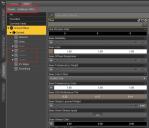
Multilayer 1.jpg
660 x 567 - 97K

Multilayer 2.jpg
910 x 558 - 238K

Daz 3D is part of 
Connect
DAZ Productions, Inc.
7533 S Center View Ct #4664
West Jordan, UT 84084
Licensing Agreement | Terms of Service | Privacy Policy | EULA
© 2026 Daz Productions Inc. All Rights Reserved.
Comments
Thank you ! I'd like to know as well.
Since the name is different, that looks like a custom version of the 4-layer uber shader, which is supported. You can try to convert to the standard 4-layer shader before exporting and see what you get. Otherwise custom shaders are not supported.
Hi Padone!
As always - thank you very much.
That modded shader has tiling added to the multi layers, so I can't convert it to the standard 4 layer shader.
I'm surprised that layer tiling isn't part of that shader to begin with, and that the PA had to create their own shader because of that.
Is there a workaround for this? Like stacking multiple planes, each with the tiled textures from one of these layers?
I probably would have to add tiling in Blender I guess?
Thanks!
Did you try to convert to 4-layer ? Just select the materials in daz studio and apply the 4-layer shader and see what you get. If tiling is the only difference then yes you can re-add tiling back in blender. Otherwise I don't have other ideas how you can deal with this. Apart daz studio has some baking features but I don't know how to use them and if they work for tiling, sorry.
Yeah, I tried applying the standard 4 layer shader, but it basically nukes the previous shader data for the layers.
It's not a big deal - I'll find some other suitable ground plane.