Finding mesh lights after import into Blender?
 DrGonzo62
Posts: 423
DrGonzo62
Posts: 423
Hi,
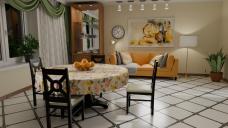
I imported this kitchen asset into Blender via Diffeo.
This asset uses 19 mesh lights for illuminating various parts of the different meshes.
The import into Blender was flawless.
However, when I try to adjust the brightness of some of those mesh lights, I'm having a hard time locating the materials in Blender to tweak the light output.
In DAZ I can filter by luminance or emission in the shading tab to locate the materials, but Blender doesn't let you filter for Emission>0 in order to locate these mesh lights.
Trying to material pick in the viewport is not a great option, and there are many materials and meshes in this asset.
Seems like a fairly common need when working with DAZ assets in Blender.
Any idea on how to do that?
Thanks!



Daz 3D is part of 
Connect
DAZ Productions, Inc.
7533 S Center View Ct #4664
West Jordan, UT 84084
Licensing Agreement | Terms of Service | Privacy Policy | EULA
© 2026 Daz Productions Inc. All Rights Reserved.
Comments
I'd love to know if there's any better way but Material Picker is pretty convenient for me to quickly get the surface I want. I use the Material Picker tool from MACHIN3 add-on.
I usually use V3D Iray Light Manager Pro in DS to take a glance at where those emissive lights locate in the scene. Then, with the memory, it'll be much faster for me to Material Pick a emissive source in Blender ~~
A light bulb behind glass and you can't pick the bulb. But at least you know which mesh that material is probably a part of.
I've got some other MAT picker addon. I'll see if that MACHIN3 one might work better for me.
Too bad Diffeo doesn't tag mesh lights during import. Now THAT would be elegant!
Update:
Thanks crosswinds!
iRay Light Manager is a very cool tool to find mesh lights. Thanks for the tip!
In blender materials are global to the scene, not local to each object, that's why duplicate names get the .001 suffixes. And you can only filter by name, not by material attributes. Hopefully the daz scene may name mesh lights as "lights", or you can rename them in daz studio before exporting.
However, I agree blender doesn't get advanced tools to handle materials, that's why diffeomorphic implements some.
https://bitbucket.org/Diffeomorphic/import_daz/wiki/Features/Material Tools
Thanks Padone!
I just looked at the Diffeo material editor and wished I'd done that a lot sooner.
It makes tweaking character skins so much easier!
I also figured out how to rename materials in the DAZ geometry editor.
Never really had a need to do that before, and didn't realize how easy it is.
Tagging emissive materials prior to exporting them to Blender it is! 8^)
Thanks all!