• Daz 3D
  • Shop
  • 3D Software
    • Daz Studio Premier
    • Daz Studio
    • Install Manager
    • Partnerships
    • AI Training data
    • Exporters
    • Daz to Roblox
    • Daz to Maya
    • Daz to Blender
    • Daz to Unreal
    • Daz to Unity
    • Daz to 3ds Max
    • Daz to Cinema 4D
  • 3D Models
    • Genesis 9
    • Genesis 8.1
    • Free 3D Models
  • Community
    • Gallery
    • Forums
    • Blog
    • Press
    • Help
  • Memberships
    • Daz Premier
    • Daz Plus
    • Daz Base
    • Compare
  • Download Studio
ADVANCED SEARCH
  • Menu
  • Daz 3D
ADVANCED SEARCH
Add image
  • Shop
  • 3d Software
    • Daz Studio Premier
    • Daz Studio
    • Install Manager
    • Partnerships
    • AI Training data
    • Exporters
    • Daz to Roblox
    • Daz to Maya
    • Daz to Blender
    • Daz to Unreal
    • Daz to Unity
    • Daz to 3ds Max
    • Daz to Cinema 4D
  • 3D Models
    • Genesis 9
    • Genesis 8.1
    • Free 3D Models
  • Community
    • Our Community
    • Gallery
    • Forums
    • Blog
    • Press
    • Help
  • Memberships
    • Daz Premier
    • Daz Plus
    • Daz Base
    • Compare

Notifications

You currently have no notifications.

Loading...
    • Categories
    • Recent Discussions
Daz 3D Forums > 3rd Party Software > Blender Discussion

High heels and MHX/Rigify rig problem

DrGonzo62DrGonzo62 Posts: 362
January 17 edited January 17 in Blender Discussion

Hi,
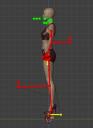
I can import a character wearing heels using Diffeo just fine, but when I apply an MHX or Rigify rig to it, things go south.
The rig is offset to the mesh, most likely by the added height from the heels.
When I export the character with flat feet instead, I am unable to tweak the toe positions and have the shoe deform to this new angle.

Is there a way to compensate for the added character height, so that the fk/ik controllers match the positions of the mesh?

Thanks!

Heels 1.jpg
294 x 551 - 26K
Heels 2.jpg
384 x 528 - 37K
Post edited by DrGonzo62 on January 17

Comments

  • DrGonzo62DrGonzo62 Posts: 362
    January 18 edited January 18

    I actually got this to work in ARP on my first try, but that of course means that I'm gonna lose the DAZ rig.
    Oh well... Can't have them all walk around in slippers.
    I wonder what other people do. Unless everybody else is using ARP anyway.

    Heels 3.jpg
    847 x 983 - 102K
    Post edited by DrGonzo62 on January 18
  • PadonePadone Posts: 3,995
    January 18

    Make sure "apply transforms" is checked in easy import. Or apply transforms before converting to MHX.

    setup > corrections > apply transforms

  • DrGonzo62DrGonzo62 Posts: 362
    January 18

    Yes, I should've known that you had the answer for this.
    Thank you once again, Padone. yes

    I'm baffled as to why prior Google searches didn't reveal the suggestion you had provided me with.
    This would suggest that most Diffeo users are either way smarter than me and figured it out on their own,
    or that too few of them bother applying an IK rig on a character wearing high heels.

    In which case I have to wonder why they even bother moving from DAZ to Blender in the first place?
    A functioning IK rig is certainly a huge selling point for moving to Blender.

    Maybe I'm overestimating the actual number of people going on this DAZ to Blender journey.
    Anyway, thanks again Padone.
     

    Heels-4.jpg
    776 x 916 - 50K
  • PadonePadone Posts: 3,995
    January 19

    It is probably a matter of keywords, some things are difficult to express for a search engine.

Sign In or Register to comment.
Adding to Cart…

Daz 3D is part of Tafi

Connect

DAZ Productions, Inc.
7533 S Center View Ct #4664
West Jordan, UT 84084

HELP

Contact Us

Tutorials

Help Center

Sell Your 3D Content

Affiliate Program

Documentation Center

Open Source

Consent Preferences

JOIN DAZ

Memberships

Blog

About Us

Press

Careers

Bridges

Community

In the Studio

Gallery

Forum

DAZ STORE

Shop

Freebies

Published Artists

Licensing Agreement | Terms of Service | Privacy Policy | EULA

© 2025 Daz Productions Inc. All Rights Reserved.