Daz Connect store button?
 Herald of Fire
Posts: 3,505
Herald of Fire
Posts: 3,505
So, I checked the FAQ about accessing the store through Daz Studio and it had this to say:
How can I get new products through Daz Connect?
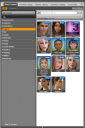
At the bottom of the Smart Content pane you will see a page titled “Store.” This will show you the most popular products related to what is selected in your library and scene. For example, if you are looking at hair in your library to choose one for your scene, the Store page will show you some of the most popular hair items that you do not own yet and may want to consider.
There's one little catch. There's no store page. If I'm on the 'products' tab I can see a few filters that allow me to view purchased but uninstalled items, but no means of viewing items I don't already own. Am I missing something, or did I break it when I updated? Enquiring minds need help!


Daz 3D is part of 
Connect
DAZ Productions, Inc.
7533 S Center View Ct #4664
West Jordan, UT 84084
Licensing Agreement | Terms of Service | Privacy Policy | EULA
© 2026 Daz Productions Inc. All Rights Reserved.
Comments
Click on the little up triangle at the bottom, you have the panel collapsed.
Wow... who'd have thought that little panel, which I otherwise have ignored this whole time, would suddenly have a use. Thanks Jestmart. In the land of the blind, the one-eyed man is king and all that. Any idea if the pricing listed in the Connect store includes Platinum Club discounts?
Several people have said not, I don't know if that has been fixed.
Nope, I just checked. Not fixed.
I'm working on the pricing issue, not fixed yet. If you right click on the store pane and select "refresh" it will update the prices so they should be correct.
If I right click on the Store pane where the product icons are, there is no refresh option. If I click in the margin area I see "reload". Is that what you mean? That seems to help. The percentage numbers still seem wrong, but I think the prices might be right. For example, it shows Gianni 7 Pro Bundle -50% instead of the -51% shown on the web, but now both show $66.13.