Daz to Blender bridge tutorials are stonewalling me
 john_antkowiak
Posts: 344
john_antkowiak
Posts: 344
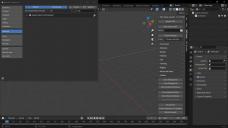
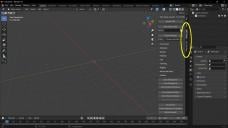
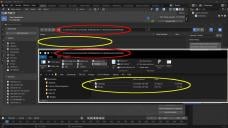
Hi, everyone, and Happy Easter :) I'm afraid I have one of those first-day-with-a-computer questions. I'm trying to follow the instructions for setting up the bridge, which I found here. I got as far as time stamp 2:08 in the tutorial video before it became impossible to follow. (I tried this one too.) At first it seems like a simple "Well that's easy. They used to call it "Daz to Blender Bridge" But now it's "Import-Export Daz Importer," but although the process seems to have worked on the Daz end of the bridge, there's no model to open in Blender and no "Daz to Blender bridge" add-on to install. No tab to open. Instead there are "Daz Setup" and "Daz Runtime" tabs. Some of the Bridge functionality seems to be found there but again... no model to import. According to something I read somewhere (I cann't find it now of course), Daz stores the outbound models in a certain directory as shown in the third screenshot. (It shows Blender in the background with File Explorer outlined in white. The path is circled in red, the contants of that location are circled in yellow.) I can navigate to that directory using Windows File Explorer and see files there, but when I navigate to that location from within Blender... no files.
What am I doing wrong, please?

Daz 3D is part of 
Connect
DAZ Productions, Inc.
7533 S Center View Ct #4664
West Jordan, UT 84084
Licensing Agreement | Terms of Service | Privacy Policy | EULA
© 2026 Daz Productions Inc. All Rights Reserved.
Comments
There's two different bridges for blender, the official daz bridge, and diffeomorphic. You're following the daz instructions for the daz bridge. For diffeomorphic there's the wiki. In my opinion the daz bridge is easier to use, but diffeomorphic has more options, better materials, and it's better up to date with blender.
https://bitbucket.org/Diffeomorphic/import_daz/wiki/Home
https://github.com/daz3d/DazToBlender
Hi, Padone, and thank you for clarifying that. It's useful to know I have two methods of getting Daz figures into Blender. However, I'm still not sure what I did wrong to wind up in the situation I'm in.
I'd like to enable the Dz to Blender Bridge in Blender, and I thought I followed the instructions to the letter. I spent days trying to get that far. I think what you're telling me is that I successfully installed the bridge on the Daz side but not on the Blender side. I just went looking for more notes on how to install it on the Blender side, and came up with this article from 3 years ago. If there's been no recent improvement in the way Blender knows what Add-Ons there are to install, I'll have to see if I can follow this rather complicated set of hints.
After I do that, I should be able to see the DTB tab on the Blender interface. And then I would be ready to think about using the Diffeomorphic thing instead! lol... Welcome to my brain.
 I suppose that's the Diffeomorphic add-on working there, but I don't really know that.
By the way please help me understand this word "Diffeomorphic." Is it a brand name? An individual developer's avatar?
After I get that big-picture concept, I'll be better prepared to get into the details. Maybe this is something already incorporated into Blender 4.0 so that all I had to do was enable it in the Edit Preferences dialog, which I must already have done. And then I'll be ready to figure out how to use this "DAZ Setup" tab on the Blender interface.
Diffeomorphic is the name of the add-on. Here's the thread on it, the first post has the link where to download it.
Diffeomorphic DAZ Importer version 1.7.0 released - Daz 3D Forums
Not sure if I can post a link to the actual website, but if you google diffeo daz, it'll be the first link and you can find more information as well.
Thank you for the link, Bennie, I'll follow up on that and study it. For anyone else reading along, I've also googled the definition of "diffeomorphic" just to see what turns up. It's not a made-up word or trademark; it's a mathematical concept (probbaly why I never heard of it!). Five seconds going down that definition's rabbit hole tells me I don't really want to know what it means