Diffeomorphic: pose is not imported correctly
 Dissendior
Posts: 140
Dissendior
Posts: 140
I try a workflow at the moment where I pose in Daz studio. I hoped I could use Diffeo for importing the pose into blender but at least it fails now with a pose I have just created.
What I have done so far:
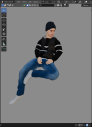
- I created a scene in daz and imported it successfully with diffeo into blender. The characters were already posed here. You see the posed character in blender in the first screenshot.
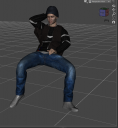
- I then used the same scene in daz to change the pose of a character and saved this pose as a pose preset with everything checked in the saving options for the preset. The second image shows the pose in daz
- When I now use diffeo's "import pose" function the character gets moved a little bit and the right arm is a little bit higher, the head a rotated a little bit but the pose of the legs do absolutely not match, the hand is not correct, the face looks weird, the head and arm are is positioned correct. You see this result in the third image.
- I checked if the pose is generally correct by loading a G8M base figure into daz and applying the pose to it - everything is fine
- I also checked it with a fresh imported G8M figure in Blender to check if I might have messed up the rig or morphs or something. With a first test nothing happened at all when I tried to import the pose but when I tested it again on freshly imported figure the pose was applied successfully
- I also tried other poses for the figure which fails at the mmoment. Actually no pose I import at the moment gets applied correctly to this character, everything is a little bit wrong.
Can anybody give me a hint? I first thought today that I've learnt that pins of the ActivePose tool would lead to such problems but maybe this was a false finding... may it be related to the fact that the failing character was imported into blender in a pose instead of an A pose? I don't know how poses are saved but maybe there is something crazy going on when the positions and rotations of the bones are calculated... are these stored as relative values, realtively calculated from the null pose?


Daz 3D is part of 
Connect
DAZ Productions, Inc.
7533 S Center View Ct #4664
West Jordan, UT 84084
Licensing Agreement | Terms of Service | Privacy Policy | EULA
© 2026 Daz Productions Inc. All Rights Reserved.
Comments
I think it might have something to do with (body) morphs... I tested it now several times and I think (!) that the import of the pose does not work well when I do not activate "Make all bones posable". At least it seems to me at the moment that I gained control again by activating this button :)
Yes, as you noted "bones posable" is needed to pose the figure in blender, otherwise you can only use morphs. If you use easy import then "bones posable" is the default.
Can someone tell me how to reslove the issue of posing. Actually the problem was come when i try to import pose or import action, at that time joints behave weirds on toes, elbows like they bend differently from the actual pose. All this happens after i rigify the character. Also, bones posable not worked for me.