How Do I Fix this Gray Screen Problem
 kylerockett246
Posts: 0
kylerockett246
Posts: 0
When I open the Daz Studio, I just get a gray screen. No editing tools. No bar. Nothing. I uninstalled and restalled, to no avail.
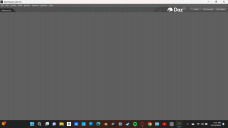
image_2023-12-14_074810127.png
1366 x 768 - 58K

Daz 3D is part of 
Connect
DAZ Productions, Inc.
7533 S Center View Ct #4664
West Jordan, UT 84084
Licensing Agreement | Terms of Service | Privacy Policy | EULA
© 2026 Daz Productions Inc. All Rights Reserved.
Comments
Uninstaling and reinstalling dos no help with settings issues, in this case your UI layout being empty. Window>Workspace>Select Layout will let you pick a predefined one, or you can use Window>Panes (Tabs) to open the desired panes and drag them to the docking areas around the edge of the screen for a custom layout.