Engine Glow?
 computersandmore
Posts: 131
computersandmore
Posts: 131
Hey there guys. You've all helped me get some really great stuff out of Daz Studio so far, I know I've been full of newb questions but when you're coming from 3ds Max there's a lot of stuff that's quite different.
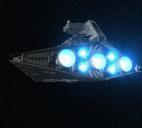
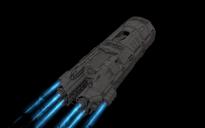
My latest challenge is to create an engine glow, for a starship, as it passes. I know how to crank the ambient setting to make my texture be visible, even in shadow, but there are still two problems:
1. it emits no light onto nearby objects. I've tried selecting the surface and applying an UberAreaLightBase to it but even after cranking the intensity to 50,000 I don't really see anything except some white highlights around the edges of the object, no blue (that's the color I'm using) glow onto nearby objects. I suppose I could just attach an area light to get this effect though.
2. this is the biggie. in Max you could set an object or material channel and the renderer would run a "glow" pass over the image after each rendering. this gave a nice big soft glow, and I could set it up to do two of them: one with a bigger diffuse blue glow, the second with a smaller and brighter white glow to give it the proper look. I see no way at all to do something similar in Daz Studio.
So far, for stills, I've had no problem doing it in Photoshop, but now that I'm trying to do animations it's unreasonable to bring 750+ images into Photoshop to manually add in the glow effect. Any help?

Daz 3D is part of 
Connect
DAZ Productions, Inc.
7533 S Center View Ct #4664
West Jordan, UT 84084
Licensing Agreement | Terms of Service | Privacy Policy | EULA
© 2026 Daz Productions Inc. All Rights Reserved.
Comments
If you're using the newest DS:
1 ) Make the engine an emissive material. It's under Shaders -> IRay. Then just play with the settings until it emits enough light.
2 ) In the render settings there's a "bloom" option that will give it the 'bleed' glow effect.
yeah but I use 3Delight to render because it's considerably faster and most of my light setups are for it.
If you use 3Delight for rendering, this was just released today, you might find it useful for engine glow... http://www.daz3d.com/soldiers-of-magic-serpio
Not intended for engines, but that is part of the fun in Daz, seeing the potential in other things...
tried switching to iRay, not only did the render take much longer per frame but it rendered a completely black frame...
Iray is designed to take advantage of newer Nvidia GPU's. While it will work with CPU and system RAM it will require you to set up your scene with some different thinking than you would be used to in 3Delight.
Other rendering engine options are:
LuxRender though Reality or Luxus - LuxRender is free (Reality and Luxus are not but they are relatively inexpensive) LuxRender is CPU and RAM intensive
http://www.daz3d.com/reality-4-daz-studio-edition
http://www.daz3d.com/luxus
Octane
Which ispecific to GPU rendering but not restricted to one "brand" of chipsets at this time. (It can be pricey)
http://www.daz3d.com/forums/discussion/19492/octane-render-plugin-for-daz-studio-by-otoy
Cycles
The cycles exporter for Studio and the "Blender" software are free, Blender does have learning curve though for the most part you're not required to learn it for this.
http://www.daz3d.com/forums/discussion/2877/mcjteleblender-daz-studio-scenes-animations-w-blender-s-cycles-engine/p1
honestly I really like the 3Delight renderer. that's the reason I'm rendering stuff in Daz instead of Max. I can do some great work in Max with the MentalRay renderer, which produces great results and has great options for self-illuminating materials...but even at "draft" settings it takes forever to render, not do-able if you plan on doing animations...and I'm even working on an i7 processor.
with 3Delight at settings that look WAY better than the default Max renderer I can render a frame in 28 seconds (on the most recent thing I was working on). it'd be quicker in Max but look 10x worse. in Max with MentalRay it'd look even better...but take probably 10 minutes or more per frame.
Light sources like that are my Achilles heel in 3Delight but others might have a very simple solution. I tend to work exclusively in LuxRender but I don't animate so I don't mind torturing my i7 for hours at a time to get the results I want. If I had to try it in 3Delight or choose post production I would go for the latter, but that more of a comfort zone. The after-market soltions would proably be the easist route if you want to stay in 3Delight.
yeah I was thinking about post production. I tried running it through Photoshop in a batch with an action I created that SHOULD have highlighted the specific color of the engine and applied the glow...but for some reason I cannot figure out (because the action works on individual images) it did not work.
You could create a Point Light and parent it to where the engines exhaust. Then it's just a matter of adjusting it's brightness until you get the illuminated effect you want.
yeah I figured that part out..just not how to get the actual "glow" around the engine.
In the real world, photographic glows are the result of either refraction of light in the atmosphere or the result of extreme overexposure. Since we're talking animation and Daz Studio, that would normally mean either A. shooting a second pass using an atmosphere camera on top of a clean beauty pass (pretty much exactly what was done with films like Close Encounters) or B. Rendering three passes - 1. ship lit normally with engine lights on, 2. Ship not lit except for engine lights against a black background and 3. just the engine light glow with some kind of diffraction element, although this could just as esily be generated in after effects/hit film/the effects program of your choice. I wouldn't recommend trying to do it all in one render pass, but if you have to go that way, then option A is your best shot, but keep in mind that an atmosphere camera will affect every light in the scene as well as the engines.
wow, so no easy solution.
think I got it figured out for a Photoshop batch process...still, Daz needs to make an easy way to do this, I'm sure LOTS of folks could use such an effect :)
oh well, I like the renders from 3DL better, so I'll just use a "glowing" (actually self-illuminated) material set to an easy to key color and process the images through Photoshop with batch actions, better than nothing I guess.
Not necessarily...if everything (camera, light, etc) can use categories...but since most of the DS shaders don't it's a bit harder than 'not easy' to do.
And yes, it is done, most often in post, in Hollywood, too...simply because there is NO fast and easy way to do it entirely when rendering..
3Delight has a 'Glow' shader..
You'll find it included as an example with the Shader Builder.
Have a look in this thread starting around page 14:
http://www.daz3d.com/forums/discussion/14536/tutorial-uber-area-lighting-the-basics/p14
Volumetrics are great, but slow. Here's a faster suggestion...
In the Shader Builder pane, go to "Surface" - "Renderman Companion", select "Glow" and compile it. Then create a primitive, like a sphere, and apply this shader to its surface. It basically is ambient with a softer edge and can look very cool without a hit in the render time. Adjust the "Attenuation" parameter to control the falloff. See the quick render attached for how it can look =D
that is the quote from that thread. will have to try that.
That's it, I posted a 'glowing' candle a few posts down from that, and a mini-tutorial on the next page.
This product is on sale today and has a glowing light effect for 3Delight rendering projects:
http://www.daz3d.com/laser-sword-and-poses
I've already got some self-illuminating shaders, I was needing a glow effect that looks like engine glow. I will use prixat's advice and see.
I just created a test and it is pretty neat. I was needing something like this awhile back for engines as well.
I can see me using this trick now for indoor sci-fi scenes rendered with 3Delight.
can you post a sample?
this was done in 3ds Max, this is what I am talking about.
I didn't save it. Would have to recreate the entire scene again. Prixat shows an example. I used the same step he outlined. I used a sphere applied with the glow shader, a pointlight, and a few kitchen props around that to see how the effect works.
ah okay. I thought you were talking about what Xenomorphine had posted.
Sounds like what you want is an aura around the glowing object? My suggestion? The next time Carrara is on sale, try it. If you don;t like it, return it within 30 days for your money back. Everything you've been trying to do in this thread, Carrara does in a few clicks. Plus, the Pro version has multiple render passes to isolate your effects so that you can edit them in post.
I'm trying this, but the only icon I'm seeing in the Shader Baker is Reset Shader. I'm using version 4.8.0.59 of Studio. Is it in a different location in the current version?
Shader Builder...
If it is the first time venturing there, there will be nothing except the reset shader. In the column on the left, expand the lists. Under Surface it should be under the Renderman Companion.
Thanks, I'll play with that when I get home.
I'm not seeing anything under Surface. The image I've attached shows what I'm seeing.