Need help for Cloth Simulation! (Related to my Earlier Blender thread)
 Ryuu@AMcCF
Posts: 807
Ryuu@AMcCF
Posts: 807
I first started dabbling with Blender's Cloth Sim in late November. After just 10 days, I got this beauty done:
However, that was done with a rather clumsily-made mesh. Ever since that initial success, I've been trying to duplicate the effort with a much better looking mesh.
Unfortunately, no matter what Cloth Sim settings I try, my efforts constantly result in the dragon's figure penetrating the cloth with catastrophic results. I can't seem to repeat the initial success that I achieved just a month ago!
Here are the Cloth Sim settings of that initial success:
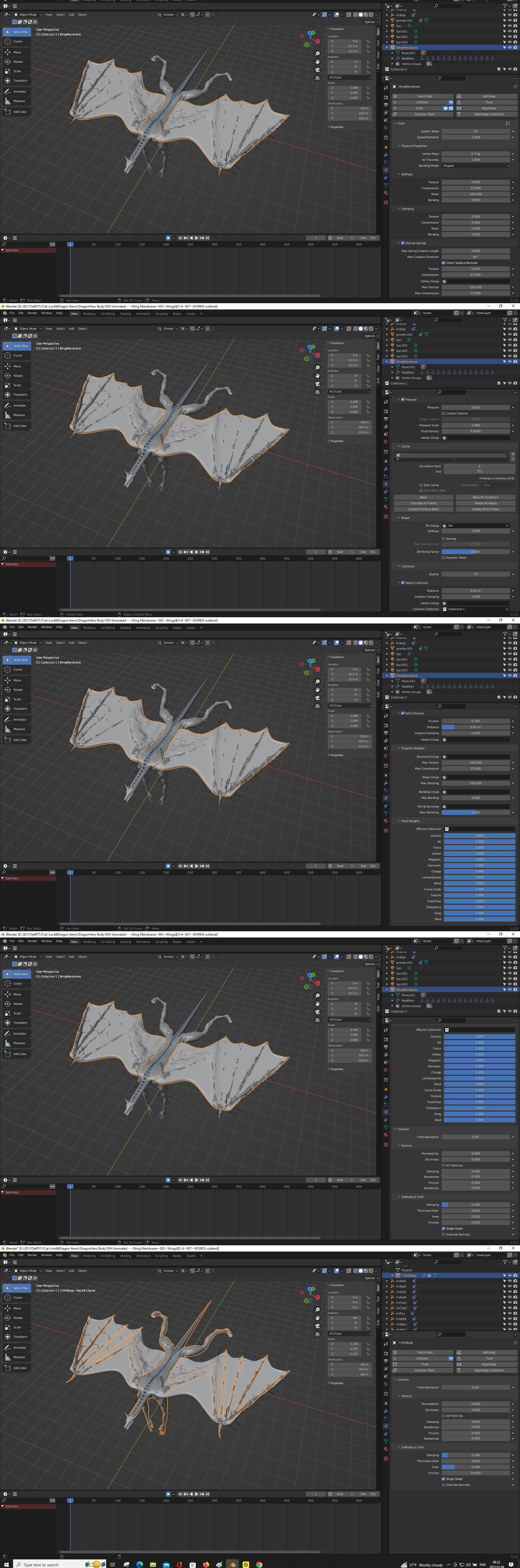
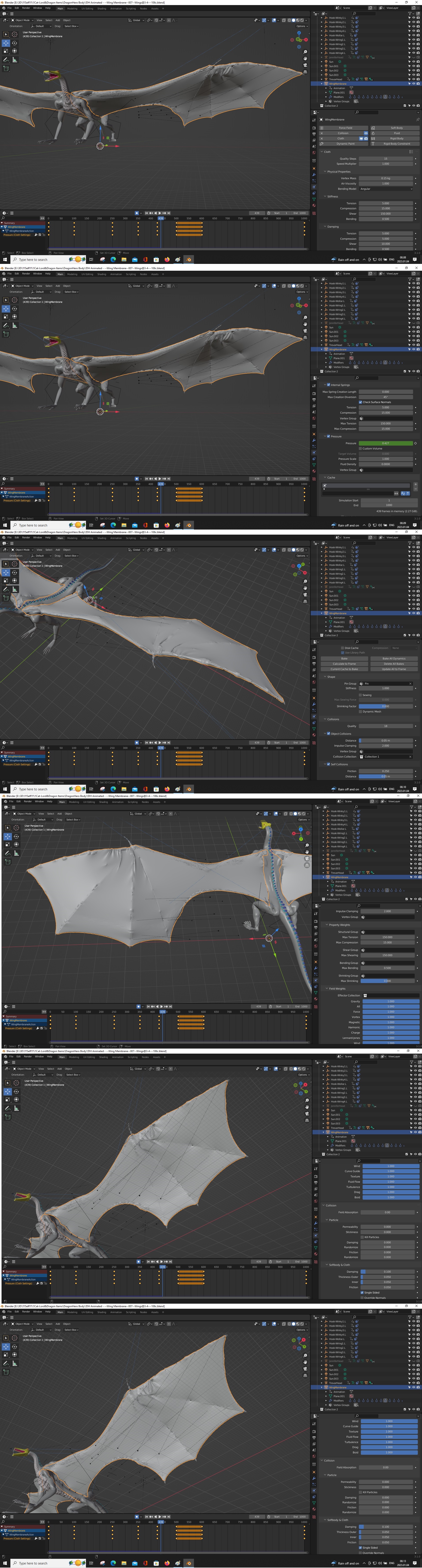
And here are the Cloth Sim settings from my latest effort--with the catastrophic failure just begining:
The Internal Pressure is being animated, with the value of 0 at Frame 1, 0.01 at Frame 100, 0.05 at Frame 250, 0.25 at Frame 350, 0.4 at Fram 425, 0.5 at Frames 500 & 600, and back to 0.1 at Frame 1000....
Just so you know, despite my many setbacks and failures, the effort has not been without some amusing incidents.
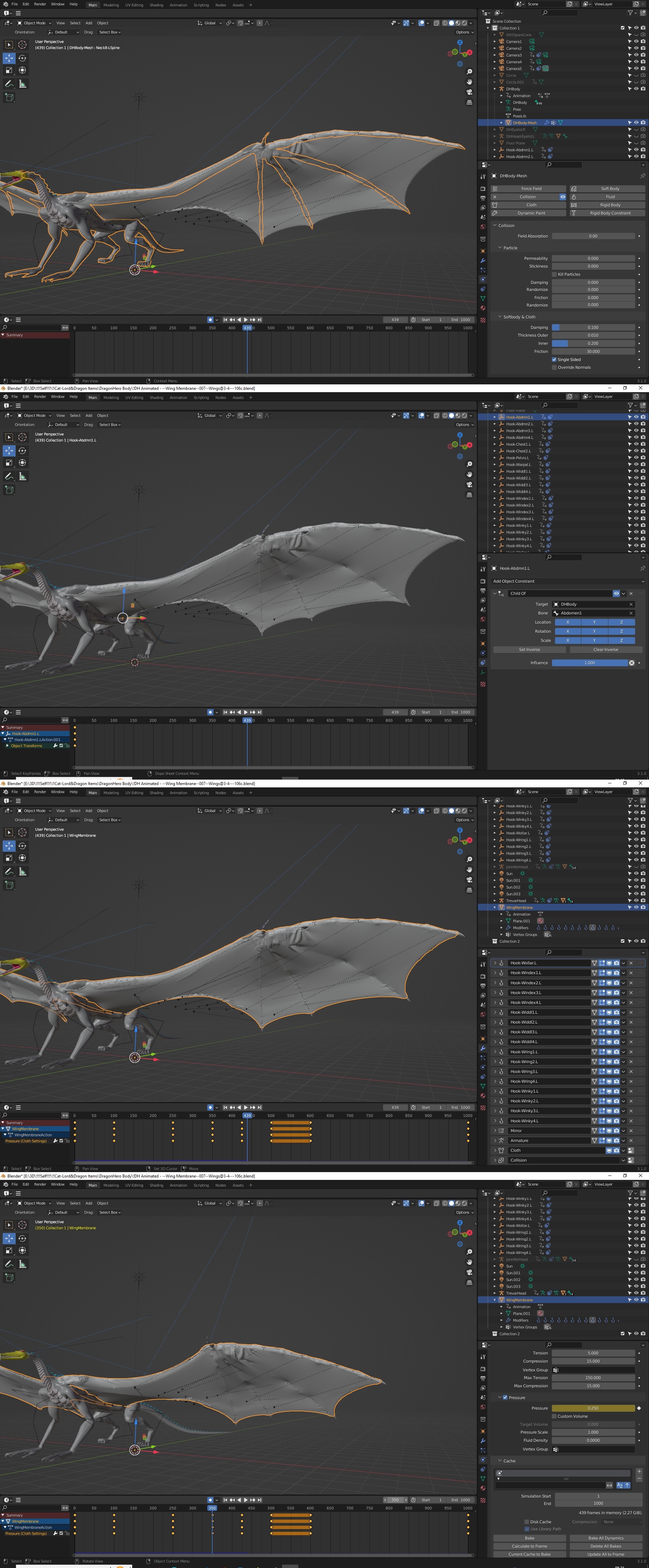
I got this "Cellery-Stalks-On-A-Balloon" effect during one of my attempts a couple weeks ago when the Chaos Cascade overwhelms the Cloth Sim  :
:

It grows even funnier-looking as the Simulation gets up to around 750, where the ballooning effect begins to envelop the entire torso! But it's very hard to capture that image as this takes nearly 8 hours to get to that point--just before reaching another catastrophic glitch point that changes the entire mesh again. Unfortunately, the multiple Chaotic Cascades affect the entire Simulation, so it's impossible to Bake, play back, or record as an animation for posterity.

Daz 3D is part of 
Connect
DAZ Productions, Inc.
7533 S Center View Ct #4664
West Jordan, UT 84084
Licensing Agreement | Terms of Service | Privacy Policy | EULA
© 2026 Daz Productions Inc. All Rights Reserved.
Comments
That is awesome, full stop. Since he's green, I fully expect him to spew toxic chlorine gas, if you get the reference :)
Those are pretty extreme movements. Did you try scaling everything up by, say, 5x, and increasing the collision distances on the cloth mesh and the colliders?
But I think you may need to just face reality: Blender cloth sim is just not very good. It was supposed to be revamped last year, but didn't get done. It can do certain things quite well, but in general it will fail when challenged. I can guarantee that Marvelous Designer would give you better results, you can essentially pin the cloth to the bones. And yes, I know, I know, but Houdini would most certainly nail this even better because you have precise control over where the pins are.
But man, that first animation was cool, congratulations.
Thank you for the comments, MysteryPoint. It was certainly a tremedous surprise when the damned thing actually worked!
I do remember those DND dragons, and yes, green dragons can be surprisingly badass, given what chlorine can react with. One nasty idea that I had when I was running a few campaigns was that all of my dragons were intelligent, willing to use tools, and frequently would set clever traps. Also, they were not limited to the good-evil/lawful-chaotic alignments in the game, so you might encounter some very pleasant nicely civilized blue dragons, some nasty and mean coppers, and even find a gold and green mated pair. I even had a breed of dragon (Chameleon Dragons) that could cloak, much like the hunter-aliens from the Predator series.
Actaully, the body I made is already scaled at 10x, and I've tried to adjust up the collision distances, but nothing seems to work any better with the newer meshes, and I don't know why. The first mesh had some rather uneven sized quads, so all my newer attempts were constructed with 2-4x the number of loopcuts as the first one had. I had expected that, like our expanding universe, having more quads should in theory allow the distant reaches to go further when all the quads are at maximum stretch.
But the wing shoulders and wrist just start ripping through the membrane when they get to a certain point in the Simulation. I can't tell what parameter is needed to adjust, and in what direction, to allow the membrane to stretch any further without shredding.
Fortunately, I've kept ALL of those efforts and various changes saved as different version of the progress (over 100 by now), so it's easy for me to look back at how the working .blend file was arranged--it's just that I can't seem to duplicate that bloody thing with a better membrane, and I can't figure out why.