Better Blender to UE5 bridge for Daz content
 catmaster
Posts: 229
catmaster
Posts: 229
Direct plugins are always better than FBX exporters, Diffeomorphic is the best Daz to Blender pipeline because it translates from Daz native to Blender native. There needs to be such direct bridge between Blender and UE5.
Official Blender SendToUnreal plugin from Epic requires lots of manual work inside UE5, because it does not rebuild PBR materials, and does not keep unbaked animation keyframes, lighting settings, camera movement etc.
There are alternative pipelines than FBX methods, the USD (Universal Scene Description) file format or using Datasmith Blender addon:

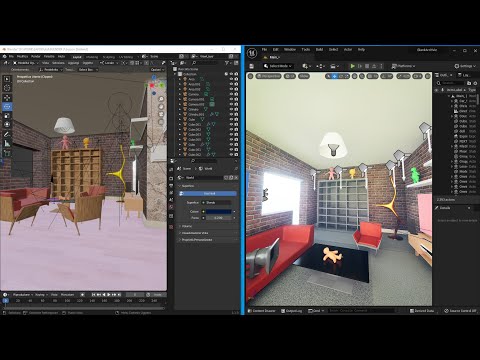
Currently the reliable method from Blender to UE5 is to rebuild the materials and other settings in UE5.

Daz 3D is part of 
Connect
DAZ Productions, Inc.
7533 S Center View Ct #4664
West Jordan, UT 84084
Licensing Agreement | Terms of Service | Privacy Policy | EULA
© 2026 Daz Productions Inc. All Rights Reserved.
Comments
Checked DazToUnreal update there are exciting new features: "New geograft material support, preliminary support for geograft morphs".
https://github.com/daz3d/DazToUnreal/releases
Diffeomorphic recently added features to import Blender animations to Daz.
Would try the new workflow Blender -> Daz -> UE5 and test if the geografts work as expected.
Tested DazToUnreal v2022.2.18 there were some problems:
Outfits such as necklace were not correctly attached to body after imported.
After imported to UE5 the breasts were clipping through bras with custom morphs from Breastacular.
Geograft materials from Breastacular were not imported.
Custom geograft morphs from "LK Morphs And Shapes For G8F Genitalia" were not imported.
Custom body morphs from "Xtreme Penetration Morphs" were imported and worked as expected, however these are not geograft morphs, they are located on the Genesis 8 Female parameters.
MeiLin8 and Facegen morphed character based on MeiLin8 were used for testing.
There are some nice improvements with this update, most notably the eyes and hair materials are correctly rebuilt.
To fix the geograft morphs there is workaround as suggested on Unreal forum, copy the geograft morphs to the body model:
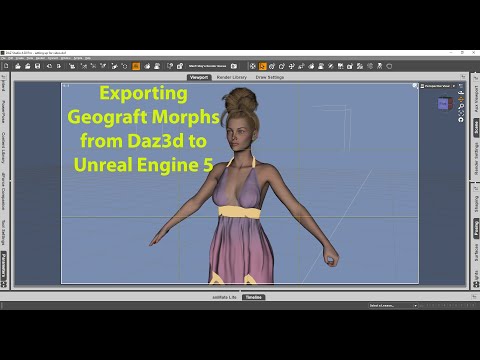
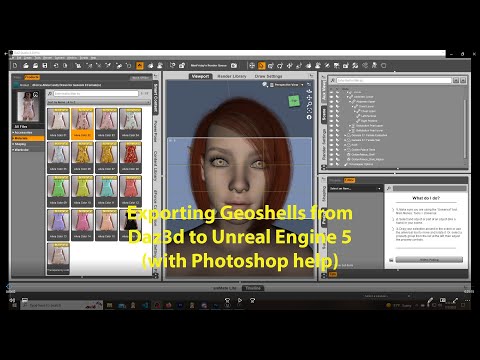
Exporting Geoshells from Daz3d to Unreal Engine 5:
The DazToUnreal bridge works as most effortless pipeline from Daz to UE5.
Using Blender with Diffeomorphic importer gives full control of Daz assets.
Found that the material slots in UE5 can be copied from one mesh to another, so that rebuilding materials is not difficult.
Method 1: Fix the geograft morphs and textures in Daz and Photoshop -> Export to UE5 with DazToUnreal
Method 2: Export to Blender with Diffeomorphic -> Import morphs and merge geografts -> Use the Blender plugin SKkeeper - The Shapekey Keeper to bake HD meshes with morphs -> Export to UE5 with Blender FBX export -> Copy materials from DazToUnreal imported character to the character imported from Blender
Attached the results in UE5 from the same character, but using different methods to export to UE5.
Update: DazToUnreal has a serious bug that it duplicates the geograft in UE5 after export, also it can't correctly export animations to UE5, the face is distorted during animation.
Method 2 is the correct way to export characters to UE5 with geograft morphs and animations. Diffeomorphic is essential to export geografts and animations from Daz to UE5, DazToUnreal is optional it's used for copying the materials but you can rebuild better materials in UE5.
As for materials one way is to use the "single principled" method in diffeomorphic, so to use a single principled node that will export better to fbx. Of course some materials will need to be fixed since a single principled node is limited in what it can do.
From my personal experience I can say that the best workflow and cinematic quality is to export from Daz to Blender Genesis 8 character in FBX format and then add "mdd" animation done in DAZ.
Then export alembic to unreal. Here you have to create all materials including those for the eyes, there is no need to replace them. In my opinion, alembic format is essential for extreme poses. Of course I tried exporting FBX animations from Blender
with use of diffeomorphic but the results are not so good.
I am attaching some pictures of my work.
Sincerely
You guys don't know about gltf 2.0 format, don't you? Just search it. It is kind of a fbx for PBR generation.
Alembic format takes too much disk space, and currently not practical for controlling animations in UE5, for example any big game would need several thousands of animations not including retargeted variations for compatible characters. The FBX pipeline is deeply integrated into the engine and the animation processing, it would likely not change for decades and the ML deformer is used for pose correction added to the FBX results but not going to replace that.