Keeping Diffeo up to date
 brainmuffin
Posts: 1,332
brainmuffin
Posts: 1,332
I'm wondering what methods people are using to keep Diffeo up to date, in particular on the Studio side (other than a git pull). Is it necessary to re-install in Studio or Blender after a pull?

Daz 3D is part of 
Connect
DAZ Productions, Inc.
7533 S Center View Ct #4664
West Jordan, UT 84084
Licensing Agreement | Terms of Service | Privacy Policy | EULA
© 2026 Daz Productions Inc. All Rights Reserved.
Comments
There's a link for the most recent Diffeomorphic release: https://bitbucket.org/Diffeomorphic/import_daz/downloads/
The commits show the Diffeomorphic plugin is under intensive development:
https://bitbucket.org/Diffeomorphic/import_daz/commits/
Diffeomorphic could put a donate link on its website, this free plugin is more useful than any other paid plugin that I've used.
I use Diffeomorphic extensively for game development with another plugin Skkeeper - The Shapekey Keeper to bake HD meshes with morphs for Unreal engine.
https://github.com/smokejohn/SKkeeper/releases
https://blendermarket.com/products/skkeeper
Diffeomorphic is the optimal method as the bridge goes directly from DAZ native to Blender native, it also can import back poses and animations from Blender native to DAZ native, without an intermediate format like FBX which does not preserve full data in translation.
To Update Diffeomorphic copy new files to DAZ 3D Library Scripts folder and reinstall Diffeomorphic Blender addon using the zip file, and click the menu script again in Daz studio. (Attached images showing the update process) Instructions: http://diffeomorphic.blogspot.com/p/daz-importer-version-16.html
Backup the Blender 3.2 folder and %AppData%\Blender Foundation folder before installing or updating any plugin. ( and create a partition image for the whole disk and store it in a backup computer which I've learned after my Unreal project crashed for unknown reason, high velocity particles from space could hit the computer and make weird effects. )
I noticed there's a big update in the most recent Diffeomorphic version 1.6.2.1155: http://diffeomorphic.blogspot.com/2022/08/import-morph-and-scanned-morph-database.html
This new version requires scanning Daz morph database beforehand for some features to work e.g. import actions. The scanned Daz morph database is stored as json files for use, this feature is supposed to boost the loading speed for heavily morphed Daz characters in Blender, however I got python errors after scanning Daz morph database and then import actions from Daz pose presets. Reversed back to previous version 1.6.2.1108, suggest Diffeomorphic to put a stable 1.6.2 version for use with Blender 3.2, the stable version 1.6.1 on the Diffeomorphic website is outdated and lack some features.
@acatmaster It is not a requirement, you can work with or without the database. edit. Essentially working with the database tries to simplify the drivers when possible, otherwise you get morphs driving other morphs as daz studio does, that's not too much "blender friendly". Personally I prefer to avoid the issue from the start, I only load the basic morphs I really need and bake everything else in the dbz.
@brainmuffin I install/update by hand, unzip and overwrite seems easier to me.
Yes it's recommended to morph the characters inside Blender, heavily morphed genesis characters are very slow to respond in Daz and not easy to export.
Use Daz to generate the assets -> morph and animate them in Blender -> Import back the animations to Daz -> Render the animations in Daz
There's another method to optimize the morphs in Daz studio:
Export original morphed character as .obj -> Load the .obj as full body morph -> Adjust rigging to shape -> ERC(Enhanced Remote Control) freeze the new rigging to the morph -> Save the full body morph as new morph asset. After that the new full body morph can be used instead of loading lots of morphs.
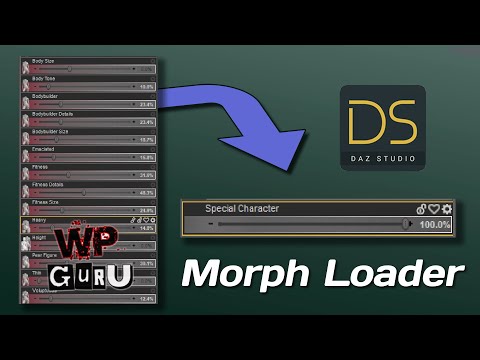
How to combine Genesis Morphs into a single slider with DAZ Studio and Morph Loader Pro:
Adjusting skeletons for custom characters in DAZ Studio:

I should have been less obtuse in my question. I was really wondering if reinstalling on either side is necessary. In studio, after install, I replaced the directory Studio creates with the Diffeo plug-in with a symbolic link to the same directory under import_daz where the git clone is. I'm not done similar on Blender and tend to reinstall after a pull.
As for the reading the Studio database, is this just file scanning in the configured directories? I use Studio on macOS and Blender under Linux. All of the studio content files are copied over.
@brainmuffin It isn't always necessary to update the daz script, but it is a godd practice since you never know when there are changes. Sometime it happened that users reported bugs because they didn't update the daz script. As for the database yes it's scanned the daz folders in the global settings.
I don't know what a git pull is but I guess it's some way to know if there are updates ? As I said before I just do manual install since it seems easier to me, so yes I mean reinstalling in studio, that's just a cut & paste of folders.