What's going on with Diffeomorphic's SSS Settings?
 SadRobot
Posts: 116
SadRobot
Posts: 116
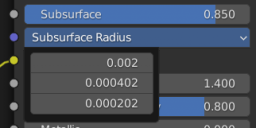
The default Principled method shader for Daz characters has some odd SSS settings (see screenshot). They result in very dark skin (but admittedly skin that looks like Daz/iRay skin). Changing these settings (to Subsurface at like .01, and the individual values to 1.0, 0.3, and 0.2, which is a more common Blender setup) makes the skin significantly lighter--but I really don't understand why. Can anyone explain why this works this way? My understanding is that Subsurface is supposed to control the master radius, and that the indivicial channels under radius control the RGB valuse of radius. Am I mistaken?
EdIt: from the Blender docs:
Rather than being a simple mix between Diffuse and Subsurface Scattering, it acts as a multiplier for the Subsurface Radius.
So maybe it's mixing and multiplying? That seems odd, but I guess I might have just answered my own question? Still interested in any insight you all can provide.

Daz 3D is part of 
Connect
DAZ Productions, Inc.
7533 S Center View Ct #4664
West Jordan, UT 84084
Licensing Agreement | Terms of Service | Privacy Policy | EULA
© 2026 Daz Productions Inc. All Rights Reserved.
Comments
You got it those values are to mimic iray.
Specifically, the subsurface value is the mixer between diffuse and translucency, while the radius tries to mimic some volume effect. As for what's a "common setup" in blender, I would go with a high sss and a low radius anyway, rather than the contrary, because this mimics better a real material. That is, the radius is the distance the light travels for scattering, that's usually some millimeters.
Fascinating. Thank you! Most of the SSS shaders I've seen, and most of the ones I've made, seem to get this wrong and Subsurface quite low.
It is not "wrong" per se. But given that you need to use subsurface as the mixer with the diffuse color, then makes sense to fit the radius, rather than the opposite. I'm including a simple scene that you can use to experiment and see the different results. Please note that it is important to use real world measures so I scaled down suzanne.
You may like to also compare cycles and eevee and see the difference.
Just wanted to say that this knowledge has resolved a lot of issues for me. I would end up setting the radius too high because I wasn't getting enough of an effect, but then that would result in artifacts and other issues. Your insight here has been a life saver. Thank you so much! You may want to do a blog post on this, because Blender's documentation is not great and pretty unclear.
As one final quesiton, I'm thinking that to get the skin looking more pale, I should lower the gamma on the subsurface color node, is that correct (or at least a correct enough approach)? If so, you may want to toss that slider into Diffeo material settings somewhere if it isn't already there and I'm just having a hard time finding it.
HI if the” Daz translucent “node value is set too high (for EEVEE), it Darkens/reddens the skin
I explain how to adjust the node in this video
LOL the crying baby is funny.

As for the technical side, the bsdf option is not designed for eevee, though it allows to be "adapted" for eevee via the translucent group as you show in the video. Then you can change the fac or the sss settings as you wish to fit eevee. Changing the sss gamma is also a way to adjust the skin tone but may not work depending on the sss texture. With the fac you mix between the diffuse texture and the sss texture so fac = 0 is diffuse and fac = 1 is sss.
But, to render with eevee, personally I'd go importing with the principled option for materials that's designed for eevee and much easier to edit.
As a side note you can use the material editor to modify multiple materials at once.
https://diffeomorphic.blogspot.com/p/materials-section-version-16.html
Hi, Padone!
I hadn't used the Diffeomorphic importer as a primary tool in the past (only to solve some things I couldn't do other ways) but I am working on a project now and used it from the start with no other exporting / converting tools, and I've found it's amazing. Sadly for the devs/offical implementation, I find it to be superior to the official bridge!
However, I did run into this issue with the skin seeming to be too dark. In the past, I built skin shaders much as the original poster here describes being typical in Blender.
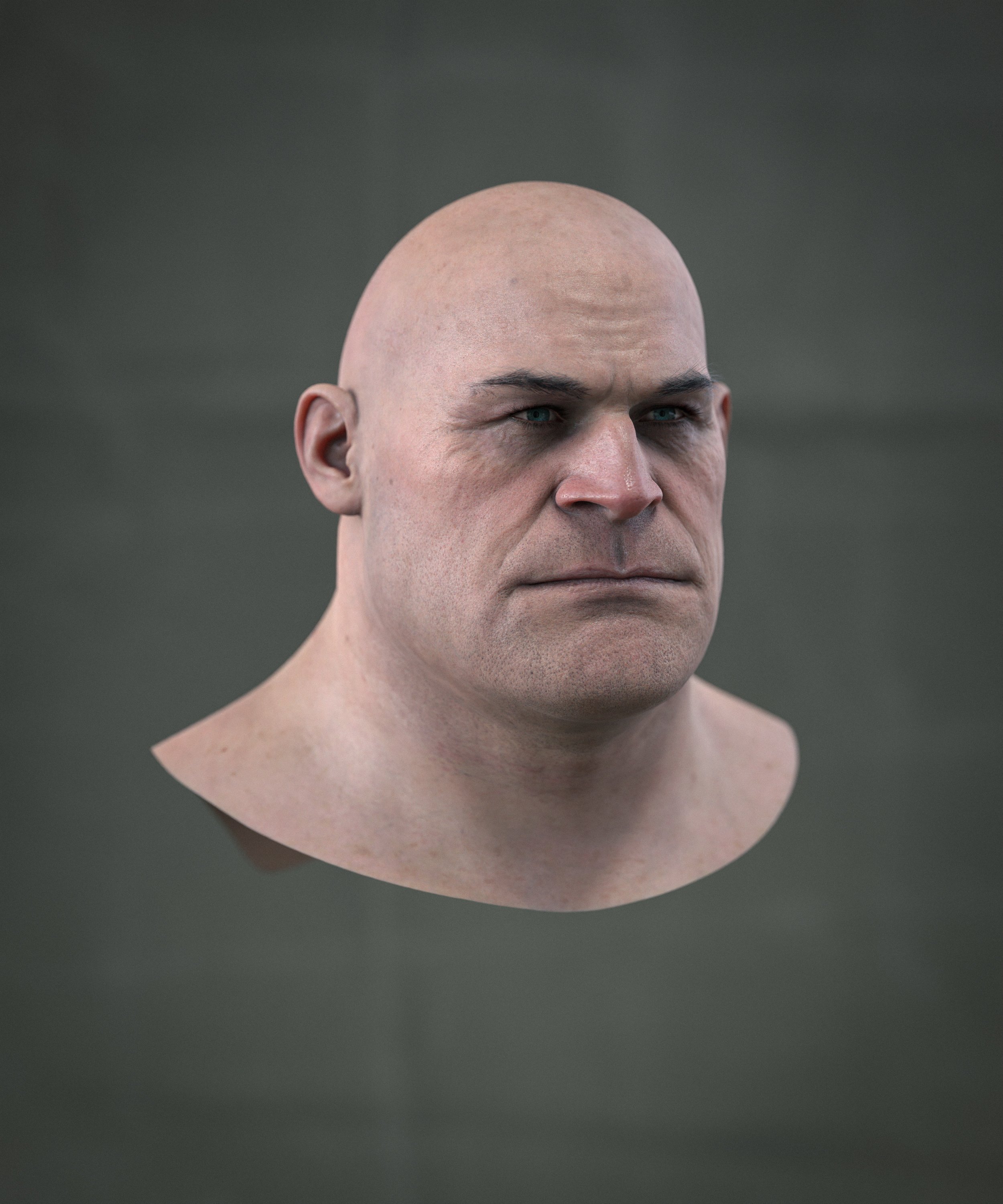
I wasn't sure how to solve this, and so I literally took the default Diffeo BSDF setup and mixed it with the sort of shader I'd typically build in Blender using a mix shader. The results were surpirising really nice. I'm not completely sure why, or how this could be better accomplished, but I'll attach a WIP here in case this result seems compelling to others besides me, especially if it's something worth investigating how to replicate.
In the render below, you can see how dark the Diffeo result was:

Well, the BSDF option in diffeomorphic is not designed to be "nice", nor is the best shader you can have in blender, the purpose is different. We want BSDF to convert iray as best as possible, given the same lights and a similar tone mapping, the materials should look similar.
It is of course possible to get better and more realistic materials in cycles, but this is not the purpose of the diffeomorphic importer.
I see. This makes sense! I think it does a really good job of that, too.
Well, perhaps if anyone else finds the Iray-converted result that Diffeo does very well to be a bit dark in a more Cycles-centric project, this can be a pretty straightforward and simple solution -- to just combine it literally 50/50 with a really conventional principled setup much as the OP here describes.
(I should also mention that my Cycles render uses an ACES config and some AO trickery.)
Thanks for all the work you guys have done to develop and support Diffeo, by the way! :)