• Daz 3D
  • Shop
  • 3D Software
    • Daz Studio Premier
    • Daz Studio
    • Install Manager
    • Partnerships
    • AI Training data
    • Exporters
    • Daz to Roblox
    • Daz to Maya
    • Daz to Blender
    • Daz to Unreal
    • Daz to Unity
    • Daz to 3ds Max
    • Daz to Cinema 4D
  • 3D Models
    • Genesis 9
    • Genesis 8.1
    • Free 3D Models
  • Community
    • Gallery
    • Forums
    • Blog
    • Press
    • Help
  • Memberships
    • Daz Premier
    • Daz Plus
    • Daz Base
    • Compare
  • Download Studio
ADVANCED SEARCH
  • Menu
  • Daz 3D
ADVANCED SEARCH
Add image
  • Shop
  • 3d Software
    • Daz Studio Premier
    • Daz Studio
    • Install Manager
    • Partnerships
    • AI Training data
    • Exporters
    • Daz to Roblox
    • Daz to Maya
    • Daz to Blender
    • Daz to Unreal
    • Daz to Unity
    • Daz to 3ds Max
    • Daz to Cinema 4D
  • 3D Models
    • Genesis 9
    • Genesis 8.1
    • Free 3D Models
  • Community
    • Our Community
    • Gallery
    • Forums
    • Blog
    • Press
    • Help
  • Memberships
    • Daz Premier
    • Daz Plus
    • Daz Base
    • Compare

Notifications

You currently have no notifications.

Loading...
    • Categories
    • Recent Discussions
Daz 3D Forums > 3rd Party Software > Blender Discussion

Need help exporting from Daz to Blender

nintendoswitchdude302019nintendoswitchdude302019 Posts: 0
April 2022 edited April 2022 in Blender Discussion

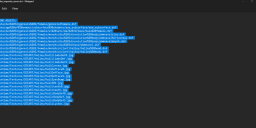
I just got Daz Studio to export a model for someone's commission to me to port to Gmod, and found the tools to export from Daz to Blender as a DBZ file, but when I try loading the sample model (Hailey) into Daz Studio, it returns the errors for missing assets in the first image. However, when it loads fully, it shows the character fully nude of course, but has nothing else for her. I tried exporting her as a DBZ file for Blender, tried importing her DUF file with the DBZ file and it returned this error in the second image. The third image shows more missing assets. Is there a way I can fix this to make the Blender import work?

Proof 1.png
645 x 406 - 30K
Proof 2.png
424 x 282 - 17K
Proof 3.png
1426 x 664 - 65K
Post edited by nintendoswitchdude302019 on April 2022

Comments

  • PadonePadone Posts: 4,003
    April 2022

    You need to setup the daz paths as the error message tells you.

    https://diffeomorphic.blogspot.com/p/setting-things-up-version-16.html

  • nintendoswitchdude302019nintendoswitchdude302019 Posts: 0
    April 2022

    I got it set up now. Thanks Padone!

Sign In or Register to comment.
Adding to Cart…

Daz 3D is part of Tafi

Connect

DAZ Productions, Inc.
7533 S Center View Ct #4664
West Jordan, UT 84084

HELP

Contact Us

Tutorials

Help Center

Sell Your 3D Content

Affiliate Program

Documentation Center

Open Source

Consent Preferences

JOIN DAZ

Memberships

Blog

About Us

Press

Careers

Bridges

Community

In the Studio

Gallery

Forum

DAZ STORE

Shop

Freebies

Published Artists

Licensing Agreement | Terms of Service | Privacy Policy | EULA

© 2025 Daz Productions Inc. All Rights Reserved.