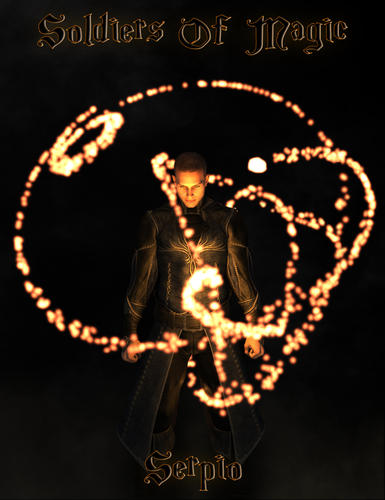
Released : Get Ready For Magical Times : Soldiers Of Magic Serpio [Commercial]
 V3Digitimes
Posts: 3,459
V3Digitimes
Posts: 3,459
The Soldiers Of Magic Serpio are released!
Get them here :
http://www.daz3d.com/soldiers-of-magic-serpio
http://www.daz3d.com/soldiers-of-magic-serpio-poses-for-genesis-2-female-s
http://www.daz3d.com/soldiers-of-magic-serpio-poses-for-genesis-2-male-s
AND : for a limited time (I don't know how long) when you buy the 3 of them all together (together in the cart), you have an additional 40% off (means around 58% discount).
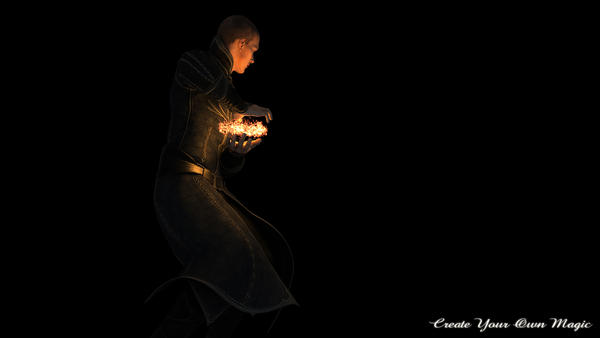
Have you ever needed a 3D magic or special effect in your scenes? Then Serpio is what you need!
Serpio is a 3D, poseable, morphable, figure which can of course be animated, and all Serpio features have been created in order to reach a huge variety of shapes and effects.
Serpio is including :
- rigging, so that it is poseable,
- morphs both on particles shapes and beam shapes,
- 6 lights following all the deformation of Serpio,
- Special Shaders for magical aspect,
- 4 material areas.
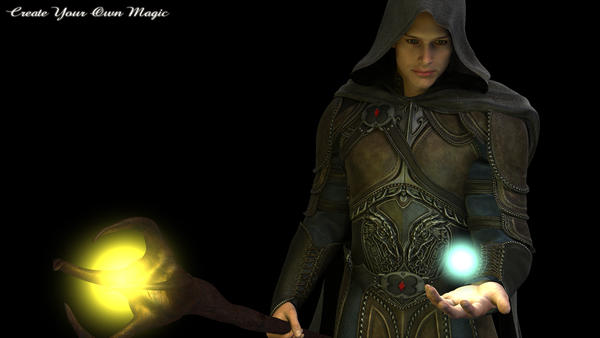
Also included in Soldiers Of Magic Serpio, you will find a magical staff and magical Spheres, as well as many presets of Shaders, Materials, Morphs, Full Presets (lights, pose, morphs at once), and partial lights presets changing either intensity, or color, or falloff of the Serpio lights.
For more fun, Soldiers Of Magic Serpio Poses will also be proposed for Genesis 2 males and for Genesis 2 Females and will consist of poses optimized for M6 and V6 in conjunction with Serpio presets (presets including at once shape, lights, and shaders), some of the poses being also hierarchical poses with the Serpio Staff. They are very easily adjustable to any other G2F figure.
Serpio is to developed for 3Delight render engine, and all the renders I'll post here will be of course Daz Studio renders...
Questions, comments, feedback, please use this thread!

Daz 3D is part of 
Connect
DAZ Productions, Inc.
7533 S Center View Ct #4664
West Jordan, UT 84084
Licensing Agreement | Terms of Service | Privacy Policy | EULA
© 2026 Daz Productions Inc. All Rights Reserved.
Comments
Wow, looking really interesting.
I can not wait to see the details!
wow, can't wait :-)
any estimation of the release date?
Wish I have money to spend when it is released. It looks great!
Thank all of you for your comments!
Thanks a lot! It was a real pleasure to develop it (well especially at then end when it worked, it was sometimes much less pleasant, each time the development was stopped by a new technical challenge to overcome)
I especially hope that all of you will have as much fun as me when making this project. I'll give you more details also to reach exactly the same renders as in the promo images if you want. The recipe is very easy.. and easy to share..
The two images were made using
- M6, (and HD, but without HD it is not that different)
- SOM Serpio,
- SOM Serpio poses for Genesis 2 Males (I changed a bit one of the pose provided)
- Amazing Skins elements (Amazing Skin G2 material, and Amazing Skin backprop of "Full Scene/Build your Scene)),
- Luthbel Vendetta (blue preset), during this project I discovered how much Luthbel outfits were great!
- and a really really really small contribution uber environment just so that parts not in the Serpio lights are not totally black (soft occlusion, 5% strength, a free hdr map available on the web - I can post the screenshot of the parameters if needed).
One thing I forgot to mention is that there are 3 products, the "Soldiers Of Magic: Serpio" including beam + Staff + balls+presets", the poses for females, the poses for males. For a limited time, people who will pick the 3 of them at once will benefit a very nice discount.
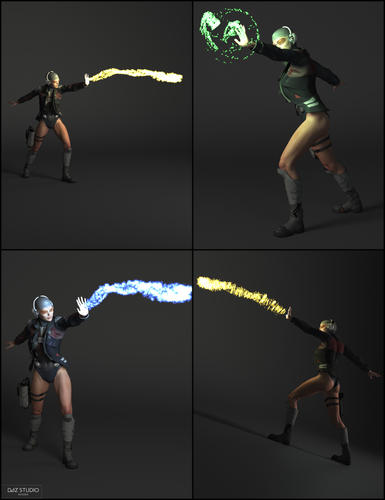
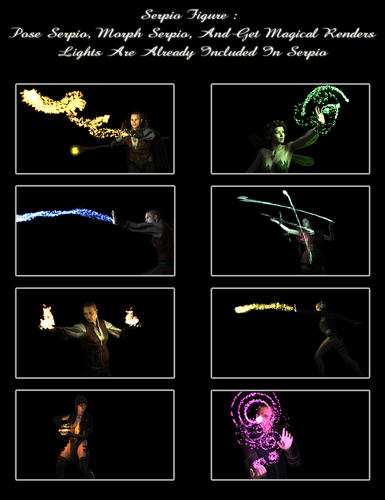
In the meantime, a few more images, some showing a few options available for Serpio, and some renders of two of the the included G2F poses and corresponding Serpio presets.
I've just realised... The 'particles' setting could be a great solution for those of us who need a trail of small bubbles being left by things through water, like torpedoes.
Well I had not thought of this usage but.. why not... This should be tested ;)
I also wanted to mention that they are released today, with of course the 30% off and also : an additional 40% discount for people who decide to add the 3 together in the cart, make the calculus and you should have an happy surprise ;) But this is for a limited time only.
Today is also my anniversary sale... My store is two years old now, and I wanted a special gift for all the people who liked my work. My full store (except new release) is 50% off, and whatever product you chose in it, you have the tutorial "How to Remove Poke Through" offered!
I hope this will make a lot of you happy!
Now a few images of the female poses (not all shown of course), all rendered in Daz Studio 3Delight.
Saw these and they look like fun... does it have to use the new Daz beta? I mean does it require special render settings or shader settings? Can't tell from product page
Thanks! Yes it was great pleasure for me to make them too!
For the Serpio elements, they work with the current version of Daz Studio, and do no require anything, they do not require the beta. These are special shaders, but they are not linked to the new Iray Shaders, they are 3Delight ones (which is the "historical" and present render engine).
All the images you see there have been rendered on Daz Studio 4.7.0.12.
sweet! Glad to hear it- i'm not confident enough yet with Iray to make a full time renderer! These are in my cart! :) thanks for fast reply and great work you did on this product!
Lol you're welcome and thanks a lot!!
Well you'll see Iray is a great opportunity too, and since now we have two render engines, you can take all the time you need to learn Iray, keeping 3Delight as long as you are not comfortable to render more in Iray (or even after).
Actually you should not worry, Iray is very easy, it is just "brand new". I'm working on a new project which will have Iray and 3delight version, and I can tell you I'm suffering much much more on 3Delight to reach the renders I have in my head xD!
The 2 render engines have their specificities making them unique and interesting, what a luck we have to benefit 2 great render engines in DS, I'm so excited about that!
I hope you'll have fun with the Serpio elements. All questions, comments, supports, feedback, render sharing, please post here!
So, I really love this product, but I have a question I hope you won't mind.
In the main picture, what is the clothing you're using on the main character (Male)? I've tried to find it and can't seem to find anything that looks right.
The male clothing are some of the parts of http://www.daz3d.com/vendetta-for-genesis-2-male-s
Yes thanks for answering for me! That's this one!
I also used this one ( http://www.daz3d.com/wildenlander-hd ) but not for the image you mention. These are two great products for fantasy scenes!
This looks great and I've really wanted a self-lighted magic effect for some time, especially one with some dynamic swirls. As an above question alluded to the functionality, I wanted to make sure that these did not work with the Iray engine at all and they only work with the 3Delight engine.
Hi Neuromancer, and thanks! I also felt like having such an effect, and I had begun this one last October already (you can see my first development results on the promo image of this one : http://www.daz3d.com/amazing-skins-for-brodie-6 ). It took a long time to manage to have this completely finished !
And : no they do not work with the Iray engine, yes they only work with the 3Delight engine ;)
I hope you'll have fun with them, and if you feel like sharing your renders, feel free to do it here!
Hi Kadix,
I love this product and have it in my cart right now. I'm debating whether to buy the poses as I don't use gen2 very much and was wondering if they work with other figures like genesis or dusk? I know gen2 poses often do but was caught recently when buying the dwarf poses as they won't work unless I resave them.
Can you tell me if they work with Genesis(the original)?
I'd really like to buy the poses as well...
thanks
Pen
Hi Pendriaia, thanks!
I had a look : half of the genesis 2 poses can be directly used on genesis, the other half cannot be and required to be resaved once.
Which ones ? in the promo images you will see :
- everywhere you have NO staff, the pose works fine on genesis, because they are just "a pose".
- Everywhere you have a staff in G2 hand, you will get an error message for Genesis. Because they are hierarchical poses (to be faster for G2 users), and hierarchical poses include the reference of the type figure it is used on. So for the 7 poses with the staff, you will to resave the G2 pose and the staff pose separately before using this on genesis. I hesitated before using hierarchical, I had not thought of that drawback. Next time I'll hesitate even more!!!
- All the Serpio properties presets are not impacted by that, they will work whatever the figure you use.
I hope this helps :)
These are looking great and I have been playing with them for a while.
Below is my 3Delight render from Daz Studio.
Is there a readme or any directions for using this product? I have purchased Serpio, but am not sure of what to do with it.
Hi Pendriaia, thanks!
I had a look : half of the genesis 2 poses can be directly used on genesis, the other half cannot be and required to be resaved once.
Which ones ? in the promo images you will see :
- everywhere you have NO staff, the pose works fine on genesis, because they are just "a pose".
- Everywhere you have a staff in G2 hand, you will get an error message for Genesis. Because they are hierarchical poses (to be faster for G2 users), and hierarchical poses include the reference of the type figure it is used on. So for the 7 poses with the staff, you will to resave the G2 pose and the staff pose separately before using this on genesis. I hesitated before using hierarchical, I had not thought of that drawback. Next time I'll hesitate even more!!!
- All the Serpio properties presets are not impacted by that, they will work whatever the figure you use.
I hope this helps :)
thanks for checking...I really appreciate it. I will be buying them both. It's not a problem resaving seven but if it was all of them it then becomes a big job. Thanks so much for being willing to check.
Thanks for sharing! I always enjoy to see what comes out people's imagination with my products, and I really like that render! Great job, nice use of lights!
Edit : Hey! I had not thought of using the ball with the pose 7! It works fine too!
Hi, I have not detailed a lot the readme, because I included some "help thumbs" directly in the products folder, but of course I can give more details here :
0. These elements are made for 3delight, not for Iray, so make sure, if you are using the public version that 3Delight is activated as the render engine.
1. Loading :
You will find 3 types of elements to load in your scene :
- Serpio, a rigged morphable figure which will load unparented. Serpio is made of plenty of spheres (particles) which can be morphed, and having a special material on them. There are 4 material areas (I have not exploited that), and 6 nodes, with 6 soft shadowing linear point lights following the deformations and pose of Serpio (technically using some rigid follow nodes).
- a Staff and Magic balls which will load "as is" if you have no figure in the scene, and parented to the hand if you drag and drop them on a Genesis 2 figure.
2. Posing / Morphing :
You have two choices : create your own or use (and eventually modify) the presets.
All elements can be posed and/or morphed using the presets included or "manually" by yourself in the scene.
2.a. For the staff and balls : poses are included in the pose products only. If you use the hierarchical poses, you will find the props to load as well as all the poses in the second folder of the pose products. First you drag and drop the required props on the figure you want to pose them with, they will this way be parented, then you select your figure, and apply the hierarchical pose.
The additional hand grab pose is just here for the staff if you want to create your own pose but don't feel like posing the hand.
2.b. For Serpio (the magic beam figure) : Some stand alone presets for Serpio can be found both in the "Soldiers Of Magic Serpio" and other presets in "Soldiers Of Magic Serpio : Poses". These full presets for Serpio will apply all parameters (the pose, the morphs, the materials, the lights properties).
For the files in the poses, Serpio must not be parented to the figure before posing. Once again Serpio can be loaded directly from the folder with the poses. (This is to avoid you browsing your content). You pose your figure and serpio independently using the same pose number. All the pose are name this way "SOMS + Number of the pose + Name of the figure OR Prop Serpio", prop being for property, and for Serpio you have the number of the option, because you may have several magical effects for a same Genesis 2 base pose. Then once this is done, you can parent Serpio to your figure and move them both in the scene. But after applying both poses, not before.
2.c : If you decide to pose Serpio and morph it yourself, you can use partial presets of morphs or use the morphs in the shaping tab. Beam and particle morphs change both beam and particles shape, and particles only will change only the shapes of the base spheres but not the beam shape.
In order to pose, you have 6 nodes that you can rotate as bend, twist and side-side. You can see it approximately as a "tail".
If you scale down Serpio, you may have to increase the particle size using the morph "Spheres Smaller-Bigger" in order to keep the same visual aspect for each particle of the beam.
3. Materials and Colors
If you don't use the full presets, but only the morphs presets and materials or shaders presets, lights and materials are disconnected (they apply together ONLY in the full presets).
Materials presets are for Serpio, you can use shaders if you want to use different materials on the 4 material areas of Serpio, or eventually on other objects (but they are optimised for Serpio).
For the staff and the balls, if you want to change the color of the glowing parts, I would recommend to change directly the material color (glow color 1) in the surface tab, and then to apply one corresponding color presets for lights (of folder 0).
Anyway for any of them, when you change the material only, you will have to change the light color using the light tab for instance, or loading a preset to go faster.
Please note that what you see in the preview is the light color not the "glow" one, so you may have the impression that your material does not change before changing the light color. But this is just an impression.
4. Light tuning :
Lights presets are divided in 3 categories : fall off (at which distance your light disappear), Intensity (how strong the lights are), and color. If you use the presets, they are build so that they apply to all the subparts of the elements that you have selected. If you select Serpio, or the staff, or the balls, all the lights of them will be modified. If you select just one node of Serpio, only the light of this node will be modified.
You can tune lights manually, using the light tab.
Never forget to change your lights colors after you change your materials (except if you are using a full preset doing it automatically).
5. Materials and Shapes :
The visual effect for each "particle" depend on two things : the shader, and the shape of the particle. Shader and material presets are optimal for Serpio, if you want to change the color of the Staff and Magic ball glow, change the glow color 1 in the surface tab. For nicer effects, the staff has two spheres in it, so don't forget the second one!
For Serpio, once a color is chosen, you can play both with the particle size in the morphs (the last one smaller-bigger), and the "Effect focusing" and "Glow base effect" of surface tab to change your visual aspect.
In detail, the opacity of a point in the space will depend on the normal direction of the surface at this point. This is why geometry matters too, and this effect of opacity is modulated by both "glow base effect" and "effect focusing" in the surface tab. More advanced users will like to play with positive opacity and the hidden (because to be handle with care) negative opacity, but this is not required at all at start.
6. In brief :
What I would advice for Serpio is first to load, the either apply a full preset and adjust pose and morphs, or pose and shape directly using the 6 nodes and the morphs included. (I would say avoid sphere inverted morph before you are used to play with it). Then change the color of it the using either one preset, or the surface tab, and change the light color too, same way, either a preset, or the light tab. Adjust the visual aspect using first the surface tab (glow effect and effect focusing), and eventually the morphs, and essentially spheres smaller bigger.
The little tip for great renders, if these are the only lights in your scene, is to render with approximately 20% intensity of ambient occlusion mode uber-environment, so that parts not in the light of Serpio or the Staff/balls are not totally in the dark. But you can use other lights you're used to of course!
I hope this will help. I'm here for any further question ;)
Does this include light emitting shaders to use on other items? Or is the light emitting stuff for the items in this pack?
The glow "aspect" come from the shader, but the shader is not emitting lights.
The lights come from linear point lights embedded in the figure or the props.
The lights partial presets are written to work with Serpio props, but from what I tested, they will also work with any type of linear point light for 3Delight. Actually the way it is done, the code for the lights preset look at the object, and will apply the preset to the 6 (or less) first linear point lights it finds being parented to this object. It also works if you just select any 3Delight linear point light in a scene. (For instance if you create 3 linear point lights in a scene, you can select the 3 of them and apply the fall off, intensity of color preset, it will work).
I am doing some experimenting and I was hoping for some advice, what would the "recipe" be for a globe or spray of sparks? (hot yellow/orange ovals) that would be about the scaled size of a finger nail?
Hi twitchew! This is hard for me to answer because this is hard to imagine what YOU imagine, but... Here are some clues sending you in the right direction. For this, I started from the "preset 07 for Serpio" of the poses for Males.
One thing : for your render, it is better to have a background, because the contrast of the prop is more visible than above "nothing", so I chose a dark gray unifrom backdrop in environment.
First I select the materials of Serpio, and go in the surface editor. The positive opactiy is turned to yellow (I post the images for you) this is the one : ModFromPreset7. (I wonder if I have not used the sphere bigger morph too...)
Then in a second step, I hide some of the nodes (if you have too much spheres : image FromPreset7HidingNodes), this is an example of what you have this way.
Then in a third step, I unhide all nodes, and push the focus and glow effect at maximum on the submaterials (but not the main material). A part of the spheres will become much smaller (secondary sparks). Image : From Preset7FocusingSubmats.
Finally I decide to keep this material and to translate some of the nodes and hide some of them, Image frompreset7FocusingSubmatsAndHidingnode.
But since maybe it is not at all what you had in your head as an effect, I prefer stop here and really hope that it looked like something like that. Otherwise let me know.
.... Just let me know...
Does any of the magical bits work at all in Iray?
No, I tried a while to make similar Iray shaders, but it failed, due to the present nature of Iray (Physical rendering, not magical one. More seriously there are technical reasons preventing to do the same on Iray, Iray not being compatible with "special effects" so far - even if I hope things will evolve this way).
So these are only 3Delight shaders, and will render only in 3Delight.
People using Iray generally render first the beam in 3Delight, then the rest of the scene (with addon lights faking the beam light) on Iray, and finally mix the result in photoshop.
I was surprised myself as I had been using gen 2 poses with other characters. So when they didn't work I had no clue why. Nice to know that is due to the type of pose. Very useful info...
Edited to add...bought them yesterday I'll post a render when I get chance.
I have a question. What are the starting parameters for intensity and falloff? There is no way (that I found) to know what they are set to.