Animating Daz Genesis8 figures in Blender
 wolf359
Posts: 3,955
wolf359
Posts: 3,955
Hi, for those interested ,I am preparing a video tutorial on how to use Blenders powerful Nonlinear motion clip system with Genesis 8 figures imported via diffeo.
Including lipsynch imported from the free mimic basic in 32 bit DS 4.15.
It will be using the FREE Rokoko retargeter( detailed in my previous video on retargeting Mixam to genesis 8 directly in Blender)
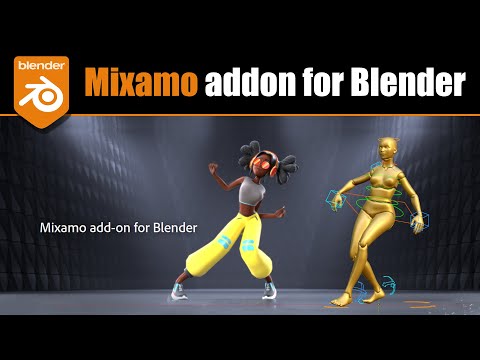
Also Mixamo now has their own official Blender plugin that Creates a blender rigify control rig for downloaded Mixamo characters.
It has an animation retargeter so you can use other mixamo motion on
rigified mixamo Characters in blender.
This might be of interest for those wishing to practice editing
the animation on rigified characters (such as the Daz G8 Characters imported& rigified via diffeo)

Daz 3D is part of 
Connect
DAZ Productions, Inc.
7533 S Center View Ct #4664
West Jordan, UT 84084
Licensing Agreement | Terms of Service | Privacy Policy | EULA
© 2026 Daz Productions Inc. All Rights Reserved.
Comments
I am definitely interested myself. Also considering it comes from you who know these things very well. That adds value.
As for the tutorial above, just a note. Typically you don't need a control rig to import mocaps. Because mocaps are baked FK animations. A control rig is needed to make animations that you then bake and add to the action editor.
Wow! This is awesome! Very interested. There is an add on in blender market that retargets IClone animation to rigify rigs too which would also give a big boost to this work flow you mention using Mixamo's blender rigs.
thanks very much...
That's looks interesting. Does this mean I can stop using Import FBX.
Hi here is the video.
Consider it a very brief overveiw of the basics
,to get the conversation started, as the NLA system
of Blender truly requires hours of instruction to cover all of its features/options.
Just understand that once you get familiar with the process of storing
animation data in Blenders NLA clips& action editor, you have a system
(for your Diffeo imports), that stores RE-USABLE motion data for figures(body & face)as well as any other scene items (Vehicles, doors etc.), in a way that is even far superior to Iclone's motion clip system.
And certainly less $$$expensive$$$.
@Padone
,regarding the aformentioned mixamo rigify add-on,
No you do not need a control rig to IMPORT mocap
However when you try to edit an imported a mocap file
,to fix Hands passing through hips& thighs etc,
it is a tedious nightmare to select bones either by
trying to grab them in the viewport
or spurlunking through the hierarchy in the outliner
to find a hand bone.
With an active control rig it is much easier to select bodyparts
and edit an imported mocap.
@wolf359 Your video is very well done, informative and to the point. I am not too much into mocap and it is great to learn from who has experience and use it daily.
I may provide a couple of alternatives if it helps. For lipsync we can also import papagayo in diffeomorphic, where it is available a "relax" feature to make the lipsync more human like. For retargeting it is available a free addon that also provides correction features to fix feet sliding.
https://bitbucket.org/Diffeomorphic/import_daz/issues/507/better-papagayo-lipsync
https://www.autolipsync-o-tizer.com/
https://github.com/Mwni/blender-animation-retargeting
Another jackpot info goldmine thread in the blender section? :D :D :D :D
@Padone
Thanks!!
I was just experimenting with loading some MOHO
files, from papagayo, into blender via Diffeo interface
but this sound to text program appears to work great, eliminating the need for papagayo!!
BTW, For anyone using the paid Anilip 2 plugin for Daz studio lipsynch.
it seems that Anilip 2 installs and uses its own set of custom visemes that are not supported by Diffeo, so importing a saved face animation created by Anilip does not work thus you will have to either use
mimic basic in a 32 bit install of DS
or the defunct mimic live 64 bit (if you still have it).
The video based " pose recorder" does not work with diffeo either.
I wont be testing Face mojo (being an android phone guy)
Thanks again for link
I'll just chime in real quick about the face mojo thing. I use Face Motion actually but it's the same thing. You can't do it in Daz and export it through Diffeo, it won't work. It does work with the Daz Bridge though, you can do the facial mocap in Daz and it transfers over if you save the animation with the export. But you don't need Face Motion or Face Mojo to work with Diffeo in Blender. If you have the app for your iPhone that does the facial mocap, just export the text document, not the fbx, and then add the FACS to your rig in diffeo and you'll see a button for input Facecap file, add in the txt document and it works like a charm. I think the app was like forty bucks or something, but with the amount of I've used that between Daz and Diffeo over the past year, it's cost me like tenths of a cent per day at this point lol. I get it for non Apple folks, I swore I'd never go back to an Apple until last year when I found out about the facial mocap stuff and begrudgingly went back.
Great videos too! That's exciting there's a Blender add-on now for Mixamo. I've just been downloading an FBX Binary file, importing that and then exporting that as a BVH file and using the Diffeo BVH retargeter this whole time. It has saved a ton of time to have these premade animations for sure that I just go and plug in when I need to. I had just heard about the non-linear animation thing this past week and then your video popped up so it's definitely something the signs are pointing that I need to learn!
Hi Bennie,
Glad to see you join this discussion.
Thanks for the info on the face MOJO plugin
and how it relates to a Daz to Blender pipeline.
I have not installed the Official Daz export plugin
But what you have shared is very interesting
In preparation for my next tutorial, I have been testing most of the
current lipsinc/Facial animation options including to video based
"Pose Recorder" app available in the Daz store.
I would be curious to see if someone could figure out how to send its
facial animation data to Diffeo/Blender, via the FACS, system as well since
animation pose files from "Pose Recorder" do not work.
I Just completed a lipsync animation render using the MOHO .Dat files
exported from the free App that @Padone linked to a few posts above.
https://www.autolipsync-o-tizer.com/ ;
For harvesting Mixamo motions directly to G8 M/F in Blender,
I strongly recommend the FREE Rokoko Live retargeter that
I used in my last two video tutorials.
I have an archive of over 2,400 mixamo motions
and so far, they have all worked great with the FREE Rokoko Live retargeter
on the G8 figures.
Pose Recorder works fine with diffeo. It exports a duf with facial bones keyframes for G8, so you don't even have to load the face morphs. Just import G8F then import action. It will work as any other daz animation.
PoseRecorder | Daz 3D
note. If you load the face morphs or facs then be sure to "make all bones posable". Otherwise the facial bones will not move because they are driven by the morphs. This is so in general you always have to "make all bones posable" for animation with diffeo. May be this is why it didn't work for you.
@Padone
Thanks!!,
that was my mistake I will do that from now on as I want the option to add additional morph based Facial animation on top of the imported "pose recorder" data
So for facial/lipsynch in Blender we now have
access to all of the Daz native methods and
the MOHO .dat option as well.
I must have missed the part of animating a G8 character....