• Daz 3D
  • Shop
  • 3D Software
    • Daz Studio Premier
    • Daz Studio
    • Install Manager
    • Partnerships
    • AI Training data
    • Exporters
    • Daz to Roblox
    • Daz to Maya
    • Daz to Blender
    • Daz to Unreal
    • Daz to Unity
    • Daz to 3ds Max
    • Daz to Cinema 4D
  • 3D Models
    • Genesis 9
    • Genesis 8.1
    • Free 3D Models
  • Community
    • Gallery
    • Forums
    • Blog
    • Press
    • Help
  • Memberships
    • Daz Premier
    • Daz Plus
    • Daz Base
    • Compare
  • Download Studio
ADVANCED SEARCH
  • Menu
  • Daz 3D
ADVANCED SEARCH
Add image
  • Shop
  • 3d Software
    • Daz Studio Premier
    • Daz Studio
    • Install Manager
    • Partnerships
    • AI Training data
    • Exporters
    • Daz to Roblox
    • Daz to Maya
    • Daz to Blender
    • Daz to Unreal
    • Daz to Unity
    • Daz to 3ds Max
    • Daz to Cinema 4D
  • 3D Models
    • Genesis 9
    • Genesis 8.1
    • Free 3D Models
  • Community
    • Our Community
    • Gallery
    • Forums
    • Blog
    • Press
    • Help
  • Memberships
    • Daz Premier
    • Daz Plus
    • Daz Base
    • Compare

Notifications

You currently have no notifications.

Loading...
    • Categories
    • Recent Discussions
Daz 3D Forums > 3rd Party Software > Blender Discussion

Diffeomorphic DAZ to Blender Workflow - HD Image Creation

Krys KryngleKrys Kryngle Posts: 311
October 2021 edited October 2021 in Blender Discussion

I've been playing with this for over 2 years now and still have so much to learn.  Just wanted to share some things I've learned along the way so maybe I can save others some time and frustration.  Would love to see some other workflows, maybe for animation or some using Multi-res.

If nothing else, take a gander at part 3 of 3 showing how to use Xin's HD Morph add-on.  I don't think there is anything else online showing how to use it other than the early pdf's from Xin.

Big thanks (again) to Thomas for this amazing add-on, and all of the contributors Padone, Xin, and engetudouiti.  I think @TheMysteryIsThePoint has created an HD Exporter and would like to know how that works too.  There just aren't enough minutes in the day.

Part 1 - Export/Import using Diffeomorphic
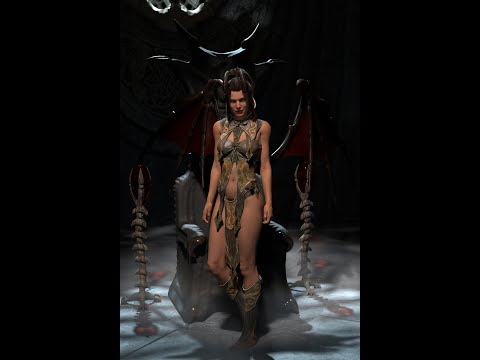
Part 2 - Material Editing
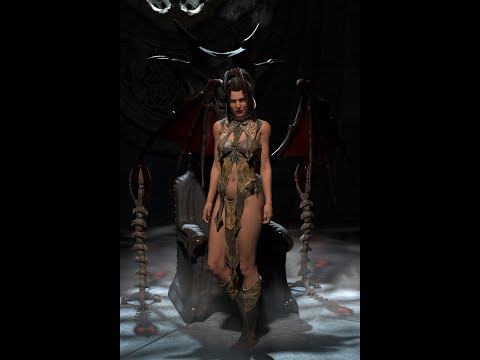
Part 3 - HD Map Baking, HD Morphs, and Post Processing using Xin's HD add-on
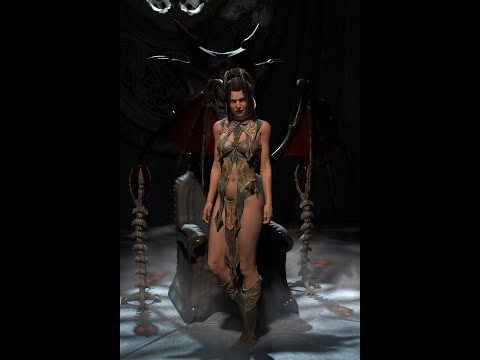



06_tara_Final.jpg
1280 x 1920 - 2M
Post edited by Krys Kryngle on October 2021

Comments

  • TheKDTheKD Posts: 2,711
    October 2021

    Thanks dude.

  • marth_emarth_e Posts: 187
    October 2021

    Thank you so much for sharing!!! Learning a lot with these videos!!! Would love to see a part 4 tutorial explaining HD morphs with multires modifier.

    Cheers,

    Martha

  • TheMysteryIsThePointTheMysteryIsThePoint Posts: 3,220
    October 2021

    @Krys Kryngle

    The C++ HD Exporter is just a direct port of the DazScript exporter. It has a few limitations, but for the most part it takes the place of the export script run in Daz Studio. It should create an almost identical dbz file, just faster. @padone can explain its limitations must better than I can.

  • Krys KryngleKrys Kryngle Posts: 311
    October 2021

    marth_e said:

    Thank you so much for sharing!!! Learning a lot with these videos!!! Would love to see a part 4 tutorial explaining HD morphs with multires modifier.

    Cheers,

    Martha

    Glad to hear it, look forward to seeing what you can create! 

    Not sure if I'll be able to do any more videos.  My day job is kicking back up again so that means less free time to play...  :(

  • nonesuch00nonesuch00 Posts: 18,722
    October 2021

    thanks very much

  • PadonePadone Posts: 4,001
    October 2021 edited October 2021

    As for the limitations, for some reason the c++ version by Donald doesn't work fine with shells and geografts. Other than that it's perfectly good to use.

    Post edited by Padone on October 2021
  • LumenVoxLumenVox Posts: 19
    October 2021

    Your videos are, by far, the most informative information out there... well beyond even the developer documentation.   There are no videos produced anywhere else that lay out the requirements, set-up, install and use of like you've done.  I simply don't have time to watch folks individuals waste time talking about mundane opinions... get right down to it and your videos are sublime!  Keep any more development coming!

  • Singular3DSingular3D Posts: 605
    October 2021

    Excellent and detailed explanations. Thanks a lot!

  • rsharprsharp Posts: 45
    October 2021

    Very nice work!

  • marblemarble Posts: 7,500
    October 2021 edited October 2021

    Padone said:

    As for the limitations, for some reason the c++ version by Donald doesn't work fine with shells and geografts. Other than that it's perfectly good to use.

    Is there something that does work with shells and grafts (sorry if I missed it - I need to watch the videos in full yet)?

    Back to the videos - great job! I'm almost tempted to try again. The problems getting geografts with geometry shells across has been one reason I have not tried for a while. 

    Post edited by marble on October 2021
  • hookflashhookflash Posts: 169
    October 2021

    Man, these tutorials are fantastic! Someone should sticky this thread. 

  • ThomasLarssonThomasLarsson Posts: 97
    October 2021

    Krys, would you mind if I upload your videos on my blenderartists thread? Or perhaps you would like to do so yourself.

  • PadonePadone Posts: 4,001
    October 2021

    @marble The limitations are for the c++ HD exporter by Donald. They don't apply to the official HD exporter by Thomas.

  • marblemarble Posts: 7,500
    October 2021

    Padone said:

    @marble The limitations are for the c++ HD exporter by Donald. They don't apply to the official HD exporter by Thomas.


    Ok good - thank you. 

  • Krys KryngleKrys Kryngle Posts: 311
    October 2021

    ThomasLarsson said:

    Krys, would you mind if I upload your videos on my blenderartists thread? Or perhaps you would like to do so yourself.

    Hi Thomas,

    Absolutely, use them however you wish. 

Sign In or Register to comment.
Adding to Cart…

Daz 3D is part of Tafi

Connect

DAZ Productions, Inc.
7533 S Center View Ct #4664
West Jordan, UT 84084

HELP

Contact Us

Tutorials

Help Center

Sell Your 3D Content

Affiliate Program

Documentation Center

Open Source

Consent Preferences

JOIN DAZ

Memberships

Blog

About Us

Press

Careers

Bridges

Community

In the Studio

Gallery

Forum

DAZ STORE

Shop

Freebies

Published Artists

Licensing Agreement | Terms of Service | Privacy Policy | EULA

© 2025 Daz Productions Inc. All Rights Reserved.

