Trying to use Diffeomorphic to import animation
 tam_c3df5332fc
Posts: 152
tam_c3df5332fc
Posts: 152
Hey guys,
So far with single frame imports, I have no complaints, but I just tried to import an animation file and none of the key frames came across to blender.
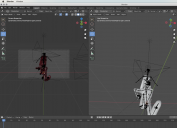
I have attached two screenshots:
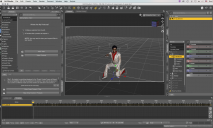
1) Daz with the keyframes created via Lipsync
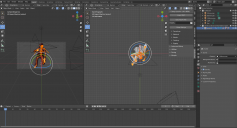
2) No keys were imported into Blender
From what I have read, Diffeomorphic creates a temporary fbx file, which should be able to contain animation information/data.
What am I doing wrong?
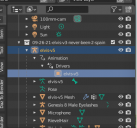
BTW, third screenshot shows that blender knows that this file contains animation data
As usual, thanks in advance
EDIT: I tried to follow https://www.youtube.com/watch?v=j-yQl0P2hYs&t=517s
The result was that my character became all messed up - see latest screenshot - however, I do see the character speaking when I scrub the timeline

Daz 3D is part of 
Connect
DAZ Productions, Inc.
7533 S Center View Ct #4664
West Jordan, UT 84084
Licensing Agreement | Terms of Service | Privacy Policy | EULA
© 2026 Daz Productions Inc. All Rights Reserved.
Comments
Animations are intended to work with the rest pose. You export the animation and the rest pose, then apply the animation to the rest pose in blender. You're applying the animation to a figure that's already posed so you get it double.
Hey Padone,
You maybe correct. I selected Rest Position before doing the "Import Action" and my character looks fine. I have scrubbed through the animation and I do not see it moving, so I will animate overnight and let you know what I see tomorrow morning.
Thank you
OK, it did not work.
So I tried another way.
I clicked on the "Easy Import Daz" followed by clicking the Merge Rigs, Face Units, Expressions, etc... - see attached screenshot - basically let the importer do all the work for me
I also downloaded the BVH Retargeter - https://diffeomorphic.blogspot.com/p/bvh-retargeter.html
As I have seen in another video, https://www.youtube.com/watch?v=77DS8ssbtPE&t=566s
I hid all the meshes and selected the remaining armature - see attached screenshot
Then I click on the "Load and Retarget" button within the BVH retargeter add-on. I enter my last frame and click "Load and Retarget" button - see attached screenshot
Since this animation is the lipsync of an entire song (6477 frames), then I know this will take a while, but when it is through, then I receive the following message of
"BVH Retargeter Error... lPetoral has 0 children Is the source rig oriented correctly?" see attached screenshot, then after clicking the "OK" button, I cannot reclick on "Load And Retarget" button
So I try X at 0, Y at 90 and Z at 0 - see attached screenshot - same message so I tried X at 0, Y at 0 and Z at 90 - there was no error message with the last settings, but at the same time, there are no keyframes either - WTF - see attached screenshot
BVH won't carry any facial/lipsync data.
it is such a limited format that even thomas larson himself
does not reccomend his BVH retargeter,
so you should use the
"import action" feature of Diffeo instead.
Just make Sure you have loaded ALL of your Viseme morphs first
and your animated lipsynch from Daz studio will work in Blender
I made this short clip with the 32 bit mimic basic and imported that animation into with Diffeo rendered in EEVEE
Thanks for replying @wolf359,
I have tried the "import Action" and I see all the keyframes, but as you can see with the following screenshot, the character's mouth stays closed. There is nothing animated in blender
I do not know what else to try. For single framed images, this is a whole lot better than the Daz to Blender bridge, which, at times, cannot even migrate a pose over.
I will watch your clip and hopefully you have something in there that I am missing
EDIT: Correction
OK, if I switch to Pose Position and press the play button, then I can see the animation, but my character is all mangelled up - see attached screenshot
How do I make the character in the pose position to look like the one in the rest position - see attached screenshot
OK, I figured it out.
First, make an initial file using the zero stance.
Second, using the Diffeomorphic script within Daz to export that basic zero stance character to a dbz file.
Third, open the file which has the animation data and save as a pose preset file. Give it the same name as your newly created basic zero stance file, but within a preset> pose directory.
Forth, import the basic zero stance file from within Blender, by using the Easy Import DAZ button, followed by selecting as many attributes as possible.
Fifth, after it has imported all the files and created separate meshes and all of that business, then select the Pose element and switch the Object Data Properties to Pose Position, followed by clicking the Import Action button under the Posing section of the Diffeomorphic add-on.
Sixth, navigate to the pose preset that you created initially in step three
see attached screenshot for the result
That's what I told you before may be I wasn't clear enough. You have to export the rest pose and the animation, then apply the animation to the rest pose in blender.
opening this topic again. i am currently also trying to animate within daz and then transfer everyting to blender. it works overall fine but:
- grasp modifier seems not to work properly in the animation
- shoulder shrug seems to messup my animaiton
my process is basically as descirebed above by tam: tried to reload the morphs etc. but did not work
there are some details missing in the end. Any idea why?
I have no idea what you mean by "grasp modifier". Beware that daz IK chains can't be exported so you need to bake them first, you can try "edit > figure > bake to transform" before saving the pose preset, then reload in daz studio and see if it works fine. If this doesn't work then I have no idea how you could export IK animation.
Shoulders shouldn't be a issue, again if you don't use IK chains.
Eventually you can upload a pose preset to test, if there's any issue I can give it a look.
I don't understand why they make everything so complicated; it's just going from point A to point B, but for some reason everything is difficult. FBX remains the best option for exporting animations.
When you are moving rigged characters between different ecosystems, its never just “from point A to point B”
Also It's never just point A to point B. In my limited understanding it is more like Point A to point B in reference to Point C. Where point C is the 000 of the coordinate system being used. Which is one place where things get complicated.
Yes FBX should bake everything, if implemented correctly, so it's another way to bake other than the "bake to transforms" menu. What diffeomorphic tries is to load a native daz animation, without baked morphs or baked ik, that's more complicated.