DAZ to Blender: How to embed or "bake" all morphs?
 dorfkid
Posts: 9
dorfkid
Posts: 9
Hey everyone,
I'm pretty new to DAZ and I'm stuck with a (very easy I guess) problem.
Here's what I want to do:
Morphing and creating characters in DAZ and work on them for only Stills in Blender.
If I export my DAZ characters to .obj and open them up in Blender there's always the issue of messing around with the eyes (white eyes due to missing texture properties) which I don't want to set up manually everytime I import a new character. It simply takes too much time to always give the eye materials new properties. So I tried to use the DAZ > Blender Bridge that works fine and brings up all materials of the eyes the right way.
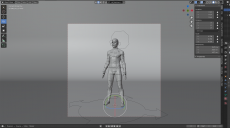
The problem I am encountering here is that of course all the morphing/rigging is brought to blender as well which results in lack of performance. And I don't need those.
So basically what I am looking for:
Is there a way to get rid of all the morph tools within blender once imported the daz file with bridge? Something like "bake" them? I don't need to morph them further in blender, I don't need bone structure and all of that. I am not doing any animation stuff. I just want my character as I would import them as an .obj (all morph/pose variables fixed). So the only reason I use the blender bridge is that the eye materials are imported correctly without the need of further adjustment.
Would appreciate all help!
Best,
c

Daz 3D is part of 
Connect
DAZ Productions, Inc.
7533 S Center View Ct #4664
West Jordan, UT 84084
Licensing Agreement | Terms of Service | Privacy Policy | EULA
© 2026 Daz Productions Inc. All Rights Reserved.
Comments
Search in DAZ Freebie Forum , " TELEBLENDER" , its old freebie dont know if works with recent version of Blender
Hi Dorfkind,
Just use Diffeomorphic instead of DazToBlender, which doesn't require any morphs loaded. Just dial in your morphs before exporting. If you're using geografts, you should merge them. I'm using Daz3D directly in Blender, it works like a charm even rigged :) Diffeo => https://bitbucket.org/Diffeomorphic/import_daz/downloads/
Thank you guys..already installed Diffeo some days ago but couldn't get it to work (import error: Mesh fitting set to DBZ (JSON))
So I have to dive into it.
So I managed to use Diffeomorphic to import, but still the same issues. The import comes with all that bone structure, rigs and morphs and none of the global transforms work.
There must be a way to merge everything and embed all of these settings because it only takes performance and gives me a totally unorganized viewport of stuff I don't need.
How can I do this? I simply want to use the regular transform settings of blender and none of these complex structures. (no further sculpting, transform, rigging, posing)
Also renders now look totally off at some parts like hairs, part of skin (looks like broken graphics from a video game). See the images attached.
The exporter will export what's in the daz scene of course.
You can just delete the armature in blender if you don't need it. Or you can convert the figure to prop in daz studio before exporting (edit > figure > rigging > convert to prop).
Or try teleblender as @juvesatriani pointed out. That should export without rigs.
Yep Alessandro,
that is the best way, I second that. Especially when it comes to geografts, I doubt teleblender will export these. And concerning textures / settings you all did a great job concerning Diffeo. Removing the rig - I strongly recommend to keep it. Better to switch off the subdiv modifiers in viewport when it comes to performance issues.
Thank you all for responding, that was exactly what I was looking for!