• Daz 3D
  • Shop
  • 3D Software
    • Daz Studio Premier
    • Daz Studio
    • Install Manager
    • Partnerships
    • AI Training data
    • Exporters
    • Daz to Roblox
    • Daz to Maya
    • Daz to Blender
    • Daz to Unreal
    • Daz to Unity
    • Daz to 3ds Max
    • Daz to Cinema 4D
  • 3D Models
    • Genesis 9
    • Genesis 8.1
    • Free 3D Models
  • Community
    • Gallery
    • Forums
    • Blog
    • Press
    • Help
  • Memberships
    • Daz Premier
    • Daz Plus
    • Daz Base
    • Compare
  • Download Studio
ADVANCED SEARCH
  • Menu
  • Daz 3D
ADVANCED SEARCH
Add image
  • Shop
  • 3d Software
    • Daz Studio Premier
    • Daz Studio
    • Install Manager
    • Partnerships
    • AI Training data
    • Exporters
    • Daz to Roblox
    • Daz to Maya
    • Daz to Blender
    • Daz to Unreal
    • Daz to Unity
    • Daz to 3ds Max
    • Daz to Cinema 4D
  • 3D Models
    • Genesis 9
    • Genesis 8.1
    • Free 3D Models
  • Community
    • Our Community
    • Gallery
    • Forums
    • Blog
    • Press
    • Help
  • Memberships
    • Daz Premier
    • Daz Plus
    • Daz Base
    • Compare

Notifications

You currently have no notifications.

Loading...
    • Categories
    • Recent Discussions
Daz 3D Forums > 3rd Party Software > Blender Discussion

How to fix gray clay eyelashes?

andyk983andyk983 Posts: 5
March 2021 in Blender Discussion

Why do I get gray clay eyelashes in Blender when I import it from Daz and how to fix that??
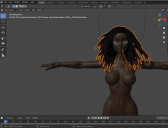
2021-03-06_13-11-21.png
1098 x 838 - 584K

Comments

  • felisfelis Posts: 5,742
    March 2021

    Change the blend mode for the eyelash material to alpha blend.

  • Charlie.HCharlie.H Posts: 22
    March 2021

    or you can try checking eyelashes mask texture is properly connected to the alpha of the shader. I always clean the materials and shapekeys manually.

  • andyk983andyk983 Posts: 5
    March 2021

    Its in alpha blend and it is still the same can you look into if i send you blend file?

  • Krys KryngleKrys Kryngle Posts: 311
    March 2021

    andyk983 said:

    Its in alpha blend and it is still the same can you look into if i send you blend file?

    post a screenshot of the node setup.  If I remember correctly there is a gray color plugged into the color slot.  Change that to black if it is there.

Sign In or Register to comment.
Adding to Cart…

Daz 3D is part of Tafi

Connect

DAZ Productions, Inc.
7533 S Center View Ct #4664
West Jordan, UT 84084

HELP

Contact Us

Tutorials

Help Center

Sell Your 3D Content

Affiliate Program

Documentation Center

Open Source

Consent Preferences

JOIN DAZ

Memberships

Blog

About Us

Press

Careers

Bridges

Community

In the Studio

Gallery

Forum

DAZ STORE

Shop

Freebies

Published Artists

Licensing Agreement | Terms of Service | Privacy Policy | EULA

© 2025 Daz Productions Inc. All Rights Reserved.
