To Rigify option messes up foot rotation of Daz To Blender Bridge
 Charlie.H
Posts: 22
Charlie.H
Posts: 22
Hi people,
I am not sure if you guys face this problem but I think it is a common one of bridge.
Normally you want to enable rigify in Blender since it provides more control like better IK chains and facial rigging.
So Daz to Blender Bridge comes with this option called To Rigify.
It normally would not cause any trouble if your characters don't wear high heels.
However it causes big toubles for me. My character is a female wearing high heel boots so I made her boots and fit the boots in Daz 4.12 and transfer to Blender 2.9 using Bridge 2.1
Everything works fine until I hit To Rigify button.
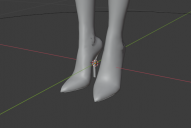
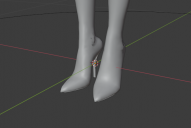 This is what I got with model just imported.
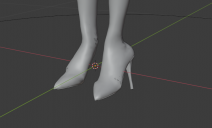
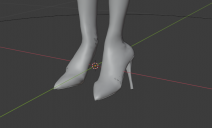 This is what I got after To Rigify. Reset to default pose doesn't correct this rotation.
I think the problem is that To Rigify function tries to fit foot rotation to a zero rotation template but I just can't figure out how to fix it. Any help is appreciated and thanks in advance :)

Daz 3D is part of 
Connect
DAZ Productions, Inc.
7533 S Center View Ct #4664
West Jordan, UT 84084
Licensing Agreement | Terms of Service | Privacy Policy | EULA
© 2026 Daz Productions Inc. All Rights Reserved.
Comments
Ok, silly me. I found a solution.
First, on the DazToBlender tab, make sure "Joint Range" option is turned off(it appears blue when it is turned on).
Second, on the right hand side, find "Object Data Properties"(The Skeleton tab) tab, enable all layers under "Layers" section to reveal all layers including hidden layers.
Next, press A key for select all and CTRL+A to select "Apply Pose as Rest Pose".
This will fix most of the bone positions and rotations. On my end, it fixed all bones except chest bones but they are acceptable for me :)
Please, which version of the bridge did you use. The rigify option is not available for me.