• Daz 3D
  • Shop
  • 3D Software
    • Daz Studio Premier
    • Daz Studio
    • Install Manager
    • Partnerships
    • AI Training data
    • Exporters
    • Daz to Roblox
    • Daz to Maya
    • Daz to Blender
    • Daz to Unreal
    • Daz to Unity
    • Daz to 3ds Max
    • Daz to Cinema 4D
  • 3D Models
    • Genesis 9
    • Genesis 8.1
    • Free 3D Models
  • Community
    • Gallery
    • Forums
    • Blog
    • Press
    • Help
  • Memberships
    • Daz Premier
    • Daz Plus
    • Daz Base
    • Compare
  • Download Studio
ADVANCED SEARCH
  • Menu
  • Daz 3D
ADVANCED SEARCH
Add image
  • Shop
  • 3d Software
    • Daz Studio Premier
    • Daz Studio
    • Install Manager
    • Partnerships
    • AI Training data
    • Exporters
    • Daz to Roblox
    • Daz to Maya
    • Daz to Blender
    • Daz to Unreal
    • Daz to Unity
    • Daz to 3ds Max
    • Daz to Cinema 4D
  • 3D Models
    • Genesis 9
    • Genesis 8.1
    • Free 3D Models
  • Community
    • Our Community
    • Gallery
    • Forums
    • Blog
    • Press
    • Help
  • Memberships
    • Daz Premier
    • Daz Plus
    • Daz Base
    • Compare

Notifications

You currently have no notifications.

Loading...
    • Categories
    • Recent Discussions
Daz 3D Forums > 3rd Party Software > Blender Discussion

Exporting ALL Morphs to Blender?

CellenseresCellenseres Posts: 0
December 2020 edited December 2020 in Blender Discussion

Hey Guys,

I'm very new to Daz3D and I'm currently trying to export a Model from Daz3D (Cookie) to Blender.
Unfortunately, it only exports a small amount of the morphs available.
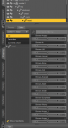
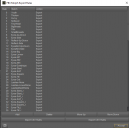
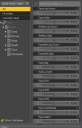
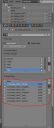
I've uploaded three Screenshots that show the exported Morphs in Blender, the other Morphs existing on the model that don't get exported and a snippet of the Morph Export Rules I've created.

Even with setting up the Morph Export Rules, only a small amount of Morphs are getting exported :/

Some of the most important Morphs I need seem to be assigned to the head-bone.
May this be the reason? If yes, how can I transfer this morphs to the mesh itself?


Any Idea why and how to fix this?
Daz3D_S2.PNG
384 x 913 - 68K
Daz3D_S1.PNG
392 x 742 - 66K
Daz3D_S3.PNG
646 x 642 - 30K
headPNG.PNG
362 x 567 - 45K
Post edited by Cellenseres on December 2020
Sign In or Register to comment.
Adding to Cart…

Daz 3D is part of Tafi

Connect

DAZ Productions, Inc.
7533 S Center View Ct #4664
West Jordan, UT 84084

HELP

Contact Us

Tutorials

Help Center

Sell Your 3D Content

Affiliate Program

Documentation Center

Open Source

Consent Preferences

JOIN DAZ

Memberships

Blog

About Us

Press

Careers

Bridges

Community

In the Studio

Gallery

Forum

DAZ STORE

Shop

Freebies

Published Artists

Licensing Agreement | Terms of Service | Privacy Policy | EULA

© 2025 Daz Productions Inc. All Rights Reserved.