• Daz 3D
  • Shop
  • 3D Software
    • Daz Studio Premier
    • Daz Studio
    • Install Manager
    • Partnerships
    • AI Training data
    • Exporters
    • Daz to Roblox
    • Daz to Maya
    • Daz to Blender
    • Daz to Unreal
    • Daz to Unity
    • Daz to 3ds Max
    • Daz to Cinema 4D
  • 3D Models
    • Genesis 9
    • Genesis 8.1
    • Free 3D Models
  • Community
    • Gallery
    • Forums
    • Blog
    • Press
    • Help
  • Memberships
    • Daz Premier
    • Daz Plus
    • Daz Base
    • Compare
  • Download Studio
ADVANCED SEARCH
  • Menu
  • Daz 3D
ADVANCED SEARCH
Add image
  • Shop
  • 3d Software
    • Daz Studio Premier
    • Daz Studio
    • Install Manager
    • Partnerships
    • AI Training data
    • Exporters
    • Daz to Roblox
    • Daz to Maya
    • Daz to Blender
    • Daz to Unreal
    • Daz to Unity
    • Daz to 3ds Max
    • Daz to Cinema 4D
  • 3D Models
    • Genesis 9
    • Genesis 8.1
    • Free 3D Models
  • Community
    • Our Community
    • Gallery
    • Forums
    • Blog
    • Press
    • Help
  • Memberships
    • Daz Premier
    • Daz Plus
    • Daz Base
    • Compare

Notifications

You currently have no notifications.

Loading...
    • Categories
    • Recent Discussions
Daz 3D Forums > 3rd Party Software > Maya Discussion

is this a UV map mismatch?

brownedave2brownedave2 Posts: 73
October 2020 edited October 2020 in Maya Discussion

[UV map mismatch] or maybe something else?  Not sure.  I'd love input on this if anyone can help me out.  I'm new to Maya.   Though, I don't know if it is even a problem with maya, or a problem with the normal maps somehow?  I need to know what the problem even is before I can do much to fix it.

The problem: I export a character as an FBX from Daz, then import into Maya with the script.  For some reason the normal maps are misaligned pretty significantly.  Though, maybe it's not the UV map, but some setting that is making the normal map behave in some unusual way?  Though, i've cycled through every permutation of settings I can find pertaining to the normal maps, so I don't know.  The diffuse maps are all perfectly fine.  I force the normal maps to use the same UV as the assosiated diffuse textures and he normals still look off.  I've been trouble shooting this somewhat already and can't figure it out.  Hoping that someone will take a look at this and go - oh, that's clearly a problem with the "xyzw's" and clue me in on what those x's, y's and z's are.  I'm lost. :S

I imagine that if there is some bad matchup with colour space, then the normal map would be interpreted incorrectly, maybe that's it?  

Edited for Please put your question in the post body and the title - Daz 3D Forums

Edit: reformulated question. "what is wrong with this picture?"  

Does anyone else get this? This happens with every model I import.  Feedback from someone else who uses Maya would be great.

I can load a bump map in with no problem at all.  Only normal maps seems messed up.  I'm pretty sure I habe the normal map set up properly.  I've baked normals from mudbox to work with the gen8 mesh with no problems.  For some reason the standard normals that come from the characters arn't working though.
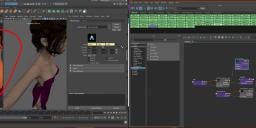
texturebug.jpg
3840 x 1011 - 2M
Post edited by brownedave2 on October 2020

Comments

  • AsariAsari Posts: 703
    November 2020 edited November 2020
    I use the same normal map setup and I haven't encountered this issue. After a look at the name of the 2D texture file node in your shader setup, I noticed it has the ZBrush UDIM naming convention so the map was probably exported from ZBrush. Was the normal map exported properly from ZBrush with the correct settings for the Arnold workflow?
    Post edited by Asari on November 2020
Sign In or Register to comment.
Adding to Cart…

Daz 3D is part of Tafi

Connect

DAZ Productions, Inc.
7533 S Center View Ct #4664
West Jordan, UT 84084

HELP

Contact Us

Tutorials

Help Center

Sell Your 3D Content

Affiliate Program

Documentation Center

Open Source

Consent Preferences

JOIN DAZ

Memberships

Blog

About Us

Press

Careers

Bridges

Community

In the Studio

Gallery

Forum

DAZ STORE

Shop

Freebies

Published Artists

Licensing Agreement | Terms of Service | Privacy Policy | EULA

© 2025 Daz Productions Inc. All Rights Reserved.

