
Daz 3D is part of 
Connect
DAZ Productions, Inc.
7533 S Center View Ct #4664
West Jordan, UT 84084
Licensing Agreement | Terms of Service | Privacy Policy | EULA
© 2026 Daz Productions Inc. All Rights Reserved.
Comments
awesome thanks been tinkering around i can't believe how fast things render, and they actually look good
Welcome back! :D
To render with Filament you need to first switch the viewport to the Filament draw style:
Then in the Render Settings tab switch the "Engine" to Viewport:
Then you can render Filament (or any other of the Viewport draw styles except Iray - to render with Iray you need to switch the Engine type back to "NVIDIA Iray").
If you're on a Mac it won't work as they've not yet updated it for Mac users.
Here's something odd. I guess Filament doesn't like the omUberSurface.
Here's a scene I was working on, as you can see the hair looks fine:
I add a pair of earrings that have the omUberSurface and the suddenly the hair looks like this:
I switched the earrings visibility off and on in the scene tab and when the earrings are made invisible the hair goes back to normal.
I then applied the Iray Uber surface to the earrings and then switched them on and off and now the hair looks fine with the earrings:
So, maybe a glitch with the way Filament reads the omUberSurface?
I'm not sure whether it is specific to omUberSurface. I've seen similar things happen by just toggling visibility of objects.Other things in the scene change in appearance. It makes it difficult to construct a scene.
I can't imagine ever rendering animation without motion blur, which has kept me out of Daz Studio (among other reasons). Does Filament finally bring motion blur to Daz Studio? That would be news I could get behind.
Could you please check it the hair has High Resolution settings or the "Base"?! And could you also, if it's not to much to ask, try other hairs too and name those that "work" like that? To be honest, i have not a lot of them and non that are not SBH are working like they could/should. Maybe it's a shader thing?! I don't know yet. But to say that all hair works out of the box is not really the truth.
Thanks for sharing, try adjusting Exposure Value instead of the ISO in Draw Settings as a test. Raise exposure value from say 12 to 14. You will see that a switch of draw mode from Filament to iRay the scene is still within a decent range vs setting ISO so low (0.5) the scene is blacked out.
hey thanks :) first thing i did when downloading was switch to viewport mode for filament but was confused and unimpressed as the light was super bright and was slightly confused then after learning to create the filament draw mode to alter the brightness i was impressed
Does anyone know whether the AOA Advanced Ambient, Spotlight and Distant lights work in Filament?
I thought that since lighting seems to be sort of retro in Filament (point, spot & distant lights instead of meshes and emissives etc) that old-skool products catering to the 3DL days might be useful, and since these AOA Advanced lights had lots of custom controls for SHADOWS and FALLOFF and so forth I thought they might really be awesome for Filament rendering. BUT. I tried each of the 3 AOA Advanced light types, and even with super-freak intensity values, I see NO ADDED LIGHT or any other scene change (except of course, the light objects being in the scene list) from any of them. All the controls which go to each of the light types show up in the appropriate places, I can place and move and adjust the light objects in the scene... in other words, everything seems to be working as expected, except the part about no light. (Yes, I did switch the illumination for the light to ON ;) So, are these lights only renderable by the 3DL engine? I confess, I'm fearfully ignorant of how light devices work in terms of the various engines, but since the regular SPOT, DISTANT and POINT lights in daz seem to work in 3dl AND in iray, and these AOA lights worked in 3dl, I sort of thought they'd work in Filament likewise.
~Gen
no I don't think so because they used 3Delight specific functions
aaah, so lights really are engine-specific. THANKS for the INFO!
~Gen
Uhhhh Do what now? Who said that all hair works out of the box? I haven't seen a single person say that. In fact, it's been very clear by most of the renders that most hair doesn't do well in Filament's current state.
The hair is set to Base Resolution. If I turn it to High Resolution it has the scalp showing through it like so many of the hair with Filament.
None of the hair that have trans maps seem to work very well with Filament in its current state (nor does anything else that has trans maps). However, some hairs do better than others - like that Anjou Hair.
From my experiments so far it seems that the hair that tends to do best is the hair that is "busy" with curls or with braids upfront like Anjou. The busyness of braids and curls can help mask some of the transparency issues. Darker colors tend to work best, as well as 3DL hair mats seem also to work better in most cases than Iray hair mats (unless it's omUberSurface - it appears that Filament doesn't do well with that for hair). Turning the Opacity Strength/Cutout Opacity down to zero on the Skullcap/Scalp/Cap can also sometimes help hair look better. Lighting and render angle will also factor in how the hair looks. And, as was pointed out, setting the hair to "Resolution Level: Base" can also sometimes help. Tweaking the surface settings is also pretty much a must for most hair to look better in Filament.
Besides Anjou Hair, here are a few others that somehow managed to look "ok", under the Right Conditions consisting of some of the above suggestions:
Courtney Hair
Diesel Hair
Eliot Hair
Gizelle Hair
Lani Hair
Odessa Hair
See a trend? "Busy" hair, or curly hair, or braids, can sometimes help hide the translucency issues.
All that to say, though, is that hair is extremely tricky in the current version of Filament (from what I can tell). That's not to say that it's not doable for Filament renders, of course, it just takes some tweaking for the time being. Hopefully, trans maps will be something that is worked on and addressed with future updates.
Thanks 3Diva, that's a really useful summary. So Filament, at least for character portraits, is a very good preview mechanism and a very poor renderer. Of course, there is the option for spot rendering hair in one of the other engines and then compositing in a paint program. Fiddly, but doable.
Actually, it's not a great preview mechanism, at least for Iray, and it's a decent and very fast render engine for certain styles of artwork. When I started this thread after it first appeared in the beta it was originally titled something about Filament as a preview mode. When I realized it's something else, I changed the thread subject. Iray Photoreal depends heavily on lighting, reflections, transparency maps and emissives and none of those work the same way in Filament, and never will. For Iray renders, we're still better off going between texture-shaded for setup and Iray Photoreal previews, IMO. You can use Filament to position HDRI backgrounds if you don't depend heavily on the HDRI for lighting, but that's about all.
The misconception about Filament being a preview mode for Iray comes from the fact that it is implemented as a draw style and uses the Viewport render function. The thing is you need to do a lot of the work PAs usually take care of by supplying Iray materials. And you can't expect to get Iray results with Filament any more than you should expect to get filet mignon results when cooking pork. You set up a scene for Iray or you set up a scene for Filament.
@3Diva Nice summary of the hairs that work! Thanks! That will certainly help track down the right hair for an animation project I'm working on.
Filament got a new release version 1.9.9 almost 2 weeks ago:
https://github.com/google/filament/releases
dunno what version DS has but for sure is not 100% capable yet INSIDE DS.
The previous version wasn't fully implemented in DS, either.
And this is DAZ github. Looks like the latest update was July :P
https://github.com/daz3d/filament
Well the case is closed, apparently we are using 1.8.0 version of Filament.
I disagree. I think Filament as a draw option is a better option than Texture Shaded for most scenes.
Iray Render:
Filament Render:
Texture Shaded Render:
Iray Render:
Filament Render:
Texture Shaded Render:
I had to turn on the headlamp to get anything at all to show up with Texture Shaded in this scene:
And that brings me to another bonus of Filament as a preview draw style - you no longer have to fiddle with the headlamp. Turning it on for setting up your scene then forgetting you have it on when you go to render isn't an issue when you use Filament for the preview style, since you don't need the headlamp with Filament preview.
Which preview mode with the above renders look closer to Iray, Filament or Texture Shaded? I would hazard a guess that many people (most even?) would see the Filament renders as closer to what you get with Iray than the Texture Shaded renders. The only thing I did for Filament as a preview was adding a Filament Draw Options Node and set it's ISO Scale to .41. That's it. Adding that node and adjusting it doesn't do a thing to affect how the scene looks in Iray. But it makes the preview MUCH closer to what you see in Iray.
I do agree that for some scenes (like scenes with a lot of instances or a lot of trans maps) it's likely better off with Texture Shaded as a preview. Otherwise, though, I think that Filament is usually the better option.
All you need to do is turn Preview Lights off (Ctrl+L)
Sure, but you don't have to mess with the headlamp or preview lights with Filament preview. I think you're missing the main point though - which is that for most scenes I think you're going to get closer to what you see in Iray with Filament preview mode than with Texture Shaded preview mode.
I don't think that is the point though. I find Filament to be quite indistinct and it is not easy to see detail. While Texture Shaded doesn't look ar all like IRay (I jump in and out of IRay Preview for that), it does show detail better. I did try Filament as a Viewport mode but just didn't like it. I guess YMMV.
as long as we keep comparing filament against iray this post will remain active until 2038
We are talking about using Filament as a preview mode, not as a substitute for IRay as a Render Engine.
One bug i've noticed (at least for me) is not really anything to do with filament's engine, but still...
I have shortcuts for view modes, so I can switch between smooth/textured/iray without going into the view mode menu (which is incidentally kind of usefull for when Iray goes crazy).
But, the usual method adding a button for the fillament draw mode just produces a UI button that doesn't do anything!!
@DAZ3D: Please fix the viewport depth buffer! This will almost certainly help get rid of the weird shadow culling, since your current depth buffer is misaligned.
The Daz3D folks don't usually hang around the forum so it's best to put in a support ticket about it so that someone at Daz3D will see it.
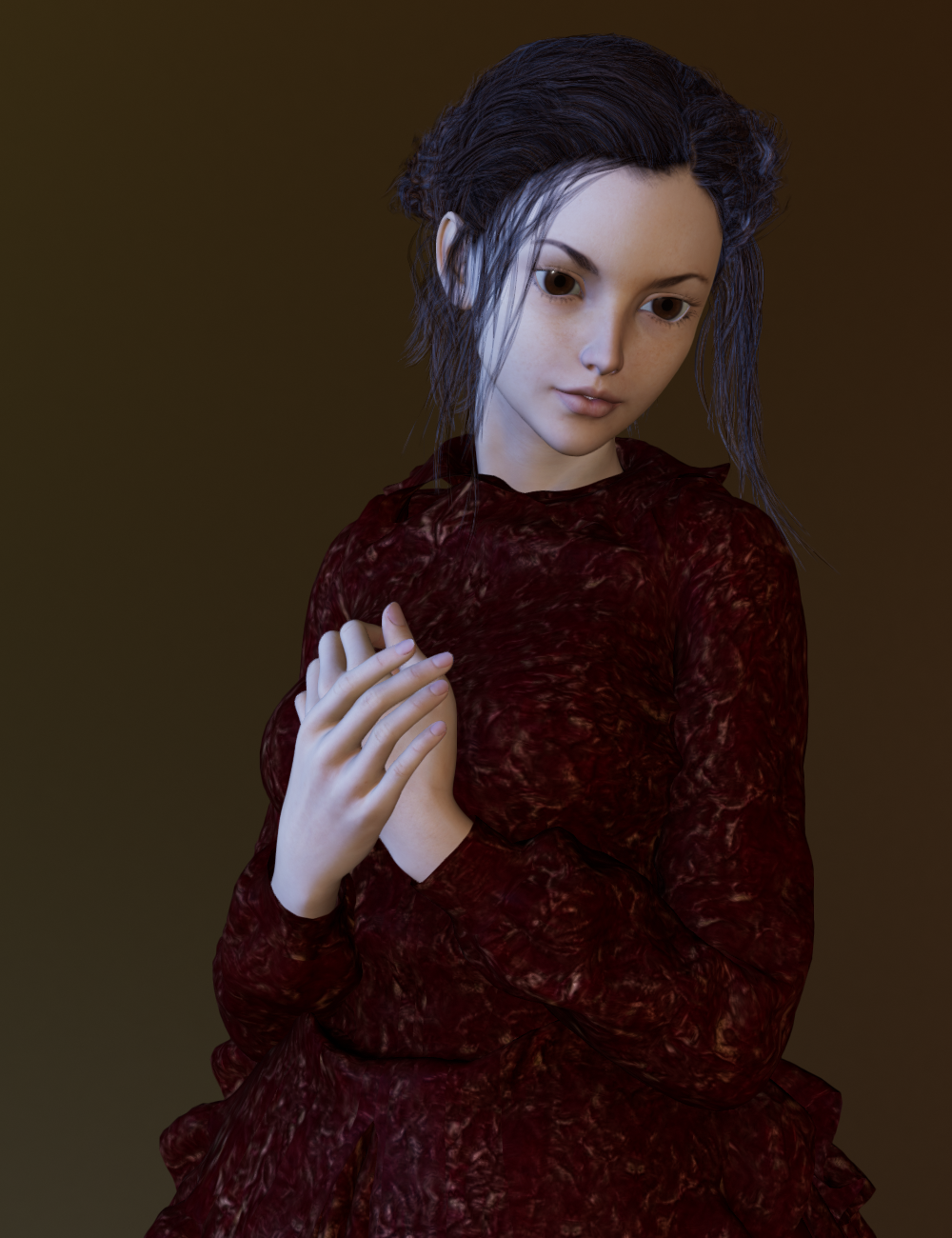
G2F Monique 6 and Aiko 6 Mix with a mix of other morphs. Cookie outfit and hair transferred with XD4 CrossDresser. Rendered in Filament.
Filament handles some things well. For example, I made this tribute to David Prowse in Filament.