• Daz 3D
  • Shop
  • 3D Software
    • Daz Studio Premier
    • Daz Studio
    • Install Manager
    • Partnerships
    • AI Training data
    • Exporters
    • Daz to Roblox
    • Daz to Maya
    • Daz to Blender
    • Daz to Unreal
    • Daz to Unity
    • Daz to 3ds Max
    • Daz to Cinema 4D
  • 3D Models
    • Genesis 9
    • Genesis 8.1
    • Free 3D Models
  • Community
    • Gallery
    • Forums
    • Blog
    • Press
    • Help
  • Memberships
    • Daz Premier
    • Daz Plus
    • Daz Base
    • Compare
  • Download Studio
ADVANCED SEARCH
  • Menu
  • Daz 3D
ADVANCED SEARCH
Add image
  • Shop
  • 3d Software
    • Daz Studio Premier
    • Daz Studio
    • Install Manager
    • Partnerships
    • AI Training data
    • Exporters
    • Daz to Roblox
    • Daz to Maya
    • Daz to Blender
    • Daz to Unreal
    • Daz to Unity
    • Daz to 3ds Max
    • Daz to Cinema 4D
  • 3D Models
    • Genesis 9
    • Genesis 8.1
    • Free 3D Models
  • Community
    • Our Community
    • Gallery
    • Forums
    • Blog
    • Press
    • Help
  • Memberships
    • Daz Premier
    • Daz Plus
    • Daz Base
    • Compare

Notifications

You currently have no notifications.

Loading...
    • Categories
    • Recent Discussions
Daz 3D Forums > 3rd Party Software > Blender Discussion

Custom Pocket Morphs

Hurdy3DHurdy3D Posts: 1,073
October 2020 in Blender Discussion

Hey,

I want to do some custom pockets morphs for the jeans from https://www.daz3d.com/blazer-and-skinny-jeans-outfit-for-genesis-8-female-s

The problem is, that in Blender the elastic Deform Tool also deforms the inner part of the pockt.

Is there a way to modify only the outer part of the pocket?

I tried  a mask, but the Mask painter, selcted also again the inner mesh, when I painted on the outer one.
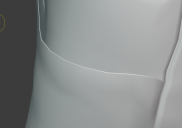
Screenshot 2020-10-10 130021.png
940 x 660 - 203K
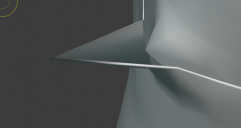
Screenshot 2020-10-10 130026.png
760 x 403 - 102K

Comments

  • felisfelis Posts: 5,723
    October 2020 edited October 2020

    If you go to modelling instead of sculpting you can use the proportional editing.

    And then start by selecting the inner faces, and hide them (H). Then you can deform your pocket. Hidden mesh will not be deformed.

    <Alt> H unhides.

    Post edited by felis on October 2020
  • Hurdy3DHurdy3D Posts: 1,073
    October 2020

    yes, that did the trick. thank you. yes

  • TheKDTheKD Posts: 2,711
    October 2020 edited October 2020

    Also another good trick to know, in proportional editing, there is an option to only affect attached mech(connected only). Useful for precision clothes and hair mesh tweeking.

    Post edited by TheKD on October 2020
Sign In or Register to comment.
Adding to Cart…

Daz 3D is part of Tafi

Connect

DAZ Productions, Inc.
7533 S Center View Ct #4664
West Jordan, UT 84084

HELP

Contact Us

Tutorials

Help Center

Sell Your 3D Content

Affiliate Program

Documentation Center

Open Source

Consent Preferences

JOIN DAZ

Memberships

Blog

About Us

Press

Careers

Bridges

Community

In the Studio

Gallery

Forum

DAZ STORE

Shop

Freebies

Published Artists

Licensing Agreement | Terms of Service | Privacy Policy | EULA

© 2025 Daz Productions Inc. All Rights Reserved.
